Load one source file
Download SqueakAnimationDemos.st. Find it in Squeak’s File List and choose fileIn. It defines SAAnimationMorph in the Squeak-Animation-Gallery category.
SQUEAK 6.0 / SMALLTALK IN MOTION
A ball bounces. Dots orbit. A flower appears one stroke at a time. Explore six simple animations built from Morphs, a stepping clock, and a little math.
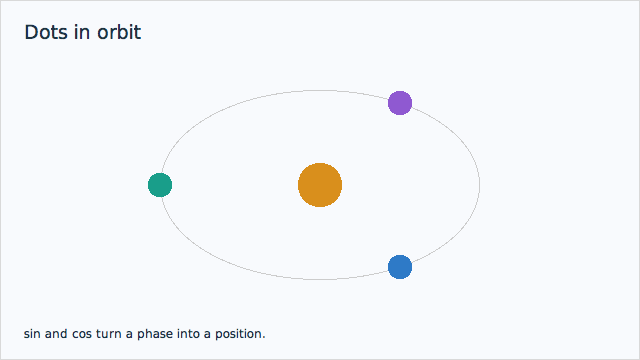
A real GIF made from Squeak’s rendered frames.
Motion stays still by default when reduced motion is requested.
01 / SIX SIMPLE LOOPS
Each card has a native screenshot.
Select it to watch its animated GIF and read the code.
02 / A LIVE MORPH, NOT JUST A GIF
The GIF records the behavior.
The file-in gives you the real objects.
Download SqueakAnimationDemos.st. Find it in Squeak’s File List and choose fileIn. It defines SAAnimationMorph in the Squeak-Animation-Gallery category.
Paste the selected animation’s one-line command into a Workspace. Select it and choose Do it to open the live Morph, or Inspect it to retain an Inspector on the returned object.
For example: SAAnimationMorph open: #orbit.
In an Inspector on the animation, evaluate self running: false. to stop, self running: true. to resume, or self delete. to remove it. Browse the class to change an update method and rerun the example.
stepTime requests a 40 ms interval. step advances a bounded phase and calls an update method. Changing position, extent, color, or pixels changes what Morphic draws. running: manages scheduling, and delete stops it before removing the Morph. The live World’s actual timing can vary; these GIFs encode a fixed 40 ms per sampled step.
03 / THE WHOLE CLASS
All displayed methods come directly
from the executed Smalltalk file.
04 / FROM SMALLTALK TO A SHAREABLE LOOP
Load the exact class, open each animation, and stop automatic scheduling for a deterministic capture.
Call the same step method one frame at a time. Save each Morph-rendered 640 × 360 Form as a PNG.
Encode those PNGs with a shared GIF palette. Verify dimensions, visible motion, total duration, and infinite looping.
Squeak checks every recorded phase and the bounds of its content, verifies that a complete cycle returns to the initial pixels, and tests stop and delete behavior. The runner exits without saving the image. GIF encoding uses a limited color palette and may combine identical hold frames while preserving their duration. The PNG stills preserve the native render.