THE BUILT-IN OBJECTS CATALOG
Visual objects, A–Z.
A searchable reference to every registered object descriptor in the clean Squeak 6.1 build 23976 image. Choose an entry to see what it creates, its code, and its verified native media.
112 registered entries
 All ScriptsAllScriptsTool newStandAloneTested + native media
See and control the scripts in the current project.
Use stop, step, and go controls; expand the tool to see individual scripts and display filters.
| object |
object := AllScriptsTool newStandAlone.
object openInWorld.
objectCode used for the recorded demonstration
Rendering script: the recording captures native frame states between iterations. Some examples use an offscreen panel or explicitly invoke step methods. Use the short launcher above for the ordinary interactive object.
| m baseExtent panel u |
m := AllScriptsTool newStandAlone.
baseExtent := m extent.
panel := Morph new color: (Color r: 0.95 g: 0.96 b: 0.97); extent: ((baseExtent x + 180 max: 320) @ (baseExtent y + 140 max: 220)).
panel addMorph: m.
m center: panel center.
1 to: 24 do: [:i |
 u := (((i - 1) / 23 * Float pi * 2) cos negated + 1) / 2.
 m center: panel center + (u * 80 - 40 @ 0).
 "Capture panel imageForm after each actual native state change."
].
Cleanup: close the object or use its halo’s red delete handle. For animated objects, deleting the complete root removes it from the world.
Descriptor declared by AllScriptsTool. A prototype name is not necessarily a Smalltalk class name. Browse the complete class index.
 ArrowPolygonMorph arrowPrototypeTested + native media
Draw a straight arrow.
Shift-click to reveal the endpoint handles and drag them to position the arrow.
| object |
object := PolygonMorph arrowPrototype.
object openInWorld.
objectCode used for the recorded demonstration
Rendering script: the recording captures native frame states between iterations. Some examples use an offscreen panel or explicitly invoke step methods. Use the short launcher above for the ordinary interactive object.
| m baseExtent panel u |
m := PolygonMorph arrowPrototype.
baseExtent := m extent.
panel := Morph new color: (Color r: 0.95 g: 0.96 b: 0.97); extent: ((baseExtent x + 180 max: 320) @ (baseExtent y + 140 max: 220)).
panel addMorph: m.
m center: panel center.
1 to: 24 do: [:i |
 u := (((i - 1) / 23 * Float pi * 2) cos negated + 1) / 2.
 m extent: (baseExtent + ((80@40) * u)) rounded.
m color: (Color h: 210 - (u * 170) s: 0.65 v: 0.9).
m center: panel center.
m borderColor: (Color h: 210 - (u * 170) s: 0.8 v: 0.6).
 "Capture panel imageForm after each actual native state change."
].
Cleanup: close the object or use its halo’s red delete handle. For animated objects, deleting the complete root removes it from the world.
Descriptor declared by PolygonMorph. A prototype name is not necessarily a Smalltalk class name. Browse the complete class index.
No previewNot runAudio chatAudioChatGUI newStandAloneNot run · dependency
Exchange spoken audio with another Squeak user.
Set up the native connection and recording controls for an audio conversation; a picture of the panel does not send or record audio.
initialize calls start2, which immediately calls Socket initializeNetwork. Recording and transmitting speech are additional actions; do not auto-construct this for a visual capture.
Not run · dependency. Its constructor initializes networking. Audio chat was not constructed or connected during this capture audit.
AudioChatGUI newStandAloneDescriptor declared by AudioChatGUI. A prototype name is not necessarily a Smalltalk class name. Browse the complete class index.
No previewNot runBadgeNebraskaSenderMorph newStandAloneNot run · dependency
Represent another Squeak user as a collaboration target.
Configure the native badge for a person; dropping a Morph on it can send that person a copy.
initialize calls Socket initializeNetwork and initializeToStandAlone installs a model in the current world. Dropping an object can transmit it.
Not run · dependency. Its constructor initializes networking and installs a sharing model. It was not run for this reference.
NebraskaSenderMorph newStandAloneDescriptor declared by NebraskaSenderMorph. A prototype name is not necessarily a Smalltalk class name. Browse the complete class index.
 BlobBlobMorph newStandAloneTested + native media
Explore a playful shape that changes and moves over time.
In a running Squeak world, watch its outline ooze and its color adapt; blobs can merge when they meet.
| object |
object := BlobMorph newStandAlone.
object openInWorld.
objectCode used for the recorded demonstration
Rendering script: the recording captures native frame states between iterations. Some examples use an offscreen panel or explicitly invoke step methods. Use the short launcher above for the ordinary interactive object.
| m view panel origin world board moves actualMag background w h scale |
m := BlobMorph newStandAlone.
m openInWorld.
m fullBounds.
world := Project current world.
panel := Morph new color: (Color r: 0.95 g: 0.96 b: 0.97).
view := m.
w := m fullBounds width. h := m fullBounds height.
scale := (1 min: (680 / w)) min: (520 / h).
scale < 1 ifTrue: [view := m addFlexShell. view scale: scale].
view fullBounds.
panel extent: view fullBounds extent + (120@70).
world addMorph: panel. panel position: 0@0.
panel addMorph: view. view position: 50@35. origin := view position.

1 to: 24 do: [:i |
m step.
panel fullBounds.
world displayWorldSafely.
(Delay forMilliseconds: 120) wait.
].
m
Cleanup: close the object or use its halo’s red delete handle. For animated objects, deleting the complete root removes it from the world.
Descriptor declared by BlobMorph. A prototype name is not necessarily a Smalltalk class name. Browse the complete class index.
 BookBookMorph newStandAloneTested + native media
Arrange objects across multiple pages.
Use the book controls to turn pages and add or remove pages; each page can hold other Morphs.
Book menu actions can write pages to disk or a server; ordinary page turning is local.
| object |
object := BookMorph newStandAlone.
object openInWorld.
objectCode used for the recorded demonstration
Rendering script: the recording captures native frame states between iterations. Some examples use an offscreen panel or explicitly invoke step methods. Use the short launcher above for the ordinary interactive object.
| m baseExtent panel u |
m := BookMorph newStandAlone.
baseExtent := m extent.
panel := Morph new color: (Color r: 0.95 g: 0.96 b: 0.97); extent: ((baseExtent x + 180 max: 320) @ (baseExtent y + 140 max: 220)).
panel addMorph: m.
m center: panel center.
1 to: 24 do: [:i |
 u := (((i - 1) / 23 * Float pi * 2) cos negated + 1) / 2.
 m center: panel center + (u * 80 - 40 @ 0).
 "Capture panel imageForm after each actual native state change."
].
Cleanup: close the object or use its halo’s red delete handle. For animated objects, deleting the complete root removes it from the world.
Descriptor declared by BookMorph. A prototype name is not necessarily a Smalltalk class name. Browse the complete class index.
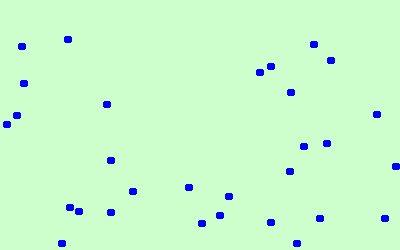 BouncingAtomsBouncingAtomsMorph newStandAloneTested + native media
Watch moving particles bounce inside a container.
Resize the container while the atoms bounce to see how their movement responds to the walls.
| object |
object := BouncingAtomsMorph newStandAlone.
object openInWorld.
objectCode used for the recorded demonstration
Rendering script: the recording captures native frame states between iterations. Some examples use an offscreen panel or explicitly invoke step methods. Use the short launcher above for the ordinary interactive object.
| m view panel origin world board moves actualMag background w h scale |
m := BouncingAtomsMorph newStandAlone.
m openInWorld.
m fullBounds.
world := Project current world.
panel := Morph new color: (Color r: 0.95 g: 0.96 b: 0.97).
view := m.
w := m fullBounds width. h := m fullBounds height.
scale := (1 min: (680 / w)) min: (520 / h).
scale < 1 ifTrue: [view := m addFlexShell. view scale: scale].
view fullBounds.
panel extent: view fullBounds extent + (120@70).
world addMorph: panel. panel position: 0@0.
panel addMorph: view. view position: 50@35. origin := view position.

1 to: 24 do: [:i |
2 timesRepeat: [m step].
panel fullBounds.
world displayWorldSafely.
(Delay forMilliseconds: 120) wait.
].
m
Cleanup: close the object or use its halo’s red delete handle. For animated objects, deleting the complete root removes it from the world.
Descriptor declared by BouncingAtomsMorph. A prototype name is not necessarily a Smalltalk class name. Browse the complete class index.
 ButtonScriptableButton newStandAloneTested + native media
Trigger a tile script from a button.
Give the native button a script in its containing playfield, then click it to run that script.
Clicking executes its assigned project script; the effects depend on that script.
| object |
object := ScriptableButton newStandAlone.
object openInWorld.
objectCode used for the recorded demonstration
Rendering script: the recording captures native frame states between iterations. Some examples use an offscreen panel or explicitly invoke step methods. Use the short launcher above for the ordinary interactive object.
| m baseExtent panel u |
m := ScriptableButton newStandAlone.
baseExtent := m extent.
panel := Morph new color: (Color r: 0.95 g: 0.96 b: 0.97); extent: ((baseExtent x + 180 max: 320) @ (baseExtent y + 140 max: 220)).
panel addMorph: m.
m center: panel center.
1 to: 24 do: [:i |
 u := (((i - 1) / 23 * Float pi * 2) cos negated + 1) / 2.
 m center: panel center + (u * 80 - 40 @ 0).
 "Capture panel imageForm after each actual native state change."
].
Cleanup: close the object or use its halo’s red delete handle. For animated objects, deleting the complete root removes it from the world.
Descriptor declared by ScriptableButton. A prototype name is not necessarily a Smalltalk class name. Browse the complete class index.
 ButtonDown?ScriptingSystem anyButtonPressedTilesTested + native media
Ask a tile script whether a mouse button is pressed.
Use the native condition tiles in a script; this registered descriptor is hidden by this image's catalog class filter.
| object |
object := ScriptingSystem anyButtonPressedTiles.
object openInWorld.
objectCode used for the recorded demonstration
Rendering script: the recording captures native frame states between iterations. Some examples use an offscreen panel or explicitly invoke step methods. Use the short launcher above for the ordinary interactive object.
| m baseExtent panel u |
m := ScriptingSystem anyButtonPressedTiles.
baseExtent := m extent.
panel := Morph new color: (Color r: 0.95 g: 0.96 b: 0.97); extent: ((baseExtent x + 180 max: 320) @ (baseExtent y + 140 max: 220)).
panel addMorph: m.
m center: panel center.
1 to: 24 do: [:i |
 u := (((i - 1) / 23 * Float pi * 2) cos negated + 1) / 2.
 m center: panel center + (u * 80 - 40 @ 0).
 "Capture panel imageForm after each actual native state change."
].
Cleanup: close the object or use its halo’s red delete handle. For animated objects, deleting the complete root removes it from the world.
Descriptor declared by Morph. A prototype name is not necessarily a Smalltalk class name. Browse the complete class index.
 ButtonUp?ScriptingSystem noButtonPressedTilesTested + native media
Ask a tile script whether no mouse button is pressed.
Use the native condition tiles in a script; this registered descriptor is hidden by this image's catalog class filter.
| object |
object := ScriptingSystem noButtonPressedTiles.
object openInWorld.
objectCode used for the recorded demonstration
Rendering script: the recording captures native frame states between iterations. Some examples use an offscreen panel or explicitly invoke step methods. Use the short launcher above for the ordinary interactive object.
| m baseExtent panel u |
m := ScriptingSystem noButtonPressedTiles.
baseExtent := m extent.
panel := Morph new color: (Color r: 0.95 g: 0.96 b: 0.97); extent: ((baseExtent x + 180 max: 320) @ (baseExtent y + 140 max: 220)).
panel addMorph: m.
m center: panel center.
1 to: 24 do: [:i |
 u := (((i - 1) / 23 * Float pi * 2) cos negated + 1) / 2.
 m center: panel center + (u * 80 - 40 @ 0).
 "Capture panel imageForm after each actual native state change."
].
Cleanup: close the object or use its halo’s red delete handle. For animated objects, deleting the complete root removes it from the world.
Descriptor declared by Morph. A prototype name is not necessarily a Smalltalk class name. Browse the complete class index.
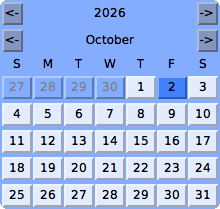 CalendarCalendarMorph newStandAloneTested + native media
Display and select dates in a one-month calendar.
Select a date or change the displayed month; the selected date is highlighted and can be used in Etoys scripts.
| object |
object := CalendarMorph newStandAlone.
object openInWorld.
objectCode used for the recorded demonstration
Rendering script: the recording captures native frame states between iterations. Some examples use an offscreen panel or explicitly invoke step methods. Use the short launcher above for the ordinary interactive object.
| m view panel origin world board moves actualMag background w h scale |
m := CalendarMorph newStandAlone.
m openInWorld.
m fullBounds.
world := Project current world.
panel := Morph new color: (Color r: 0.95 g: 0.96 b: 0.97).
view := m.
w := m fullBounds width. h := m fullBounds height.
scale := (1 min: (680 / w)) min: (520 / h).
scale < 1 ifTrue: [view := m addFlexShell. view scale: scale].
view fullBounds.
panel extent: view fullBounds extent + (120@70).
world addMorph: panel. panel position: 0@0.
panel addMorph: view. view position: 50@35. origin := view position.

1 to: 24 do: [:i |
(i \\ 6) = 0 ifTrue: [m date: (m date addDays: 30). m step].
panel fullBounds.
world displayWorldSafely.
(Delay forMilliseconds: 120) wait.
].
m
Cleanup: close the object or use its halo’s red delete handle. For animated objects, deleting the complete root removes it from the world.
Descriptor declared by CalendarMorph. A prototype name is not necessarily a Smalltalk class name. Browse the complete class index.
 CameraWebCamMorph newStandAloneTested + native media
Show frames from a webcam in Squeak.
The native prototype starts with the camera off. Turn it on in its settings only when you intend to use the device.
initialize sets camIsOn to false. Enabling the native camera needs a working device and CameraPlugin; do not activate it for a static preview.
| object |
object := WebCamMorph newStandAlone.
object openInWorld.
objectCode used for the recorded demonstration
Rendering script: the recording captures native frame states between iterations. Some examples use an offscreen panel or explicitly invoke step methods. Use the short launcher above for the ordinary interactive object.
| m baseExtent panel u |
m := WebCamMorph newStandAlone.
baseExtent := m extent.
panel := Morph new color: (Color r: 0.95 g: 0.96 b: 0.97); extent: ((baseExtent x + 180 max: 320) @ (baseExtent y + 140 max: 220)).
panel addMorph: m.
m center: panel center.
1 to: 24 do: [:i |
 u := (((i - 1) / 23 * Float pi * 2) cos negated + 1) / 2.
 m center: panel center + (u * 80 - 40 @ 0).
 "Capture panel imageForm after each actual native state change."
].
Cleanup: close the object or use its halo’s red delete handle. For animated objects, deleting the complete root removes it from the world.
Descriptor declared by WebCamMorph. A prototype name is not necessarily a Smalltalk class name. Browse the complete class index.
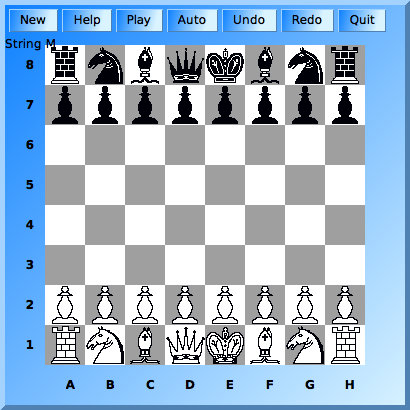 ChessChessMorph newStandAloneTested + native media
Play chess inside Squeak.
Use the native board to move chess pieces and the game controls to start a game.
| object |
object := ChessMorph newStandAlone.
object openInWorld.
objectCode used for the recorded demonstration
Rendering script: the recording captures native frame states between iterations. Some examples use an offscreen panel or explicitly invoke step methods. Use the short launcher above for the ordinary interactive object.
| m view panel origin world board moves actualMag background w h scale |
m := ChessMorph newStandAlone.
m openInWorld.
m fullBounds.
world := Project current world.
panel := Morph new color: (Color r: 0.95 g: 0.96 b: 0.97).
view := m.
w := m fullBounds width. h := m fullBounds height.
scale := (1 min: (680 / w)) min: (520 / h).
scale < 1 ifTrue: [view := m addFlexShell. view scale: scale].
view fullBounds.
panel extent: view fullBounds extent + (120@70).
world addMorph: panel. panel position: 0@0.
panel addMorph: view. view position: 50@35. origin := view position.
board := m instVarNamed: 'board'.
1 to: 24 do: [:i |
(i \\ 4) = 0 ifTrue: [moves := OrderedCollection new. 1 to: 64 do: [:square | moves addAll: (board activePlayer findValidMovesAt: square)]. moves ifNotEmpty: [board nextMove: moves first. m validateGamePosition]].
panel fullBounds.
world displayWorldSafely.
(Delay forMilliseconds: 120) wait.
].
m
Cleanup: close the object or use its halo’s red delete handle. For animated objects, deleting the complete root removes it from the world.
Descriptor declared by ChessMorph. A prototype name is not necessarily a Smalltalk class name. Browse the complete class index.
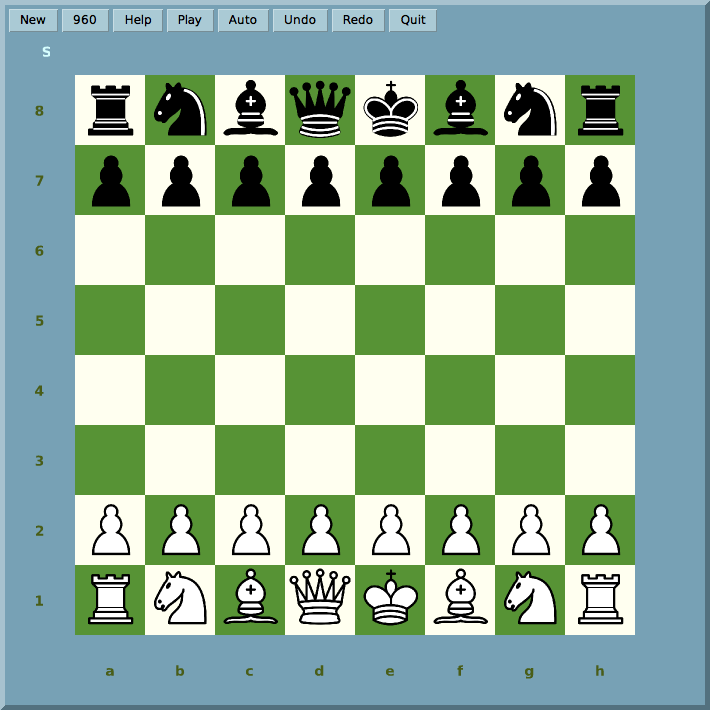 Chess 960Chess960Morph newStandAloneTested + native media
Play chess with a scalable board and a Fischer-random option.
Use the native game board; the 960 button starts the alternative starting-position game.
| object |
object := Chess960Morph newStandAlone.
object openInWorld.
objectCode used for the recorded demonstration
Rendering script: the recording captures native frame states between iterations. Some examples use an offscreen panel or explicitly invoke step methods. Use the short launcher above for the ordinary interactive object.
| m view panel origin world board moves actualMag background w h scale |
m := Chess960Morph newStandAlone.
m openInWorld.
m fullBounds.
world := Project current world.
panel := Morph new color: (Color r: 0.95 g: 0.96 b: 0.97).
view := m.
w := m fullBounds width. h := m fullBounds height.
scale := (1 min: (680 / w)) min: (520 / h).
scale < 1 ifTrue: [view := m addFlexShell. view scale: scale].
view fullBounds.
panel extent: view fullBounds extent + (120@70).
world addMorph: panel. panel position: 0@0.
panel addMorph: view. view position: 50@35. origin := view position.
m new960Game. board := m instVarNamed: 'board'.
1 to: 24 do: [:i |
(i \\ 4) = 0 ifTrue: [moves := OrderedCollection new. 1 to: 64 do: [:square | moves addAll: (board activePlayer findValidMovesAt: square)]. moves ifNotEmpty: [board nextMove: moves first. m validateGamePosition]].
panel fullBounds.
world displayWorldSafely.
(Delay forMilliseconds: 120) wait.
].
m
Cleanup: close the object or use its halo’s red delete handle. For animated objects, deleting the complete root removes it from the world.
Descriptor declared by Chess960Morph. A prototype name is not necessarily a Smalltalk class name. Browse the complete class index.
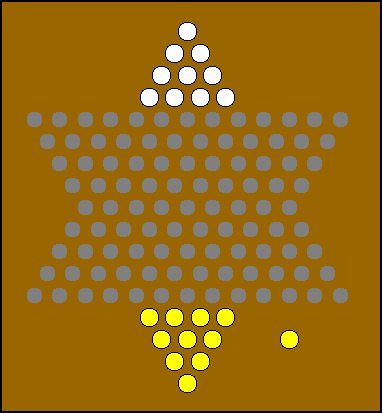 ChineseCheckersChineseCheckers newStandAloneTested + native media
Play Chinese Checkers with human or computer-controlled teams.
Drag a piece of the current team's color to make a move; the reset menu changes the game and player setup.
| object |
object := ChineseCheckers newStandAlone.
object openInWorld.
objectCode used for the recorded demonstration
Rendering script: the recording captures native frame states between iterations. Some examples use an offscreen panel or explicitly invoke step methods. Use the short launcher above for the ordinary interactive object.
| m view panel origin world board moves actualMag background w h scale |
m := ChineseCheckers newStandAlone.
m openInWorld.
m fullBounds.
world := Project current world.
panel := Morph new color: (Color r: 0.95 g: 0.96 b: 0.97).
view := m.
w := m fullBounds width. h := m fullBounds height.
scale := (1 min: (680 / w)) min: (520 / h).
scale < 1 ifTrue: [view := m addFlexShell. view scale: scale].
view fullBounds.
panel extent: view fullBounds extent + (120@70).
world addMorph: panel. panel position: 0@0.
panel addMorph: view. view position: 50@35. origin := view position.
m teams: #(2 5) autoPlay: #(true true).
1 to: 24 do: [:i |
m step.
panel fullBounds.
world displayWorldSafely.
(Delay forMilliseconds: 120) wait.
].
m
Cleanup: close the object or use its halo’s red delete handle. For animated objects, deleting the complete root removes it from the world.
Descriptor declared by ChineseCheckers. Browse the complete class index.
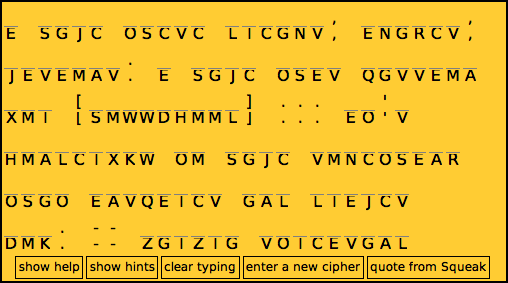 CipherCipherPanel newStandAloneTested + native media
Work on a simple substitution-code puzzle.
Enter a cipher and try letter substitutions in the native puzzle panel.
| object |
object := CipherPanel newStandAlone.
object openInWorld.
objectCode used for the recorded demonstration
Rendering script: the recording captures native frame states between iterations. Some examples use an offscreen panel or explicitly invoke step methods. Use the short launcher above for the ordinary interactive object.
| m view panel origin world board moves actualMag background w h scale |
m := CipherPanel newStandAlone.
m openInWorld.
m fullBounds.
world := Project current world.
panel := Morph new color: (Color r: 0.95 g: 0.96 b: 0.97).
view := m.
w := m fullBounds width. h := m fullBounds height.
scale := (1 min: (680 / w)) min: (520 / h).
scale < 1 ifTrue: [view := m addFlexShell. view scale: scale].
view fullBounds.
panel extent: view fullBounds extent + (120@70).
world addMorph: panel. panel position: 0@0.
panel addMorph: view. view position: 50@35. origin := view position.

1 to: 24 do: [:i |
(i \\ 4) = 0 ifTrue: [m keyCharacter: ('ETAOIN' at: i // 4) atIndex: i // 4 nextFocus: nil].
panel fullBounds.
world displayWorldSafely.
(Delay forMilliseconds: 120) wait.
].
m
Cleanup: close the object or use its halo’s red delete handle. For animated objects, deleting the complete root removes it from the world.
Descriptor declared by CipherPanel. A prototype name is not necessarily a Smalltalk class name. Browse the complete class index.
 CircleCircleMorph newStandAloneTested + native media
Add a shape that stays circular.
Use its halo to move it, resize it, or change its appearance; CircleMorph preserves a circular outline.
| object |
object := CircleMorph newStandAlone.
object openInWorld.
objectCode used for the recorded demonstration
Rendering script: the recording captures native frame states between iterations. Some examples use an offscreen panel or explicitly invoke step methods. Use the short launcher above for the ordinary interactive object.
| m baseExtent panel u |
m := CircleMorph newStandAlone.
baseExtent := m extent.
panel := Morph new color: (Color r: 0.95 g: 0.96 b: 0.97); extent: ((baseExtent x + 180 max: 320) @ (baseExtent y + 140 max: 220)).
panel addMorph: m.
m center: panel center.
1 to: 24 do: [:i |
 u := (((i - 1) / 23 * Float pi * 2) cos negated + 1) / 2.
 m extent: (baseExtent + ((80@40) * u)) rounded.
m color: (Color h: 210 - (u * 170) s: 0.65 v: 0.9).
m center: panel center.
 "Capture panel imageForm after each actual native state change."
].
Cleanup: close the object or use its halo’s red delete handle. For animated objects, deleting the complete root removes it from the world.
Descriptor declared by CircleMorph. A prototype name is not necessarily a Smalltalk class name. Browse the complete class index.
 ClipboardClipboardMorph newStandAloneTested + native media
Keep the current text clipboard visible in the world.
The native object reads and displays clipboard text and updates as the clipboard changes. This example installs LearnSqueakReferenceClipboard in a learning image, substitutes fixed sample text, stops clipboard stepping and restores the previous provider. Check that the tutorial class name is unused before running it; remove only this tutorial fixture class afterward if desired.
Normal construction immediately reads Clipboard clipboardText, whose default provider attempts native host clipboard access. A supported substituted sample provider is required to demonstrate this without host access.
| object previous providerClass |
"Use a learning image: this installs a tiny sample provider."
providerClass := Clipboard subclass: #LearnSqueakReferenceClipboard
    instanceVariableNames: ''
    classVariableNames: ''
    poolDictionaries: ''
    category: 'LearnSqueak-Reference-Fixtures'.
providerClass compile:
    'clipboardText ^ ''Sample clipboard text - LearnSqueak'''.
previous := Clipboard default.
[
    Clipboard default: providerClass new.
    object := ClipboardMorph newStandAlone.
    object openInWorld.
    object stopStepping
] ensure: [Clipboard default: previous].
objectCleanup: close the object or use its halo’s red delete handle. For animated objects, deleting the complete root removes it from the world.
Descriptor declared by ClipboardMorph. A prototype name is not necessarily a Smalltalk class name. Browse the complete class index.
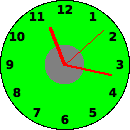 ClockWatchMorph newStandAloneTested + native media
Display the time with an analog clock face.
Watch its hands in a running Squeak world; resizing also changes the label size.
| object |
object := WatchMorph newStandAlone.
object openInWorld.
objectCode used for the recorded demonstration
Rendering script: the recording captures native frame states between iterations. Some examples use an offscreen panel or explicitly invoke step methods. Use the short launcher above for the ordinary interactive object.
| m view panel origin world board moves actualMag background w h scale |
m := WatchMorph newStandAlone.
m openInWorld.
m fullBounds.
world := Project current world.
panel := Morph new color: (Color r: 0.95 g: 0.96 b: 0.97).
view := m.
w := m fullBounds width. h := m fullBounds height.
scale := (1 min: (680 / w)) min: (520 / h).
scale < 1 ifTrue: [view := m addFlexShell. view scale: scale].
view fullBounds.
panel extent: view fullBounds extent + (120@70).
world addMorph: panel. panel position: 0@0.
panel addMorph: view. view position: 50@35. origin := view position.

1 to: 24 do: [:i |
m step. (Delay forMilliseconds: 160) wait.
panel fullBounds.
world displayWorldSafely.
].
m
Cleanup: close the object or use its halo’s red delete handle. For animated objects, deleting the complete root removes it from the world.
Descriptor declared by WatchMorph. A prototype name is not necessarily a Smalltalk class name. Browse the complete class index.
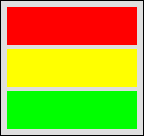 ColumnAlignmentMorph columnPrototypeTested + native media
Keep a group of objects in a vertical column.
Drop objects into the column; its layout arranges them vertically. The prototype starts with three colored sample rectangles.
| object |
object := AlignmentMorph columnPrototype.
object openInWorld.
objectCode used for the recorded demonstration
Rendering script: the recording captures native frame states between iterations. Some examples use an offscreen panel or explicitly invoke step methods. Use the short launcher above for the ordinary interactive object.
| m baseExtent panel u |
m := AlignmentMorph columnPrototype.
baseExtent := m extent.
panel := Morph new color: (Color r: 0.95 g: 0.96 b: 0.97); extent: ((baseExtent x + 180 max: 320) @ (baseExtent y + 140 max: 220)).
panel addMorph: m.
m center: panel center.
1 to: 24 do: [:i |
 u := (((i - 1) / 23 * Float pi * 2) cos negated + 1) / 2.
 m center: panel center + (u * 80 - 40 @ 0).
 "Capture panel imageForm after each actual native state change."
].
Cleanup: close the object or use its halo’s red delete handle. For animated objects, deleting the complete root removes it from the world.
Descriptor declared by AlignmentMorph. A prototype name is not necessarily a Smalltalk class name. Browse the complete class index.
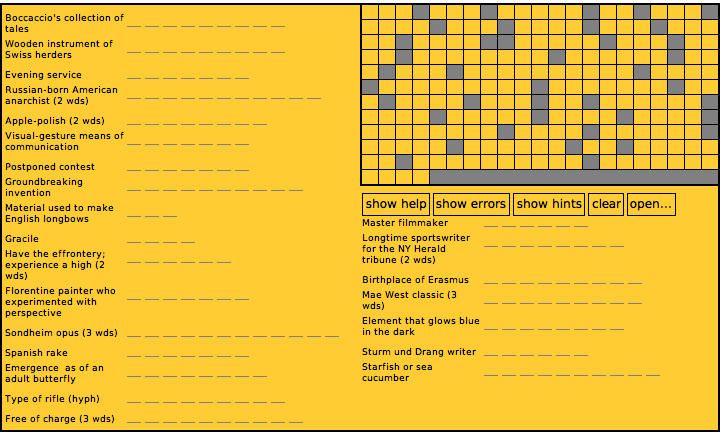 CrosticCrosticPanel newStandAloneTested + native media
Solve an acrostic word puzzle.
Use the clue and answer fields to fill letters into the linked quotation grid.
The native puzzle offers openFile; loading a puzzle may read a local file.
| object |
object := CrosticPanel newStandAlone.
object openInWorld.
objectCode used for the recorded demonstration
Rendering script: the recording captures native frame states between iterations. Some examples use an offscreen panel or explicitly invoke step methods. Use the short launcher above for the ordinary interactive object.
| m view panel origin world board moves actualMag background w h scale |
m := CrosticPanel newStandAlone.
m openInWorld.
m fullBounds.
world := Project current world.
panel := Morph new color: (Color r: 0.95 g: 0.96 b: 0.97).
view := m.
w := m fullBounds width. h := m fullBounds height.
scale := (1 min: (680 / w)) min: (520 / h).
scale < 1 ifTrue: [view := m addFlexShell. view scale: scale].
view fullBounds.
panel extent: view fullBounds extent + (120@70).
world addMorph: panel. panel position: 0@0.
panel addMorph: view. view position: 50@35. origin := view position.

1 to: 24 do: [:i |
(i \\ 4) = 0 ifTrue: [m highlight: (m letterMorphs at: i // 4)].
panel fullBounds.
world displayWorldSafely.
(Delay forMilliseconds: 120) wait.
].
m
Cleanup: close the object or use its halo’s red delete handle. For animated objects, deleting the complete root removes it from the world.
Descriptor declared by CrosticPanel. A prototype name is not necessarily a Smalltalk class name. Browse the complete class index.
 CurveCurveMorph newStandAloneTested + native media
Draw a smooth outline or curved filled shape.
Shift-click to show its vertex handles, then drag those handles to reshape the curve.
| object |
object := CurveMorph newStandAlone.
object openInWorld.
objectCode used for the recorded demonstration
Rendering script: the recording captures native frame states between iterations. Some examples use an offscreen panel or explicitly invoke step methods. Use the short launcher above for the ordinary interactive object.
| m baseExtent panel u |
m := CurveMorph newStandAlone.
baseExtent := m extent.
panel := Morph new color: (Color r: 0.95 g: 0.96 b: 0.97); extent: ((baseExtent x + 180 max: 320) @ (baseExtent y + 140 max: 220)).
panel addMorph: m.
m center: panel center.
1 to: 24 do: [:i |
 u := (((i - 1) / 23 * Float pi * 2) cos negated + 1) / 2.
 m extent: (baseExtent + ((80@40) * u)) rounded.
m color: (Color h: 210 - (u * 170) s: 0.65 v: 0.9).
m center: panel center.
m borderColor: (Color h: 210 - (u * 170) s: 0.8 v: 0.6).
 "Capture panel imageForm after each actual native state change."
].
Cleanup: close the object or use its halo’s red delete handle. For animated objects, deleting the complete root removes it from the world.
Descriptor declared by CurveMorph. A prototype name is not necessarily a Smalltalk class name. Browse the complete class index.
 CurvePolygonMorph curvePrototypeTested + native media
Start with a PolygonMorph configured as a smooth curve.
Shift-click to reshape it; the halo menu can make it open or closed or turn it into a segmented polygon.
| object |
object := PolygonMorph curvePrototype.
object openInWorld.
objectCode used for the recorded demonstration
Rendering script: the recording captures native frame states between iterations. Some examples use an offscreen panel or explicitly invoke step methods. Use the short launcher above for the ordinary interactive object.
| m baseExtent panel u |
m := PolygonMorph curvePrototype.
baseExtent := m extent.
panel := Morph new color: (Color r: 0.95 g: 0.96 b: 0.97); extent: ((baseExtent x + 180 max: 320) @ (baseExtent y + 140 max: 220)).
panel addMorph: m.
m center: panel center.
1 to: 24 do: [:i |
 u := (((i - 1) / 23 * Float pi * 2) cos negated + 1) / 2.
 m extent: (baseExtent + ((80@40) * u)) rounded.
m color: (Color h: 210 - (u * 170) s: 0.65 v: 0.9).
m center: panel center.
m borderColor: (Color h: 210 - (u * 170) s: 0.8 v: 0.6).
 "Capture panel imageForm after each actual native state change."
].
Cleanup: close the object or use its halo’s red delete handle. For animated objects, deleting the complete root removes it from the world.
Descriptor declared by PolygonMorph. A prototype name is not necessarily a Smalltalk class name. Browse the complete class index.
 CurvierCurvierMorph newStandAloneTested + native media
Draw a smooth closed curve.
Shift-click to show handles and move its control points; the native prototype begins with an oval-like outline.
| object |
object := CurvierMorph newStandAlone.
object openInWorld.
objectCode used for the recorded demonstration
Rendering script: the recording captures native frame states between iterations. Some examples use an offscreen panel or explicitly invoke step methods. Use the short launcher above for the ordinary interactive object.
| m baseExtent panel u |
m := CurvierMorph newStandAlone.
baseExtent := m extent.
panel := Morph new color: (Color r: 0.95 g: 0.96 b: 0.97); extent: ((baseExtent x + 180 max: 320) @ (baseExtent y + 140 max: 220)).
panel addMorph: m.
m center: panel center.
1 to: 24 do: [:i |
 u := (((i - 1) / 23 * Float pi * 2) cos negated + 1) / 2.
 m extent: (baseExtent + ((80@40) * u)) rounded.
m color: (Color h: 210 - (u * 170) s: 0.65 v: 0.9).
m center: panel center.
m borderColor: (Color h: 210 - (u * 170) s: 0.8 v: 0.6).
 "Capture panel imageForm after each actual native state change."
].
Cleanup: close the object or use its halo’s red delete handle. For animated objects, deleting the complete root removes it from the world.
Descriptor declared by CurvierMorph. A prototype name is not necessarily a Smalltalk class name. Browse the complete class index.
 Curvy ArrowCurveMorph arrowPrototypeTested + native media
Draw a curved arrow connecting points.
Shift-click to show handles, then move the points; this prototype is a smoothed, open PolygonMorph with an arrowhead.
| object |
object := CurveMorph arrowPrototype.
object openInWorld.
objectCode used for the recorded demonstration
Rendering script: the recording captures native frame states between iterations. Some examples use an offscreen panel or explicitly invoke step methods. Use the short launcher above for the ordinary interactive object.
| m baseExtent panel u |
m := CurveMorph arrowPrototype.
baseExtent := m extent.
panel := Morph new color: (Color r: 0.95 g: 0.96 b: 0.97); extent: ((baseExtent x + 180 max: 320) @ (baseExtent y + 140 max: 220)).
panel addMorph: m.
m center: panel center.
1 to: 24 do: [:i |
 u := (((i - 1) / 23 * Float pi * 2) cos negated + 1) / 2.
 m extent: (baseExtent + ((80@40) * u)) rounded.
m color: (Color h: 210 - (u * 170) s: 0.65 v: 0.9).
m center: panel center.
m borderColor: (Color h: 210 - (u * 170) s: 0.8 v: 0.6).
 "Capture panel imageForm after each actual native state change."
].
Cleanup: close the object or use its halo’s red delete handle. For animated objects, deleting the complete root removes it from the world.
Descriptor declared by CurveMorph. A prototype name is not necessarily a Smalltalk class name. Browse the complete class index.
 Digital ClockClockMorph newStandAloneTested + native media
Display the current time as text.
Watch the native clock update. The catalog prototype hides seconds by default, so a short recording may look still.
| object |
object := ClockMorph newStandAlone.
object openInWorld.
objectCode used for the recorded demonstration
Rendering script: the recording captures native frame states between iterations. Some examples use an offscreen panel or explicitly invoke step methods. Use the short launcher above for the ordinary interactive object.
| m view panel origin world board moves actualMag background w h scale |
m := ClockMorph newStandAlone.
m openInWorld.
m fullBounds.
world := Project current world.
panel := Morph new color: (Color r: 0.95 g: 0.96 b: 0.97).
view := m.
w := m fullBounds width. h := m fullBounds height.
scale := (1 min: (680 / w)) min: (520 / h).
scale < 1 ifTrue: [view := m addFlexShell. view scale: scale].
view fullBounds.
panel extent: view fullBounds extent + (120@70).
world addMorph: panel. panel position: 0@0.
panel addMorph: view. view position: 50@35. origin := view position.
m toggleShowingSeconds.
1 to: 24 do: [:i |
m step. (Delay forMilliseconds: 160) wait.
panel fullBounds.
world displayWorldSafely.
].
m
Cleanup: close the object or use its halo’s red delete handle. For animated objects, deleting the complete root removes it from the world.
Descriptor declared by ClockMorph. A prototype name is not necessarily a Smalltalk class name. Browse the complete class index.
 DoubleClickDoubleClickExample newStandAloneTested + native media
See how a Morph handles single clicks, double-clicks, and drags.
Try these gestures in Squeak; the example is intended to demonstrate distinct event handlers.
| object |
object := DoubleClickExample newStandAlone.
object openInWorld.
objectCode used for the recorded demonstration
Rendering script: the recording captures native frame states between iterations. Some examples use an offscreen panel or explicitly invoke step methods. Use the short launcher above for the ordinary interactive object.
| m baseExtent panel u |
m := DoubleClickExample newStandAlone.
baseExtent := m extent.
panel := Morph new color: (Color r: 0.95 g: 0.96 b: 0.97); extent: ((baseExtent x + 180 max: 320) @ (baseExtent y + 140 max: 220)).
panel addMorph: m.
m center: panel center.
1 to: 24 do: [:i |
 u := (((i - 1) / 23 * Float pi * 2) cos negated + 1) / 2.
 m center: panel center + (u * 80 - 40 @ 0).
 "Capture panel imageForm after each actual native state change."
].
Cleanup: close the object or use its halo’s red delete handle. For animated objects, deleting the complete root removes it from the world.
Descriptor declared by DoubleClickExample. A prototype name is not necessarily a Smalltalk class name. Browse the complete class index.
 EllipseEllipseMorph newStandAloneTested + native media
Add an oval or circular shape.
Use the halo to move or resize it and adjust the fill or border.
| object |
object := EllipseMorph newStandAlone.
object openInWorld.
objectCode used for the recorded demonstration
Rendering script: the recording captures native frame states between iterations. Some examples use an offscreen panel or explicitly invoke step methods. Use the short launcher above for the ordinary interactive object.
| m baseExtent panel u |
m := EllipseMorph newStandAlone.
baseExtent := m extent.
panel := Morph new color: (Color r: 0.95 g: 0.96 b: 0.97); extent: ((baseExtent x + 180 max: 320) @ (baseExtent y + 140 max: 220)).
panel addMorph: m.
m center: panel center.
1 to: 24 do: [:i |
 u := (((i - 1) / 23 * Float pi * 2) cos negated + 1) / 2.
 m extent: (baseExtent + ((80@40) * u)) rounded.
m color: (Color h: 210 - (u * 170) s: 0.65 v: 0.9).
m center: panel center.
 "Capture panel imageForm after each actual native state change."
].
Cleanup: close the object or use its halo’s red delete handle. For animated objects, deleting the complete root removes it from the world.
Descriptor declared by EllipseMorph. A prototype name is not necessarily a Smalltalk class name. Browse the complete class index.
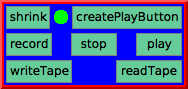 Event RecorderEventRecorderMorph newStandAloneTested + native media
Record a sequence of Morphic interactions for later replay.
Use Record, Stop, and Play in the native tool. Playback reenacts the recorded events in the world.
Recording observes Morphic input; replay repeats those events. Voice and journal-file features are optional additional actions.
| object |
object := EventRecorderMorph newStandAlone.
object openInWorld.
objectCode used for the recorded demonstration
Rendering script: the recording captures native frame states between iterations. Some examples use an offscreen panel or explicitly invoke step methods. Use the short launcher above for the ordinary interactive object.
| m baseExtent panel u |
m := EventRecorderMorph newStandAlone.
baseExtent := m extent.
panel := Morph new color: (Color r: 0.95 g: 0.96 b: 0.97); extent: ((baseExtent x + 180 max: 320) @ (baseExtent y + 140 max: 220)).
panel addMorph: m.
m center: panel center.
1 to: 24 do: [:i |
 u := (((i - 1) / 23 * Float pi * 2) cos negated + 1) / 2.
 m center: panel center + (u * 80 - 40 @ 0).
 "Capture panel imageForm after each actual native state change."
].
Cleanup: close the object or use its halo’s red delete handle. For animated objects, deleting the complete root removes it from the world.
Descriptor declared by EventRecorderMorph. A prototype name is not necessarily a Smalltalk class name. Browse the complete class index.
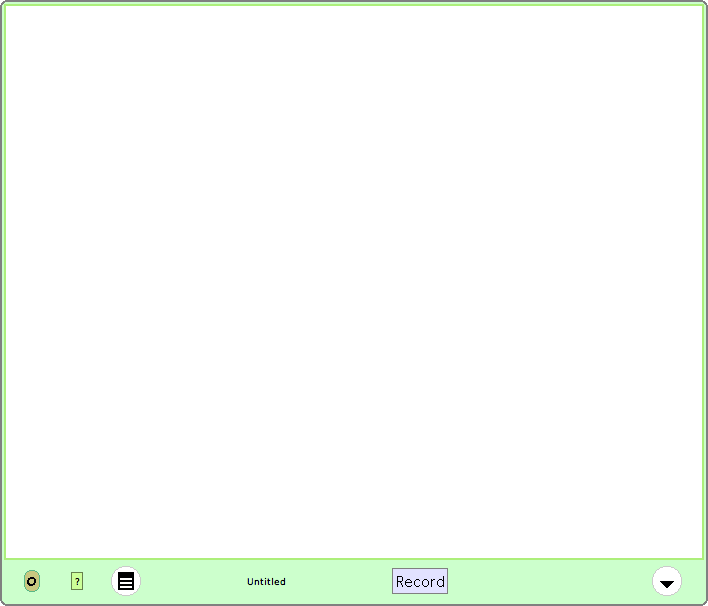 Event TheatreEventRecordingSpace newStandAloneTested + native media
Build a recorded tutorial with an optional voiceover.
Arrange the content area, record a sequence, and use playback controls; its event tapes can be edited in an Event Roll.
Recording and replay can alter the tutorial world; enabling voiceover uses audio input.
| object |
object := EventRecordingSpace newStandAlone.
object openInWorld.
objectCode used for the recorded demonstration
Rendering script: the recording captures native frame states between iterations. Some examples use an offscreen panel or explicitly invoke step methods. Use the short launcher above for the ordinary interactive object.
| m baseExtent panel u |
m := EventRecordingSpace newStandAlone.
baseExtent := m extent.
panel := Morph new color: (Color r: 0.95 g: 0.96 b: 0.97); extent: ((baseExtent x + 180 max: 320) @ (baseExtent y + 140 max: 220)).
panel addMorph: m.
m center: panel center.
1 to: 24 do: [:i |
 u := (((i - 1) / 23 * Float pi * 2) cos negated + 1) / 2.
 m center: panel center + (u * 80 - 40 @ 0).
 "Capture panel imageForm after each actual native state change."
].
Cleanup: close the object or use its halo’s red delete handle. For animated objects, deleting the complete root removes it from the world.
Descriptor declared by EventRecordingSpace. A prototype name is not necessarily a Smalltalk class name. Browse the complete class index.
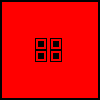 Exercise ClickClickExerciser newStandAloneTested + native media
Explore the difference between clicks, double-clicks, and drags.
Try the different mouse gestures in the native exerciser and observe the reported response.
| object |
object := ClickExerciser newStandAlone.
object openInWorld.
objectCode used for the recorded demonstration
Rendering script: the recording captures native frame states between iterations. Some examples use an offscreen panel or explicitly invoke step methods. Use the short launcher above for the ordinary interactive object.
| m view panel origin world board moves actualMag background w h scale |
m := ClickExerciser newStandAlone.
m openInWorld.
m fullBounds.
world := Project current world.
panel := Morph new color: (Color r: 0.95 g: 0.96 b: 0.97).
view := m.
w := m fullBounds width. h := m fullBounds height.
scale := (1 min: (680 / w)) min: (520 / h).
scale < 1 ifTrue: [view := m addFlexShell. view scale: scale].
view fullBounds.
panel extent: view fullBounds extent + (120@70).
world addMorph: panel. panel position: 0@0.
panel addMorph: view. view position: 50@35. origin := view position.

1 to: 24 do: [:i |
view position: origin + (((i - 1) / 23 * Float pi * 2) sin * 28 @ 0).
panel fullBounds.
world displayWorldSafely.
(Delay forMilliseconds: 120) wait.
].
m
Cleanup: close the object or use its halo’s red delete handle. For animated objects, deleting the complete root removes it from the world.
Descriptor declared by ClickExerciser. A prototype name is not necessarily a Smalltalk class name. Browse the complete class index.
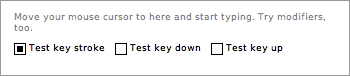 Exercise KeyboardKeyboardExerciser newStandAloneTested + native media
Inspect key-down, key-up, and keystroke events.
Give the native exerciser keyboard focus, type, and compare the event records it produces.
The native exerciser logs keyboard events; type only disposable sample text for demonstrations.
| object |
object := KeyboardExerciser newStandAlone.
object openInWorld.
objectCode used for the recorded demonstration
Rendering script: the recording captures native frame states between iterations. Some examples use an offscreen panel or explicitly invoke step methods. Use the short launcher above for the ordinary interactive object.
| m view panel origin world board moves actualMag background w h scale |
m := KeyboardExerciser newStandAlone.
m openInWorld.
m fullBounds.
world := Project current world.
panel := Morph new color: (Color r: 0.95 g: 0.96 b: 0.97).
view := m.
w := m fullBounds width. h := m fullBounds height.
scale := (1 min: (680 / w)) min: (520 / h).
scale < 1 ifTrue: [view := m addFlexShell. view scale: scale].
view fullBounds.
panel extent: view fullBounds extent + (120@70).
world addMorph: panel. panel position: 0@0.
panel addMorph: view. view position: 50@35. origin := view position.

1 to: 24 do: [:i |
i = 6 ifTrue: [m processKeyDown]. i = 12 ifTrue: [m processKeyUp]. i = 18 ifTrue: [m processKeyStroke].
panel fullBounds.
world displayWorldSafely.
(Delay forMilliseconds: 120) wait.
].
m
Cleanup: close the object or use its halo’s red delete handle. For animated objects, deleting the complete root removes it from the world.
Descriptor declared by KeyboardExerciser. A prototype name is not necessarily a Smalltalk class name. Browse the complete class index.
No previewNot runFile DialogSugarNavigatorBar findAnythingMorphNot run · dependency
Browse files and directories for a project or file to load.
Use the native file dialog to navigate folders; the factory creates a loader rather than a plain decorative list.
The factory calls FileList2 morphicViewProjectLoader2InWorld: with reallyLoad:true. Folder and file names may be visible.
Not run · dependency. This factory opens a project file loader and can expose directory contents. It was not run for this reference.
SugarNavigatorBar findAnythingMorphDescriptor declared by SugarNavigatorBar. A prototype name is not necessarily a Smalltalk class name. Browse the complete class index.
 FishEyeFishEyeMorph newStandAloneTested + native media
Inspect a region through a wide-angle visual lens.
Move the native lens over Morphic content to view its distortion.
| object |
object := FishEyeMorph newStandAlone.
object openInWorld.
objectCode used for the recorded demonstration
Rendering script: the recording captures native frame states between iterations. Some examples use an offscreen panel or explicitly invoke step methods. Use the short launcher above for the ordinary interactive object.
| m baseExtent panel u |
m := FishEyeMorph newStandAlone.
baseExtent := m extent.
panel := Morph new color: (Color r: 0.95 g: 0.96 b: 0.97); extent: ((baseExtent x + 180 max: 320) @ (baseExtent y + 140 max: 220)).
panel addMorph: m.
m center: panel center.
1 to: 24 do: [:i |
 u := (((i - 1) / 23 * Float pi * 2) cos negated + 1) / 2.
 m center: panel center + (u * 80 - 40 @ 0).
 "Capture panel imageForm after each actual native state change."
].
Cleanup: close the object or use its halo’s red delete handle. For animated objects, deleting the complete root removes it from the world.
Descriptor declared by FishEyeMorph. A prototype name is not necessarily a Smalltalk class name. Browse the complete class index.
 FlasherFlasher newStandAloneTested + native media
See a simple example of periodic Morphic stepping.
The native circle alternates between its on color and a darker color every 500 milliseconds.
| object |
object := Flasher newStandAlone.
object openInWorld.
objectCode used for the recorded demonstration
Rendering script: the recording captures native frame states between iterations. Some examples use an offscreen panel or explicitly invoke step methods. Use the short launcher above for the ordinary interactive object.
| m view panel origin world board moves actualMag background w h scale |
m := Flasher newStandAlone.
m openInWorld.
m fullBounds.
world := Project current world.
panel := Morph new color: (Color r: 0.95 g: 0.96 b: 0.97).
view := m.
w := m fullBounds width. h := m fullBounds height.
scale := (1 min: (680 / w)) min: (520 / h).
scale < 1 ifTrue: [view := m addFlexShell. view scale: scale].
view fullBounds.
panel extent: view fullBounds extent + (120@70).
world addMorph: panel. panel position: 0@0.
panel addMorph: view. view position: 50@35. origin := view position.

1 to: 24 do: [:i |
(i \\ 4) = 0 ifTrue: [m step].
panel fullBounds.
world displayWorldSafely.
(Delay forMilliseconds: 120) wait.
].
m
Cleanup: close the object or use its halo’s red delete handle. For animated objects, deleting the complete root removes it from the world.
Descriptor declared by Flasher. Browse the complete class index.
 FrameRateFrameRateMorph newStandAloneTested + native media
Monitor how quickly the Squeak display is updating.
Read the changing milliseconds-per-frame and frames-per-second values; these describe the native image, not this web page.
| object |
object := FrameRateMorph newStandAlone.
object openInWorld.
objectCode used for the recorded demonstration
Rendering script: the recording captures native frame states between iterations. Some examples use an offscreen panel or explicitly invoke step methods. Use the short launcher above for the ordinary interactive object.
| m view panel origin world board moves actualMag background w h scale |
m := FrameRateMorph newStandAlone.
m openInWorld.
m fullBounds.
world := Project current world.
panel := Morph new color: (Color r: 0.95 g: 0.96 b: 0.97).
view := m.
w := m fullBounds width. h := m fullBounds height.
scale := (1 min: (680 / w)) min: (520 / h).
scale < 1 ifTrue: [view := m addFlexShell. view scale: scale].
view fullBounds.
panel extent: view fullBounds extent + (120@70).
world addMorph: panel. panel position: 0@0.
panel addMorph: view. view position: 50@35. origin := view position.

1 to: 24 do: [:i |
m step. (Delay forMilliseconds: (60 + (i * 5))) wait.
panel fullBounds.
world displayWorldSafely.
].
m
Cleanup: close the object or use its halo’s red delete handle. For animated objects, deleting the complete root removes it from the world.
Descriptor declared by FrameRateMorph. A prototype name is not necessarily a Smalltalk class name. Browse the complete class index.
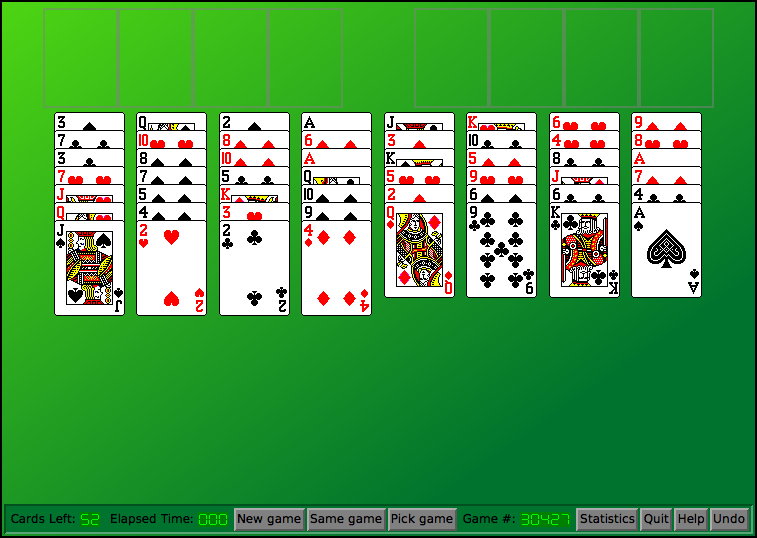 FreeCellFreeCell newStandAloneTested + native media
Play the FreeCell solitaire card game.
Use the native card board and its New Game, Undo, and Help controls.
| object |
object := FreeCell newStandAlone.
object openInWorld.
objectCode used for the recorded demonstration
Rendering script: the recording captures native frame states between iterations. Some examples use an offscreen panel or explicitly invoke step methods. Use the short launcher above for the ordinary interactive object.
| m view panel origin world board moves actualMag background w h scale |
m := FreeCell newStandAlone.
m openInWorld.
m fullBounds.
world := Project current world.
panel := Morph new color: (Color r: 0.95 g: 0.96 b: 0.97).
view := m.
w := m fullBounds width. h := m fullBounds height.
scale := (1 min: (680 / w)) min: (520 / h).
scale < 1 ifTrue: [view := m addFlexShell. view scale: scale].
view fullBounds.
panel extent: view fullBounds extent + (120@70).
world addMorph: panel. panel position: 0@0.
panel addMorph: view. view position: 50@35. origin := view position.

1 to: 24 do: [:i |
(i \\ 6) = 0 ifTrue: [m newGameNumber: i // 6].
panel fullBounds.
world displayWorldSafely.
(Delay forMilliseconds: 120) wait.
].
m
Cleanup: close the object or use its halo’s red delete handle. For animated objects, deleting the complete root removes it from the world.
Descriptor declared by FreeCell. Browse the complete class index.
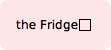 FridgeNebraskaFridgeMorph newStandAloneTested + native media
Share objects with other Squeak users.
Use the native collaboration tool's object-sharing controls after configuring the intended recipients.
Construction displays the current recipient collection. Sharing sends copies to recipients; capture only in a clean isolated image with disposable recipients.
| object |
object := NebraskaFridgeMorph newStandAlone.
object openInWorld.
objectCode used for the recorded demonstration
Rendering script: the recording captures native frame states between iterations. Some examples use an offscreen panel or explicitly invoke step methods. Use the short launcher above for the ordinary interactive object.
| m baseExtent panel u |
m := NebraskaFridgeMorph newStandAlone.
baseExtent := m extent.
panel := Morph new color: (Color r: 0.95 g: 0.96 b: 0.97); extent: ((baseExtent x + 180 max: 320) @ (baseExtent y + 140 max: 220)).
panel addMorph: m.
m center: panel center.
1 to: 24 do: [:i |
 u := (((i - 1) / 23 * Float pi * 2) cos negated + 1) / 2.
 m center: panel center + (u * 80 - 40 @ 0).
 "Capture panel imageForm after each actual native state change."
].
Cleanup: close the object or use its halo’s red delete handle. For animated objects, deleting the complete root removes it from the world.
Descriptor declared by NebraskaFridgeMorph. A prototype name is not necessarily a Smalltalk class name. Browse the complete class index.
 Grab PatchGrabPatchMorph newStandAloneTested + native media
Turn a rectangular area of the Squeak display into a picture.
Drop the native icon to begin selecting a rectangular screen patch.
Dropping the native icon starts a screen capture selection, which may include private on-screen content.
| object |
object := GrabPatchMorph newStandAlone.
object openInWorld.
objectCode used for the recorded demonstration
Rendering script: the recording captures native frame states between iterations. Some examples use an offscreen panel or explicitly invoke step methods. Use the short launcher above for the ordinary interactive object.
| m baseExtent panel u |
m := GrabPatchMorph newStandAlone.
baseExtent := m extent.
panel := Morph new color: (Color r: 0.95 g: 0.96 b: 0.97); extent: ((baseExtent x + 180 max: 320) @ (baseExtent y + 140 max: 220)).
panel addMorph: m.
m center: panel center.
1 to: 24 do: [:i |
 u := (((i - 1) / 23 * Float pi * 2) cos negated + 1) / 2.
 m center: panel center + (u * 80 - 40 @ 0).
 "Capture panel imageForm after each actual native state change."
].
Cleanup: close the object or use its halo’s red delete handle. For animated objects, deleting the complete root removes it from the world.
Descriptor declared by GrabPatchMorph. A prototype name is not necessarily a Smalltalk class name. Browse the complete class index.
 GradientRectangleMorph gradientPrototypeTested + native media
Add a rectangle with a horizontal color gradient.
Resize the native rectangle and inspect how its fill changes across its width.
| object |
object := RectangleMorph gradientPrototype.
object openInWorld.
objectCode used for the recorded demonstration
Rendering script: the recording captures native frame states between iterations. Some examples use an offscreen panel or explicitly invoke step methods. Use the short launcher above for the ordinary interactive object.
| m baseExtent panel u |
m := RectangleMorph gradientPrototype.
baseExtent := m extent.
panel := Morph new color: (Color r: 0.95 g: 0.96 b: 0.97); extent: ((baseExtent x + 180 max: 320) @ (baseExtent y + 140 max: 220)).
panel addMorph: m.
m center: panel center.
1 to: 24 do: [:i |
 u := (((i - 1) / 23 * Float pi * 2) cos negated + 1) / 2.
 m extent: (baseExtent + ((80@40) * u)) rounded.
m color: (Color h: 210 - (u * 170) s: 0.65 v: 0.9).
m center: panel center.
 "Capture panel imageForm after each actual native state change."
].
Cleanup: close the object or use its halo’s red delete handle. For animated objects, deleting the complete root removes it from the world.
Descriptor declared by RectangleMorph. A prototype name is not necessarily a Smalltalk class name. Browse the complete class index.
 Gradient (slanted)RectangleMorph diagonalPrototypeTested + native media
Add a rectangle with a diagonal color gradient.
Resize the native rectangle and inspect the direction of its color transition.
| object |
object := RectangleMorph diagonalPrototype.
object openInWorld.
objectCode used for the recorded demonstration
Rendering script: the recording captures native frame states between iterations. Some examples use an offscreen panel or explicitly invoke step methods. Use the short launcher above for the ordinary interactive object.
| m baseExtent panel u |
m := RectangleMorph diagonalPrototype.
baseExtent := m extent.
panel := Morph new color: (Color r: 0.95 g: 0.96 b: 0.97); extent: ((baseExtent x + 180 max: 320) @ (baseExtent y + 140 max: 220)).
panel addMorph: m.
m center: panel center.
1 to: 24 do: [:i |
 u := (((i - 1) / 23 * Float pi * 2) cos negated + 1) / 2.
 m extent: (baseExtent + ((80@40) * u)) rounded.
m color: (Color h: 210 - (u * 170) s: 0.65 v: 0.9).
m center: panel center.
 "Capture panel imageForm after each actual native state change."
].
Cleanup: close the object or use its halo’s red delete handle. For animated objects, deleting the complete root removes it from the world.
Descriptor declared by RectangleMorph. A prototype name is not necessarily a Smalltalk class name. Browse the complete class index.
 GraphGraphMorph newStandAloneTested + native media
View a sequence of numbers as a graph.
Drag its cursor to inspect a position in the data; displayed values are scaled to fit the graph's height.
Graph menus include reading data from a file and playing data as sound; dragging the data cursor does neither.
| object |
object := GraphMorph newStandAlone.
object openInWorld.
objectCode used for the recorded demonstration
Rendering script: the recording captures native frame states between iterations. Some examples use an offscreen panel or explicitly invoke step methods. Use the short launcher above for the ordinary interactive object.
| m baseExtent panel u |
m := GraphMorph newStandAlone.
baseExtent := m extent.
panel := Morph new color: (Color r: 0.95 g: 0.96 b: 0.97); extent: ((baseExtent x + 180 max: 320) @ (baseExtent y + 140 max: 220)).
panel addMorph: m.
m center: panel center.
1 to: 24 do: [:i |
 u := (((i - 1) / 23 * Float pi * 2) cos negated + 1) / 2.
 m center: panel center + (u * 80 - 40 @ 0).
 "Capture panel imageForm after each actual native state change."
].
Cleanup: close the object or use its halo’s red delete handle. For animated objects, deleting the complete root removes it from the world.
Descriptor declared by GraphMorph. A prototype name is not necessarily a Smalltalk class name. Browse the complete class index.
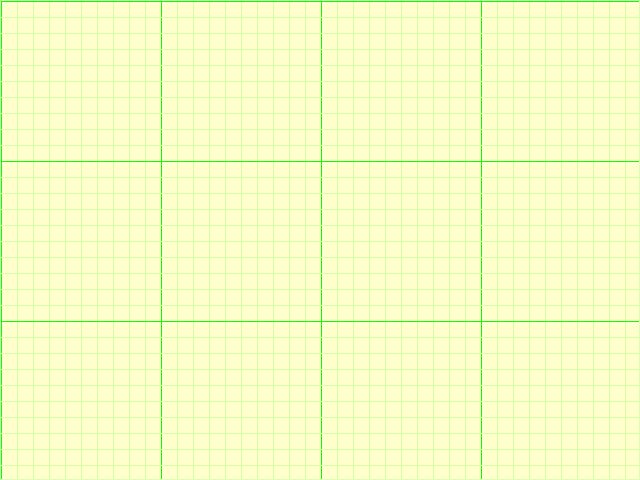 graph paperGraphPaperPanel simpleGraphPaperTested + native media
Get a playfield with a graph-paper background.
Place objects against the grid to compare positions and distances.
| object |
object := GraphPaperPanel simpleGraphPaper.
object openInWorld.
objectCode used for the recorded demonstration
Rendering script: the recording captures native frame states between iterations. Some examples use an offscreen panel or explicitly invoke step methods. Use the short launcher above for the ordinary interactive object.
| m baseExtent panel u |
m := GraphPaperPanel simpleGraphPaper.
baseExtent := m extent.
panel := Morph new color: (Color r: 0.95 g: 0.96 b: 0.97); extent: ((baseExtent x + 180 max: 320) @ (baseExtent y + 140 max: 220)).
panel addMorph: m.
m center: panel center.
1 to: 24 do: [:i |
 u := (((i - 1) / 23 * Float pi * 2) cos negated + 1) / 2.
 m center: panel center + (u * 80 - 40 @ 0).
 "Capture panel imageForm after each actual native state change."
].
Cleanup: close the object or use its halo’s red delete handle. For animated objects, deleting the complete root removes it from the world.
Descriptor declared by GraphPaperPanel. A prototype name is not necessarily a Smalltalk class name. Browse the complete class index.
 H number lineHorizontalNumberLineMorph newStandAloneTested + native media
Use a horizontal number line as a reference axis.
Place it alongside objects or use it as the x-axis of a graph.
| object |
object := HorizontalNumberLineMorph newStandAlone.
object openInWorld.
objectCode used for the recorded demonstration
Rendering script: the recording captures native frame states between iterations. Some examples use an offscreen panel or explicitly invoke step methods. Use the short launcher above for the ordinary interactive object.
| m baseExtent panel u |
m := HorizontalNumberLineMorph newStandAlone.
baseExtent := m extent.
panel := Morph new color: (Color r: 0.95 g: 0.96 b: 0.97); extent: ((baseExtent x + 180 max: 320) @ (baseExtent y + 140 max: 220)).
panel addMorph: m.
m center: panel center.
1 to: 24 do: [:i |
 u := (((i - 1) / 23 * Float pi * 2) cos negated + 1) / 2.
 m center: panel center + (u * 80 - 40 @ 0).
 "Capture panel imageForm after each actual native state change."
].
Cleanup: close the object or use its halo’s red delete handle. For animated objects, deleting the complete root removes it from the world.
Descriptor declared by HorizontalNumberLineMorph. A prototype name is not necessarily a Smalltalk class name. Browse the complete class index.
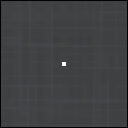 Hand MagnifierMagnifierMorph newShowingPointerTested + native media
Magnify the mouse area, including objects held by the hand.
Move the pointer with the native lens open to see the enlarged area and hand-position marker.
| object |
object := MagnifierMorph newShowingPointer.
object openInWorld.
objectCode used for the recorded demonstration
Rendering script: the recording captures native frame states between iterations. Some examples use an offscreen panel or explicitly invoke step methods. Use the short launcher above for the ordinary interactive object.
| m baseExtent panel u |
m := MagnifierMorph newShowingPointer.
baseExtent := m extent.
panel := Morph new color: (Color r: 0.95 g: 0.96 b: 0.97); extent: ((baseExtent x + 180 max: 320) @ (baseExtent y + 140 max: 220)).
panel addMorph: m.
m center: panel center.
1 to: 24 do: [:i |
 u := (((i - 1) / 23 * Float pi * 2) cos negated + 1) / 2.
 m center: panel center + (u * 80 - 40 @ 0).
 "Capture panel imageForm after each actual native state change."
].
Cleanup: close the object or use its halo’s red delete handle. For animated objects, deleting the complete root removes it from the world.
Descriptor declared by MagnifierMorph. A prototype name is not necessarily a Smalltalk class name. Browse the complete class index.
 HolderScriptingSystem prototypicalHolderTested + native media
Store alternative pictures for a scripted animation.
Add the pictures to the native holder and select them through scripts; this registered descriptor is hidden by this image's catalog class filter.
| object |
object := ScriptingSystem prototypicalHolder.
object openInWorld.
objectCode used for the recorded demonstration
Rendering script: the recording captures native frame states between iterations. Some examples use an offscreen panel or explicitly invoke step methods. Use the short launcher above for the ordinary interactive object.
| m baseExtent panel u |
m := ScriptingSystem prototypicalHolder.
baseExtent := m extent.
panel := Morph new color: (Color r: 0.95 g: 0.96 b: 0.97); extent: ((baseExtent x + 180 max: 320) @ (baseExtent y + 140 max: 220)).
panel addMorph: m.
m center: panel center.
1 to: 24 do: [:i |
 u := (((i - 1) / 23 * Float pi * 2) cos negated + 1) / 2.
 m center: panel center + (u * 80 - 40 @ 0).
 "Capture panel imageForm after each actual native state change."
].
Cleanup: close the object or use its halo’s red delete handle. For animated objects, deleting the complete root removes it from the world.
Descriptor declared by PasteUpMorph. A prototype name is not necessarily a Smalltalk class name. Browse the complete class index.
 ImageImageMorph newStandAloneTested + native media
Show a bitmap picture as a Morph.
Move the picture as an object; this is a picture display rather than the Paint editor.
The default image is built in. Optional menu actions can load a file or grab the screen.
| object |
object := ImageMorph newStandAlone.
object openInWorld.
objectCode used for the recorded demonstration
Rendering script: the recording captures native frame states between iterations. Some examples use an offscreen panel or explicitly invoke step methods. Use the short launcher above for the ordinary interactive object.
| m baseExtent panel u |
m := ImageMorph newStandAlone.
baseExtent := m extent.
panel := Morph new color: (Color r: 0.95 g: 0.96 b: 0.97); extent: ((baseExtent x + 180 max: 320) @ (baseExtent y + 140 max: 220)).
panel addMorph: m.
m center: panel center.
1 to: 24 do: [:i |
 u := (((i - 1) / 23 * Float pi * 2) cos negated + 1) / 2.
 m center: panel center + (u * 80 - 40 @ 0).
 "Capture panel imageForm after each actual native state change."
].
Cleanup: close the object or use its halo’s red delete handle. For animated objects, deleting the complete root removes it from the world.
Descriptor declared by ImageMorph. A prototype name is not necessarily a Smalltalk class name. Browse the complete class index.
 JoystickJoystickMorph newStandAloneTested + native media
Choose a direction and amount with an on-screen joystick.
Drag the knob in Squeak; the default control recenters itself and exposes values for Etoys scripts.
The default joystick is simulated. The separate real-joystick option uses hardware and should not be enabled for a static capture.
| object |
object := JoystickMorph newStandAlone.
object openInWorld.
objectCode used for the recorded demonstration
Rendering script: the recording captures native frame states between iterations. Some examples use an offscreen panel or explicitly invoke step methods. Use the short launcher above for the ordinary interactive object.
| m baseExtent panel u |
m := JoystickMorph newStandAlone.
baseExtent := m extent.
panel := Morph new color: (Color r: 0.95 g: 0.96 b: 0.97); extent: ((baseExtent x + 180 max: 320) @ (baseExtent y + 140 max: 220)).
panel addMorph: m.
m center: panel center.
1 to: 24 do: [:i |
 u := (((i - 1) / 23 * Float pi * 2) cos negated + 1) / 2.
 m submorphs first center: m center + ((u * 32 - 16) @ ((u * Float pi * 2) sin * 16)).
 "Capture panel imageForm after each actual native state change."
].
Cleanup: close the object or use its halo’s red delete handle. For animated objects, deleting the complete root removes it from the world.
Descriptor declared by JoystickMorph. A prototype name is not necessarily a Smalltalk class name. Browse the complete class index.
 KedamaWorldKedamaMorph newStandAloneTested + native media
Build an Etoys particle simulation in a Kedama world.
Add and script particles and patches in Squeak; the world alone does not promise a running animation.
Particle behavior depends on configured Etoys scripts; an empty world is not an autonomous particle animation.
| object |
object := KedamaMorph newStandAlone.
object openInWorld.
objectCode used for the recorded demonstration
Rendering script: the recording captures native frame states between iterations. Some examples use an offscreen panel or explicitly invoke step methods. Use the short launcher above for the ordinary interactive object.
| m baseExtent panel u |
m := KedamaMorph newStandAlone.
baseExtent := m extent.
panel := Morph new color: (Color r: 0.95 g: 0.96 b: 0.97); extent: ((baseExtent x + 180 max: 320) @ (baseExtent y + 140 max: 220)).
panel addMorph: m.
m center: panel center.
1 to: 24 do: [:i |
 u := (((i - 1) / 23 * Float pi * 2) cos negated + 1) / 2.
 m center: panel center + (u * 80 - 40 @ 0).
 "Capture panel imageForm after each actual native state change."
].
Cleanup: close the object or use its halo’s red delete handle. For animated objects, deleting the complete root removes it from the world.
Descriptor declared by KedamaMorph. A prototype name is not necessarily a Smalltalk class name. Browse the complete class index.
 Key pressKeyPressMorph newStandAloneTested + native media
Detect whether a chosen keyboard key is pressed.
Choose the key in the native object, then press it to change the value available to scripts.
The native key detector registers for Morphic events while present in a world.
| object |
object := KeyPressMorph newStandAlone.
object openInWorld.
objectCode used for the recorded demonstration
Rendering script: the recording captures native frame states between iterations. Some examples use an offscreen panel or explicitly invoke step methods. Use the short launcher above for the ordinary interactive object.
| m view panel origin world board moves actualMag background w h scale |
m := KeyPressMorph newStandAlone.
m openInWorld.
m fullBounds.
world := Project current world.
panel := Morph new color: (Color r: 0.95 g: 0.96 b: 0.97).
view := m.
w := m fullBounds width. h := m fullBounds height.
scale := (1 min: (680 / w)) min: (520 / h).
scale < 1 ifTrue: [view := m addFlexShell. view scale: scale].
view fullBounds.
panel extent: view fullBounds extent + (120@70).
world addMorph: panel. panel position: 0@0.
panel addMorph: view. view position: 50@35. origin := view position.

1 to: 24 do: [:i |
(i \\ 6) = 0 ifTrue: [m setCurrentKey: (#('a' 's' 'd' 'f') at: i // 6)].
panel fullBounds.
world displayWorldSafely.
(Delay forMilliseconds: 120) wait.
].
m
Cleanup: close the object or use its halo’s red delete handle. For animated objects, deleting the complete root removes it from the world.
Descriptor declared by KeyPressMorph. A prototype name is not necessarily a Smalltalk class name. Browse the complete class index.
 LassoLassoPatchMorph newStandAloneTested + native media
Capture part of the Squeak display with a lasso tool.
Drop the native icon to begin selecting a screen region with the lasso; the icon hides itself during capture.
Dropping the native icon captures a selected region of the display; use disposable on-screen content.
| object |
object := LassoPatchMorph newStandAlone.
object openInWorld.
objectCode used for the recorded demonstration
Rendering script: the recording captures native frame states between iterations. Some examples use an offscreen panel or explicitly invoke step methods. Use the short launcher above for the ordinary interactive object.
| m baseExtent panel u |
m := LassoPatchMorph newStandAlone.
baseExtent := m extent.
panel := Morph new color: (Color r: 0.95 g: 0.96 b: 0.97); extent: ((baseExtent x + 180 max: 320) @ (baseExtent y + 140 max: 220)).
panel addMorph: m.
m center: panel center.
1 to: 24 do: [:i |
 u := (((i - 1) / 23 * Float pi * 2) cos negated + 1) / 2.
 m center: panel center + (u * 80 - 40 @ 0).
 "Capture panel imageForm after each actual native state change."
].
Cleanup: close the object or use its halo’s red delete handle. For animated objects, deleting the complete root removes it from the world.
Descriptor declared by LassoPatchMorph. A prototype name is not necessarily a Smalltalk class name. Browse the complete class index.
 LineLineMorph newStandAloneTested + native media
Draw a straight line segment.
Shift-click to show handles and drag either endpoint.
| object |
object := LineMorph newStandAlone.
object openInWorld.
objectCode used for the recorded demonstration
Rendering script: the recording captures native frame states between iterations. Some examples use an offscreen panel or explicitly invoke step methods. Use the short launcher above for the ordinary interactive object.
| m baseExtent panel u |
m := LineMorph newStandAlone.
baseExtent := m extent.
panel := Morph new color: (Color r: 0.95 g: 0.96 b: 0.97); extent: ((baseExtent x + 180 max: 320) @ (baseExtent y + 140 max: 220)).
panel addMorph: m.
m center: panel center.
1 to: 24 do: [:i |
 u := (((i - 1) / 23 * Float pi * 2) cos negated + 1) / 2.
 m extent: (baseExtent + ((80@40) * u)) rounded.
m color: (Color h: 210 - (u * 170) s: 0.65 v: 0.9).
m center: panel center.
m borderColor: (Color h: 210 - (u * 170) s: 0.8 v: 0.6).
 "Capture panel imageForm after each actual native state change."
].
Cleanup: close the object or use its halo’s red delete handle. For animated objects, deleting the complete root removes it from the world.
Descriptor declared by LineMorph. A prototype name is not necessarily a Smalltalk class name. Browse the complete class index.
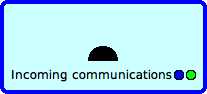 ListenerNebraskaListenerMorph newStandAloneTested + native media
Receive messages and objects from other Squeak users.
Start the native listener when ready to receive; received objects appear in a list from which copies can be taken.
Construction displays the existing global incoming queue and a Start/Stop toggle; it does not itself invoke that toggle. Starting accepts incoming communications.
| object |
object := NebraskaListenerMorph newStandAlone.
object openInWorld.
objectCode used for the recorded demonstration
Rendering script: the recording captures native frame states between iterations. Some examples use an offscreen panel or explicitly invoke step methods. Use the short launcher above for the ordinary interactive object.
| m baseExtent panel u |
m := NebraskaListenerMorph newStandAlone.
baseExtent := m extent.
panel := Morph new color: (Color r: 0.95 g: 0.96 b: 0.97); extent: ((baseExtent x + 180 max: 320) @ (baseExtent y + 140 max: 220)).
panel addMorph: m.
m center: panel center.
1 to: 24 do: [:i |
 u := (((i - 1) / 23 * Float pi * 2) cos negated + 1) / 2.
 m center: panel center + (u * 80 - 40 @ 0).
 "Capture panel imageForm after each actual native state change."
].
Cleanup: close the object or use its halo’s red delete handle. For animated objects, deleting the complete root removes it from the world.
Descriptor declared by NebraskaListenerMorph. A prototype name is not necessarily a Smalltalk class name. Browse the complete class index.
 MagnifierMagnifierMorph newStandAloneTested + native media
Magnify Morphic content.
Move the native lens over content, or use its pointer-tracking mode to magnify the area around the mouse.
| object |
object := MagnifierMorph newStandAlone.
object openInWorld.
objectCode used for the recorded demonstration
Rendering script: the recording captures native frame states between iterations. Some examples use an offscreen panel or explicitly invoke step methods. Use the short launcher above for the ordinary interactive object.
| m view panel origin world board moves actualMag background w h scale |
m := MagnifierMorph newStandAlone.
m openInWorld.
m fullBounds.
world := Project current world.
panel := Morph new color: (Color r: 0.95 g: 0.96 b: 0.97).
view := m.
w := m fullBounds width. h := m fullBounds height.
scale := (1 min: (680 / w)) min: (520 / h).
scale < 1 ifTrue: [view := m addFlexShell. view scale: scale].
view fullBounds.
panel extent: view fullBounds extent + (120@70).
world addMorph: panel. panel position: 0@0.
panel addMorph: view. view position: 50@35. origin := view position.
actualMag := m allMorphs detect: [:child | child isKindOf: MagnifierMorph]. actualMag trackPointer: true; showPointer: true. panel extent: 400@210. view position: 250@45. 1 to: 6 do: [:col | 1 to: 4 do: [:gridRow | background := RectangleMorph new extent: 35@35; color: ({Color orange. Color lightBlue. Color lightGreen. Color yellow} atWrap: col + gridRow); position: ((col - 1) * 35 + 8) @ ((gridRow - 1) * 35 + 8); yourself. panel addMorphBack: background]]. background := 'Native Squeak' asMorph. background position: 10@155. panel addMorphBack: background.
1 to: 24 do: [:i |
world primaryHand position: (35 + ((i - 1) * 6)) @ (80 + ((i / 24 * Float pi * 2) sin * 25)). actualMag step.
panel fullBounds.
world displayWorldSafely.
(Delay forMilliseconds: 120) wait.
].
m
Cleanup: close the object or use its halo’s red delete handle. For animated objects, deleting the complete root removes it from the world.
Descriptor declared by MagnifierMorph. A prototype name is not necessarily a Smalltalk class name. Browse the complete class index.
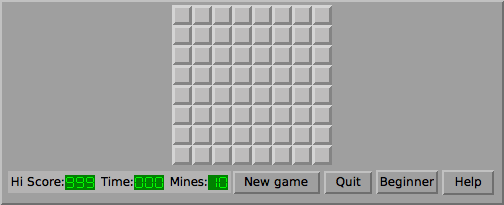 MinesMines newStandAloneTested + native media
Play the Mines board game.
Use the native board and its Help control; the catalog descriptor does not specify the mouse-button rules.
| object |
object := Mines newStandAlone.
object openInWorld.
objectCode used for the recorded demonstration
Rendering script: the recording captures native frame states between iterations. Some examples use an offscreen panel or explicitly invoke step methods. Use the short launcher above for the ordinary interactive object.
| m view panel origin world board moves actualMag background w h scale |
m := Mines newStandAlone.
m openInWorld.
m fullBounds.
world := Project current world.
panel := Morph new color: (Color r: 0.95 g: 0.96 b: 0.97).
view := m.
w := m fullBounds width. h := m fullBounds height.
scale := (1 min: (680 / w)) min: (520 / h).
scale < 1 ifTrue: [view := m addFlexShell. view scale: scale].
view fullBounds.
panel extent: view fullBounds extent + (120@70).
world addMorph: panel. panel position: 0@0.
panel addMorph: view. view position: 50@35. origin := view position.
board := m board.
1 to: 24 do: [:i |
i = 6 ifTrue: [board tileClickedAt: 5@5 newSelection: false modifier: false]. i = 12 ifTrue: [board tileClickedAt: 1@1 newSelection: false modifier: true]. i = 18 ifTrue: [board tileClickedAt: 1@1 newSelection: false modifier: true].
panel fullBounds.
world displayWorldSafely.
(Delay forMilliseconds: 120) wait.
].
m
Cleanup: close the object or use its halo’s red delete handle. For animated objects, deleting the complete root removes it from the world.
Descriptor declared by Mines. Browse the complete class index.
 MixedMixedCurveMorph newStandAloneTested + native media
Draw an outline with both curved and bent sections.
Shift-click to show handles; drag a handle to move a point or click it to change a bend.
| object |
object := MixedCurveMorph newStandAlone.
object openInWorld.
objectCode used for the recorded demonstration
Rendering script: the recording captures native frame states between iterations. Some examples use an offscreen panel or explicitly invoke step methods. Use the short launcher above for the ordinary interactive object.
| m baseExtent panel u |
m := MixedCurveMorph newStandAlone.
baseExtent := m extent.
panel := Morph new color: (Color r: 0.95 g: 0.96 b: 0.97); extent: ((baseExtent x + 180 max: 320) @ (baseExtent y + 140 max: 220)).
panel addMorph: m.
m center: panel center.
1 to: 24 do: [:i |
 u := (((i - 1) / 23 * Float pi * 2) cos negated + 1) / 2.
 m extent: (baseExtent + ((80@40) * u)) rounded.
m color: (Color h: 210 - (u * 170) s: 0.65 v: 0.9).
m center: panel center.
m borderColor: (Color h: 210 - (u * 170) s: 0.8 v: 0.6).
 "Capture panel imageForm after each actual native state change."
].
Cleanup: close the object or use its halo’s red delete handle. For animated objects, deleting the complete root removes it from the world.
Descriptor declared by MixedCurveMorph. A prototype name is not necessarily a Smalltalk class name. Browse the complete class index.
 MovingEyeMovingEyeMorph newStandAloneTested + native media
See a drawn eye follow the mouse pointer.
Move the pointer around a running Squeak world and watch the iris turn toward it.
| object |
object := MovingEyeMorph newStandAlone.
object openInWorld.
objectCode used for the recorded demonstration
Rendering script: the recording captures native frame states between iterations. Some examples use an offscreen panel or explicitly invoke step methods. Use the short launcher above for the ordinary interactive object.
| m view panel origin world board moves actualMag background w h scale |
m := MovingEyeMorph newStandAlone.
m openInWorld.
m fullBounds.
world := Project current world.
panel := Morph new color: (Color r: 0.95 g: 0.96 b: 0.97).
view := m.
w := m fullBounds width. h := m fullBounds height.
scale := (1 min: (680 / w)) min: (520 / h).
scale < 1 ifTrue: [view := m addFlexShell. view scale: scale].
view fullBounds.
panel extent: view fullBounds extent + (120@70).
world addMorph: panel. panel position: 0@0.
panel addMorph: view. view position: 50@35. origin := view position.

1 to: 24 do: [:i |
world primaryHand position: panel center + (((i / 24 * Float pi * 2) cos * 140) @ ((i / 24 * Float pi * 2) sin * 90)). m allMorphs do: [:child | (child isKindOf: MovingEyeMorph) ifTrue: [child step]].
panel fullBounds.
world displayWorldSafely.
(Delay forMilliseconds: 120) wait.
].
m
Cleanup: close the object or use its halo’s red delete handle. For animated objects, deleting the complete root removes it from the world.
Descriptor declared by MovingEyeMorph. A prototype name is not necessarily a Smalltalk class name. Browse the complete class index.
 NebraskaServerNebraskaServerMorph serveWorldButtonTested + native media
Start sharing a Squeak desktop through Nebraska.
The factory returns a Share button; clicking it invokes the native desktop-sharing server.
Construction creates an inactive Share button. Clicking it calls serveWorld and starts desktop sharing.
| object |
object := NebraskaServerMorph serveWorldButton.
object openInWorld.
objectCode used for the recorded demonstration
Rendering script: the recording captures native frame states between iterations. Some examples use an offscreen panel or explicitly invoke step methods. Use the short launcher above for the ordinary interactive object.
| m baseExtent panel u |
m := NebraskaServerMorph serveWorldButton.
baseExtent := m extent.
panel := Morph new color: (Color r: 0.95 g: 0.96 b: 0.97); extent: ((baseExtent x + 180 max: 320) @ (baseExtent y + 140 max: 220)).
panel addMorph: m.
m center: panel center.
1 to: 24 do: [:i |
 u := (((i - 1) / 23 * Float pi * 2) cos negated + 1) / 2.
 m center: panel center + (u * 80 - 40 @ 0).
 "Capture panel imageForm after each actual native state change."
].
Cleanup: close the object or use its halo’s red delete handle. For animated objects, deleting the complete root removes it from the world.
Descriptor declared by NebraskaServerMorph. A prototype name is not necessarily a Smalltalk class name. Browse the complete class index.
 NextPageBookMorph nextPageButtonTested + native media
Add a button for turning a book to its next page.
Put the native button in a book and click it to advance to the next page.
| object |
object := BookMorph nextPageButton.
object openInWorld.
objectCode used for the recorded demonstration
Rendering script: the recording captures native frame states between iterations. Some examples use an offscreen panel or explicitly invoke step methods. Use the short launcher above for the ordinary interactive object.
| m baseExtent panel u |
m := BookMorph nextPageButton.
baseExtent := m extent.
panel := Morph new color: (Color r: 0.95 g: 0.96 b: 0.97); extent: ((baseExtent x + 180 max: 320) @ (baseExtent y + 140 max: 220)).
panel addMorph: m.
m center: panel center.
1 to: 24 do: [:i |
 u := (((i - 1) / 23 * Float pi * 2) cos negated + 1) / 2.
 m center: panel center + (u * 80 - 40 @ 0).
 "Capture panel imageForm after each actual native state change."
].
Cleanup: close the object or use its halo’s red delete handle. For animated objects, deleting the complete root removes it from the world.
Descriptor declared by Morph. A prototype name is not necessarily a Smalltalk class name. Browse the complete class index.
 ObjectlandObjectlandMorph newStandAloneTested + native media
Open a collection of examples introducing areas of Squeak.
Activate the native Objectland object to build its example projects; it shows a loading animation while building.
Activation builds example projects in the image; some examples concern sound.
| object |
object := ObjectlandMorph newStandAlone.
object openInWorld.
objectCode used for the recorded demonstration
Rendering script: the recording captures native frame states between iterations. Some examples use an offscreen panel or explicitly invoke step methods. Use the short launcher above for the ordinary interactive object.
| m view panel origin world board moves actualMag background w h scale |
m := ObjectlandMorph newStandAlone.
m openInWorld.
m fullBounds.
world := Project current world.
panel := Morph new color: (Color r: 0.95 g: 0.96 b: 0.97).
view := m.
w := m fullBounds width. h := m fullBounds height.
scale := (1 min: (680 / w)) min: (520 / h).
scale < 1 ifTrue: [view := m addFlexShell. view scale: scale].
view fullBounds.
panel extent: view fullBounds extent + (120@70).
world addMorph: panel. panel position: 0@0.
panel addMorph: view. view position: 50@35. origin := view position.

1 to: 24 do: [:i |
world primaryHand position: panel center + (((i / 24 * Float pi * 2) cos * 140) @ ((i / 24 * Float pi * 2) sin * 90)). m allMorphs do: [:child | (child isKindOf: MovingEyeMorph) ifTrue: [child step]].
panel fullBounds.
world displayWorldSafely.
(Delay forMilliseconds: 120) wait.
].
m
Cleanup: close the object or use its halo’s red delete handle. For animated objects, deleting the complete root removes it from the world.
Descriptor declared by ObjectlandMorph. A prototype name is not necessarily a Smalltalk class name. Browse the complete class index.
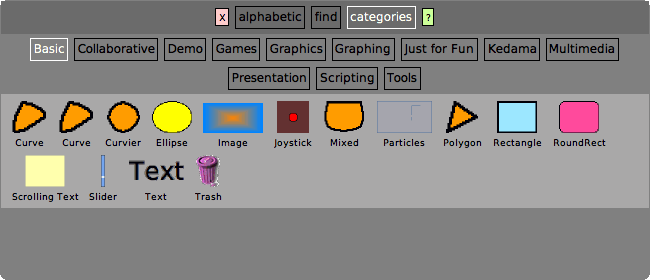 ObjectsObjectsTool newStandAloneTested + native media
Find objects and drag new instances into a project.
Browse the native catalog by its tabs and drag a part from its thumbnail into the world.
The default constructor selects Basic and requests its 15 thumbnails, creating the underlying Basic object on a cache miss. Those inactive Basic constructors have been reviewed; switching to other categories can construct different parts with additional dependencies.
| object |
object := ObjectsTool newStandAlone.
object openInWorld.
objectCode used for the recorded demonstration
Rendering script: the recording captures native frame states between iterations. Some examples use an offscreen panel or explicitly invoke step methods. Use the short launcher above for the ordinary interactive object.
| m baseExtent panel u |
m := ObjectsTool newStandAlone.
baseExtent := m extent.
panel := Morph new color: (Color r: 0.95 g: 0.96 b: 0.97); extent: ((baseExtent x + 180 max: 320) @ (baseExtent y + 140 max: 220)).
panel addMorph: m.
m center: panel center.
1 to: 24 do: [:i |
 u := (((i - 1) / 23 * Float pi * 2) cos negated + 1) / 2.
 m center: panel center + (u * 80 - 40 @ 0).
 "Capture panel imageForm after each actual native state change."
].
Cleanup: close the object or use its halo’s red delete handle. For animated objects, deleting the complete root removes it from the world.
Descriptor declared by ObjectsTool. A prototype name is not necessarily a Smalltalk class name. Browse the complete class index.
No previewNot runPackage LoaderSMLoader newStandAloneNot run · dependency
Browse and install packages through SqueakMap.
Use the native package list to inspect releases; downloading or installing a package is a separate consequential action.
SMLoader new uses SMSqueakMap default and on: calls model synchWithDisk. Loading or upgrading packages may download and execute code; do not auto-construct for a visual capture.
Not run · dependency. The package loader synchronizes package data with disk while being constructed. Package loading and installation were outside the capture scope.
SMLoader newStandAloneDescriptor declared by SMLoader. A prototype name is not necessarily a Smalltalk class name. Browse the complete class index.
 PaintPaintInvokingMorph newStandAloneTested + native media
Start painting a new object.
Drop the native paint icon into a suitable area to open the painting tools.
Dropping the icon starts painting in a suitable destination.
| object |
object := PaintInvokingMorph newStandAlone.
object openInWorld.
objectCode used for the recorded demonstration
Rendering script: the recording captures native frame states between iterations. Some examples use an offscreen panel or explicitly invoke step methods. Use the short launcher above for the ordinary interactive object.
| m baseExtent panel u |
m := PaintInvokingMorph newStandAlone.
baseExtent := m extent.
panel := Morph new color: (Color r: 0.95 g: 0.96 b: 0.97); extent: ((baseExtent x + 180 max: 320) @ (baseExtent y + 140 max: 220)).
panel addMorph: m.
m center: panel center.
1 to: 24 do: [:i |
 u := (((i - 1) / 23 * Float pi * 2) cos negated + 1) / 2.
 m center: panel center + (u * 80 - 40 @ 0).
 "Capture panel imageForm after each actual native state change."
].
Cleanup: close the object or use its halo’s red delete handle. For animated objects, deleting the complete root removes it from the world.
Descriptor declared by PaintInvokingMorph. A prototype name is not necessarily a Smalltalk class name. Browse the complete class index.
 ParticlesKedamaMorph newSetTested + native media
Start with a Kedama world plus particle and patch components.
Use the supplied components when building a particle simulation; this factory returns a selection containing several objects. KedamaMorph newSet returns a SelectionMorph wrapper. On openInWorld, SelectionMorph>>intoWorld: reintroduces the three selected components into the destination world and deletes the wrapper. All three components were verified as direct children of Project current world after the exact launcher. The returned selection therefore has no world after successful opening, which is expected.
The factory creates a world, players, patch and turtle components. Scripts determine subsequent particle motion.
| object |
object := KedamaMorph newSet.
object openInWorld.
objectCode used for the recorded demonstration
Rendering script: the recording captures native frame states between iterations. Some examples use an offscreen panel or explicitly invoke step methods. Use the short launcher above for the ordinary interactive object.
| m w panel u |
m := KedamaMorph newSet.
w := m owner.
panel := Morph new color: (Color r: 0.95 g: 0.96 b: 0.97); extent: w extent + (120@60).
panel addMorph: w.
1 to: 24 do: [:i |
 u := (((i - 1) / 23 * Float pi * 2) cos negated + 1) / 2.
 w center: panel center + (u * 80 - 40 @ 0).
 "Capture panel imageForm after each native position change."
].
Cleanup: close the object or use its halo’s red delete handle. Opening distributes three components into the world and removes the selection wrapper. Remove the created Kedama world, patch and turtle separately when finished.
Descriptor declared by KedamaMorph. A prototype name is not necessarily a Smalltalk class name. Browse the complete class index.
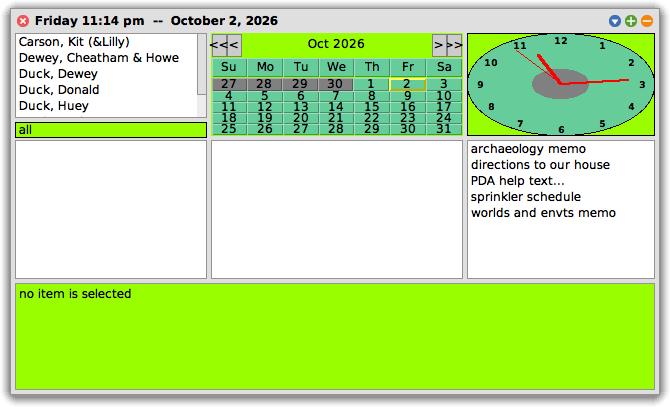 PDAPDAMorph newStandAloneTested + native media
Explore a small personal organizer with people, to-dos, a schedule, and notes.
Select an item in the native panel to view or edit it. A new instance starts with sample data.
PDA initialization populates sample people, events, to-dos, and notes. Later load, save, merge, and edit actions can read or change organizer data.
| object |
object := PDAMorph newStandAlone.
object openInWorld.
objectCode used for the recorded demonstration
Rendering script: the recording captures native frame states between iterations. Some examples use an offscreen panel or explicitly invoke step methods. Use the short launcher above for the ordinary interactive object.
| m baseExtent panel u |
m := PDAMorph newStandAlone.
baseExtent := m extent.
panel := Morph new color: (Color r: 0.95 g: 0.96 b: 0.97); extent: ((baseExtent x + 180 max: 320) @ (baseExtent y + 140 max: 220)).
panel addMorph: m.
m center: panel center.
1 to: 24 do: [:i |
 u := (((i - 1) / 23 * Float pi * 2) cos negated + 1) / 2.
 m center: panel center + (u * 80 - 40 @ 0).
 "Capture panel imageForm after each actual native state change."
].
Cleanup: close the object or use its halo’s red delete handle. For animated objects, deleting the complete root removes it from the world.
Descriptor declared by PDAMorph. A prototype name is not necessarily a Smalltalk class name. Browse the complete class index.
 PianoKeyboardPianoKeyboardMorph newStandAloneTested + native media
Play notes using an on-screen piano keyboard.
Press the native keys to trigger notes; the catalog prototype uses a synthesized brass sound.
Pressing native keys plays synthesized sound; drawing an inactive keyboard does not press a key.
| object |
object := PianoKeyboardMorph newStandAlone.
object openInWorld.
objectCode used for the recorded demonstration
Rendering script: the recording captures native frame states between iterations. Some examples use an offscreen panel or explicitly invoke step methods. Use the short launcher above for the ordinary interactive object.
| m baseExtent panel u |
m := PianoKeyboardMorph newStandAlone.
baseExtent := m extent.
panel := Morph new color: (Color r: 0.95 g: 0.96 b: 0.97); extent: ((baseExtent x + 180 max: 320) @ (baseExtent y + 140 max: 220)).
panel addMorph: m.
m center: panel center.
1 to: 24 do: [:i |
 u := (((i - 1) / 23 * Float pi * 2) cos negated + 1) / 2.
 m center: panel center + (u * 80 - 40 @ 0).
 "Capture panel imageForm after each actual native state change."
].
Cleanup: close the object or use its halo’s red delete handle. For animated objects, deleting the complete root removes it from the world.
Descriptor declared by PianoKeyboardMorph. A prototype name is not necessarily a Smalltalk class name. Browse the complete class index.
 PlayersAllPlayersTool newStandAloneTested + native media
Find the active Etoys players in the current project.
Use the tool to find a player, open its viewer, or obtain its scripting tiles.
| object |
object := AllPlayersTool newStandAlone.
object openInWorld.
objectCode used for the recorded demonstration
Rendering script: the recording captures native frame states between iterations. Some examples use an offscreen panel or explicitly invoke step methods. Use the short launcher above for the ordinary interactive object.
| m baseExtent panel u |
m := AllPlayersTool newStandAlone.
baseExtent := m extent.
panel := Morph new color: (Color r: 0.95 g: 0.96 b: 0.97); extent: ((baseExtent x + 180 max: 320) @ (baseExtent y + 140 max: 220)).
panel addMorph: m.
m center: panel center.
1 to: 24 do: [:i |
 u := (((i - 1) / 23 * Float pi * 2) cos negated + 1) / 2.
 m center: panel center + (u * 80 - 40 @ 0).
 "Capture panel imageForm after each actual native state change."
].
Cleanup: close the object or use its halo’s red delete handle. For animated objects, deleting the complete root removes it from the world.
Descriptor declared by AllPlayersTool. A prototype name is not necessarily a Smalltalk class name. Browse the complete class index.
 PlayfieldPasteUpMorph newStandAloneTested + native media
Provide a space for arranging other Morphs.
Drop objects into the playfield and arrange or script them there; the playfield itself is a container.
| object |
object := PasteUpMorph newStandAlone.
object openInWorld.
objectCode used for the recorded demonstration
Rendering script: the recording captures native frame states between iterations. Some examples use an offscreen panel or explicitly invoke step methods. Use the short launcher above for the ordinary interactive object.
| m baseExtent panel u |
m := PasteUpMorph newStandAlone.
baseExtent := m extent.
panel := Morph new color: (Color r: 0.95 g: 0.96 b: 0.97); extent: ((baseExtent x + 180 max: 320) @ (baseExtent y + 140 max: 220)).
panel addMorph: m.
m center: panel center.
1 to: 24 do: [:i |
 u := (((i - 1) / 23 * Float pi * 2) cos negated + 1) / 2.
 m center: panel center + (u * 80 - 40 @ 0).
 "Capture panel imageForm after each actual native state change."
].
Cleanup: close the object or use its halo’s red delete handle. For animated objects, deleting the complete root removes it from the world.
Descriptor declared by PasteUpMorph. A prototype name is not necessarily a Smalltalk class name. Browse the complete class index.
 PolygonPolygonMorph newStandAloneTested + native media
Draw a polygon or connected straight-line shape.
Shift-click to show handles, then drag vertices; the menu can switch between open and closed or smooth and segmented outlines.
| object |
object := PolygonMorph newStandAlone.
object openInWorld.
objectCode used for the recorded demonstration
Rendering script: the recording captures native frame states between iterations. Some examples use an offscreen panel or explicitly invoke step methods. Use the short launcher above for the ordinary interactive object.
| m baseExtent panel u |
m := PolygonMorph newStandAlone.
baseExtent := m extent.
panel := Morph new color: (Color r: 0.95 g: 0.96 b: 0.97); extent: ((baseExtent x + 180 max: 320) @ (baseExtent y + 140 max: 220)).
panel addMorph: m.
m center: panel center.
1 to: 24 do: [:i |
 u := (((i - 1) / 23 * Float pi * 2) cos negated + 1) / 2.
 m extent: (baseExtent + ((80@40) * u)) rounded.
m color: (Color h: 210 - (u * 170) s: 0.65 v: 0.9).
m center: panel center.
m borderColor: (Color h: 210 - (u * 170) s: 0.8 v: 0.6).
 "Capture panel imageForm after each actual native state change."
].
Cleanup: close the object or use its halo’s red delete handle. For animated objects, deleting the complete root removes it from the world.
Descriptor declared by PolygonMorph. A prototype name is not necessarily a Smalltalk class name. Browse the complete class index.
 PreviousPageBookMorph previousPageButtonTested + native media
Add a button for turning a book to its previous page.
Put the native button in a book and click it to return to the previous page.
| object |
object := BookMorph previousPageButton.
object openInWorld.
objectCode used for the recorded demonstration
Rendering script: the recording captures native frame states between iterations. Some examples use an offscreen panel or explicitly invoke step methods. Use the short launcher above for the ordinary interactive object.
| m baseExtent panel u |
m := BookMorph previousPageButton.
baseExtent := m extent.
panel := Morph new color: (Color r: 0.95 g: 0.96 b: 0.97); extent: ((baseExtent x + 180 max: 320) @ (baseExtent y + 140 max: 220)).
panel addMorph: m.
m center: panel center.
1 to: 24 do: [:i |
 u := (((i - 1) / 23 * Float pi * 2) cos negated + 1) / 2.
 m center: panel center + (u * 80 - 40 @ 0).
 "Capture panel imageForm after each actual native state change."
].
Cleanup: close the object or use its halo’s red delete handle. For animated objects, deleting the complete root removes it from the world.
Descriptor declared by Morph. A prototype name is not necessarily a Smalltalk class name. Browse the complete class index.
 ProjectHistoryEToyProjectHistoryMorph newStandAloneTested + native media
Return to recently visited Squeak projects.
Click a project in the native history tool to enter it.
Following a history item changes the current Squeak project.
| object |
object := EToyProjectHistoryMorph newStandAlone.
object openInWorld.
objectCode used for the recorded demonstration
Rendering script: the recording captures native frame states between iterations. Some examples use an offscreen panel or explicitly invoke step methods. Use the short launcher above for the ordinary interactive object.
| m baseExtent panel u |
m := EToyProjectHistoryMorph newStandAlone.
baseExtent := m extent.
panel := Morph new color: (Color r: 0.95 g: 0.96 b: 0.97); extent: ((baseExtent x + 180 max: 320) @ (baseExtent y + 140 max: 220)).
panel addMorph: m.
m center: panel center.
1 to: 24 do: [:i |
 u := (((i - 1) / 23 * Float pi * 2) cos negated + 1) / 2.
 m center: panel center + (u * 80 - 40 @ 0).
 "Capture panel imageForm after each actual native state change."
].
Cleanup: close the object or use its halo’s red delete handle. For animated objects, deleting the complete root removes it from the world.
Descriptor declared by EToyProjectHistoryMorph. A prototype name is not necessarily a Smalltalk class name. Browse the complete class index.
 RandomFunctionTile randomNumberTileTested + native media
Produce a random number within a chosen range in a tile script.
Place the native Random tile in an Etoys expression and set its range.
| object |
object := FunctionTile randomNumberTile.
object openInWorld.
objectCode used for the recorded demonstration
Rendering script: the recording captures native frame states between iterations. Some examples use an offscreen panel or explicitly invoke step methods. Use the short launcher above for the ordinary interactive object.
| m baseExtent panel u |
m := FunctionTile randomNumberTile.
baseExtent := m extent.
panel := Morph new color: (Color r: 0.95 g: 0.96 b: 0.97); extent: ((baseExtent x + 180 max: 320) @ (baseExtent y + 140 max: 220)).
panel addMorph: m.
m center: panel center.
1 to: 24 do: [:i |
 u := (((i - 1) / 23 * Float pi * 2) cos negated + 1) / 2.
 m center: panel center + (u * 80 - 40 @ 0).
 "Capture panel imageForm after each actual native state change."
].
Cleanup: close the object or use its halo’s red delete handle. For animated objects, deleting the complete root removes it from the world.
Descriptor declared by Morph. A prototype name is not necessarily a Smalltalk class name. Browse the complete class index.
 RectangleRectangleMorph newStandAloneTested + native media
Add a rectangular area with a fill and border.
Move and resize it with the halo, then adjust the fill style or border for your project.
| object |
object := RectangleMorph newStandAlone.
object openInWorld.
objectCode used for the recorded demonstration
Rendering script: the recording captures native frame states between iterations. Some examples use an offscreen panel or explicitly invoke step methods. Use the short launcher above for the ordinary interactive object.
| m baseExtent panel u |
m := RectangleMorph newStandAlone.
baseExtent := m extent.
panel := Morph new color: (Color r: 0.95 g: 0.96 b: 0.97); extent: ((baseExtent x + 180 max: 320) @ (baseExtent y + 140 max: 220)).
panel addMorph: m.
m center: panel center.
1 to: 24 do: [:i |
 u := (((i - 1) / 23 * Float pi * 2) cos negated + 1) / 2.
 m extent: (baseExtent + ((80@40) * u)) rounded.
m color: (Color h: 210 - (u * 170) s: 0.65 v: 0.9).
m center: panel center.
 "Capture panel imageForm after each actual native state change."
].
Cleanup: close the object or use its halo’s red delete handle. For animated objects, deleting the complete root removes it from the world.
Descriptor declared by RectangleMorph. A prototype name is not necessarily a Smalltalk class name. Browse the complete class index.
 RoundGlassMagnifierMorph newRoundTested + native media
Magnify Morphic content through a round lens.
Move the native round lens over the area you want to inspect.
| object |
object := MagnifierMorph newRound.
object openInWorld.
objectCode used for the recorded demonstration
Rendering script: the recording captures native frame states between iterations. Some examples use an offscreen panel or explicitly invoke step methods. Use the short launcher above for the ordinary interactive object.
| m view panel origin world board moves actualMag background w h scale |
m := MagnifierMorph newRound.
m openInWorld.
m fullBounds.
world := Project current world.
panel := Morph new color: (Color r: 0.95 g: 0.96 b: 0.97).
view := m.
w := m fullBounds width. h := m fullBounds height.
scale := (1 min: (680 / w)) min: (520 / h).
scale < 1 ifTrue: [view := m addFlexShell. view scale: scale].
view fullBounds.
panel extent: view fullBounds extent + (120@70).
world addMorph: panel. panel position: 0@0.
panel addMorph: view. view position: 50@35. origin := view position.
actualMag := m allMorphs detect: [:child | child isKindOf: MagnifierMorph]. actualMag trackPointer: true; showPointer: true. panel extent: 400@210. view position: 250@45. 1 to: 6 do: [:col | 1 to: 4 do: [:gridRow | background := RectangleMorph new extent: 35@35; color: ({Color orange. Color lightBlue. Color lightGreen. Color yellow} atWrap: col + gridRow); position: ((col - 1) * 35 + 8) @ ((gridRow - 1) * 35 + 8); yourself. panel addMorphBack: background]]. background := 'Native Squeak' asMorph. background position: 10@155. panel addMorphBack: background.
1 to: 24 do: [:i |
world primaryHand position: (35 + ((i - 1) * 6)) @ (80 + ((i / 24 * Float pi * 2) sin * 25)). actualMag step.
panel fullBounds.
world displayWorldSafely.
(Delay forMilliseconds: 120) wait.
].
m
Cleanup: close the object or use its halo’s red delete handle. For animated objects, deleting the complete root removes it from the world.
Descriptor declared by MagnifierMorph. A prototype name is not necessarily a Smalltalk class name. Browse the complete class index.
 RoundRectRectangleMorph roundRectPrototypeTested + native media
Add a rectangle with rounded corners.
Move or resize the native prototype and adjust its appearance through its halo.
| object |
object := RectangleMorph roundRectPrototype.
object openInWorld.
objectCode used for the recorded demonstration
Rendering script: the recording captures native frame states between iterations. Some examples use an offscreen panel or explicitly invoke step methods. Use the short launcher above for the ordinary interactive object.
| m baseExtent panel u |
m := RectangleMorph roundRectPrototype.
baseExtent := m extent.
panel := Morph new color: (Color r: 0.95 g: 0.96 b: 0.97); extent: ((baseExtent x + 180 max: 320) @ (baseExtent y + 140 max: 220)).
panel addMorph: m.
m center: panel center.
1 to: 24 do: [:i |
 u := (((i - 1) / 23 * Float pi * 2) cos negated + 1) / 2.
 m extent: (baseExtent + ((80@40) * u)) rounded.
m color: (Color h: 210 - (u * 170) s: 0.65 v: 0.9).
m center: panel center.
 "Capture panel imageForm after each actual native state change."
].
Cleanup: close the object or use its halo’s red delete handle. For animated objects, deleting the complete root removes it from the world.
Descriptor declared by RectangleMorph. A prototype name is not necessarily a Smalltalk class name. Browse the complete class index.
 RowAlignmentMorph rowPrototypeTested + native media
Keep a group of objects in a horizontal row.
Drop objects into the row; its layout arranges them horizontally. The prototype starts with randomly colored oval examples.
| object |
object := AlignmentMorph rowPrototype.
object openInWorld.
objectCode used for the recorded demonstration
Rendering script: the recording captures native frame states between iterations. Some examples use an offscreen panel or explicitly invoke step methods. Use the short launcher above for the ordinary interactive object.
| m baseExtent panel u |
m := AlignmentMorph rowPrototype.
baseExtent := m extent.
panel := Morph new color: (Color r: 0.95 g: 0.96 b: 0.97); extent: ((baseExtent x + 180 max: 320) @ (baseExtent y + 140 max: 220)).
panel addMorph: m.
m center: panel center.
1 to: 24 do: [:i |
 u := (((i - 1) / 23 * Float pi * 2) cos negated + 1) / 2.
 m center: panel center + (u * 80 - 40 @ 0).
 "Capture panel imageForm after each actual native state change."
].
Cleanup: close the object or use its halo’s red delete handle. For animated objects, deleting the complete root removes it from the world.
Descriptor declared by AlignmentMorph. A prototype name is not necessarily a Smalltalk class name. Browse the complete class index.
 RulerRulerMorph newStandAloneTested + native media
Read an object's rectangular size in pixels.
Resize the native ruler and read the dimensions drawn on it; it is a size readout rather than a timer.
| object |
object := RulerMorph newStandAlone.
object openInWorld.
objectCode used for the recorded demonstration
Rendering script: the recording captures native frame states between iterations. Some examples use an offscreen panel or explicitly invoke step methods. Use the short launcher above for the ordinary interactive object.
| m baseExtent panel u |
m := RulerMorph newStandAlone.
baseExtent := m extent.
panel := Morph new color: (Color r: 0.95 g: 0.96 b: 0.97); extent: ((baseExtent x + 180 max: 320) @ (baseExtent y + 140 max: 220)).
panel addMorph: m.
m center: panel center.
1 to: 24 do: [:i |
 u := (((i - 1) / 23 * Float pi * 2) cos negated + 1) / 2.
 m center: panel center + (u * 80 - 40 @ 0).
 "Capture panel imageForm after each actual native state change."
].
Cleanup: close the object or use its halo’s red delete handle. For animated objects, deleting the complete root removes it from the world.
Descriptor declared by RulerMorph. A prototype name is not necessarily a Smalltalk class name. Browse the complete class index.
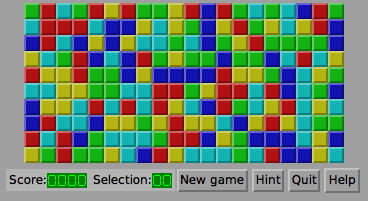 SameSameGame newStandAloneTested + native media
Play the Same board game.
Open the native game's Help control for its rules, then use the board.
| object |
object := SameGame newStandAlone.
object openInWorld.
objectCode used for the recorded demonstration
Rendering script: the recording captures native frame states between iterations. Some examples use an offscreen panel or explicitly invoke step methods. Use the short launcher above for the ordinary interactive object.
| m view panel origin world board moves actualMag background w h scale |
m := SameGame newStandAlone.
m openInWorld.
m fullBounds.
world := Project current world.
panel := Morph new color: (Color r: 0.95 g: 0.96 b: 0.97).
view := m.
w := m fullBounds width. h := m fullBounds height.
scale := (1 min: (680 / w)) min: (520 / h).
scale < 1 ifTrue: [view := m addFlexShell. view scale: scale].
view fullBounds.
panel extent: view fullBounds extent + (120@70).
world addMorph: panel. panel position: 0@0.
panel addMorph: view. view position: 50@35. origin := view position.
board := m board.
1 to: 24 do: [:i |
(i \\ 8) = 1 ifTrue: [board hint]. (i \\ 8) = 5 ifTrue: [board removeSelection]. board step.
panel fullBounds.
world displayWorldSafely.
(Delay forMilliseconds: 120) wait.
].
m
Cleanup: close the object or use its halo’s red delete handle. For animated objects, deleting the complete root removes it from the world.
Descriptor declared by SameGame. A prototype name is not necessarily a Smalltalk class name. Browse the complete class index.
 ScorePlayerScorePlayerMorph newStandAloneTested + native media
Control playback of a musical score.
Load or supply a score, then use volume, tempo, instrument, and position controls in the native player.
Playback uses the synthesizer; MIDI ports and file import/export are additional native actions.
| object |
object := ScorePlayerMorph newStandAlone.
object openInWorld.
objectCode used for the recorded demonstration
Rendering script: the recording captures native frame states between iterations. Some examples use an offscreen panel or explicitly invoke step methods. Use the short launcher above for the ordinary interactive object.
| m baseExtent panel u |
m := ScorePlayerMorph newStandAlone.
baseExtent := m extent.
panel := Morph new color: (Color r: 0.95 g: 0.96 b: 0.97); extent: ((baseExtent x + 180 max: 320) @ (baseExtent y + 140 max: 220)).
panel addMorph: m.
m center: panel center.
1 to: 24 do: [:i |
 u := (((i - 1) / 23 * Float pi * 2) cos negated + 1) / 2.
 m center: panel center + (u * 80 - 40 @ 0).
 "Capture panel imageForm after each actual native state change."
].
Cleanup: close the object or use its halo’s red delete handle. For animated objects, deleting the complete root removes it from the world.
Descriptor declared by ScorePlayerMorph. A prototype name is not necessarily a Smalltalk class name. Browse the complete class index.
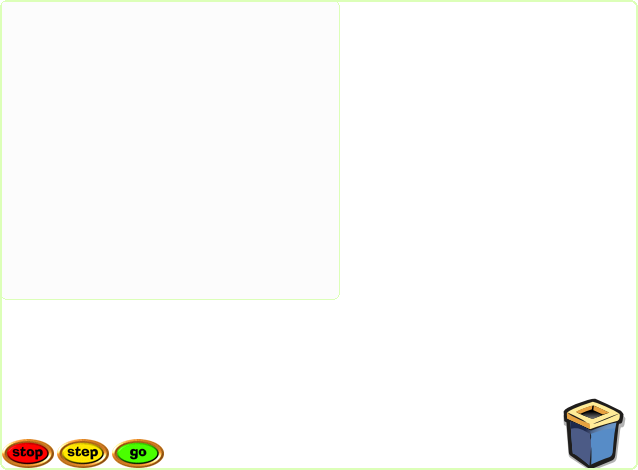 ScriptingScriptingSystem newScriptingSpaceTested + native media
Create a contained place for drawing and scripting.
Use its private stop, step, and go controls for the scripts inside; this registered descriptor is hidden by this image's catalog class filter.
Its script controls can run actions defined inside the scripting space.
| object |
object := ScriptingSystem newScriptingSpace.
object openInWorld.
objectCode used for the recorded demonstration
Rendering script: the recording captures native frame states between iterations. Some examples use an offscreen panel or explicitly invoke step methods. Use the short launcher above for the ordinary interactive object.
| m baseExtent panel u |
m := ScriptingSystem newScriptingSpace.
baseExtent := m extent.
panel := Morph new color: (Color r: 0.95 g: 0.96 b: 0.97); extent: ((baseExtent x + 180 max: 320) @ (baseExtent y + 140 max: 220)).
panel addMorph: m.
m center: panel center.
1 to: 24 do: [:i |
 u := (((i - 1) / 23 * Float pi * 2) cos negated + 1) / 2.
 m center: panel center + (u * 80 - 40 @ 0).
 "Capture panel imageForm after each actual native state change."
].
Cleanup: close the object or use its halo’s red delete handle. For animated objects, deleting the complete root removes it from the world.
Descriptor declared by Morph. A prototype name is not necessarily a Smalltalk class name. Browse the complete class index.
 Scrolling TextScrollableField newStandAloneTested + native media
Edit a body of text inside a scrollable field.
Click into the native text area to edit; scroll when the text is larger than its viewport.
| object |
object := ScrollableField newStandAlone.
object openInWorld.
objectCode used for the recorded demonstration
Rendering script: the recording captures native frame states between iterations. Some examples use an offscreen panel or explicitly invoke step methods. Use the short launcher above for the ordinary interactive object.
| m baseExtent panel u |
m := ScrollableField newStandAlone.
baseExtent := m extent.
panel := Morph new color: (Color r: 0.95 g: 0.96 b: 0.97); extent: ((baseExtent x + 180 max: 320) @ (baseExtent y + 140 max: 220)).
panel addMorph: m.
m center: panel center.
1 to: 24 do: [:i |
 u := (((i - 1) / 23 * Float pi * 2) cos negated + 1) / 2.
 m setCharacters: ('Morphic text is editable.' copyFrom: 1 to: (1 + (u * 23)) rounded).
 "Capture panel imageForm after each actual native state change."
].
Cleanup: close the object or use its halo’s red delete handle. For animated objects, deleting the complete root removes it from the world.
Descriptor declared by ScrollableField. A prototype name is not necessarily a Smalltalk class name. Browse the complete class index.
 SectorSectorMorph newStandAloneTested + native media
Draw a pie slice with an adjustable angle.
Use the native shape handles or angle control to change the slice, for example when illustrating fractions.
| object |
object := SectorMorph newStandAlone.
object openInWorld.
objectCode used for the recorded demonstration
Rendering script: the recording captures native frame states between iterations. Some examples use an offscreen panel or explicitly invoke step methods. Use the short launcher above for the ordinary interactive object.
| m baseExtent panel u |
m := SectorMorph newStandAlone.
m radius: 80.
baseExtent := m extent.
panel := Morph new color: (Color r: 0.95 g: 0.96 b: 0.97); extent: ((baseExtent x + 180 max: 320) @ (baseExtent y + 140 max: 220)).
panel addMorph: m.
m center: panel center.
1 to: 24 do: [:i |
 u := (((i - 1) / 23 * Float pi * 2) cos negated + 1) / 2.
 m angle: 20 + (u * 300).
m center: panel center.
 "Capture panel imageForm after each actual native state change."
].
Cleanup: close the object or use its halo’s red delete handle. For animated objects, deleting the complete root removes it from the world.
Descriptor declared by SectorMorph. A prototype name is not necessarily a Smalltalk class name. Browse the complete class index.
 SliderSimpleSliderMorph newStandAloneTested + native media
Choose a number by sliding a knob.
Drag the native knob; the prototype starts at a scaled value of 0.3 and can be connected to scripts or a target.
| object |
object := SimpleSliderMorph newStandAlone.
object openInWorld.
objectCode used for the recorded demonstration
Rendering script: the recording captures native frame states between iterations. Some examples use an offscreen panel or explicitly invoke step methods. Use the short launcher above for the ordinary interactive object.
| m baseExtent panel u |
m := SimpleSliderMorph newStandAlone.
baseExtent := m extent.
panel := Morph new color: (Color r: 0.95 g: 0.96 b: 0.97); extent: ((baseExtent x + 180 max: 320) @ (baseExtent y + 140 max: 220)).
panel addMorph: m.
m center: panel center.
1 to: 24 do: [:i |
 u := (((i - 1) / 23 * Float pi * 2) cos negated + 1) / 2.
 m setScaledValue: u.
 "Capture panel imageForm after each actual native state change."
].
Cleanup: close the object or use its halo’s red delete handle. For animated objects, deleting the complete root removes it from the world.
Descriptor declared by SimpleSliderMorph. A prototype name is not necessarily a Smalltalk class name. Browse the complete class index.
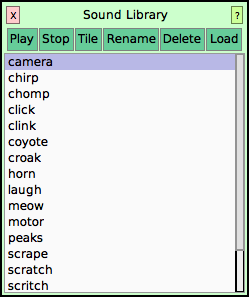 Sound LibrarySoundLibraryTool newStandAloneTested + native media
Browse and manage sounds stored in the image.
Select a sound, then use Play, Stop, Tile, Rename, Delete, or Load as needed in the native tool.
Play produces audio; Load reads a file; Rename and Delete change the sound library.
| object |
object := SoundLibraryTool newStandAlone.
object openInWorld.
objectCode used for the recorded demonstration
Rendering script: the recording captures native frame states between iterations. Some examples use an offscreen panel or explicitly invoke step methods. Use the short launcher above for the ordinary interactive object.
| m baseExtent panel u |
m := SoundLibraryTool newStandAlone.
baseExtent := m extent.
panel := Morph new color: (Color r: 0.95 g: 0.96 b: 0.97); extent: ((baseExtent x + 180 max: 320) @ (baseExtent y + 140 max: 220)).
panel addMorph: m.
m center: panel center.
1 to: 24 do: [:i |
 u := (((i - 1) / 23 * Float pi * 2) cos negated + 1) / 2.
 m center: panel center + (u * 80 - 40 @ 0).
 "Capture panel imageForm after each actual native state change."
].
Cleanup: close the object or use its halo’s red delete handle. For animated objects, deleting the complete root removes it from the world.
Descriptor declared by SoundLibraryTool. A prototype name is not necessarily a Smalltalk class name. Browse the complete class index.
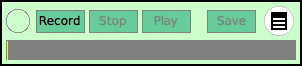 SoundRecorderRecordingControls newStandAloneTested + native media
Record and replay sound with the newer recorder panel.
Use Record, Stop, and playback controls in Squeak; recording needs an audio input device.
SoundRecorder initialization sets paused true and recordProcess nil. Record starts capture and playback produces sound; an inactive panel can be illustrated without recording.
| object |
object := RecordingControls newStandAlone.
object openInWorld.
objectCode used for the recorded demonstration
Rendering script: the recording captures native frame states between iterations. Some examples use an offscreen panel or explicitly invoke step methods. Use the short launcher above for the ordinary interactive object.
| m baseExtent panel u |
m := RecordingControls newStandAlone.
baseExtent := m extent.
panel := Morph new color: (Color r: 0.95 g: 0.96 b: 0.97); extent: ((baseExtent x + 180 max: 320) @ (baseExtent y + 140 max: 220)).
panel addMorph: m.
m center: panel center.
1 to: 24 do: [:i |
 u := (((i - 1) / 23 * Float pi * 2) cos negated + 1) / 2.
 m center: panel center + (u * 80 - 40 @ 0).
 "Capture panel imageForm after each actual native state change."
].
Cleanup: close the object or use its halo’s red delete handle. For animated objects, deleting the complete root removes it from the world.
Descriptor declared by RecordingControls. A prototype name is not necessarily a Smalltalk class name. Browse the complete class index.
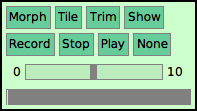 SoundRecorderRecordingControlsMorph newStandAloneTested + native media
Record and replay sound with the original recorder panel.
Use Record, Stop, and playback controls in Squeak; this is a separate class from the other SoundRecorder catalog entry.
SoundRecorder initialization sets paused true and recordProcess nil. The level slider initially reads the recorder value; leave Record and playback inactive for a visual capture.
| object |
object := RecordingControlsMorph newStandAlone.
object openInWorld.
objectCode used for the recorded demonstration
Rendering script: the recording captures native frame states between iterations. Some examples use an offscreen panel or explicitly invoke step methods. Use the short launcher above for the ordinary interactive object.
| m baseExtent panel u |
m := RecordingControlsMorph newStandAlone.
baseExtent := m extent.
panel := Morph new color: (Color r: 0.95 g: 0.96 b: 0.97); extent: ((baseExtent x + 180 max: 320) @ (baseExtent y + 140 max: 220)).
panel addMorph: m.
m center: panel center.
1 to: 24 do: [:i |
 u := (((i - 1) / 23 * Float pi * 2) cos negated + 1) / 2.
 m center: panel center + (u * 80 - 40 @ 0).
 "Capture panel imageForm after each actual native state change."
].
Cleanup: close the object or use its halo’s red delete handle. For animated objects, deleting the complete root removes it from the world.
Descriptor declared by RecordingControlsMorph. A prototype name is not necessarily a Smalltalk class name. Browse the complete class index.
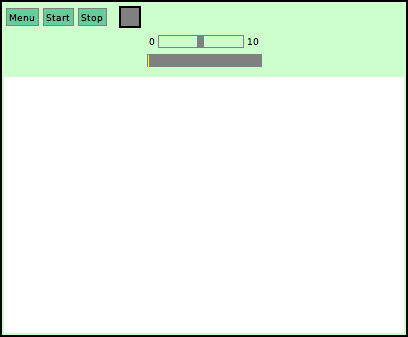 Spectrum AnalyzerSpectrumAnalyzerMorph newStandAloneTested + native media
Inspect incoming sound as a signal, frequency spectrum, or sonogram.
Select an input source and start analysis in the native tool; the display updates from real audio input.
SoundInputStream starts paused. Its recordLevel and meterLevel methods read stored state, with no native device access in those getter chains. Inactive UI can be rendered; Start begins audio capture.
| object |
object := SpectrumAnalyzerMorph newStandAlone.
object openInWorld.
objectCode used for the recorded demonstration
Rendering script: the recording captures native frame states between iterations. Some examples use an offscreen panel or explicitly invoke step methods. Use the short launcher above for the ordinary interactive object.
| m baseExtent panel u |
m := SpectrumAnalyzerMorph newStandAlone.
baseExtent := m extent.
panel := Morph new color: (Color r: 0.95 g: 0.96 b: 0.97); extent: ((baseExtent x + 180 max: 320) @ (baseExtent y + 140 max: 220)).
panel addMorph: m.
m center: panel center.
1 to: 24 do: [:i |
 u := (((i - 1) / 23 * Float pi * 2) cos negated + 1) / 2.
 m center: panel center + (u * 80 - 40 @ 0).
 "Capture panel imageForm after each actual native state change."
].
Cleanup: close the object or use its halo’s red delete handle. For animated objects, deleting the complete root removes it from the world.
Descriptor declared by SpectrumAnalyzerMorph. A prototype name is not necessarily a Smalltalk class name. Browse the complete class index.
 Speech bubbleSpeechBubbleMorph speechPrototypeTested + native media
Put spoken words beside a comic character.
Edit the native text bubble and place it next to the character.
| object |
object := SpeechBubbleMorph speechPrototype.
object openInWorld.
objectCode used for the recorded demonstration
Rendering script: the recording captures native frame states between iterations. Some examples use an offscreen panel or explicitly invoke step methods. Use the short launcher above for the ordinary interactive object.
| m view panel origin world board moves actualMag background w h scale |
m := SpeechBubbleMorph speechPrototype.
m openInWorld.
m fullBounds.
world := Project current world.
panel := Morph new color: (Color r: 0.95 g: 0.96 b: 0.97).
view := m.
w := m fullBounds width. h := m fullBounds height.
scale := (1 min: (680 / w)) min: (520 / h).
scale < 1 ifTrue: [view := m addFlexShell. view scale: scale].
view fullBounds.
panel extent: view fullBounds extent + (120@70).
world addMorph: panel. panel position: 0@0.
panel addMorph: view. view position: 50@35. origin := view position.

1 to: 24 do: [:i |
view position: origin + (((i - 1) / 23 * Float pi * 2) sin * 28 @ 0).
panel fullBounds.
world displayWorldSafely.
(Delay forMilliseconds: 120) wait.
].
m
Cleanup: close the object or use its halo’s red delete handle. For animated objects, deleting the complete root removes it from the world.
Descriptor declared by SpeechBubbleMorph. A prototype name is not necessarily a Smalltalk class name. Browse the complete class index.
 Speech bubble (graphic)SpeechBubbleMorph speechGraphicPrototypeTested + native media
Use a picture inside a speech bubble.
Move the native bubble beside a character; its starter picture is the painting icon.
| object |
object := SpeechBubbleMorph speechGraphicPrototype.
object openInWorld.
objectCode used for the recorded demonstration
Rendering script: the recording captures native frame states between iterations. Some examples use an offscreen panel or explicitly invoke step methods. Use the short launcher above for the ordinary interactive object.
| m view panel origin world board moves actualMag background w h scale |
m := SpeechBubbleMorph speechGraphicPrototype.
m openInWorld.
m fullBounds.
world := Project current world.
panel := Morph new color: (Color r: 0.95 g: 0.96 b: 0.97).
view := m.
w := m fullBounds width. h := m fullBounds height.
scale := (1 min: (680 / w)) min: (520 / h).
scale < 1 ifTrue: [view := m addFlexShell. view scale: scale].
view fullBounds.
panel extent: view fullBounds extent + (120@70).
world addMorph: panel. panel position: 0@0.
panel addMorph: view. view position: 50@35. origin := view position.

1 to: 24 do: [:i |
view position: origin + (((i - 1) / 23 * Float pi * 2) sin * 28 @ 0).
panel fullBounds.
world displayWorldSafely.
(Delay forMilliseconds: 120) wait.
].
m
Cleanup: close the object or use its halo’s red delete handle. For animated objects, deleting the complete root removes it from the world.
Descriptor declared by SpeechBubbleMorph. A prototype name is not necessarily a Smalltalk class name. Browse the complete class index.
 StackStackMorph newStandAloneTested + native media
Organize card-like records or presentation pages.
Use the native stack's cards and backgrounds for a slideshow or a small card database.
Card editing changes stack data; deletion controls remove cards.
| object |
object := StackMorph newStandAlone.
object openInWorld.
objectCode used for the recorded demonstration
Rendering script: the recording captures native frame states between iterations. Some examples use an offscreen panel or explicitly invoke step methods. Use the short launcher above for the ordinary interactive object.
| m baseExtent panel u |
m := StackMorph newStandAlone.
baseExtent := m extent.
panel := Morph new color: (Color r: 0.95 g: 0.96 b: 0.97); extent: ((baseExtent x + 180 max: 320) @ (baseExtent y + 140 max: 220)).
panel addMorph: m.
m center: panel center.
1 to: 24 do: [:i |
 u := (((i - 1) / 23 * Float pi * 2) cos negated + 1) / 2.
 m center: panel center + (u * 80 - 40 @ 0).
 "Capture panel imageForm after each actual native state change."
].
Cleanup: close the object or use its halo’s red delete handle. For animated objects, deleting the complete root removes it from the world.
Descriptor declared by StackMorph. A prototype name is not necessarily a Smalltalk class name. Browse the complete class index.
 StarStarMorph newStandAloneTested + native media
Draw a star whose points can be adjusted.
Show the native handles; use the handle arrows to alter the number of points or their pointiness.
| object |
object := StarMorph newStandAlone.
object openInWorld.
objectCode used for the recorded demonstration
Rendering script: the recording captures native frame states between iterations. Some examples use an offscreen panel or explicitly invoke step methods. Use the short launcher above for the ordinary interactive object.
| m baseExtent panel u |
m := StarMorph newStandAlone.
m extent: 150@150.
baseExtent := m extent.
panel := Morph new color: (Color r: 0.95 g: 0.96 b: 0.97); extent: ((baseExtent x + 180 max: 320) @ (baseExtent y + 140 max: 220)).
panel addMorph: m.
m center: panel center.
1 to: 24 do: [:i |
 u := (((i - 1) / 23 * Float pi * 2) cos negated + 1) / 2.
 m starRatio: 0.2 + (u * 0.55).
m center: panel center.
 "Capture panel imageForm after each actual native state change."
].
Cleanup: close the object or use its halo’s red delete handle. For animated objects, deleting the complete root removes it from the world.
Descriptor declared by StarMorph. A prototype name is not necessarily a Smalltalk class name. Browse the complete class index.
 StatusScriptingSystem scriptControlButtonsTested + native media
Control Etoys scripts with stop, step, and go buttons.
Use the buttons with scripts in a Squeak project; this descriptor is registered but hidden by this image's catalog class filter.
The controls can run existing project scripts, whose effects depend on the project.
| object |
object := ScriptingSystem scriptControlButtons.
object openInWorld.
objectCode used for the recorded demonstration
Rendering script: the recording captures native frame states between iterations. Some examples use an offscreen panel or explicitly invoke step methods. Use the short launcher above for the ordinary interactive object.
| m baseExtent panel u |
m := ScriptingSystem scriptControlButtons.
baseExtent := m extent.
panel := Morph new color: (Color r: 0.95 g: 0.96 b: 0.97); extent: ((baseExtent x + 180 max: 320) @ (baseExtent y + 140 max: 220)).
panel addMorph: m.
m center: panel center.
1 to: 24 do: [:i |
 u := (((i - 1) / 23 * Float pi * 2) cos negated + 1) / 2.
 m center: panel center + (u * 80 - 40 @ 0).
 "Capture panel imageForm after each actual native state change."
].
Cleanup: close the object or use its halo’s red delete handle. For animated objects, deleting the complete root removes it from the world.
Descriptor declared by Morph. A prototype name is not necessarily a Smalltalk class name. Browse the complete class index.
 Sticky PadStickyPadMorph newStandAloneTested + native media
Add a translucent pastel rectangle to a project.
Drag out a new pad and position it; successive native pads cycle through preset colors.
| object |
object := StickyPadMorph newStandAlone.
object openInWorld.
objectCode used for the recorded demonstration
Rendering script: the recording captures native frame states between iterations. Some examples use an offscreen panel or explicitly invoke step methods. Use the short launcher above for the ordinary interactive object.
| m view panel origin world board moves actualMag background w h scale |
m := StickyPadMorph newStandAlone.
m openInWorld.
m fullBounds.
world := Project current world.
panel := Morph new color: (Color r: 0.95 g: 0.96 b: 0.97).
view := m.
w := m fullBounds width. h := m fullBounds height.
scale := (1 min: (680 / w)) min: (520 / h).
scale < 1 ifTrue: [view := m addFlexShell. view scale: scale].
view fullBounds.
panel extent: view fullBounds extent + (120@70).
world addMorph: panel. panel position: 0@0.
panel addMorph: view. view position: 50@35. origin := view position.

1 to: 24 do: [:i |
view position: origin + (((i - 1) / 23 * Float pi * 2) sin * 28 @ 0).
panel fullBounds.
world displayWorldSafely.
(Delay forMilliseconds: 120) wait.
].
m
Cleanup: close the object or use its halo’s red delete handle. For animated objects, deleting the complete root removes it from the world.
Descriptor declared by StickyPadMorph. A prototype name is not necessarily a Smalltalk class name. Browse the complete class index.
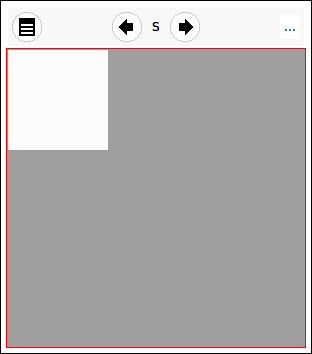 StoryboardStoryboardBookMorph newStandAloneTested + native media
Build a sequence of camera-like views of a picture.
Drop a picture into the native storyboard, drag to pan or tilt, and shift-drag vertically to zoom; arrange captured stills into an animation script.
Storyboard playback requires a prepared sequence; its script can be saved from the native menu.
| object |
object := StoryboardBookMorph newStandAlone.
object openInWorld.
objectCode used for the recorded demonstration
Rendering script: the recording captures native frame states between iterations. Some examples use an offscreen panel or explicitly invoke step methods. Use the short launcher above for the ordinary interactive object.
| m baseExtent panel u |
m := StoryboardBookMorph newStandAlone.
baseExtent := m extent.
panel := Morph new color: (Color r: 0.95 g: 0.96 b: 0.97); extent: ((baseExtent x + 180 max: 320) @ (baseExtent y + 140 max: 220)).
panel addMorph: m.
m center: panel center.
1 to: 24 do: [:i |
 u := (((i - 1) / 23 * Float pi * 2) cos negated + 1) / 2.
 m center: panel center + (u * 80 - 40 @ 0).
 "Capture panel imageForm after each actual native state change."
].
Cleanup: close the object or use its halo’s red delete handle. For animated objects, deleting the complete root removes it from the world.
Descriptor declared by StoryboardBookMorph. A prototype name is not necessarily a Smalltalk class name. Browse the complete class index.
 TabbedPaletteTabbedPalette authoringPrototypeTested + native media
Organize books behind named tabs.
Click a native tab to reveal its associated book; some tabs can be configured to run actions.
Some tabs can be configured to invoke actions instead of revealing a book.
| object |
object := TabbedPalette authoringPrototype.
object openInWorld.
objectCode used for the recorded demonstration
Rendering script: the recording captures native frame states between iterations. Some examples use an offscreen panel or explicitly invoke step methods. Use the short launcher above for the ordinary interactive object.
| m baseExtent panel u |
m := TabbedPalette authoringPrototype.
baseExtent := m extent.
panel := Morph new color: (Color r: 0.95 g: 0.96 b: 0.97); extent: ((baseExtent x + 180 max: 320) @ (baseExtent y + 140 max: 220)).
panel addMorph: m.
m center: panel center.
1 to: 24 do: [:i |
 u := (((i - 1) / 23 * Float pi * 2) cos negated + 1) / 2.
 m center: panel center + (u * 80 - 40 @ 0).
 "Capture panel imageForm after each actual native state change."
].
Cleanup: close the object or use its halo’s red delete handle. For animated objects, deleting the complete root removes it from the world.
Descriptor declared by TabbedPalette. Browse the complete class index.
 TetrisTetris newStandAloneTested + native media
Play Tetris in a Morphic panel.
With the mouse over the native game, use left/right to move, up/down to rotate, and Space to drop; buttons are also available.
| object |
object := Tetris newStandAlone.
object openInWorld.
objectCode used for the recorded demonstration
Rendering script: the recording captures native frame states between iterations. Some examples use an offscreen panel or explicitly invoke step methods. Use the short launcher above for the ordinary interactive object.
| m view panel origin world board moves actualMag background w h scale |
m := Tetris newStandAlone.
m openInWorld.
m fullBounds.
world := Project current world.
panel := Morph new color: (Color r: 0.95 g: 0.96 b: 0.97).
view := m.
w := m fullBounds width. h := m fullBounds height.
scale := (1 min: (680 / w)) min: (520 / h).
scale < 1 ifTrue: [view := m addFlexShell. view scale: scale].
view fullBounds.
panel extent: view fullBounds extent + (120@70).
world addMorph: panel. panel position: 0@0.
panel addMorph: view. view position: 50@35. origin := view position.
board := m allMorphs detect: [:child | child isKindOf: TetrisBoard].
1 to: 24 do: [:i |
board step. i = 8 ifTrue: [board moveLeft]. i = 16 ifTrue: [board rotateClockWise].
panel fullBounds.
world displayWorldSafely.
(Delay forMilliseconds: 120) wait.
].
m
Cleanup: close the object or use its halo’s red delete handle. For animated objects, deleting the complete root removes it from the world.
Descriptor declared by Tetris. Browse the complete class index.
 TextTextMorph nonwrappingPrototypeTested + native media
Add editable text to a project.
Click the native text to edit it; this factory creates a UserText instance with a default 24-point style.
| object |
object := TextMorph nonwrappingPrototype.
object openInWorld.
objectCode used for the recorded demonstration
Rendering script: the recording captures native frame states between iterations. Some examples use an offscreen panel or explicitly invoke step methods. Use the short launcher above for the ordinary interactive object.
| m baseExtent panel u |
m := TextMorph nonwrappingPrototype.
baseExtent := m extent.
panel := Morph new color: (Color r: 0.95 g: 0.96 b: 0.97); extent: ((baseExtent x + 180 max: 320) @ (baseExtent y + 140 max: 220)).
panel addMorph: m.
m center: panel center.
1 to: 24 do: [:i |
 u := (((i - 1) / 23 * Float pi * 2) cos negated + 1) / 2.
 m contents: ('Morphic text' copyFrom: 1 to: (1 + (u * 11)) rounded).
m center: panel center.
 "Capture panel imageForm after each actual native state change."
].
Cleanup: close the object or use its halo’s red delete handle. For animated objects, deleting the complete root removes it from the world.
Descriptor declared by TextMorph. A prototype name is not necessarily a Smalltalk class name. Browse the complete class index.
 Text (border)TextMorph borderedPrototypeTested + native media
Edit a piece of text with a visible border.
Click in the native text field and type, then move or resize the field through its halo.
| object |
object := TextMorph borderedPrototype.
object openInWorld.
objectCode used for the recorded demonstration
Rendering script: the recording captures native frame states between iterations. Some examples use an offscreen panel or explicitly invoke step methods. Use the short launcher above for the ordinary interactive object.
| m baseExtent panel u |
m := TextMorph borderedPrototype.
baseExtent := m extent.
panel := Morph new color: (Color r: 0.95 g: 0.96 b: 0.97); extent: ((baseExtent x + 180 max: 320) @ (baseExtent y + 140 max: 220)).
panel addMorph: m.
m center: panel center.
1 to: 24 do: [:i |
 u := (((i - 1) / 23 * Float pi * 2) cos negated + 1) / 2.
 m contents: ('Morphic text' copyFrom: 1 to: (1 + (u * 11)) rounded).
m center: panel center.
 "Capture panel imageForm after each actual native state change."
].
Cleanup: close the object or use its halo’s red delete handle. For animated objects, deleting the complete root removes it from the world.
Descriptor declared by TextMorph. A prototype name is not necessarily a Smalltalk class name. Browse the complete class index.
 Text chatNebraskaChatMorph newStandAloneTested + native media
Exchange text messages with another Squeak user.
Configure the recipient and use the native chat editor to send messages.
Construction builds an empty chat panel. Accepting text sends it to the configured recipient; the default panel enables sending with Return.
| object |
object := NebraskaChatMorph newStandAlone.
object openInWorld.
objectCode used for the recorded demonstration
Rendering script: the recording captures native frame states between iterations. Some examples use an offscreen panel or explicitly invoke step methods. Use the short launcher above for the ordinary interactive object.
| m baseExtent panel u |
m := NebraskaChatMorph newStandAlone.
baseExtent := m extent.
panel := Morph new color: (Color r: 0.95 g: 0.96 b: 0.97); extent: ((baseExtent x + 180 max: 320) @ (baseExtent y + 140 max: 220)).
panel addMorph: m.
m center: panel center.
1 to: 24 do: [:i |
 u := (((i - 1) / 23 * Float pi * 2) cos negated + 1) / 2.
 m center: panel center + (u * 80 - 40 @ 0).
 "Capture panel imageForm after each actual native state change."
].
Cleanup: close the object or use its halo’s red delete handle. For animated objects, deleting the complete root removes it from the world.
Descriptor declared by NebraskaChatMorph. A prototype name is not necessarily a Smalltalk class name. Browse the complete class index.
No previewConstructor unavailableText chat+NebraskaMultiChatMorph newStandAloneConstructor unavailable
Exchange text messages with several Squeak users.
Configure the native multi-recipient chat and send from its text editor.
Native isolated construction failed with primLocalAddress failed, demonstrating a local network-address dependency before sending. A working instance can send text to multiple recipients.
Constructor unavailable. The actual constructor failed with “primLocalAddress failed” in the isolated capture environment. This collaborative object requires working networking; no messages were sent.
NebraskaMultiChatMorph newStandAloneDescriptor declared by NebraskaMultiChatMorph. A prototype name is not necessarily a Smalltalk class name. Browse the complete class index.
 Thought bubbleSpeechBubbleMorph thoughtPrototypeTested + native media
Put a character's thoughts into a comic bubble.
Edit the native thought bubble's text and place it next to the character.
| object |
object := SpeechBubbleMorph thoughtPrototype.
object openInWorld.
objectCode used for the recorded demonstration
Rendering script: the recording captures native frame states between iterations. Some examples use an offscreen panel or explicitly invoke step methods. Use the short launcher above for the ordinary interactive object.
| m view panel origin world board moves actualMag background w h scale |
m := SpeechBubbleMorph thoughtPrototype.
m openInWorld.
m fullBounds.
world := Project current world.
panel := Morph new color: (Color r: 0.95 g: 0.96 b: 0.97).
view := m.
w := m fullBounds width. h := m fullBounds height.
scale := (1 min: (680 / w)) min: (520 / h).
scale < 1 ifTrue: [view := m addFlexShell. view scale: scale].
view fullBounds.
panel extent: view fullBounds extent + (120@70).
world addMorph: panel. panel position: 0@0.
panel addMorph: view. view position: 50@35. origin := view position.

1 to: 24 do: [:i |
view position: origin + (((i - 1) / 23 * Float pi * 2) sin * 28 @ 0).
panel fullBounds.
world displayWorldSafely.
(Delay forMilliseconds: 120) wait.
].
m
Cleanup: close the object or use its halo’s red delete handle. For animated objects, deleting the complete root removes it from the world.
Descriptor declared by SpeechBubbleMorph. A prototype name is not necessarily a Smalltalk class name. Browse the complete class index.
 Thought bubble (graphic)SpeechBubbleMorph thoughtGraphicPrototypeTested + native media
Use a picture inside a thought bubble.
Move the native thought bubble beside a character; its starter picture is the painting icon.
| object |
object := SpeechBubbleMorph thoughtGraphicPrototype.
object openInWorld.
objectCode used for the recorded demonstration
Rendering script: the recording captures native frame states between iterations. Some examples use an offscreen panel or explicitly invoke step methods. Use the short launcher above for the ordinary interactive object.
| m view panel origin world board moves actualMag background w h scale |
m := SpeechBubbleMorph thoughtGraphicPrototype.
m openInWorld.
m fullBounds.
world := Project current world.
panel := Morph new color: (Color r: 0.95 g: 0.96 b: 0.97).
view := m.
w := m fullBounds width. h := m fullBounds height.
scale := (1 min: (680 / w)) min: (520 / h).
scale < 1 ifTrue: [view := m addFlexShell. view scale: scale].
view fullBounds.
panel extent: view fullBounds extent + (120@70).
world addMorph: panel. panel position: 0@0.
panel addMorph: view. view position: 50@35. origin := view position.

1 to: 24 do: [:i |
view position: origin + (((i - 1) / 23 * Float pi * 2) sin * 28 @ 0).
panel fullBounds.
world displayWorldSafely.
(Delay forMilliseconds: 120) wait.
].
m
Cleanup: close the object or use its halo’s red delete handle. For animated objects, deleting the complete root removes it from the world.
Descriptor declared by SpeechBubbleMorph. A prototype name is not necessarily a Smalltalk class name. Browse the complete class index.
 ThreadNavigatorInternalThreadNavigationMorph newStandAloneTested + native media
Navigate through an ordered group of Squeak projects.
Use the native navigation controls to move through the configured project thread.
Navigation can switch projects and load a project page.
| object |
object := InternalThreadNavigationMorph newStandAlone.
object openInWorld.
objectCode used for the recorded demonstration
Rendering script: the recording captures native frame states between iterations. Some examples use an offscreen panel or explicitly invoke step methods. Use the short launcher above for the ordinary interactive object.
| m baseExtent panel u |
m := InternalThreadNavigationMorph newStandAlone.
baseExtent := m extent.
panel := Morph new color: (Color r: 0.95 g: 0.96 b: 0.97); extent: ((baseExtent x + 180 max: 320) @ (baseExtent y + 140 max: 220)).
panel addMorph: m.
m center: panel center.
1 to: 24 do: [:i |
 u := (((i - 1) / 23 * Float pi * 2) cos negated + 1) / 2.
 m center: panel center + (u * 80 - 40 @ 0).
 "Capture panel imageForm after each actual native state change."
].
Cleanup: close the object or use its halo’s red delete handle. For animated objects, deleting the complete root removes it from the world.
Descriptor declared by InternalThreadNavigationMorph. A prototype name is not necessarily a Smalltalk class name. Browse the complete class index.
 TrashTrashCanMorph newStandAloneTested + native media
Discard Morphs, with recovery depending on a preference.
Drop an object on the native trash icon. Double-click can show discarded objects only when preserveTrash retained them.
TrashCanMorph initialization documents that preserveTrash=false purges dropped objects immediately. Do not imply that every discarded object is recoverable.
| object |
object := TrashCanMorph newStandAlone.
object openInWorld.
objectCode used for the recorded demonstration
Rendering script: the recording captures native frame states between iterations. Some examples use an offscreen panel or explicitly invoke step methods. Use the short launcher above for the ordinary interactive object.
| m baseExtent panel u |
m := TrashCanMorph newStandAlone.
baseExtent := m extent.
panel := Morph new color: (Color r: 0.95 g: 0.96 b: 0.97); extent: ((baseExtent x + 180 max: 320) @ (baseExtent y + 140 max: 220)).
panel addMorph: m.
m center: panel center.
1 to: 24 do: [:i |
 u := (((i - 1) / 23 * Float pi * 2) cos negated + 1) / 2.
 m center: panel center + (u * 80 - 40 @ 0).
 "Capture panel imageForm after each actual native state change."
].
Cleanup: close the object or use its halo’s red delete handle. For animated objects, deleting the complete root removes it from the world.
Descriptor declared by TrashCanMorph. A prototype name is not necessarily a Smalltalk class name. Browse the complete class index.
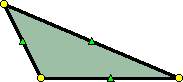 TrianglePolygonMorph trianglePrototypeTested + native media
Start with a three-sided polygon prototype.
Use its visible handles to move the three vertices; inspect the native prototype rather than assuming it is an equilateral triangle.
| object |
object := PolygonMorph trianglePrototype.
object openInWorld.
objectCode used for the recorded demonstration
Rendering script: the recording captures native frame states between iterations. Some examples use an offscreen panel or explicitly invoke step methods. Use the short launcher above for the ordinary interactive object.
| m baseExtent panel u |
m := PolygonMorph trianglePrototype.
baseExtent := m extent.
panel := Morph new color: (Color r: 0.95 g: 0.96 b: 0.97); extent: ((baseExtent x + 180 max: 320) @ (baseExtent y + 140 max: 220)).
panel addMorph: m.
m center: panel center.
1 to: 24 do: [:i |
 u := (((i - 1) / 23 * Float pi * 2) cos negated + 1) / 2.
 m extent: (baseExtent + ((80@40) * u)) rounded.
m color: (Color h: 210 - (u * 170) s: 0.65 v: 0.9).
m center: panel center.
m borderColor: (Color h: 210 - (u * 170) s: 0.8 v: 0.6).
 "Capture panel imageForm after each actual native state change."
].
Cleanup: close the object or use its halo’s red delete handle. For animated objects, deleting the complete root removes it from the world.
Descriptor declared by PolygonMorph. A prototype name is not necessarily a Smalltalk class name. Browse the complete class index.
 TrueType bannerTTSampleStringMorph newStandAloneTested + native media
Display a short string in a TrueType font.
Use the native resize handle to change the displayed size and edit its text or appearance.
Native text rendering needs a TrueType font; the load-font-from-web menu is a separate network action.
| object |
object := TTSampleStringMorph newStandAlone.
object openInWorld.
objectCode used for the recorded demonstration
Rendering script: the recording captures native frame states between iterations. Some examples use an offscreen panel or explicitly invoke step methods. Use the short launcher above for the ordinary interactive object.
| m baseExtent panel u |
m := TTSampleStringMorph newStandAlone.
baseExtent := m extent.
panel := Morph new color: (Color r: 0.95 g: 0.96 b: 0.97); extent: ((baseExtent x + 180 max: 320) @ (baseExtent y + 140 max: 220)).
panel addMorph: m.
m center: panel center.
1 to: 24 do: [:i |
u := (((i - 1) / 23 * Float pi * 2) cos negated + 1) / 2.
m center: panel center + (u * 80 - 40 @ 0).
"Capture panel imageForm after each actual native state change."
].Cleanup: close the object or use its halo’s red delete handle. For animated objects, deleting the complete root removes it from the world.
Descriptor declared by TTSampleStringMorph. A prototype name is not necessarily a Smalltalk class name. Browse the complete class index.
 V number lineVerticalNumberLineMorph newStandAloneTested + native media
Use a vertical number line as a reference axis.
Place it alongside objects or use it as the y-axis of a graph.
| object |
object := VerticalNumberLineMorph newStandAlone.
object openInWorld.
objectCode used for the recorded demonstration
Rendering script: the recording captures native frame states between iterations. Some examples use an offscreen panel or explicitly invoke step methods. Use the short launcher above for the ordinary interactive object.
| m baseExtent panel u |
m := VerticalNumberLineMorph newStandAlone.
baseExtent := m extent.
panel := Morph new color: (Color r: 0.95 g: 0.96 b: 0.97); extent: ((baseExtent x + 180 max: 320) @ (baseExtent y + 140 max: 220)).
panel addMorph: m.
m center: panel center.
1 to: 24 do: [:i |
u := (((i - 1) / 23 * Float pi * 2) cos negated + 1) / 2.
m center: panel center + (u * 80 - 40 @ 0).
"Capture panel imageForm after each actual native state change."
].Cleanup: close the object or use its halo’s red delete handle. For animated objects, deleting the complete root removes it from the world.
Descriptor declared by VerticalNumberLineMorph. A prototype name is not necessarily a Smalltalk class name. Browse the complete class index.
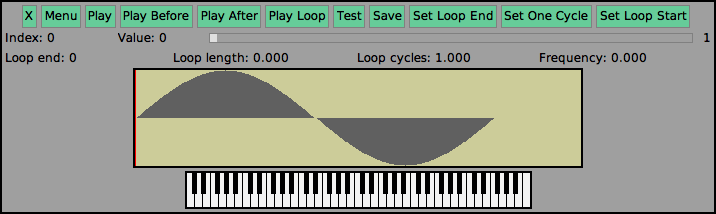 WaveEditorWaveEditor newStandAloneTested + native media
Inspect and edit sampled sound or other numeric sequences.
Use the native waveform graph and cursor, choose loop points, and play selections when sound data is loaded.
Playback produces audio; the blank editor needs waveform data before a meaningful waveform or loop demonstration.
| object |
object := WaveEditor newStandAlone.
object openInWorld.
objectCode used for the recorded demonstration
Rendering script: the recording captures native frame states between iterations. Some examples use an offscreen panel or explicitly invoke step methods. Use the short launcher above for the ordinary interactive object.
| m baseExtent panel u |
m := WaveEditor newStandAlone.
baseExtent := m extent.
panel := Morph new color: (Color r: 0.95 g: 0.96 b: 0.97); extent: ((baseExtent x + 180 max: 320) @ (baseExtent y + 140 max: 220)).
panel addMorph: m.
m center: panel center.
1 to: 24 do: [:i |
u := (((i - 1) / 23 * Float pi * 2) cos negated + 1) / 2.
m center: panel center + (u * 80 - 40 @ 0).
"Capture panel imageForm after each actual native state change."
].Cleanup: close the object or use its halo’s red delete handle. For animated objects, deleting the complete root removes it from the world.
Descriptor declared by WaveEditor. Browse the complete class index.
No previewNot runWelcomeNebraskaMorphsWelcomeMorph newStandAloneNot run · dependency
Allow received Morphs to appear directly in the current world.
The presence of this native sign signals that the world accepts incoming Morphs.
The sign is not just decorative: its presence signals that received Morphs may appear automatically in the world.
Not run · dependency. Its presence changes how incoming Morphs are admitted to the world. This network-dependent entry was not opened.
NebraskaMorphsWelcomeMorph newStandAloneDescriptor declared by NebraskaMorphsWelcomeMorph. A prototype name is not necessarily a Smalltalk class name. Browse the complete class index.
 WorkspaceWorkspace prototypicalToolWindowTested + native media
Keep and edit text in a Workspace window.
Type or edit text in the native Workspace; its contents can be saved to a file.
Saving reads or writes files, and evaluating Smalltalk text runs code in the image; simple text editing is local.
| object |
object := Workspace prototypicalToolWindow.
object openInWorld.
objectCode used for the recorded demonstration
Rendering script: the recording captures native frame states between iterations. Some examples use an offscreen panel or explicitly invoke step methods. Use the short launcher above for the ordinary interactive object.
| m baseExtent panel u |
m := Workspace prototypicalToolWindow.
baseExtent := m extent.
panel := Morph new color: (Color r: 0.95 g: 0.96 b: 0.97); extent: ((baseExtent x + 180 max: 320) @ (baseExtent y + 140 max: 220)).
panel addMorph: m.
m center: panel center.
1 to: 24 do: [:i |
u := (((i - 1) / 23 * Float pi * 2) cos negated + 1) / 2.
m center: panel center + (u * 80 - 40 @ 0).
"Capture panel imageForm after each actual native state change."
].Cleanup: close the object or use its halo’s red delete handle. For animated objects, deleting the complete root removes it from the world.
Descriptor declared by Morph. Browse the complete class index.
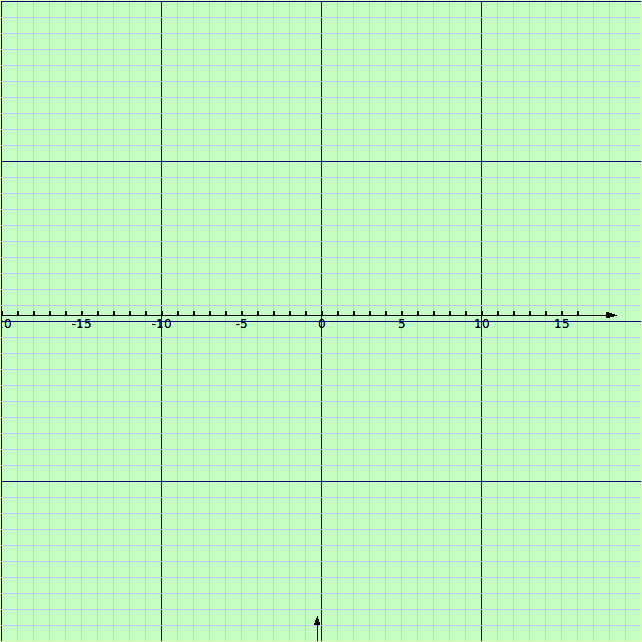 x-y planeGraphPaperPanel classicCartesianGraphTested + native media
Get a playfield with x and y axes.
Use the axes as references when placing objects or graphing coordinates.
| object |
object := GraphPaperPanel classicCartesianGraph.
object openInWorld.
objectCode used for the recorded demonstration
Rendering script: the recording captures native frame states between iterations. Some examples use an offscreen panel or explicitly invoke step methods. Use the short launcher above for the ordinary interactive object.
| m baseExtent panel u |
m := GraphPaperPanel classicCartesianGraph.
baseExtent := m extent.
panel := Morph new color: (Color r: 0.95 g: 0.96 b: 0.97); extent: ((baseExtent x + 180 max: 320) @ (baseExtent y + 140 max: 220)).
panel addMorph: m.
m center: panel center.
1 to: 24 do: [:i |
u := (((i - 1) / 23 * Float pi * 2) cos negated + 1) / 2.
m center: panel center + (u * 80 - 40 @ 0).
"Capture panel imageForm after each actual native state change."
].Cleanup: close the object or use its halo’s red delete handle. For animated objects, deleting the complete root removes it from the world.
Descriptor declared by GraphPaperPanel. A prototype name is not necessarily a Smalltalk class name. Browse the complete class index.
 Zip ToolArchiveViewer newStandAloneTested + native media
View and edit the members of a ZIP archive.
Open an archive in the native tool before inspecting or editing its contents.
Opening or saving ZIP archives reads or changes files. The empty window can be inspected without choosing an archive.
| object |
object := ArchiveViewer newStandAlone.
object openInWorld.
objectCode used for the recorded demonstration
Rendering script: the recording captures native frame states between iterations. Some examples use an offscreen panel or explicitly invoke step methods. Use the short launcher above for the ordinary interactive object.
| m baseExtent panel u |
m := ArchiveViewer newStandAlone.
baseExtent := m extent.
panel := Morph new color: (Color r: 0.95 g: 0.96 b: 0.97); extent: ((baseExtent x + 180 max: 320) @ (baseExtent y + 140 max: 220)).
panel addMorph: m.
m center: panel center.
1 to: 24 do: [:i |
u := (((i - 1) / 23 * Float pi * 2) cos negated + 1) / 2.
m center: panel center + (u * 80 - 40 @ 0).
"Capture panel imageForm after each actual native state change."
].Cleanup: close the object or use its halo’s red delete handle. For animated objects, deleting the complete root removes it from the world.
Descriptor declared by ArchiveViewer. A prototype name is not necessarily a Smalltalk class name. Browse the complete class index.
No entries match. Clear a filter to see more objects.
Run an object in Squeak
Open Tools → Workspace. Copy a complete tested launcher, select the whole block, and choose do it (usually Ctrl+D / Cmd+D). Each launcher creates a fresh object. Close it before trying the next example. The website plays recordings; the objects themselves run in Squeak.
The Objects tool’s alphabetical view contains 107 visible entries. Five more registered scripting prototypes are hidden by its class-only filter and are identified here. Duplicate labels, including Curve and SoundRecorder, remain separate because their factories differ. Uncategorized objects still appear in the alphabetical view.
Native media was rendered by the actual Squeak image. Each caption identifies automatic behavior or a scripted demonstration; static-object movement is not claimed to be a built-in animation. Recordings are opt-in and Stop restores the still image.
An explicit coverage boundary
106 entries tested with native media; 5 marked dependency or unavailable; 1 constructor failures. Every one of the 112 registered descriptors has an entry. A registration is not a guarantee that its constructor works without a device, network service, file or project context.
The separate 507-class index includes internal widgets, abstract bases, deprecated classes and test fixtures. It does not claim that all 507 are independent user-facing objects or that every class has a screenshot. Visual controls absent from the catalog link to the forms tutorial where applicable.
Download the baseline inventory · Download the capture audit