ABSOLUTE BEGINNER
Your first even and odd: ask about pairs
Ask whether whole numbers split into pairs, include zero and negative numbers, then keep only the even values in five tiny Squeak steps.
STEP 1
Ask whether eight makes pairs
Open a Workspace in Squeak. Type the expression below, select all of it, and choose Print it from the selection menu. even asks whether this whole number is divisible by two without a remainder.
8 even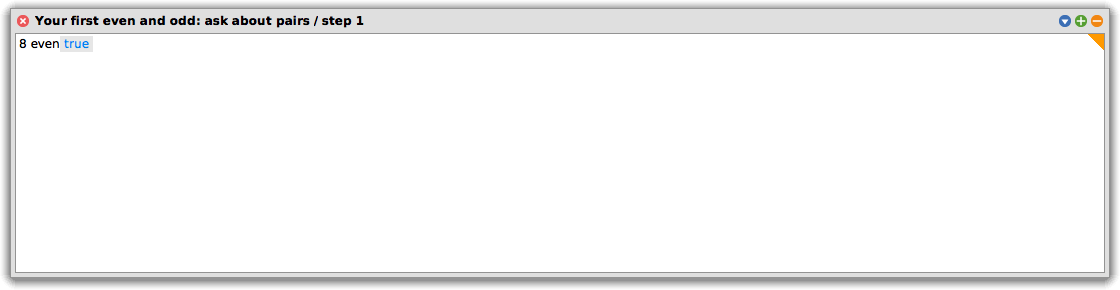
true. Eight objects can make four pairs with none left over. Try 6 even too.
STEP 2
Notice one left over
Replace the code with this expression and Print it again. Nine leaves one object after you make four pairs. The answer is a Boolean, not a count of pairs.
9 even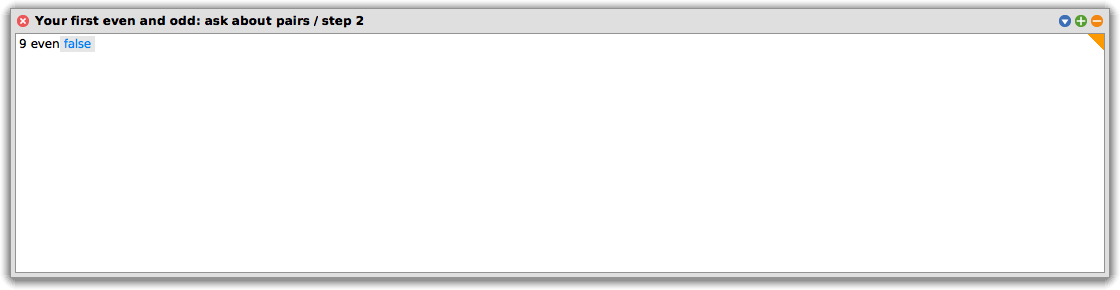
false. The question asks whether nine is even; it does not say the calculation failed.
STEP 3
Ask the other question
odd asks whether a whole number leaves a remainder of one when divided by two. Send the new message to the same number. You do not need parentheses or a colon for this message.
9 odd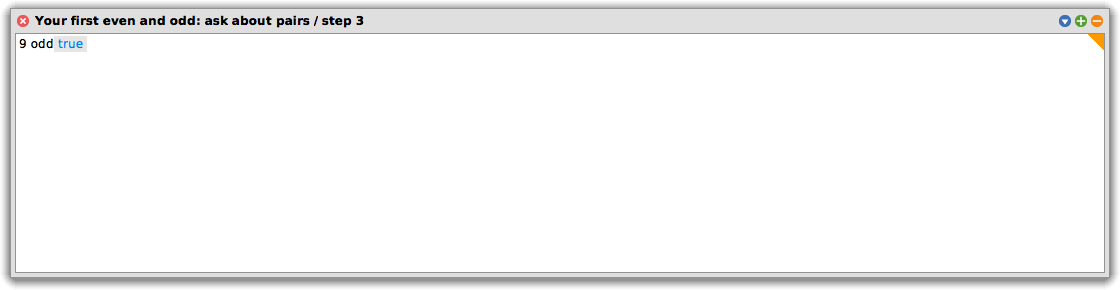
true. Nine is odd. Change it to 8 odd and the answer becomes false.
STEP 4
Include zero and negative numbers
Copy this entire line. Braces collect three calculated answers into a list. Zero is even: there is nothing left over. A negative whole number can be even or odd too; its sign does not change that property.
{0 even. (-4) even. (-3) odd}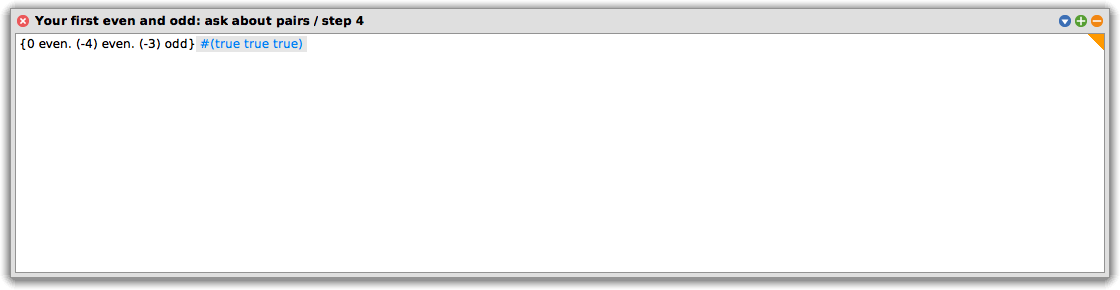
#(true true true). These questions are for whole numbers. Leave decimals for another lesson.
STEP 5
Keep the even numbers
The notation #(1 2 3 4 5 6) makes a list. select: asks each number a question and keeps it when the answer is true. Inside the square brackets, number names the entry currently being checked. Copy the whole expression, then Print it.
#(1 2 3 4 5 6) select: [:number | number even]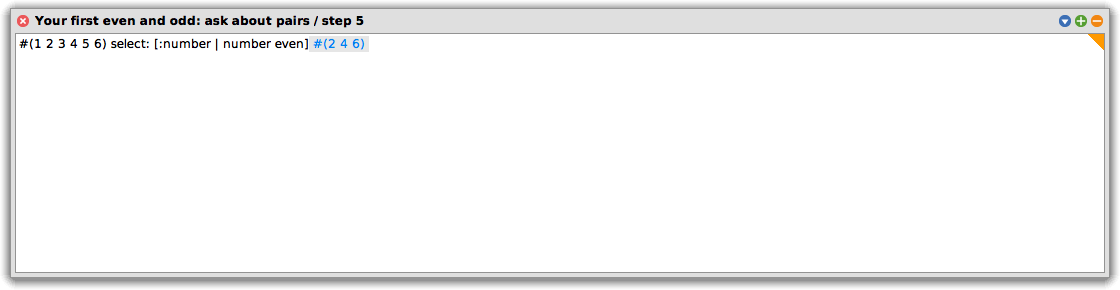
#(2 4 6). Change even to odd to keep #(1 3 5). The original list is unchanged.
YOU DID IT
A small step. A real result.
even and odd ask about whole numbers. Zero and negative integers work too. select: keeps the entries whose answer is true.
Optional code download: open it as text and copy one example into Workspace.