The separate playground loads the real Smalltalk image on demand. This lesson keeps its native setup instructions; browser compatibility notes appear beside each demo.
Before you start
Build Cloudstep / Dispatch, an original side-scrolling platform adventure written in genuine Smalltalk. It uses familiar Mario-style running, jumping, coins and enemy stomps with original characters and native artwork. It is an educational example, not an official Mario or Nintendo product.
This webpage is the tutorial and source download. The actual game runs in native Squeak 6.1; this page contains no JavaScript game imitation or embedded Smalltalk VM. Every screenshot and animation below comes from the real native application.
Follow ten complete cumulative checkpoints. Each includes all classes and current methods needed at that stage. Install it, read the highlighted object collaboration, run the exact Workspace block, then inspect the result. Early manual clocks make physics observable before the real Morphic scheduler arrives.
Squeak 6.1 with bundled Morphic and SUnit; no extra packages or game assets
Workspace Do It / Print It, Browser instance and class sides, and accepting a complete method
About 90–120 minutes for the ten stages, plus time for exercises
Save a copy of your learning image. These files add classes in LearnSqueak-Platformer.
Download a checkpoint .st file. In Squeak File List, select it and choose fileIn. Chunk-format source files are not pasted wholesale into a Workspace.
Paste only the shown Workspace block and Do It. To edit a method, select its named class and instance side in a Browser, replace the complete method and Accept.
Close the old game before installing the next stage. Forward progression is supported. To revisit an earlier checkpoint, use a clean image: file-in does not remove classes or methods introduced by later checkpoints.
For immediate play, file in platformer-final.st and Do It: LSPFApp open. Click the scene, press Enter to start, use arrows/A/D to run and Space/Up/W to jump. Enter pauses, Escape pauses, R restarts.
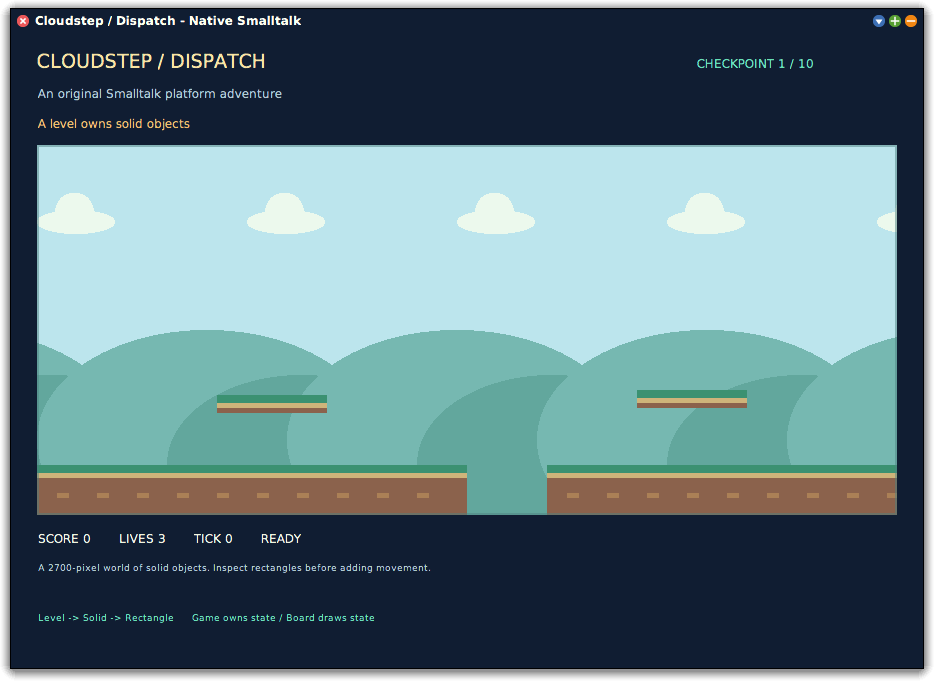
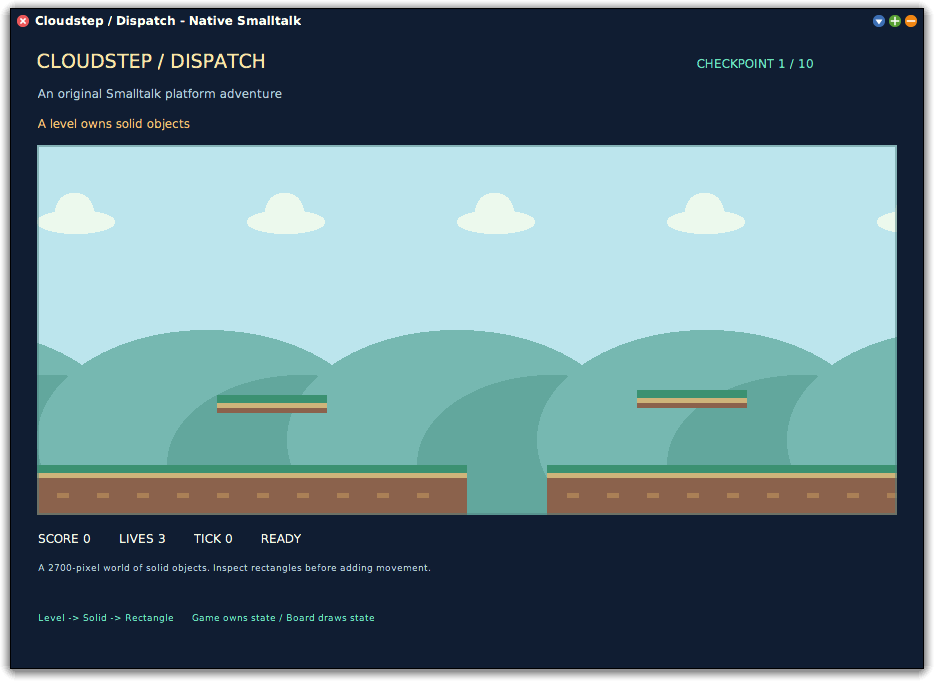
Start with a world that can be inspected without opening a window. LSPFLevel owns ten LSPFSolid objects. Each solid owns a Rectangle in world coordinates. Five ground segments leave four gaps; five raised platforms add choices. The level is 2700 pixels wide, while the native viewport is 860 pixels wide. Positive X is right and positive Y is down.
The four numbers in each specification are left, top, width and height. The collection is a compact construction format, not the live model: after initialization each item is a solid receiving bounds. The view asks these objects for geometry and draws original grass-and-earth artwork using a native FormCanvas. There is no player, clock or hidden game behavior in this first checkpoint.
Open a System Browser on LearnSqueak-Platformer. LSPFGame owns the session. LSPFBoard is a Morph that reads the game. LSPFApp assembles labels, buttons, the board and a SystemWindow. Nothing in the level model refers to a Morph, key event or canvas.
World: Level owns Solid objects and later coins/enemies; each Solid owns a Rectangle
Actors: Body shares geometry; Player specializes input/physics; Enemy specializes bounded patrol
Native Squeak 6.1 checkpoint 1, captured from the exact Workspace block above.
02 · A player receives movement messages
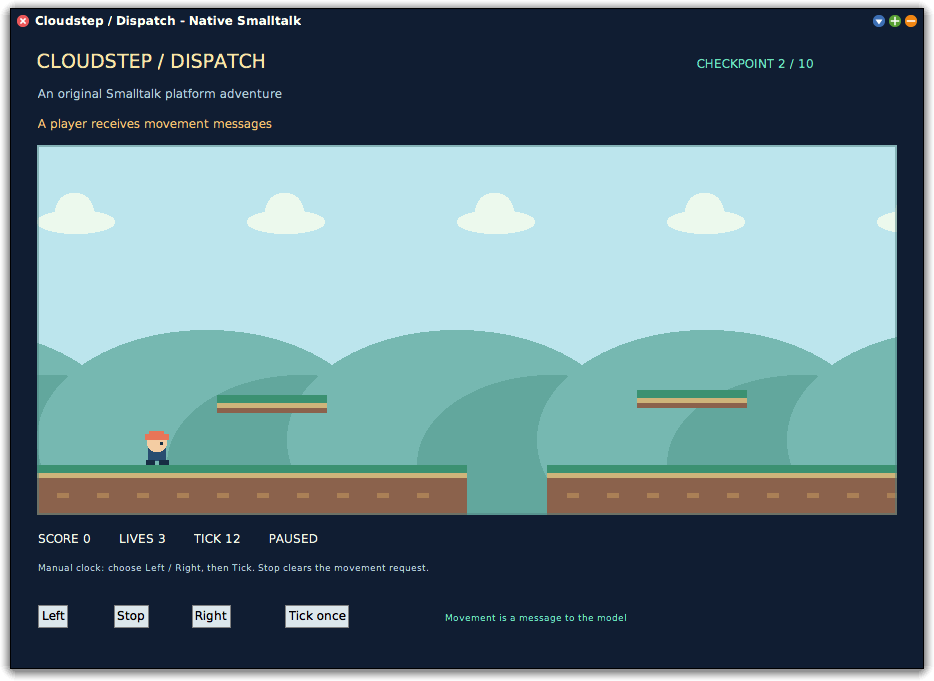
Introduce LSPFBody as the shared geometry protocol: position, size, velocity, bounds and previousBounds. LSPFPlayer inherits it and supplies a speed policy of four pixels per simulation step. LSPFInput holds an axis in -1, 0 or 1. The buttons send steer: to the app, which updates input; Tick once asks the model to advance. This keeps the source of a request separate from movement rules.
moveX:in: first computes a candidate X. For each vertically overlapping solid, it checks whether the body's leading edge crosses the solid's near edge. It clamps to the nearest crossed edge. Leftward movement uses the mirrored test. Finally it clamps the body inside the world's left and right bounds. This swept edge test also works for a large test delta; it does not merely ask whether the final rectangle overlaps a wall.
The screenshot takes twelve rightward steps, from x = 60 to x = 108. There is no gravity yet, so the player remains at the initial floor height. These early controls are a manual laboratory: a direction stays requested until Stop, and every button press advances one deterministic step.
Where to run this
System Browser → LSPFBody → instance side → tutorial. Inspect or Accept this complete method after installing the checkpoint.
LSPFBody · instance-side method
moveX: delta in: level
| target old r | old := self bounds. target := position x + delta.
level solids do: [:solid | r := solid bounds.
(old top < r bottom and: [old bottom > r top]) ifTrue: [
(delta > 0 and: [old right <= r left and: [target + size x > r left]]) ifTrue: [target := target min: r left - size x].
(delta < 0 and: [old left >= r right and: [target < r right]]) ifTrue: [target := target max: r right]]].
position := ((target max: 0) min: level width - size x) @ position y
File List → fileIn platformer-02.st, then Workspace → select the complete block → Do It.
Native Squeak 6.1 checkpoint 2, captured from the exact Workspace block above.
03 · Gravity and solid collision
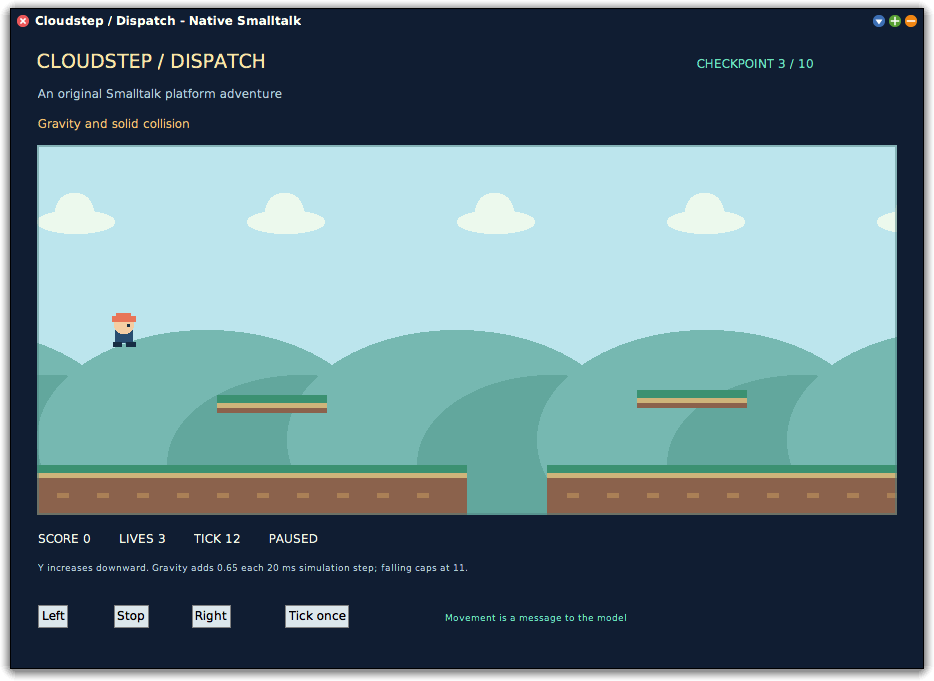
Gravity adds 0.65 to vertical velocity on each model step, capped at 11 pixels downward. A future clock will request one step every 20 ms. These are per-step units: changing the callback interval changes apparent game speed unless the physical constants are retuned. The simulation never consumes an arbitrary wall-clock delta.
Resolve horizontal movement first, then vertical movement against the updated X interval. moveY:in: detects crossing a platform's top while falling and crossing its underside while rising. Falling onto a top sets grounded to true and zeroes vertical velocity. A head bump zeroes vertical velocity without setting grounded. The old and candidate edges, rather than final overlap alone, prevent tunneling through thin platforms.
Each vertical step starts with grounded false; contact restores it. Walking off an edge therefore removes permission to jump. The initial player is grounded because its known spawn is exactly on the first floor. The Workspace block deliberately lifts the player to y = 120, then advances twelve steps so you can see a real falling state. position: is a teaching/test seam, not ordinary movement.
Where to run this
System Browser → LSPFBody → instance side → tutorial. Inspect or Accept this complete method after installing the checkpoint.
LSPFBody · instance-side method
moveY: delta in: level
| target old r hit | old := self bounds. target := position y + delta. hit := false. grounded := false.
level solids do: [:solid | r := solid bounds.
(old left < r right and: [old right > r left]) ifTrue: [
(delta >= 0 and: [old bottom <= r top and: [target + size y >= r top]]) ifTrue: [target := target min: r top - size y. grounded := true. hit := true].
(delta < 0 and: [old top >= r bottom and: [target <= r bottom]]) ifTrue: [target := target max: r bottom. hit := true]]].
position := position x @ target. hit ifTrue: [velocity := velocity x @ 0]
File List → fileIn platformer-03.st, then Workspace → select the complete block → Do It.
Workspace · run after installing this checkpoint
| app |
app := LSPFApp open.
app game player position: 75@120.
12 timesRepeat: [app tickOnce].
app
Try it: Place the player at 210@150, run twenty ticks, and inspect grounded and bounds bottom. The raised platform top is y = 250.
Expected result
After twelve ticks, the player is falling at approximately 75@170.7; the floor has not been reached.
Native Squeak 6.1 checkpoint 3, captured from the exact Workspace block above.
04 · Jump is a one-shot request
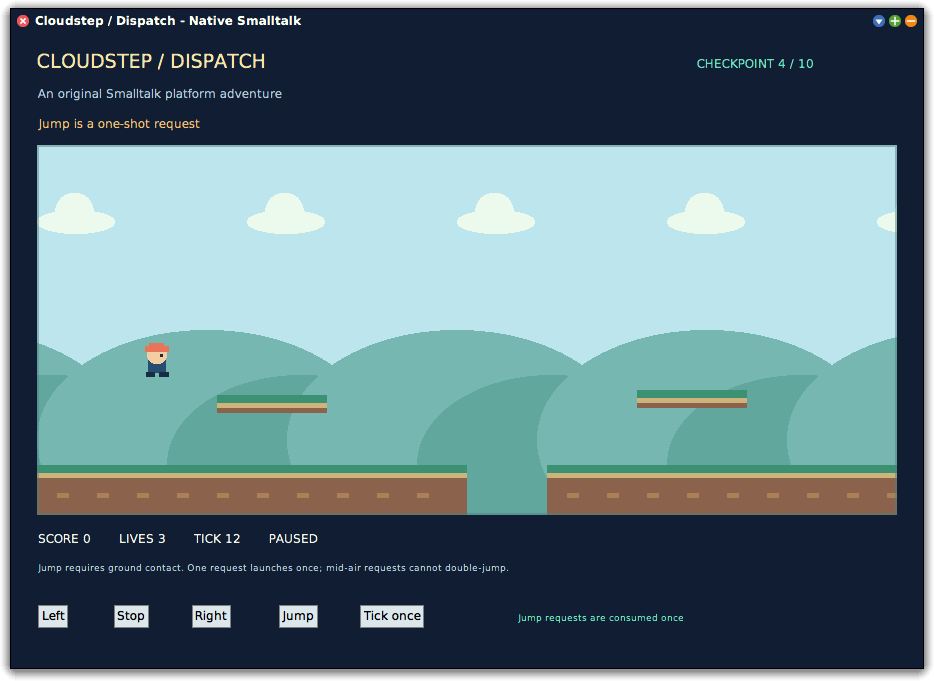
Jumping is a request, not a permanent velocity. LSPFInput>>requestJump sets a Boolean; takeJump returns it and clears it. The player consumes that request at the start of its step and launches only when grounded. Holding a direction can move continuously, but one jump request cannot make the player bounce on every landing. Mid-air requests are consumed without a second jump.
The launch velocity is -11.5. Gravity is applied in that same tick, so the first upward displacement is -10.85. The arc rises about 96 pixels and lasts about 35 ticks at the same ground height. At four pixels per tick it crosses roughly 140 pixels; the widest level gap is 80 pixels. Raised platforms are 70 or 75 pixels above ground, within the normal jump envelope.
A platform is solid from every side. Jumping too late beneath its underside causes a head bump; begin your jump far enough before its leading edge. This deliberate collision rule is more instructive than pretending every platform is one-way. The screenshot is the exact twelve-step jump below, with no timer involved.
Where to run this
System Browser → LSPFPlayer → instance side → tutorial. Inspect or Accept this complete method after installing the checkpoint.
LSPFPlayer · instance-side method
advanceIn: game
 previousBounds := self bounds.
 (game input takeJump and: [grounded]) ifTrue: [velocity := velocity x @ self jumpSpeed. grounded := false].
 velocity := (game input axis * self speed) @ ((velocity y + self gravity) min: self maximumFallSpeed).
 self moveX: velocity x in: game level. self moveY: velocity y in: game level
File List → fileIn platformer-04.st, then Workspace → select the complete block → Do It.
Native Squeak 6.1 checkpoint 4, captured from the exact Workspace block above.
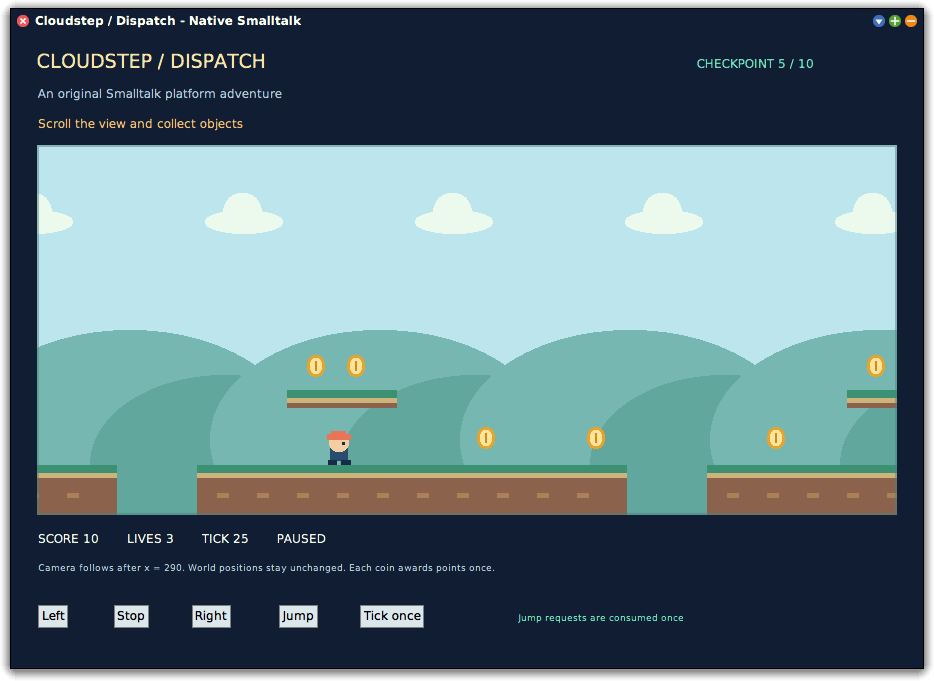
05 · Scroll the view and collect objects
Scrolling changes a projection, never the authoritative world. updateCamera follows the player's X after x = 290 and clamps between zero and world width minus viewport width. LSPFBoard>>screenRectangle: subtracts that camera offset, then adds the Morph's screen position. Collision code continues to use world coordinates even when the window moves.
Add LSPFCoin objects with their own position and collected state. The session checks overlap and sends collectIn:. A coin first guards against duplicate collection, marks itself collected, and asks the game to add its points. The game owns score; the coin owns its reward policy. The board simply skips coins already collected, so there is no separate visible-coin list to synchronize.
The checkpoint starts this demonstration at x = 540 and walks 25 steps to x = 640. It collects the ground coin at x = 550 for ten points and scrolls the camera to 350. This is explicitly a scripted setup for inspecting projection; it is not a claim that a player walked across the earlier gap without jumping.
LSPFCoin · instance-side collection protocol
collectIn: game
 collected ifTrue: [^ self]. collected := true. game addScore: self points
Where to run this
System Browser → LSPFGame → instance side → tutorial. Inspect or Accept this complete method after installing the checkpoint.
LSPFGame · instance-side method
updateCamera
 cameraX := ((player position x - 290) max: 0) min: level width - 860
File List → fileIn platformer-05.st, then Workspace → select the complete block → Do It.
Workspace · run after installing this checkpoint
| app |
app := LSPFApp open.
app game player position: 540@288.
app steer: 1.
25 timesRepeat: [app tickOnce].
app
Try it: Inspect a coin, send collectIn: twice, and verify that score changes only once. Move the window and confirm its world position is unchanged.
Expected result
Score 10, player x = 640, camera X = 350, and the world has scrolled left.
Native Squeak 6.1 checkpoint 5, captured from the exact Workspace block above.
06 · Enemies reuse a body protocol
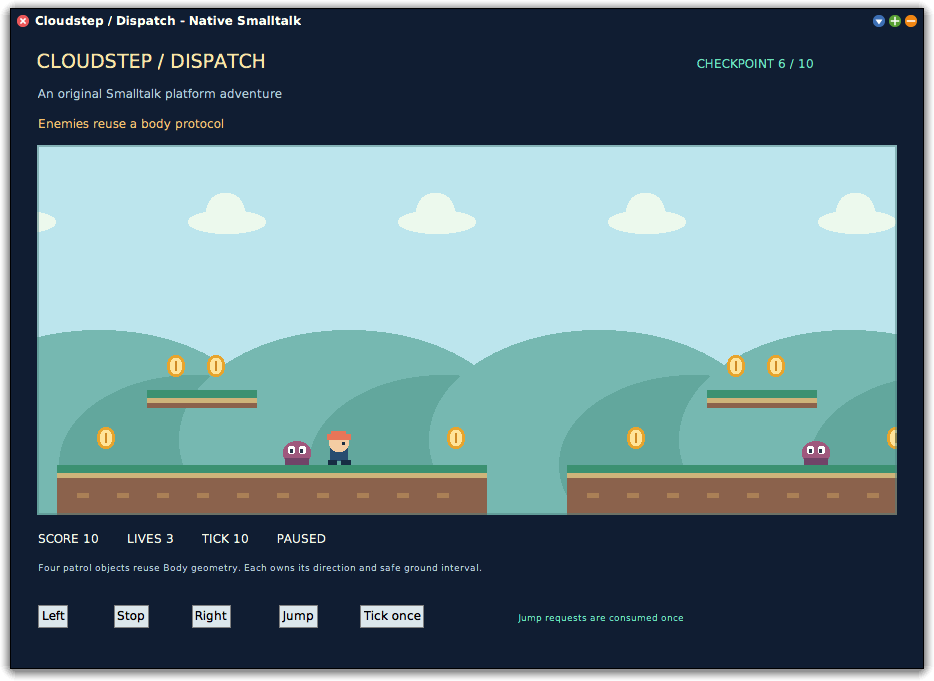
LSPFEnemy is a second kind of LSPFBody. It reuses bounds, position and previousBounds, while owning its patrol interval, direction and alive flag. advanceIn: is the shared message understood by both player and enemy. The player interprets input and gravity; an enemy walks at 1.4 pixels per step and reverses at its own interval endpoints. This is behavioral specialization through inheritance.
The level creates four enemies on known continuous ground segments. Their patrol intervals stay safely inside those segments. This focused model does not need enemy pathfinding or fall physics. It also avoids an accidental enemy walking into a gap while the tutorial concentrates on object responsibilities.
At this checkpoint contact is harmless: enemy movement arrives before collision consequences. The screenshot shows ten patrol steps beside a stationary player. Inspect the first enemy's direction and position before and after repeated advanceIn: messages. The game coordinates the sequence, while each actor decides how it advances.
Where to run this
System Browser → LSPFEnemy → instance side → tutorial. Inspect or Accept this complete method after installing the checkpoint.
LSPFEnemy · instance-side method
advanceIn: game
 | next | alive ifFalse: [^ self]. previousBounds := self bounds. next := position x + (direction * self patrolSpeed).
 next < leftLimit ifTrue: [next := leftLimit. direction := 1].
 next > rightLimit ifTrue: [next := rightLimit. direction := -1]. position := next @ position y
File List → fileIn platformer-06.st, then Workspace → select the complete block → Do It.
Workspace · run after installing this checkpoint
| app |
app := LSPFApp open.
app game player position: 780@288.
10 timesRepeat: [app tickOnce].
app
Try it: Send advanceIn: 1000 times to the first enemy. Its X must remain between 675 and 880.
Expected result
Four live patrols exist. The first enemy moves from x = 750 to x = 736; contact is harmless here.
Native Squeak 6.1 checkpoint 6, captured from the exact Workspace block above.
07 · Stomp, damage and lives belong to the game
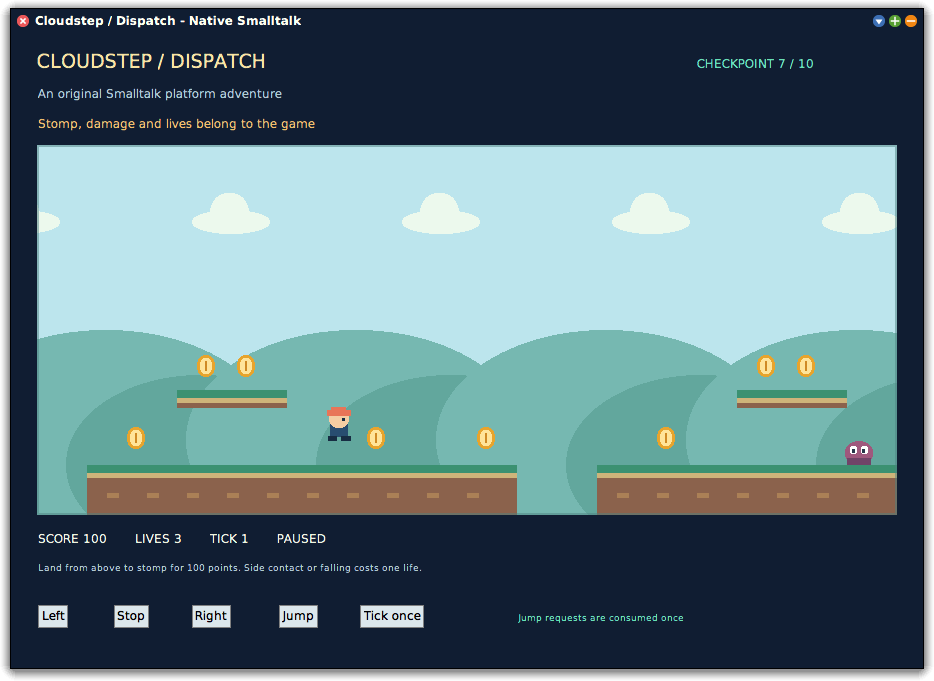
The game decides what contact means. It checks overlap before an enemy moves and again afterward. Descending contact counts as a stomp only when the player's previous bottom was at or above the enemy top plus a four-pixel tolerance. The enemy becomes inactive, the game awards 100 points, and the player bounces upward at -7. A rising player or side contact loses a life instead.
loseLife first checks that the game is running. It subtracts one life, creates a player at the safe start, clears pending input, resets camera and patrol positions, and waits in ready. With zero lives it enters lost. The remaining collision loop observes this state, so two overlapping enemies cannot charge two lives in a single tick. A player falling below y = 430 uses the same transition.
Collected coins, score and defeated enemies persist after losing a life. A full restart, added to the interface next, restores them. The demonstration deliberately places the player above the first enemy with a downward velocity, then executes one ordinary tick. The screenshot shows the resulting stomp and 100-point award; it is a controlled collision demonstration.
Where to run this
System Browser → LSPFGame → instance side → tutorial. Inspect or Accept this complete method after installing the checkpoint.
LSPFGame · instance-side method
resolveEnemy: enemy
 (self isRunning and: [enemy alive and: [player bounds intersects: enemy bounds]]) ifFalse: [^ self].
 (player velocity y > 0 and: [player previousBounds bottom <= (enemy bounds top + 4)])
  ifTrue: [enemy stomp. self addScore: 100. player position: player position x @ (enemy bounds top - player size y). player velocity: player velocity x @ -7]
  ifFalse: [self loseLife]
File List → fileIn platformer-07.st, then Workspace → select the complete block → Do It.
Workspace · run after installing this checkpoint
| app enemy |
app := LSPFApp open.
enemy := app game level enemies first.
app game player position: enemy position x @ 260.
app game player velocity: 0@5.
app tickOnce.
app
Try it: Place two live enemies on the player, run one tick, and verify that exactly one life is lost.
Expected result
Score 100, three lives, the first enemy inactive, and the player bouncing upward.
Native Squeak 6.1 checkpoint 7, captured from the exact Workspace block above.
08 · Finish, pause and rebuild the session
Give the session an explicit state protocol: ready, running, paused, won and lost. tick acts only in running. stepOnce temporarily enters running, performs one tick, then returns to paused unless a collision or finish selected another state. Pausing clears model input. Repeated ticks cannot advance a terminal won or lost session.
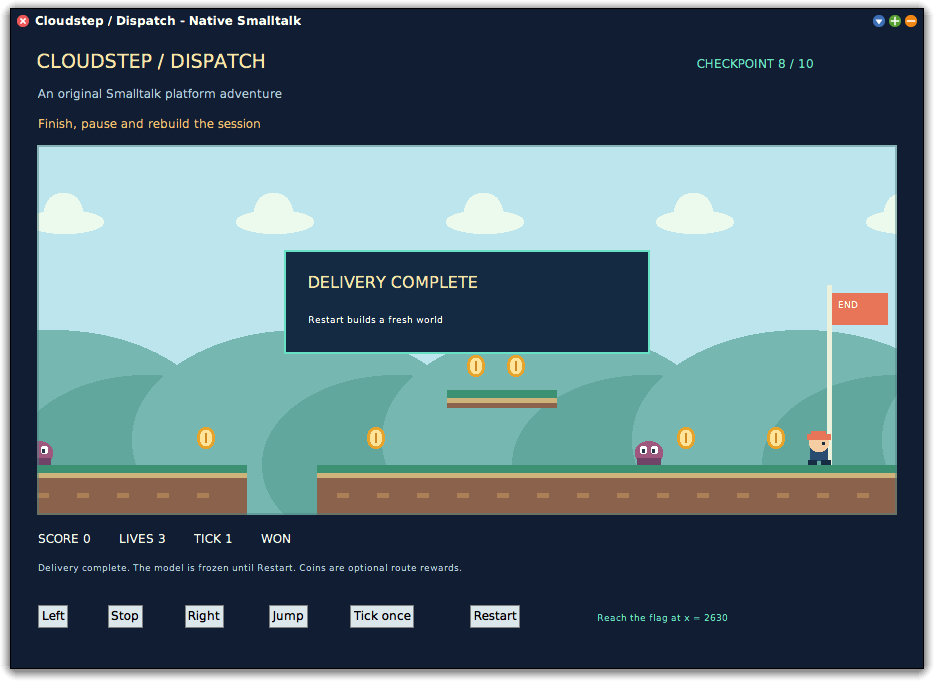
checkFinish requires the player's right edge to reach x = 2630 at a height above the floor top. Reaching the flag wins; collecting every coin is optional. Contact and falling are resolved first, so an unsafe contact cannot be silently replaced by a win. restart builds a fresh level, player and input object, resets score/lives/ticks/camera, and waits in ready.
The native board now displays state overlays and the destination flag. The Workspace block places the player at the finish threshold for a one-tick win demonstration. Later verification also traverses the complete level from its normal spawn with legal movement and jumps, without repositioning the player.
Where to run this
System Browser → LSPFGame → instance side → tutorial. Inspect or Accept this complete method after installing the checkpoint.
LSPFGame · instance-side method
checkFinish
 (self isRunning and: [player bounds right >= level goalX and: [player position y < 320]]) ifTrue: [state := #won. input clear]
File List → fileIn platformer-08.st, then Workspace → select the complete block → Do It.
Workspace · run after installing this checkpoint
| app |
app := LSPFApp open.
app game player position: 2610@288.
app tickOnce.
app
Try it: Restart after a win. Compare the old and new level with ==; the result should be false.
Expected result
DELIVERY COMPLETE, state won, one tick. Further Tick once requests keep the terminal state frozen.
Native Squeak 6.1 checkpoint 8, captured from the exact Workspace block above.
09 · One clock, held keys and safe focus
Replace the manual control laboratory with a real controller and a single native clock. LSPFController maintains pressed physical controls, derives the horizontal axis, and queues a jump only on a new key-down edge. Left plus right cancels to zero; releasing one key preserves the other. Enter starts/pauses, Space/Up/W jumps, Escape pauses and R restarts. Click the scene to focus it.
Native keyDown:/keyUp: events carry virtual key codes, not keystroke character values. The board consults Squeak's EventSensor virtualKeyTable and ignores unknown codes and non-character keys such as Shift or F1. The controller receives normalized character values. keyStroke: does nothing, preventing a second interpretation of the same physical press. OS key repeat does not enqueue repeated jumps or rapidly toggle Enter.
The app requests a 20 ms Morphic callback. Each callback advances exactly one fixed physics tick; no accumulated elapsed time and no catch-up burst are used. A busy image slows simulation rather than feeding a giant delta into physics. synchronizeStepping checks isStepping before registration, preserving the existing StepMessage. wantsStepsIn: answers false so SystemWindow cannot also schedule its model.
Losing board focus pauses immediately and clears held keys and jump requests. The callback also checks focus defensively. Enter-pause and restart clear movement while preserving their command key's release latch; Escape, focus loss and close clear everything. Closing unregisters the clock, releases focus and pauses. Reopening the same app keeps its session paused, and opening it twice reuses the same window.
Finish with a small, concrete polymorphic extension: LSPFGem inherits LSPFCoin's collection protocol and overrides points to return 50. Four mint-blue gems are placed over the gaps as optional jump rewards. Ordinary coins still answer ten. Neither collectCoins nor collectIn: needs a class test to award the correct value. The receiver chooses the method.
The view uses isGem only to choose the original drawing treatment; this presentation decision does not decide scoring. Hills and clouds use slower camera offsets for parallax, while all collision objects use the exact same world-to-screen projection. The native image is entirely drawn from Smalltalk objects with FormCanvas, without external game artwork or an embedded browser runtime.
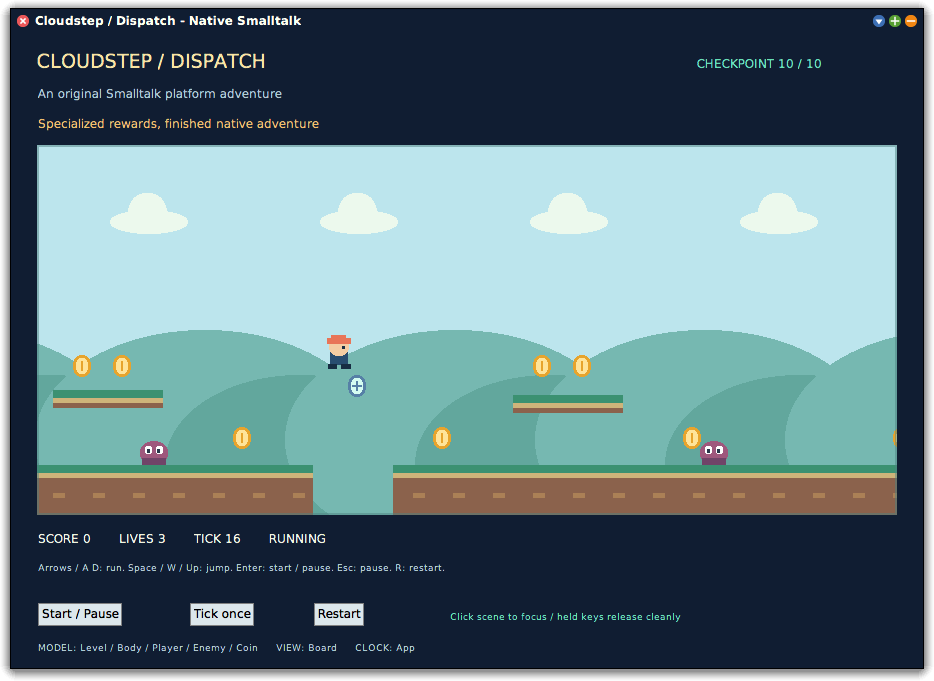
Trace one complete interaction: a native key-down reaches Board, Board normalizes the key, Controller updates Input, App's clock sends tick to Game, Player consumes Input and asks Level for solid geometry, Game resolves rewards/contact/state, and Board redraws that state. Then inspect the four gap gems and change one reward policy. The screenshot is a scripted sixteen-step leap over the third gap, using the same physics as play.
Where to run this
System Browser → LSPFGem → instance side → tutorial. Inspect or Accept this complete method after installing the checkpoint.
LSPFGem · instance-side method
points
 ^ 50
File List → fileIn platformer-10.st, then Workspace → select the complete block → Do It.
Workspace · run after installing this checkpoint
| app |
app := LSPFApp open.
app game player position: 1370@288.
app game input axis: 1; requestJump.
app game togglePause.
16 timesRepeat: [app game tick].
app game input clear.
app refresh.
app synchronizeStepping.
app
Try it: Create an LSPFCoin and an LSPFGem, send each collectIn: to the same game, and predict a total of 60.
Expected result
A genuine native mid-jump view of the third gap, four specialized gems in the model, and all final controls available.
Native Squeak 6.1 checkpoint 10, captured from the exact Workspace block above.
Watch the workflow
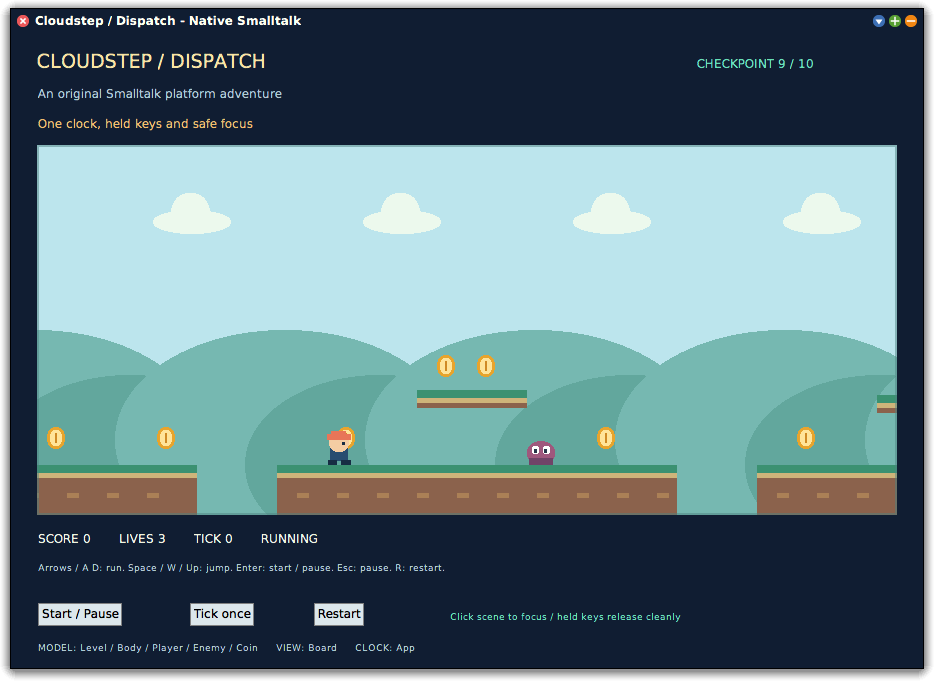
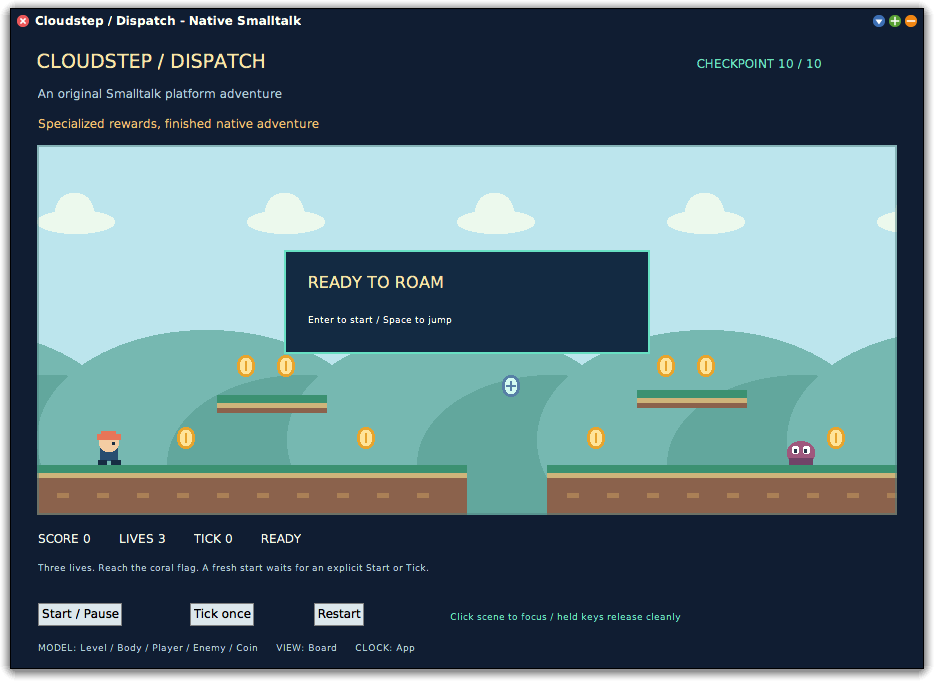
All images are native Squeak SystemWindow imageForm captures of these exact Smalltalk objects. Animations assemble genuine PNG frames. The construction reel shows independent checkpoints; the gameplay reel uses a deterministic legal input route from spawn to finish. Animation playback timing is edited for readability and is not a benchmark or claim of human play.
NATIVE SQUEAK CAPTURE
Ten independently filed-in native checkpoints, from world geometry to the complete object-oriented platformer.
NATIVE SQUEAK CAPTURE
Genuine native gameplay frames from a deterministic scripted run. The route uses ordinary movement and jump input, without repositioning or disabling enemies.
Practice with tested solutions
1. Change the ordinary coin policy
Make ordinary coins worth 25 while gems remain worth 50. Change only LSPFCoin>>points. Each solution is standalone; use a clean image or re-file final source before the next exercise.
Hint
Gem already overrides points. Inherited collectIn: sends self points to the actual receiver.
Show a tested solution
File in platformer-exercise-1.st first, then Browser → LSPFCoin → instance side → tutorial.
Workspace · Print it after installing the solution
Check the solution
| game minimum |
game := LSPFGame new. minimum := 999.
game togglePause. game input requestJump.
60 timesRepeat: [game tick. minimum := minimum min: game player position y].
minimum < 170 and: [game player grounded and: [game player position y = 288]]
Print It result: true
A behavioral assertion checks the new arc and landing rather than merely repeating the changed constant.
3. Add a reward subclass
Create LSPFBonusCoin as a subclass of LSPFCoin and make it worth 75. Reuse the existing collectIn: protocol without changing Game. The complete solution declares the class.
Hint
Override points and let inherited collectIn: perform the guard and dispatch.
Show a tested solution
File in platformer-exercise-3.st first, then Browser → LSPFBonusCoin → instance side → tutorial.
A new reward needs no changes to collision, score ownership, the loop or input controller.
When something looks wrong
The .st file looks like text or fails when pasted into Workspace
Use File List → fileIn for the complete chunk-format file. Paste only the small Workspace example into Workspace.
Arrows move a text cursor, or movement stops when I click away
Click the native scene to focus it and press Enter. Losing focus intentionally pauses and clears held movement to prevent a stuck key.
A jump fails beside a raised platform
The platforms are solid from all sides. Jump earlier, before your head passes beneath its underside. Mid-air jump requests are consumed without a second jump.
The game speeds up after modifying clock code
Keep one App clock. synchronizeStepping must guard startStepping with isStepping, and wantsStepsIn: must answer false so SystemWindow does not schedule a second model callback.
The game runs slowly in a busy image
The clock is cooperative. Each callback advances one fixed 20 ms model step, and the tutorial intentionally does not catch up with large elapsed deltas. Reduce competing work or accept slower simulation.
Older checkpoint code still has later features
Use a clean learning-image copy. Forward file-ins replace methods but filing an older stage does not remove later methods or classes.
My custom key handler errors on Shift or F1
Raw key events can map to Symbols or unknown virtual codes. Use the checkpoint 9 mapping guard and only pass Character controls to the controller.
Verification, cleanup and next steps
Verified with native Squeak 6.1 build 23976, 64-bit, packaged 2026-06-27. Isolated baseline-image copies are used for execution. No external services, commercial art, sounds or additional packages are required.
The native primary suite passes 54 tests, and the independent suite passes 51 more: 105 tests, zero failures and zero errors. A complete legal input replay wins at tick 682 with score 510 and all three lives. A natural event-loop measurement observed 49 ticks in 1,201 ms with a requested 20 ms cadence; pausing froze the count and closing removed the clock.
Native SUnit tests cover model objects, deterministic physics, collision direction, rewards, state transitions and real Morphic lifecycle. Independent tests validate cross-platform key normalization and a complete legal traversal. Exact displayed methods, Workspace blocks and exercise checks are compiled and executed in isolated baseline images.
Camera bounds and model/view separation; once-only ordinary and polymorphic reward dispatch
Enemy patrol interval, stomp direction, damage ordering, one life per tick, falling, persistent rewards and full restart
Terminal state freeze, native focus/key release, repeat-open and close/reopen, one scheduler and actual cadence
Ten clean-image checkpoints plus three exact runnable exercise solutions
Close the native game window to unregister the clock and release focus. Save the source separately to recreate the game in another image. Re-file the final source after exercises 1 and 2 to restore standard coin/jump policies.
A compact original educational Mario-style platformer, not a commercial-game recreation: one fixed level, four patrols, three lives, no sound, power-ups, moving platforms, slopes or saved scores