ABSOLUTE BEGINNER
Your first list
Make a list of fruit, count it, and find one item.
STEP 1
Open a Workspace
In Squeak 6.1, click an empty part of the desktop. Choose open… then workspace.
A Workspace is a small window where you can type a command and see its answer.
STEP 2
Make a little list
Type this line, then drag across the whole line to select it. Right-click the selection and choose print it (p). Some setups use middle-click for this menu.
The #(...) holds a list. Each word is in single quotes. Squeak prints the same list beside your code and selects the answer.
#('apple' 'pear' 'plum')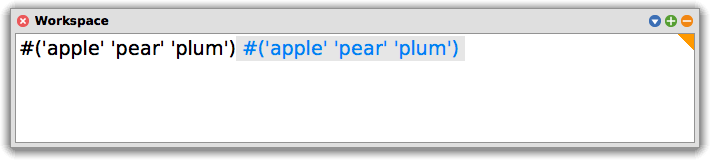
STEP 3
Count the items
Select ALL the Workspace text, including the old answer, and replace it with this line. Select the new line and choose print it (p).
size asks how many items are in the list. The answer is 3.
#('apple' 'pear' 'plum') size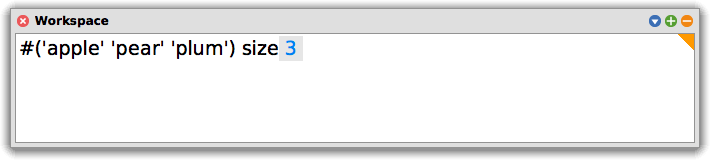
STEP 4
Pick the second item
Select ALL the Workspace text, including the old answer, and replace it with this line. Select the new line and choose print it (p).
at: 2 asks for item number 2. Squeak counts positions from 1: apple is first, pear is second. The answer is 'pear'.
#('apple' 'pear' 'plum') at: 2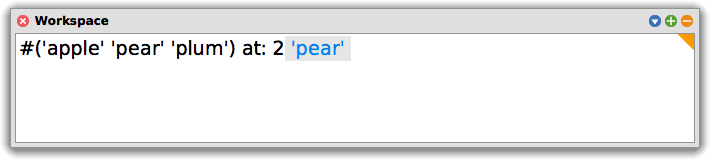
STEP 5
Ask if pear is there
Select ALL the Workspace text, including the old answer, and replace it with this line. Select the new line and choose print it (p).
includes: asks whether the list contains that item. The answer is true, which means yes.
#('apple' 'pear' 'plum') includes: 'pear'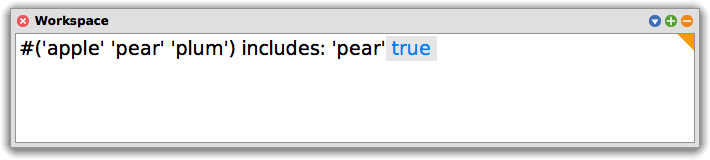
YOU DID IT
A small step. A real result.
A list holds items. size counts them, at: picks a position, and includes: checks for an item.
Optional: replace ALL the Workspace text with #('apple' 'pear' 'plum') includes: 'banana' and Print it. The answer is false, which means no.
Optional code download: open it as text and copy one example into Workspace.