The separate playground loads the real Smalltalk image on demand. This lesson keeps its native setup instructions; browser compatibility notes appear beside each demo.
Before you start
Separate a small contact model from its Morphic view, then add validation, search, sorting, transactional edits, and recoverable local persistence.
Save a copy of your Squeak image before the lesson. Each checkpoint is a complete cumulative .st file and can be filed into a fresh Squeak 6.1 image.
Download one checkpoint and put it beside your image. Open the File List, select the file, and choose fileIn. Alternatively run FileStream fileIn: followed by the quoted full file path in a Workspace.
Run the exact Workspace block below the checkpoint. It opens a fixed-size native SystemWindow. Close the previous checkpoint window before loading the next source; confirm discard only when you intend to.
The final source and its SUnit test source are separate downloads. File in the app first, then the tests. Open Test Runner and run LearningContactTest. Tests use UUID-named files inside a tutorial-owned test folder beneath the image directory.
The book stores records and selection; the Morph builds controls and reads that state. Each contact is a three-element array: name, normalized email, and optional phone. The model can run without a window, which makes persistence and validation testable without clicking dialogs.
Where to run this
System Browser, LearningContactBook, instance side, method initialize. This excerpt is already installed by checkpoint 01; use it to understand the change, or accept the same method in that class. Do not paste a method definition into a Workspace.
Construction code · follow the run instructions above
initialize
 super initialize.
 records := OrderedCollection new.
 selectedEmail := nil.
 query := ''.
 ascending := true.
 dirty := false.
 fileStore := LearningTutorialFiles new.
 status := 'A private practice book. All example people are fictional.'
After filing in the checkpoint, paste the whole block into a Workspace and choose Do it (Ctrl+D / Cmd+D). It returns the app instance.
Workspace · run after installing this checkpoint
LearningContactApp open
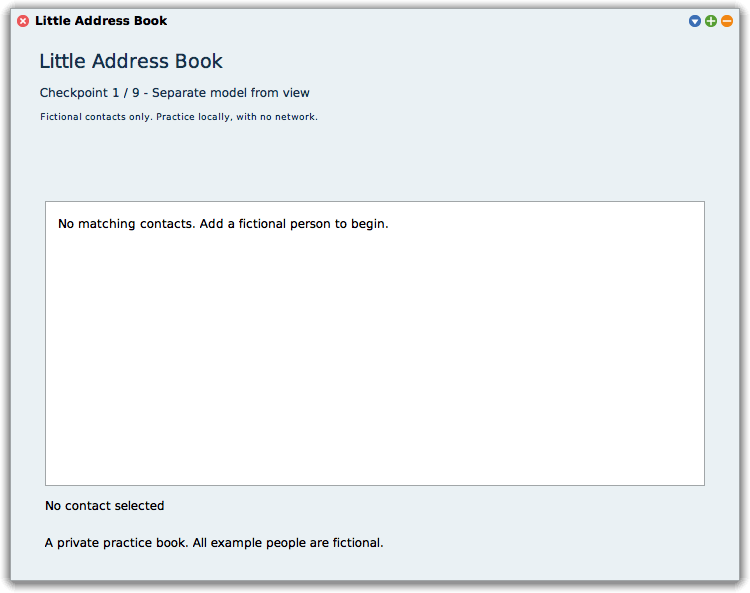
records is an ordered collection, initially empty
selectedEmail is a stable key rather than a fragile row number
dirty tracks unsaved model changes
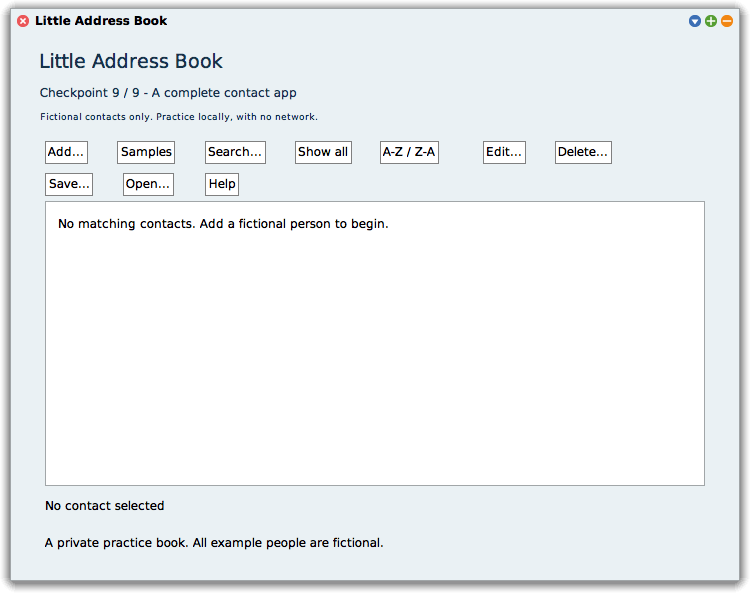
The list is a ScrollPane; additional records can scroll. All supplied names and addresses are fictional.
Native Squeak 6.1 checkpoint 01. Scripted messages produced this app state; this is a real Morphic render.
02 · Add fictional contacts
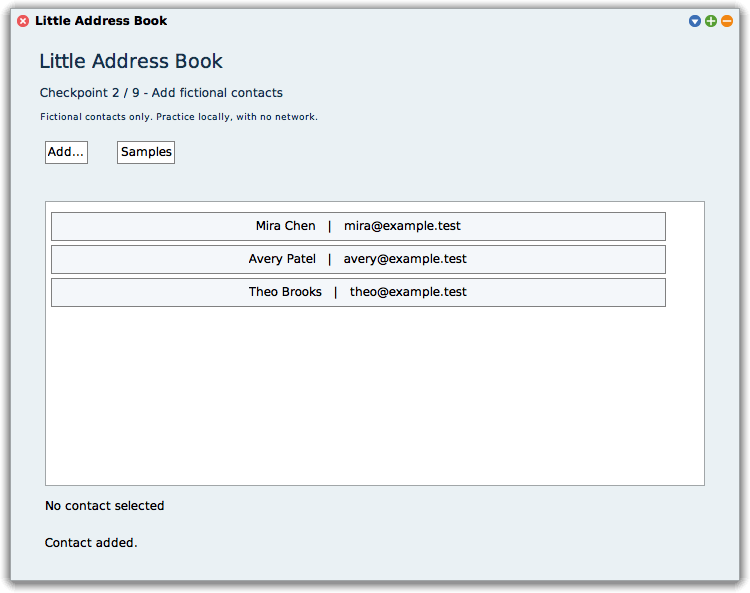
Add asks for a name, email, and phone in three native dialogs. These answers live in a temporary array until every dialog completes. Cancel at any step returns nil and changes nothing. Empty phone is allowed, but the next checkpoint will reject empty names and invalid emails.
Where to run this
System Browser, LearningContactApp, instance side, method askForRecord:. This excerpt is already installed by checkpoint 02; use it to understand the change, or accept the same method in that class. Do not paste a method definition into a Workspace.
Construction code · follow the run instructions above
Native Squeak 6.1 checkpoint 02. Scripted messages produced this app state; this is a real Morphic render.
03 · Validate before changing
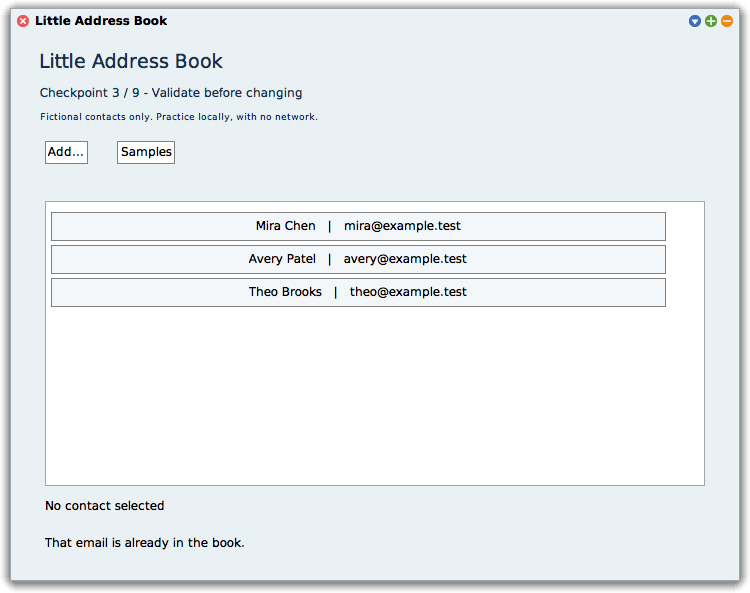
Normalize whitespace and email case, then validate the whole draft. A name and a basic email shape are required; phone is optional and permits common punctuation. Reject duplicate emails case-insensitively, and reject tabs or newlines that would break the file format. Validation failure updates the status but leaves records and dirty state intact.
Where to run this
System Browser, LearningContactBook, instance side, method addName:. This excerpt is already installed by checkpoint 03; use it to understand the change, or accept the same method in that class. Do not paste a method definition into a Workspace.
Construction code · follow the run instructions above
Native Squeak 6.1 checkpoint 03. Scripted messages produced this app state; this is a real Morphic render.
04 · Find by name or email
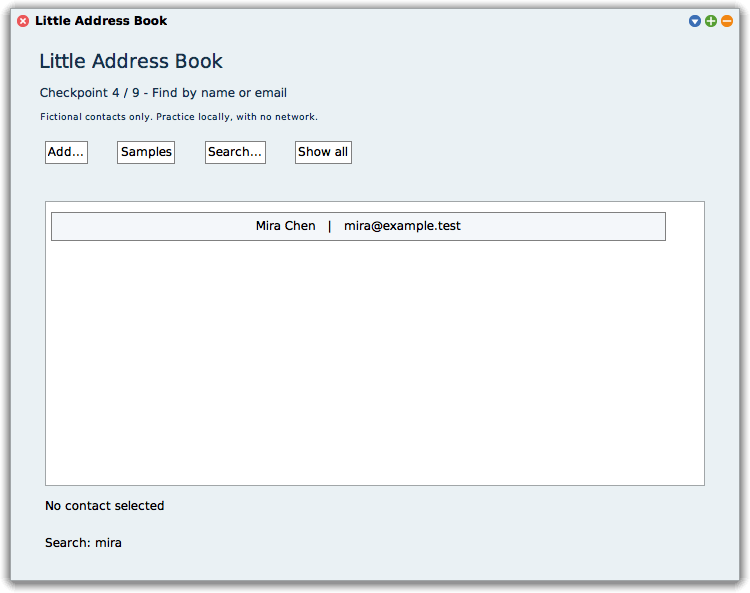
Search filters by name or email without deleting records. Normalize the query to lowercase before comparing. Clearing the query shows every contact again. Changing a filter clears selection so an action cannot accidentally target a person hidden by the new search.
Where to run this
System Browser, LearningContactBook, instance side, method query:. This excerpt is already installed by checkpoint 04; use it to understand the change, or accept the same method in that class. Do not paste a method definition into a Workspace.
Construction code · follow the run instructions above
Native Squeak 6.1 checkpoint 04. Scripted messages produced this app state; this is a real Morphic render.
05 · Sort the visible records
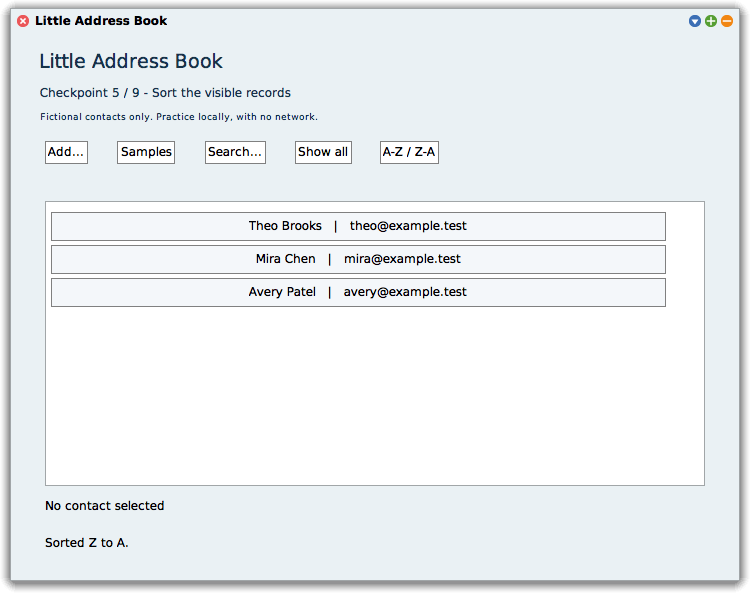
Sort the filtered collection by lowercase name. The direction flag selects A to Z or Z to A. A row button carries its current visible index, and the model translates that index into an email key. The selected person remains the same when sorting changes the row order.
Where to run this
System Browser, LearningContactBook, instance side, method visibleRecords. This excerpt is already installed by checkpoint 05; use it to understand the change, or accept the same method in that class. Do not paste a method definition into a Workspace.
Construction code · follow the run instructions above
visibleRecords
 | filtered |
 filtered := records select: [:each |
  query isEmpty or: [(each first asLowercase includesSubstring: query) or: [each second includesSubstring: query]]].
 ^ (filtered asSortedCollection: [:left :right |
  ascending ifTrue: [left first asLowercase <= right first asLowercase] ifFalse: [left first asLowercase >= right first asLowercase]]) asArray
After filing in the checkpoint, paste the whole block into a Workspace and choose Do it (Ctrl+D / Cmd+D). It returns the app instance.
Native Squeak 6.1 checkpoint 05. Scripted messages produced this app state; this is a real Morphic render.
06 · Edit and delete safely
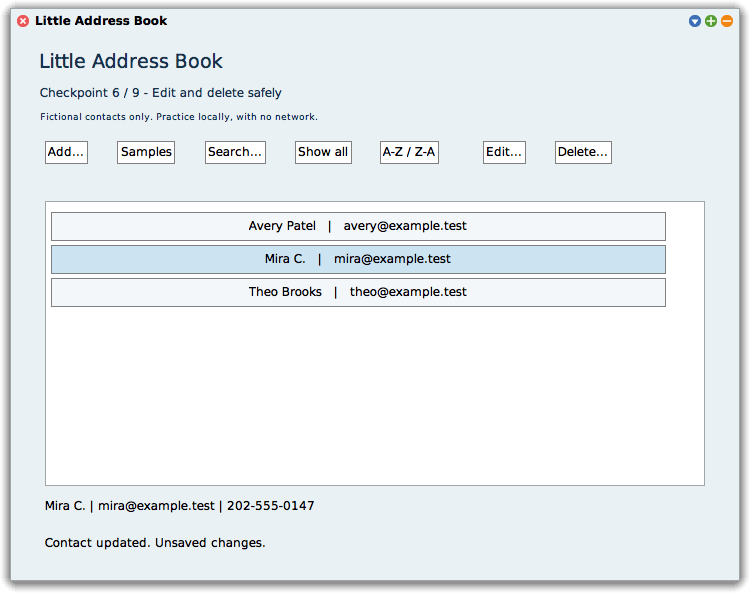
Editing starts from the selected record but collects replacements as a fresh draft. Validation excludes that person's own email from duplicate detection. Commit replaces exactly one array only after success. Delete asks for confirmation; Cancel keeps selection and records unchanged.
Where to run this
System Browser, LearningContactBook, instance side, method updateSelectedName:. This excerpt is already installed by checkpoint 06; use it to understand the change, or accept the same method in that class. Do not paste a method definition into a Workspace.
Construction code · follow the run instructions above
updateSelectedName: aName email: anEmail phone: aPhone
 | original draft error index |
 original := self selectedRecord.
 original ifNil: [status := 'Select a contact first.'. ^ false].
 draft := {aName withBlanksTrimmed. anEmail withBlanksTrimmed asLowercase. aPhone withBlanksTrimmed}.
 error := self validationErrorFor: draft excluding: original second.
 error ifNotNil: [status := error. ^ false].
 index := records indexOf: original.
 records at: index put: draft.
 selectedEmail := draft second.
 dirty := true.
 status := 'Contact updated. Unsaved changes.'.
 ^ true
After filing in the checkpoint, paste the whole block into a Workspace and choose Do it (Ctrl+D / Cmd+D). It returns the app instance.
Native Squeak 6.1 checkpoint 06. Scripted messages produced this app state; this is a real Morphic render.
07 · Save a plain-text book
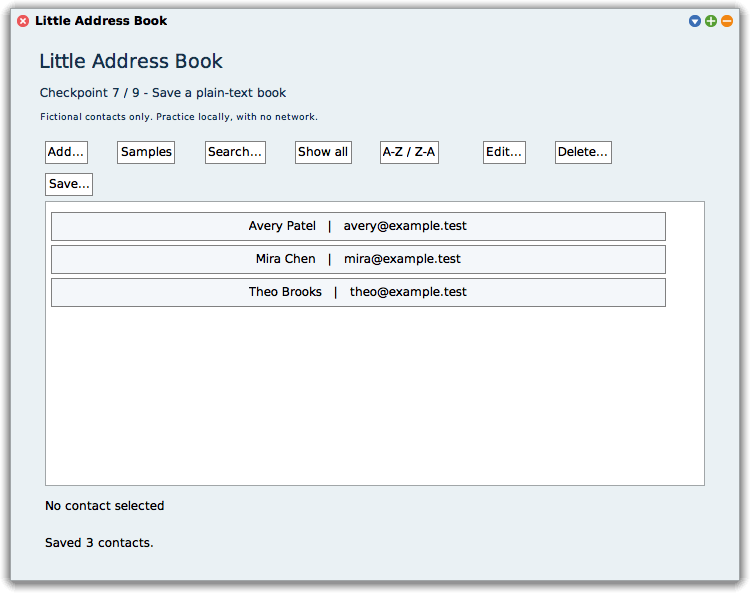
The file starts with LearningContacts-1, followed by tab-separated name, email, and phone fields. Save writes a temporary sibling first and uses a recoverable replacement helper. The ordinary Save button asks before replacing an existing file. The low-level saveTo: method intentionally writes the exact path supplied by your code.
Where to run this
System Browser, LearningContactBook, instance side, method serialized. This excerpt is already installed by checkpoint 07; use it to understand the change, or accept the same method in that class. Do not paste a method definition into a Workspace.
Construction code · follow the run instructions above
serialized
 ^ String streamContents: [:stream |
  stream nextPutAll: 'LearningContacts-1'; cr.
  records do: [:each |
   stream nextPutAll: each first; tab; nextPutAll: each second; tab; nextPutAll: each third; cr]]
After filing in the checkpoint, paste the whole block into a Workspace and choose Do it (Ctrl+D / Cmd+D). It returns the app instance.
validation already excludes tabs/newlines inside each field
The Workspace example writes the tutorial-owned learning-contacts-example.tsv in the image folder. Re-running replaces that same example file. Choose a scratch location for experiments.
Native Squeak 6.1 checkpoint 07. Scripted messages produced this app state; this is a real Morphic render.
08 · Load into a temporary model
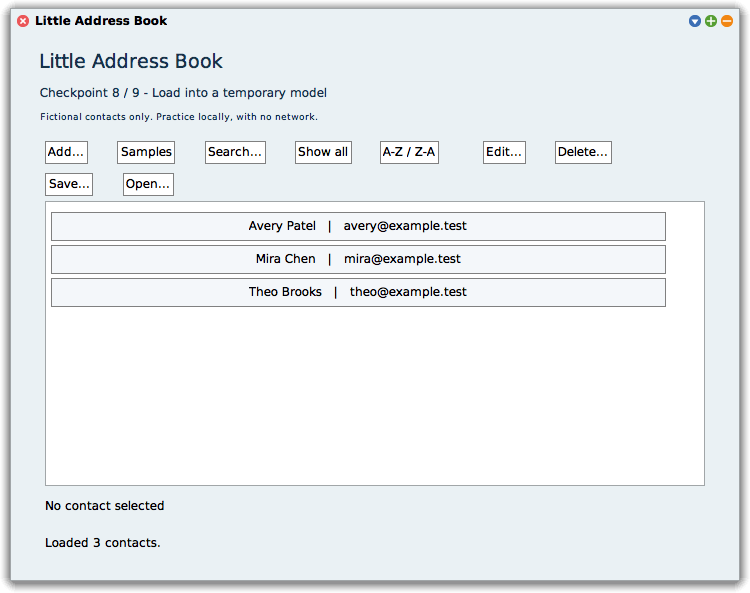
Open reads a file as data, never evaluates it as Smalltalk. Check the header and each row, then add each parsed contact to a temporary book using the same validation as interactive Add. Only a completely valid temporary book replaces current records. A bad later row cannot leave a half-loaded book.
Where to run this
System Browser, LearningContactBook, instance side, method loadFrom:. This excerpt is already installed by checkpoint 08; use it to understand the change, or accept the same method in that class. Do not paste a method definition into a Workspace.
Construction code · follow the run instructions above
loadFrom: fileName replaceUnsaved: confirmed
 | stream text input header temporary line fields row |
 (fileName isNil or: [fileName withBlanksTrimmed isEmpty]) ifTrue: [status := 'Open cancelled.'. ^ false].
 (dirty and: [confirmed not]) ifTrue: [status := 'Open cancelled. Unsaved book preserved.'. ^ false].
 (FileDirectory default fileExists: fileName) ifFalse: [status := 'File not found. Book is unchanged.'. ^ false].
 [stream := FileStream readOnlyFileNamed: fileName.
  [text := stream contentsOfEntireFile] ensure: [stream close]]
  on: Error do: [:error | status := 'Read failed. Book is unchanged.'. ^ false].
 input := text readStream.
 header := input nextLine.
 header = 'LearningContacts-1' ifFalse: [status := 'Wrong file header. Book is unchanged.'. ^ false].
 temporary := self class new.
 [input atEnd] whileFalse: [
  line := input nextLine.
  (line occurrencesOf: Character tab) = 2 ifFalse: [status := 'Malformed row. Book is unchanged.'. ^ false].
  row := line readStream.
  fields := {row upTo: Character tab. row upTo: Character tab. row upToEnd}.
  (temporary addName: fields first email: fields second phone: fields third)
   ifFalse: [status := 'Invalid file: ', temporary status. ^ false]].
 records := temporary records asOrderedCollection.
 selectedEmail := nil.
 query := ''.
 dirty := false.
 status := 'Loaded ', records size printString, ' contacts.'.
 ^ true
After filing in the checkpoint, paste the whole block into a Workspace and choose Do it (Ctrl+D / Cmd+D). It returns the app instance.
replaceUnsaved: false rejects a load when the current book is dirty
a temporary model catches duplicate emails across file rows
records := temporary records is the single commit point after validation
Wrong headers, malformed rows, duplicates, missing files, and Cancel preserve the current book. Save/load are tested with optional empty phone fields and empty books.
Expected result
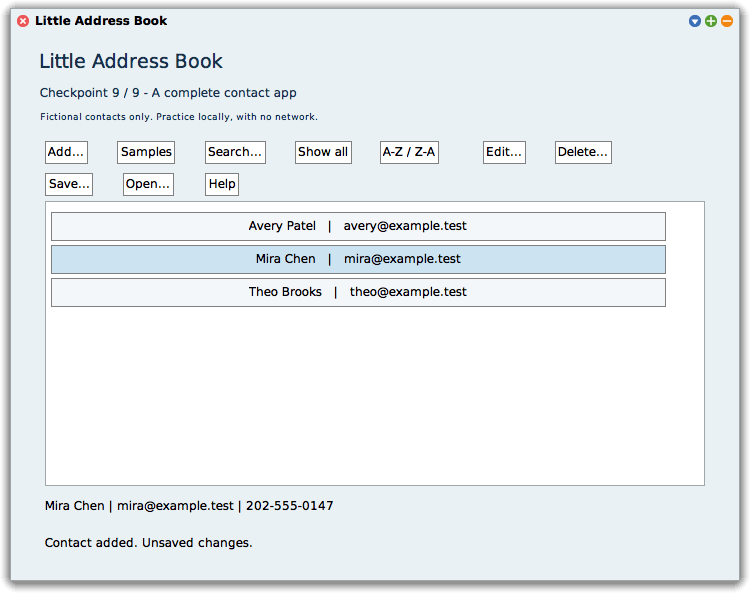
Three validated contacts loaded from the saved TSV
Native Squeak 6.1 checkpoint 08. Scripted messages produced this app state; this is a real Morphic render.
09 · A complete contact app
The fixed-size SystemWindow asks okToClose before closing a dirty model. Cancel keeps the window and unsaved records. The list scrolls independently, so the fixed window does not impose a contact limit. Tests inject errors after writing temporary bytes and during both rename steps, then verify the previous destination bytes survive.
Where to run this
System Browser, LearningContactApp, instance side, method okToClose. This excerpt is already installed by checkpoint 09; use it to understand the change, or accept the same method in that class. Do not paste a method definition into a Workspace.
Construction code · follow the run instructions above
okToClose
 ^ book isDirty not or: [self confirm: 'Close and discard unsaved contacts?']
After filing in the checkpoint, paste the whole block into a Workspace and choose Do it (Ctrl+D / Cmd+D). It returns the app instance.
a dirty model asks whether to discard unsaved contacts
the window retains its original extent if dragged to resize
The file replacement helper is designed for ordinary operation failures. It does not claim atomicity under power loss; a recovery failure may leave a .backup-UUID file to recover manually.
Expected result
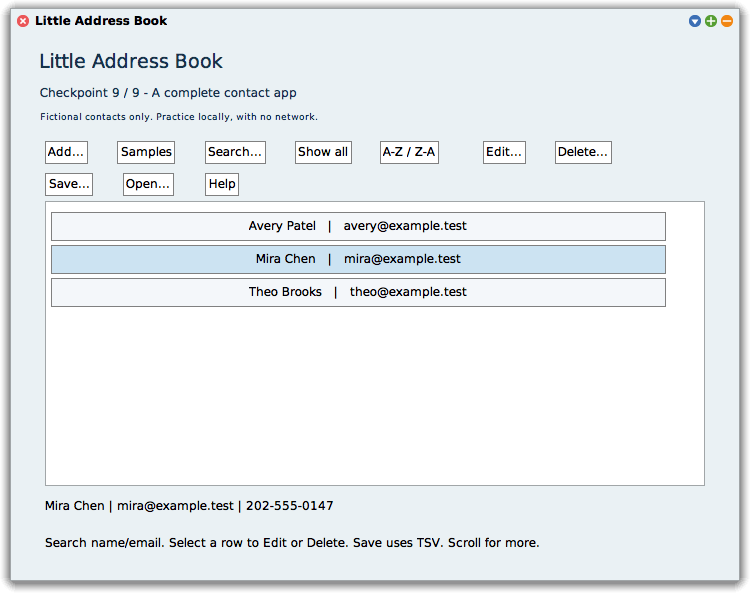
The complete contact book with a selected record and help text
Query normalization matches every sample email. Sorting and filtering compose on the visible collection, while records stay intact.
The test verifies descending names, all three stored records, and case-insensitive search.
3. Reject a duplicate update safely
Select Mira and attempt to change her email to Avery’s. Confirm failure and prove that neither record was changed.
Show a tested solution
After filing in the final app, evaluate the complete solution block in a Workspace with Do it.
Exercise solution
| app before accepted |
app := LearningContactApp open.
app addSamples.
app book selectIndex: 2.
before := app book records.
accepted := app book updateSelectedName: 'Mira Chen' email: 'avery@example.test' phone: ''.
(accepted not and: [app book records = before]) ifFalse: [self error: 'Duplicate edit changed the book'].
app refresh.
app