ABSOLUTE BEGINNER
Your first text messages
Write some text, count its letters, and join words together.
STEP 1
Open a Workspace
In Squeak 6.1, click an empty part of the desktop. Choose open… then workspace.
A Workspace is a small window where you can try code and see an answer. Each example below works on its own.
STEP 2
Write a little text
Replace ALL the Workspace text, including any old code or answer, with this line. Select the whole new line. Right-click it and choose print it (p). Some setups use middle-click for this menu.
Put one straight single quote before the word and one after it. They tell Squeak this is text. The selected answer is 'hello', with quotes around it.
'hello'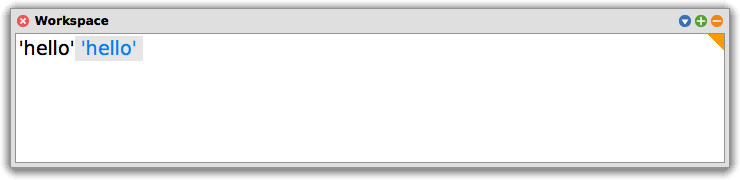
'hello'
STEP 3
Count the letters
Replace ALL the Workspace text, including the old code and answer, with this line. Select the new line and choose print it (p).
size asks the text how many characters it has. hello has five letters, so the answer is 5. The quote marks do not count. Spaces inside quotes would count.
'hello' size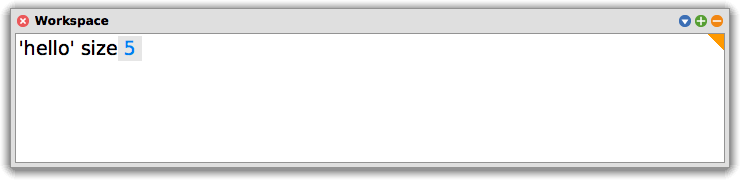
5
STEP 4
Use capital letters
Replace ALL the Workspace text, including the old code and answer, with this line. Select the new line and choose print it (p).
asUppercase asks for capital letters. Copy its capital U exactly. The answer is 'HELLO'.
'hello' asUppercase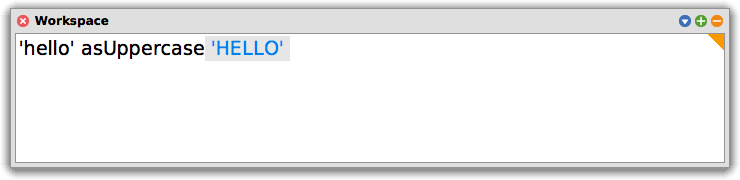
'HELLO'
STEP 5
Join two pieces of text
Replace ALL the Workspace text, including the old code and answer, with this line. Select the new line and choose print it (p).
The comma between the quoted pieces joins them. Keep the space just after the second opening quote, before world. That space separates the words in the answer: 'hello world'.
'hello', ' world'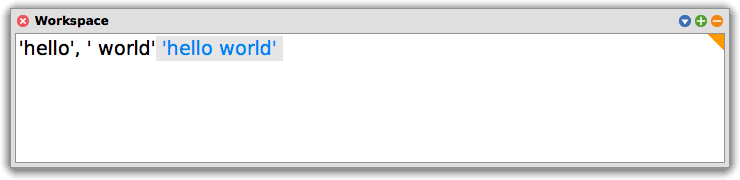
'hello world'
YOU DID IT
Text can answer little questions.
Single quotes mark text. size counts its characters, asUppercase makes capital letters, and a comma joins two pieces.
Try any example again: replace all the old code and answer, then select the whole new line before Print it.
Optional code download: open it as text and copy one example into Workspace.