Find a practical example Search recipes CategoryAll categories Strings Collections Files Dates & time Randomness Errors & cleanup Numbers & syntax
40 recipes
No matching recipes. Clear the search or choose another category.
strings · beginner
01 · Trim and normalize a label Clean up extra spaces before comparing a label.
Recipe 1 · Workspace Print it Copy code
' Squeak Smalltalk ' withBlanksTrimmed asLowercaseExpected printed answer 'squeak smalltalk'
Unary messages are sent left to right. The trimmed string receives asLowercase.
This removes leading and trailing blanks, not spaces inside the label. Case folding is not a complete internationalized search strategy.
Try it: Change asLowercase to asUppercase.
Download this Workspace recipe · Link to recipe
strings · beginner
02 · Split a simple list Turn comma-separated words into individual strings.
Recipe 2 · Workspace Print it Copy code
'red,green,blue' findTokens: ','Expected printed answer an OrderedCollection('red' 'green' 'blue')
findTokens: treats each character in its argument as a separator. In Squeak 6.1 the returned collection is an OrderedCollection.
This is tokenization, not a CSV parser: quoted commas and empty fields are not preserved.
Try it: Try red,,blue to see the empty field disappear.
Download this Workspace recipe · Link to recipe
strings · beginner
03 · Replace all occurrences Replace every occurrence while leaving the original unchanged.
Recipe 3 · Workspace Print it Copy code
'red green red' copyReplaceAll: 'red' with: 'blue'Expected printed answer 'blue green blue'
copyReplaceAll:with: returns a new string with every matching substring replaced.
Matching is case-sensitive and literal, not a regular expression.
Try it: Add Red with a capital R and compare the result.
Download this Workspace recipe · Link to recipe
strings · beginner
04 · Format a message Put values into numbered placeholders.
Recipe 4 · Workspace Print it Copy code
'Hello, {1}. You have {2} tasks.' format: {'Ada'. 3}Expected printed answer 'Hello, Ada. You have 3 tasks.'
The array supplies values for the one-based placeholders {1} and {2}.
Placeholder positions start at 1. format: is not printf formatting.
Try it: Swap the two values in the argument array.
Download this Workspace recipe · Link to recipe
strings · beginner
05 · Join words with a separator Build a sentence without a trailing separator.
Recipe 5 · Workspace Print it Copy code
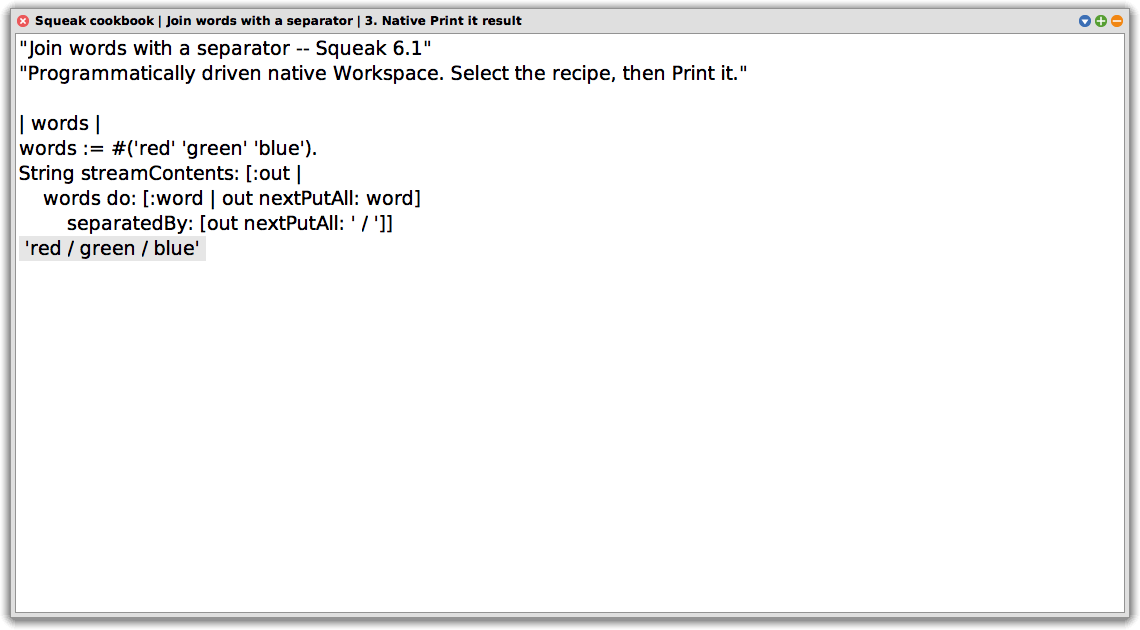
| words |
words := #('red' 'green' 'blue').
String streamContents: [:out |
    words do: [:word | out nextPutAll: word]
        separatedBy: [out nextPutAll: ' / ']]
Expected printed answer 'red / green / blue'
String streamContents: opens an in-memory write stream and returns its contents. separatedBy: runs only between elements.
Use nextPut: for a single Character and nextPutAll: for a string.
Try it: Try an empty array or a one-element array.
Download this Workspace recipe · Link to recipe
strings · beginner
06 · Parse numbers from text Convert validated numeric tokens into numbers.
Recipe 6 · Workspace Print it Copy code
('10 20 30' findTokens: ' ') collect: [:token | token asNumber]Expected printed answer an OrderedCollection(10 20 30)
collect: transforms every token, preserving the number and order of elements.
asNumber accepts Smalltalk number syntax. Validate untrusted input and handle parse errors deliberately.
Try it: Use -5 as one token, then inspect the resulting number.
Download this Workspace recipe · Link to recipe
strings · beginner
07 · Find a substring position Locate text without changing the string.
Recipe 7 · Workspace Print it Copy code
'smalltalk' findString: 'talk' startingAt: 1Expected printed answer 6
String positions are one-based. The t of talk is character 6.
findString:startingAt: answers 0 when no match exists; 0 is not a valid String index.
Try it: Search for ruby and observe 0.
Download this Workspace recipe · Link to recipe
strings · beginner
08 · Include an apostrophe Write a single quote inside a Smalltalk string.
Recipe 8 · Workspace Print it Copy code
'It''s a Smalltalk string.'Expected printed answer 'It''s a Smalltalk string.'
Two adjacent apostrophes inside the literal represent one apostrophe in the value. Print it shows quotes again because it displays printString.
Double quotes introduce comments. They do not delimit string literals.
Try it: Use Inspect it to distinguish a string value from its printed representation.
Download this Workspace recipe · Link to recipe
collections · practical
09 · Transform every value Create a collection of squares.
Recipe 9 · Workspace Print it Copy code
#(1 2 3 4 5) collect: [:number | number squared]Expected printed answer #(1 4 9 16 25)
collect: answers the transformed collection; the source array is unchanged.
The block result becomes each new element. do: is for effects and does not build mapped results.
Try it: Replace squared with number * 10.
Download this Workspace recipe · Link to recipe
collections · practical
10 · Keep matching values Select even numbers from an interval.
Recipe 10 · Workspace Print it Copy code
((1 to: 10) select: [:number | number even]) asArrayExpected printed answer #(2 4 6 8 10)
select: keeps elements whose predicate answers true. asArray makes the returned representation explicit.
Predicates must return Boolean values, not truthy values from another language.
Try it: Keep numbers greater than 6 instead.
Download this Workspace recipe · Link to recipe
collections · practical
11 · Remove missing values Drop nil elements while preserving order.
Recipe 11 · Workspace Print it Copy code
{1. nil. 2. nil. 3} reject: [:value | value isNil]Expected printed answer #(1 2 3)
reject: is the inverse of select:. A true predicate removes that element.
nil, false, zero, and an empty string are distinct values. Only nil is removed here.
Try it: Add false and zero to the source array.
Download this Workspace recipe · Link to recipe
collections · practical
12 · Accumulate a total Reduce several values to one result.
Recipe 12 · Workspace Print it Copy code
#(12 18 30) inject: 0 into: [:total :value | total + value]Expected printed answer 60
inject:into: starts at 0 and supplies the running total and next element to the two-argument block.
Choose an identity suitable for the operation: 0 for addition and 1 for multiplication.
Try it: Use 1 and multiplication to compute a product.
Download this Workspace recipe · Link to recipe
collections · practical
13 · Find a value or use a fallback Avoid an exception when nothing matches.
Recipe 13 · Workspace Print it Copy code
#(3 7 11) detect: [:number | number > 20] ifNone: [0]Expected printed answer 0
detect:ifNone: returns the first match. The fallback block is evaluated only when no match exists.
Choose a fallback distinguishable from valid data, or use nil and handle it explicitly.
Try it: Change the threshold to 5 and the result becomes 7.
Download this Workspace recipe · Link to recipe
collections · practical
14 · Sort records by a field Order name-score pairs by descending score.
Recipe 14 · Workspace Print it Copy code
| scores |
scores := { {'Ada'. 8}. {'Lin'. 12}. {'Sam'. 5} }.
scores sorted: [:left :right | left second > right second]
Expected printed answer #(#('Lin' 12) #('Ada' 8) #('Sam' 5))
sorted: returns a sorted copy using your two-element comparison block. Each record is an array.
Add a secondary comparison when equal scores need a defined order. Do not rely on incidental tie ordering.
Try it: Sort by name using left first < right first.
Download this Workspace recipe · Link to recipe
collections · practical
15 · Remove duplicates predictably Get unique values in a defined order.
Recipe 15 · Workspace Print it Copy code
#(3 1 3 2 1) asSet asArray sortedExpected printed answer #(1 2 3)
Set removes duplicates according to equality and hashing. Convert back to an array and sort for stable presentation.
Set iteration order is not a presentation order. Mutable objects used as keys can break lookup if their hash changes.
Try it: Try a collection of repeated strings.
Download this Workspace recipe · Link to recipe
collections · practical
16 · Look up an optional setting Read a dictionary key with a default.
Recipe 16 · Workspace Print it Copy code
| settings |
settings := Dictionary newFrom: {#theme -> 'dark'. #fontSize -> 14}.
settings at: #language ifAbsent: ['en']
Expected printed answer 'en'
at:ifAbsent: evaluates its block only when the key is absent. It does not insert the default.
Use a consistent key convention in your dictionary. This lookup does not store the fallback; at:ifAbsentPut: does.
Try it: Read #theme, or use at:ifAbsentPut: to cache a default.
Download this Workspace recipe · Link to recipe
collections · practical
17 · Group words by length Build buckets using a dictionary and ordered collections.
Recipe 17 · Workspace Print it Copy code
| groups |
groups := Dictionary new.
#('cat' 'dog' 'bird' 'horse') do: [:word |
    (groups at: word size ifAbsentPut: [OrderedCollection new]) add: word].
groups keys sorted collect: [:size | {size. (groups at: size) asArray}]
Expected printed answer #(#(3 #('cat' 'dog')) #(4 #('bird')) #(5 #('horse')))
at:ifAbsentPut: constructs one bucket per length. Sorting the keys makes output deterministic.
The result is a collection of two-element arrays, not a flattened list.
Try it: Group by word first instead of word size.
Download this Workspace recipe · Link to recipe
collections · practical
18 · Count repeated words Build a small frequency table.
Recipe 18 · Workspace Print it Copy code
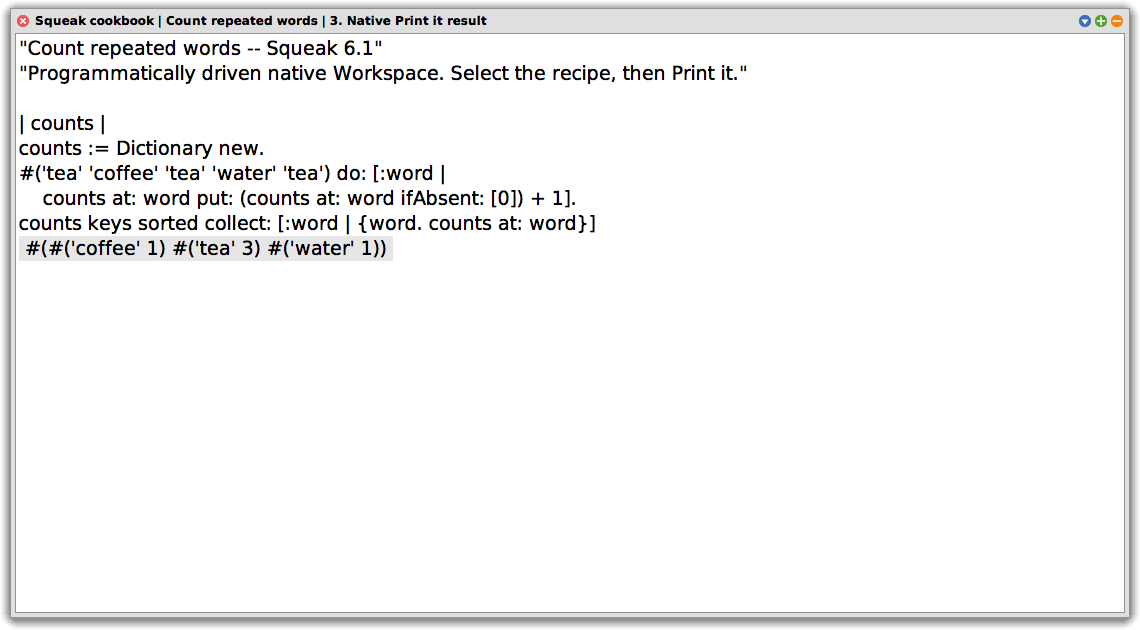
| counts |
counts := Dictionary new.
#('tea' 'coffee' 'tea' 'water' 'tea') do: [:word |
    counts at: word put: (counts at: word ifAbsent: [0]) + 1].
counts keys sorted collect: [:word | {word. counts at: word}]
Expected printed answer #(#('coffee' 1) #('tea' 3) #('water' 1))
Every word increments its current count, starting at zero. Sorted keys make the table repeatable.
Normalize case and whitespace before counting if Tea and tea should be the same key.
Try it: Count letters by iterating over a string.
Download this Workspace recipe · Link to recipe
files · practical · CREATES TUTORIAL FILES
19 · Write and read a sample file Create a new tutorial folder, then round-trip a text file.
Recipe 19 · Workspace Print it Copy code
| directory file contents |
directory := FileDirectory default directoryNamed:
    'squeak-cookbook-', UUID new asString.
directory assureExistence.
file := directory newFileNamed: 'note.txt'.
[file nextPutAll: 'Hello from Squeak'] ensure: [file close].
file := directory readOnlyFileNamed: 'note.txt'.
[contents := file contents] ensure: [file close].
contents
Expected printed answer 'Hello from Squeak'
The UUID creates a fresh tutorial folder under FileDirectory default. ensure: closes each stream even if a write or read fails.
Creates a new squeak-cookbook-<UUID>/note.txt and leaves it there. FileDirectory default usually points to the image folder; it must be writable. This ASCII example is not an encoding policy.
Try it: Inspect directory pathName inside the snippet to find your new file.
Download this Workspace recipe · Link to recipe
files · practical · CREATES TUTORIAL FILES
20 · Append to an existing sample Seek to the end before adding text.
Recipe 20 · Workspace Print it Copy code
| directory file contents |
directory := FileDirectory default directoryNamed:
    'squeak-cookbook-', UUID new asString.
directory assureExistence.
file := directory newFileNamed: 'log.txt'.
[file nextPutAll: 'start'] ensure: [file close].
file := directory fileNamed: 'log.txt'.
[file setToEnd; nextPutAll: ' / done'] ensure: [file close].
file := directory readOnlyFileNamed: 'log.txt'.
[contents := file contents] ensure: [file close].
contents
Expected printed answer 'start / done'
fileNamed: opens the existing file. setToEnd explicitly positions the stream after its last character.
Creates only a fresh tutorial log. Omitting setToEnd can overwrite existing content from the current stream position.
Try it: Append a third status inside the append block.
Download this Workspace recipe · Link to recipe
files · practical · CREATES TUTORIAL FILES
21 · Read simple nonempty lines Create sample lines and turn them into an array.
Recipe 21 · Workspace Print it Copy code
| directory file contents |
directory := FileDirectory default directoryNamed:
    'squeak-cookbook-', UUID new asString.
directory assureExistence.
file := directory newFileNamed: 'colors.txt'.
[file nextPutAll: 'red'; cr; nextPutAll: 'blue'; cr]
    ensure: [file close].
file := directory readOnlyFileNamed: 'colors.txt'.
[contents := file contents] ensure: [file close].
contents findTokens: String crlf
Expected printed answer an OrderedCollection('red' 'blue')
String crlf supplies both CR and LF as separators, so this tokenization tolerates common line endings.
Empty lines are discarded. Use a line-oriented parser when blank lines carry meaning. A fresh tutorial folder and colors.txt remain on disk.
Try it: Write an empty line between the two colors and see how it is handled.
Download this Workspace recipe · Link to recipe
files · practical · CREATES TUTORIAL FILES
22 · Round-trip binary bytes Read and write bytes without text conversion.
Recipe 22 · Workspace Print it Copy code
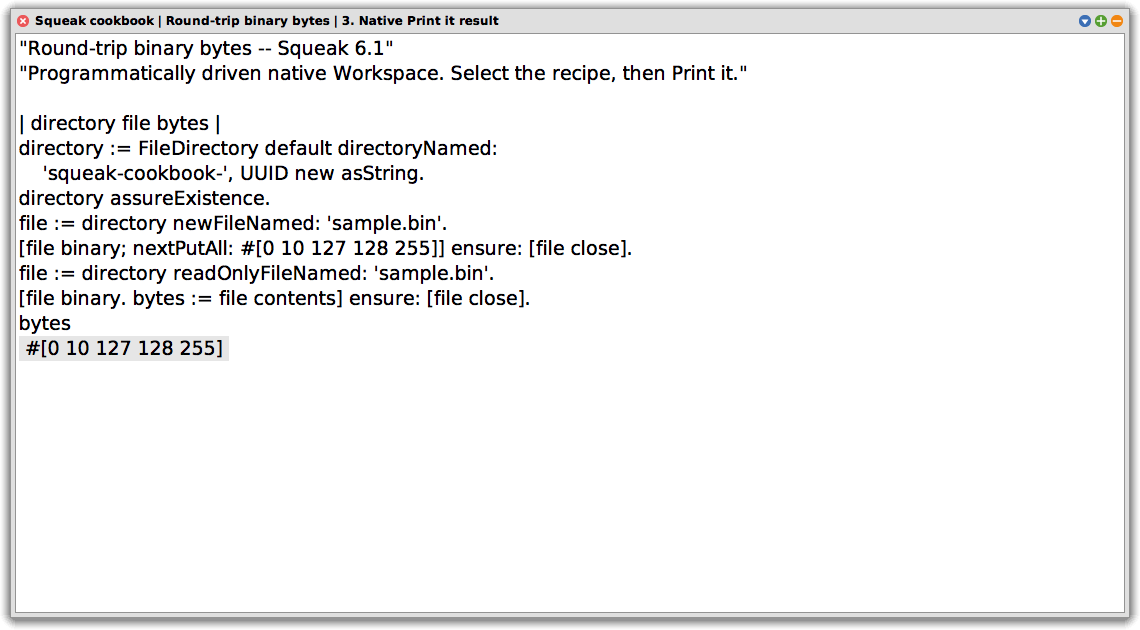
| directory file bytes |
directory := FileDirectory default directoryNamed:
    'squeak-cookbook-', UUID new asString.
directory assureExistence.
file := directory newFileNamed: 'sample.bin'.
[file binary; nextPutAll: #[0 10 127 128 255]] ensure: [file close].
file := directory readOnlyFileNamed: 'sample.bin'.
[file binary. bytes := file contents] ensure: [file close].
bytes
Expected printed answer #[0 10 127 128 255]
binary puts the stream in byte mode. The #[...] literal is a ByteArray, whose values must be 0 through 255.
These bytes are arbitrary data, not a UTF-8 string. A fresh tutorial sample.bin remains on disk. Decode text with an explicit encoding when needed.
Try it: Try all 256 byte values with ByteArray withAll: (0 to: 255).
Download this Workspace recipe · Link to recipe
files · practical · CREATES TUTORIAL FILES
23 · List files in a tutorial folder List the names of files created by this recipe.
Recipe 23 · Workspace Print it Copy code
| directory file |
directory := FileDirectory default directoryNamed:
    'squeak-cookbook-', UUID new asString.
directory assureExistence.
#('notes.txt' 'data.csv') do: [:name |
    file := directory newFileNamed: name.
    [file nextPutAll: 'sample'] ensure: [file close]].
directory fileNames sorted
Expected printed answer #('data.csv' 'notes.txt')
fileNames returns file names relative to the directory. sorted makes their order explicit.
This lists only the new tutorial folder, not your home folder. It is not a recursive walk; the two sample files remain available afterward.
Try it: Use directory fullNameFor: aName when another API requires an absolute file path.
Download this Workspace recipe · Link to recipe
dates · practical
24 · Construct a calendar date Create a date without an ambiguous input format.
Recipe 24 · Workspace Print it Copy code
| date |
date := Date year: 2026 month: 10 day: 3.
{date year. date monthIndex. date dayOfMonth}
Expected printed answer #(2026 10 3)
The keyword constructor states year, month, and day explicitly. The result array shows the extracted components.
Date represents a calendar day. Use DateAndTime when the time or UTC offset matters.
Try it: Construct your next milestone date and inspect it.
Download this Workspace recipe · Link to recipe
dates · practical
25 · Add days across a month Let the calendar handle month boundaries.
Recipe 25 · Workspace Print it Copy code
| later |
later := (Date year: 2026 month: 1 day: 30) addDays: 5.
{later year. later monthIndex. later dayOfMonth}
Expected printed answer #(2026 2 4)
addDays: advances a Date correctly through the end of January.
Calendar dates and elapsed durations are different concepts, especially around daylight-saving changes.
Try it: Try adding 2 days to February 28 in a leap year.
Download this Workspace recipe · Link to recipe
dates · practical
26 · Measure a calendar gap Count days between fixed dates.
Recipe 26 · Workspace Print it Copy code
((Date year: 2024 month: 3 day: 1) - (Date year: 2024 month: 2 day: 28)) daysExpected printed answer 2
Subtracting Dates gives a Duration. Its days component includes February 29 in this leap year.
For a Duration with sub-day parts, days is its day component. Use asSeconds when total elapsed seconds are required.
Try it: Change 2024 to 2025 and compare.
Download this Workspace recipe · Link to recipe
dates · practical
27 · Compare timestamps with offsets Show that different local clock readings can name the same instant.
Recipe 27 · Workspace Print it Copy code
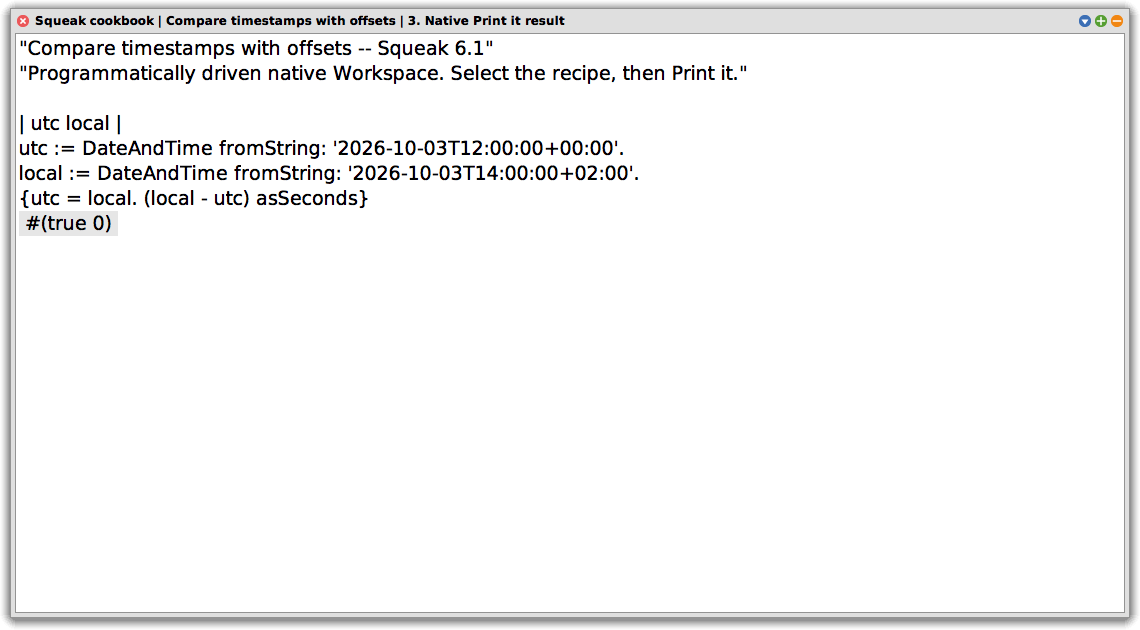
| utc local |
utc := DateAndTime fromString: '2026-10-03T12:00:00+00:00'.
local := DateAndTime fromString: '2026-10-03T14:00:00+02:00'.
{utc = local. (local - utc) asSeconds}
Expected printed answer #(true 0)
The explicit UTC offsets make both timestamps refer to the same instant. Equality and subtraction account for those offsets.
A fixed offset is not a named time zone and does not encode daylight-saving rules. Always state an offset when an instant must be unambiguous.
Try it: Change +02:00 to +03:00 and inspect the difference.
Download this Workspace recipe · Link to recipe
dates · practical
28 · Build a duration Convert a known span to total seconds.
Recipe 28 · Workspace Print it Copy code
(Duration days: 1 hours: 2 minutes: 3 seconds: 4) asSecondsExpected printed answer 93784
One day, two hours, three minutes, and four seconds are combined into a Duration. asSeconds returns the total.
A Duration is an elapsed span. Adding one day to a calendar date is not a universal time-zone scheduling rule.
Try it: Change days to 0 and check the arithmetic.
Download this Workspace recipe · Link to recipe
random · practical
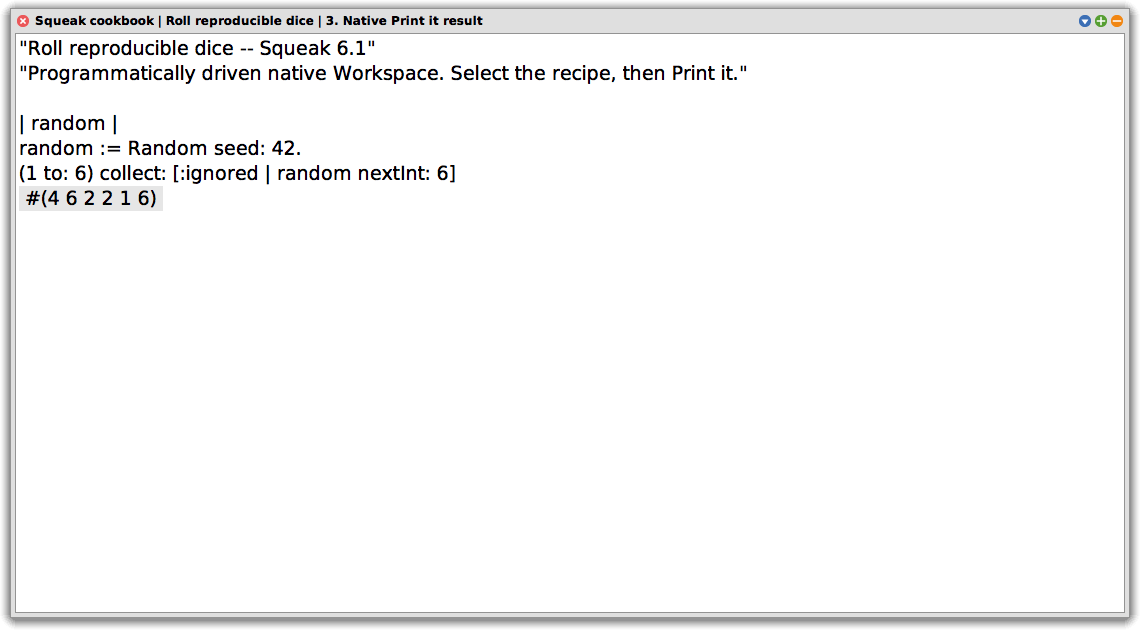
29 · Roll reproducible dice Generate six repeatable values from 1 through 6.
Recipe 29 · Workspace Print it Copy code
| random |
random := Random seed: 42.
(1 to: 6) collect: [:ignored | random nextInt: 6]
Expected printed answer #(4 6 2 2 1 6)
A dedicated seeded generator makes the sequence repeatable in the tested Squeak version. nextInt: includes both 1 and its positive upper bound.
Random is for simulations and examples, not passwords or cryptographic tokens. Exact seeded sequences can change between implementations or releases.
Try it: Change the seed to 43; run twice to compare.
Download this Workspace recipe · Link to recipe
random · practical
30 · Choose within an inclusive range Generate a repeatable integer from 10 through 20.
Recipe 30 · Workspace Print it Copy code
| random minimum maximum |
random := Random seed: 42.
minimum := 10. maximum := 20.
minimum - 1 + (random nextInt: maximum - minimum + 1)
Expected printed answer 16
The range has maximum - minimum + 1 possible integers. Shift the one-based random result by minimum - 1.
Require maximum >= minimum. A nonpositive nextInt: argument signals an error.
Try it: Set minimum and maximum both to 10.
Download this Workspace recipe · Link to recipe
random · practical
31 · Pick one item Use a random one-based array index.
Recipe 31 · Workspace Print it Copy code
| random choices |
random := Random seed: 42.
choices := #('red' 'green' 'blue').
choices at: (random nextInt: choices size)
Expected printed answer 'green'
Collections use one-based indexes, so nextInt: fits naturally with at:.
An empty collection has no valid index. Handle it before asking for a random choice.
Try it: Add a fourth color and compare the seeded choice.
Download this Workspace recipe · Link to recipe
random · practical
32 · Shuffle a copy of an array Perform an explicit Fisher-Yates shuffle.
Recipe 32 · Workspace Print it Copy code
| random shuffled |
random := Random seed: 42.
shuffled := #(1 2 3 4 5) copy.
shuffled size to: 2 by: -1 do: [:index |
    shuffled swap: index with: (random nextInt: index)].
shuffled
Expected printed answer #(2 3 1 5 4)
At each index, swap in a uniformly chosen element from the remaining prefix. Copy first so the literal source array is not mutated.
This is a seeded demonstration, not a secure draw. Preserve the same generator to continue a sequence; recreating it restarts the sequence.
Try it: Check shuffled sorted to verify that every original item is present.
Download this Workspace recipe · Link to recipe
errors · practical
33 · Handle one expected exception Recover specifically from division by zero.
Recipe 33 · Workspace Print it Copy code
[10 / 0] on: ZeroDivide do: [:error | 'Cannot divide by zero']Expected printed answer 'Cannot divide by zero'
on:do: installs a handler around the protected block. The handler result becomes the expression result.
Catch the narrow exception you expect. A broad Error handler can hide unrelated programming mistakes.
Try it: Replace 0 with 2 and see the normal answer.
Download this Workspace recipe · Link to recipe
errors · practical
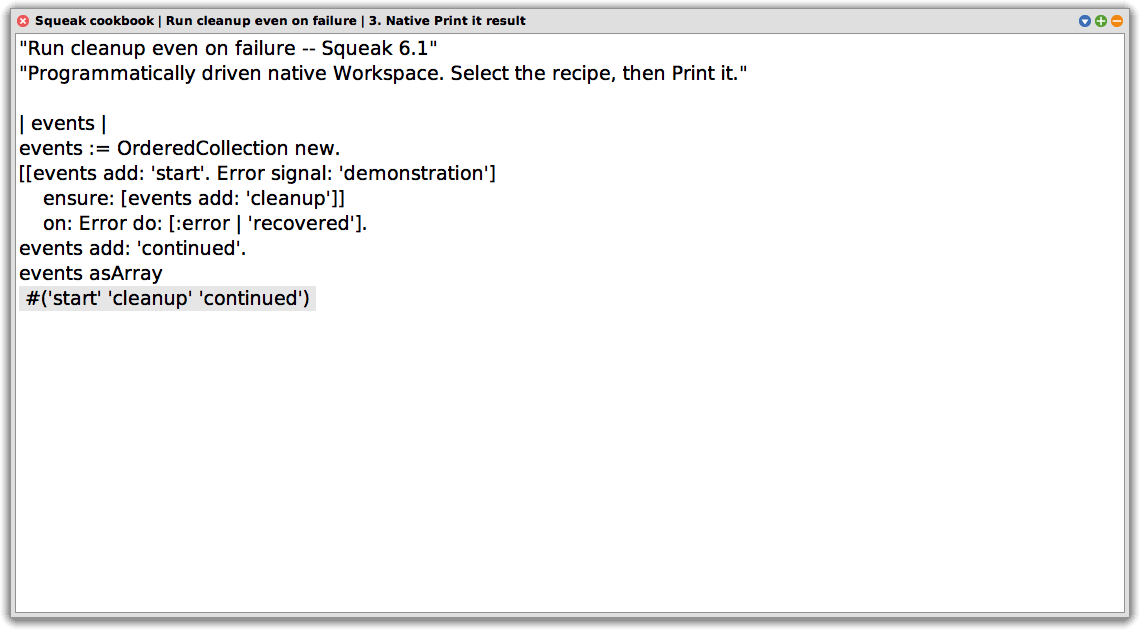
34 · Run cleanup even on failure Guarantee cleanup before execution continues after a handled failure.
Recipe 34 · Workspace Print it Copy code
| events |
events := OrderedCollection new.
[[events add: 'start'. Error signal: 'demonstration']
    ensure: [events add: 'cleanup']]
    on: Error do: [:error | 'recovered'].
events add: 'continued'.
events asArray
Expected printed answer #('start' 'cleanup' 'continued')
The handler receives the exception. When handling exits the protected computation, ensure: runs; the next statement then records continued. A handler can be entered before stack unwinding runs cleanup.
The broad Error handler is intentional for this controlled demonstration. Production code should identify the failures it can actually recover from.
Try it: Add events add: 'handler' inside the handler and observe that it can run before cleanup.
Download this Workspace recipe · Link to recipe
errors · practical
35 · Validate before doing work Reject an invalid value with a useful message.
Recipe 35 · Workspace Print it Copy code
| quantity |
quantity := -2.
[quantity > 0 ifFalse: [Error signal: 'Quantity must be positive'].
    quantity * 5]
    on: Error do: [:error | error messageText]
Expected printed answer 'Quantity must be positive'
Check the assumption before calculating. The handler demonstrates how to obtain the exception message.
In a real application, define or choose a specific exception class instead of catching every Error around a large operation.
Try it: Set quantity to 3 and observe the normal total.
Download this Workspace recipe · Link to recipe
errors · practical
36 · Give malformed numeric input a fallback Handle a bad number without opening a debugger.
Recipe 36 · Workspace Print it Copy code
['not-a-number' asNumber] on: Error do: [:error | nil]Expected printed answer nil
The protected operation is small, so the fallback is scoped to numeric parsing.
nil means parsing failed; it is not zero. This demonstration catches Error because the exact parse exception can vary with the parser. Do not use Compiler evaluate: to parse untrusted numbers.
Try it: Use '3.5' instead and check that you get a number.
Download this Workspace recipe · Link to recipe
numbers · beginner
37 · Keep rational arithmetic exact Add fractions without a floating-point approximation.
Recipe 37 · Workspace Print it Copy code
(1 / 3) + (1 / 6)Expected printed answer (1/2)
Integer division can produce a Fraction. Arithmetic reduces the result to its simplest exact representation.
Introducing a Float such as 0.333 changes the numeric calculation. Fractions are useful when exact ratios matter.
Try it: Inspect the class of 1 / 3, then compare with 1.0 / 3.
Download this Workspace recipe · Link to recipe
numbers · beginner
38 · Round to a chosen step Round a numeric value to the nearest hundredth.
Recipe 38 · Workspace Print it Copy code
12.345 roundTo: 0.01Expected printed answer 12.35
roundTo: rounds the receiver to a multiple of the argument.
Float values are binary approximations. For money, choose an explicit scaled-integer or decimal representation and rounding policy. This is not a formatting recipe.
Try it: Try rounding 12.345 to 0.5.
Download this Workspace recipe · Link to recipe
numbers · beginner
39 · Get quotient and remainder Break a quantity into complete groups and leftovers.
Recipe 39 · Workspace Print it Copy code
{17 // 5. 17 \\ 5}Expected printed answer #(3 2)
// is integer floor division and \\ is its modulo partner. The result says three full groups of five with two left over.
Negative operands follow floor-division semantics, which may differ from truncation toward zero in another language.
Try it: Evaluate the same expression with -17 and inspect both values.
Download this Workspace recipe · Link to recipe
numbers · beginner
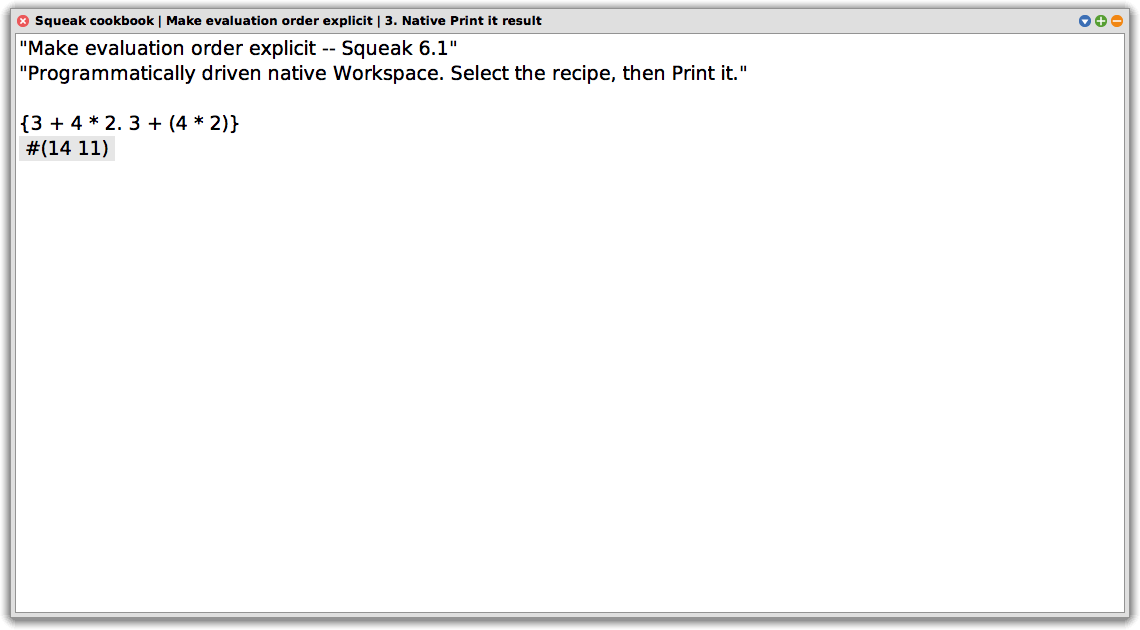
40 · Make evaluation order explicit Compare Smalltalk message order with parentheses.
Recipe 40 · Workspace Print it Copy code
{3 + 4 * 2. 3 + (4 * 2)}Expected printed answer #(14 11)
Binary messages have equal precedence and run left to right, so 3 + 4 * 2 means (3 + 4) * 2. Parentheses override that order.
Unary messages happen before binary messages, and binary messages before keyword messages. Smalltalk does not give multiplication special precedence.
Try it: Compare 3 squared + 4 and (3 + 4) squared.
Download this Workspace recipe · Link to recipe