ABSOLUTE BEGINNER
Your first slice: copy part of a word
Copy a few letters or list entries with copyFrom:to:, in five small visual Squeak steps.
STEP 1
Copy the first three letters
Open a Workspace in Squeak. Type this line, select all of it, and choose Print it. Single quotes surround a word. copyFrom:to: asks for a new piece, starting at position 1 and ending at position 3.
'Squeak' copyFrom: 1 to: 3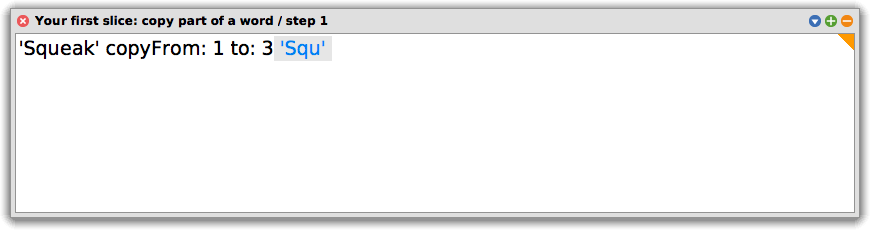
'Squ'. Both end positions count. Squeak starts counting at 1, so the first letter is S. Change 3 to 2 and you should get 'Sq'.
STEP 2
Choose a piece from the middle
Replace the old expression and its printed answer with this line. Position 2 holds q, position 3 holds u, and position 4 holds e. Print it to see those three letters together.
'Squeak' copyFrom: 2 to: 4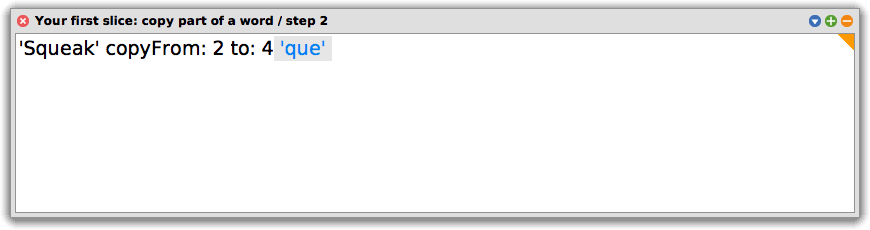
'que'. The copy has three letters, even though the final position is 4. Count 2, 3, 4 to see why.
STEP 3
Take a slice from a list
The same message works with a list of numbers. #(10 20 30 40) has four entries. The positions choose entries, not the numbers themselves. Select the whole expression and Print it.
#(10 20 30 40) copyFrom: 2 to: 3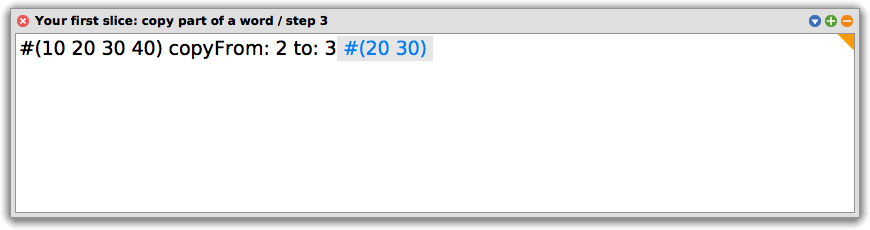
#(20 30). You copied the second and third entries. Try positions 1 to 2 and predict the two numbers first.
STEP 4
Keep the original word
The vertical bars introduce two temporary names. := gives each name a value. Periods separate the steps. The last line puts the original word and its copied piece together so you can compare them. Select all four lines and Print it.
| word piece |
word := 'Squeak'.
piece := word copyFrom: 2 to: 4.
{word. piece}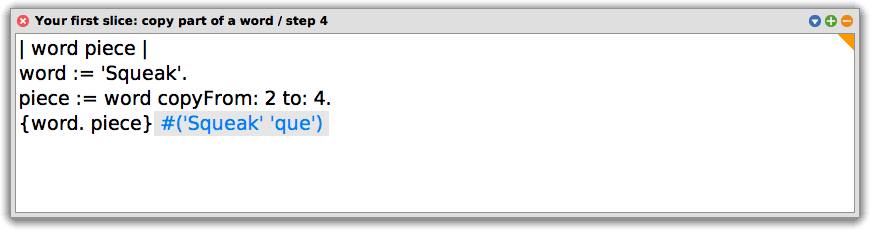
#('Squeak' 'que'). The original word is still complete. Copying a slice does not remove anything from it.
STEP 5
Find the last two letters
size tells you how many letters a word has. For this six-letter word, size - 1 is 5. The parentheses make the starting position easy to read. Copy the whole example and Print it.
| word |
word := 'Squeak'.
word copyFrom: (word size - 1) to: word size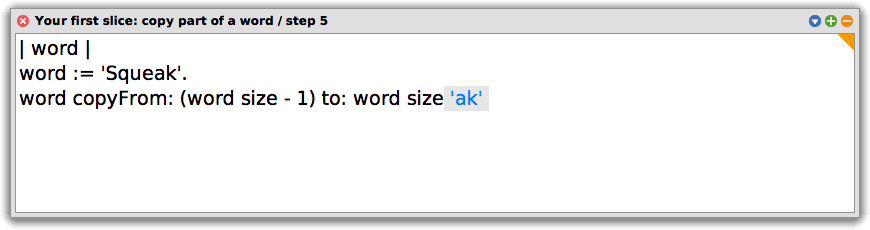
'ak'. Replace 'Squeak' with 'Smalltalk' and you should get 'lk'. Use a word with at least two letters for this example. Keep positions between 1 and the word's size.
YOU DID IT
A small step. A real result.
copyFrom:to: copies an inclusive slice. Positions begin at 1, and the original word or list stays unchanged. Keep both positions within the sequence for these examples.
Optional code download: open it as text and copy one example into Workspace.