ABSOLUTE BEGINNER
Your first dictionary
Keep values under labels. Store a pet’s name and age, find them, and change a value.
STEP 1
Open a Workspace
In Squeak 6.1, click an empty part of the desktop. Choose open… then workspace.
A dictionary stores values under labels, such as a pet’s name and age. Each example below starts fresh. Replace ALL the old text and answer, select the whole new block, right-click it and choose print it (p). Some setups use middle-click for this menu.
STEP 2
Store a name, then find it
The bars declare a temporary name, pet. Dictionary new makes an empty dictionary; := keeps it in pet.
at: 'name' put: 'Milo' stores Milo under the label name. The last line looks up that label. Print it shows 'Milo'. Use straight single quotes and keep the periods.
| pet |
pet := Dictionary new.
pet at: 'name' put: 'Milo'.
pet at: 'name'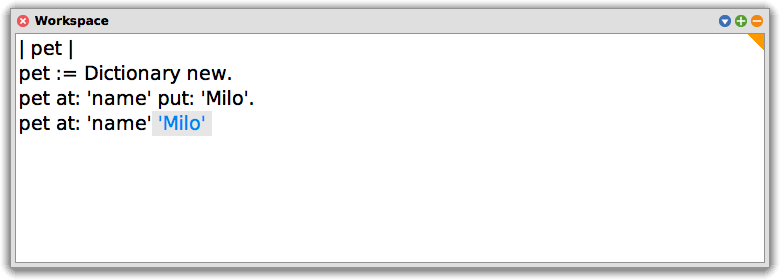
'Milo'
STEP 3
Add another label
Replace all the old code and answer with this block, select every line and Print it.
Now the dictionary has name and age. Looking up age gives 4. Labels are quoted text here; the number 4 needs no quotes.
| pet |
pet := Dictionary new.
pet at: 'name' put: 'Milo'.
pet at: 'age' put: 4.
pet at: 'age'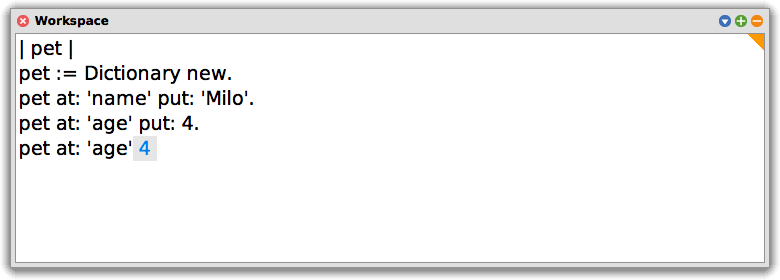
4
STEP 4
Change a stored value
Replace all the old text with this block, select it all and Print it.
Storing under the same name label again replaces Milo with Luna. It does not add a second name label. The answer is 'Luna'.
| pet |
pet := Dictionary new.
pet at: 'name' put: 'Milo'.
pet at: 'name' put: 'Luna'.
pet at: 'name'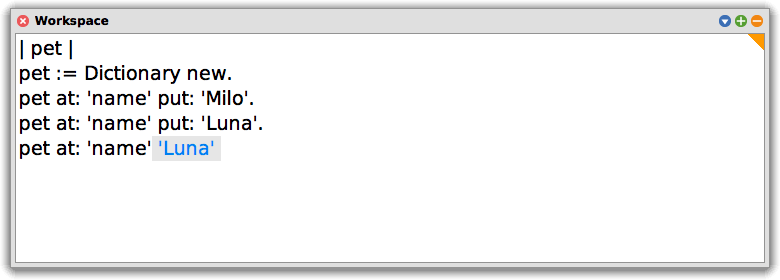
'Luna'
STEP 5
Count the labels
Replace all the old text with this last block, select it all and Print it.
size counts the labels in the dictionary. We stored name and age, so the answer is 2. Unlike a list, we find these values by a label rather than a position number.
| pet |
pet := Dictionary new.
pet at: 'name' put: 'Milo'.
pet at: 'age' put: 4.
pet size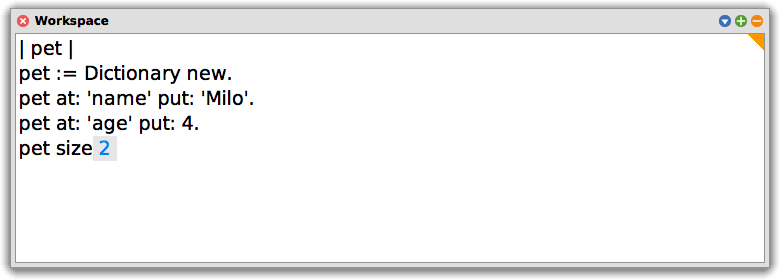
2
YOU DID IT
Find a value by its label.
Dictionary new starts empty. at:put: stores a value under a label, at: finds it, and size counts the labels.
Try changing 'Milo' to 'Zoe' in the first example. Keep 'name' unchanged in both places. Replace the old answer too, then select the whole block and Print it.
Optional code download: open it as text and copy one example into Workspace.
Dictionary examples: copy one at a time (.st)
Review your first variable · Compare with your first list · Explore collections