ABSOLUTE BEGINNER
Your First copyWith: in Squeak
Make a new Array with one extra item, without changing the old Array.
STEP 1
Put the first fruit in a new list
Select the whole line in Workspace and choose Print it. The empty Array gives you a new Array with an apple.
#() copyWith: 'apple'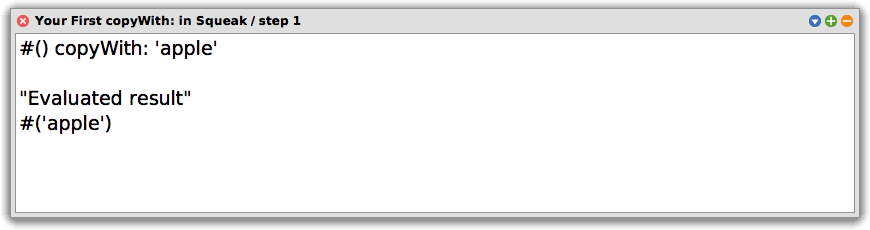
The answer has one item.
STEP 2
Add an item at the end
Pear appears after apple because copyWith: appends the item in the copy.
#('apple') copyWith: 'pear'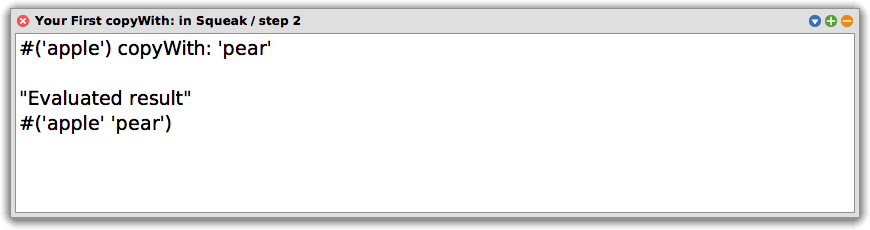
Print it to see both fruits.
STEP 3
Keep a repeated item
The copy can include the same item twice. It keeps the original order.
#('apple' 'pear') copyWith: 'apple'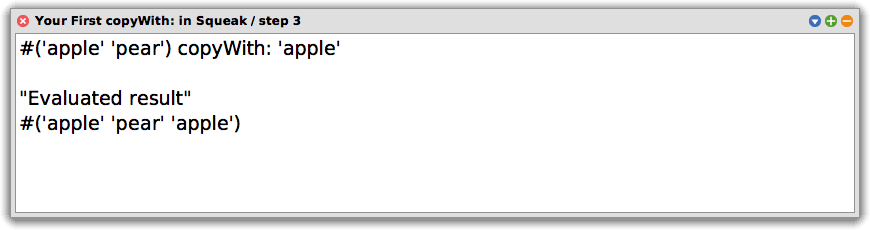
The last item is another apple.
STEP 4
Look at the original Array again
Making a new Array does not edit the old one. We ignored the copy in the third line, so fruit still points to the original.
| fruit |
fruit := #('apple').
fruit copyWith: 'pear'.
fruit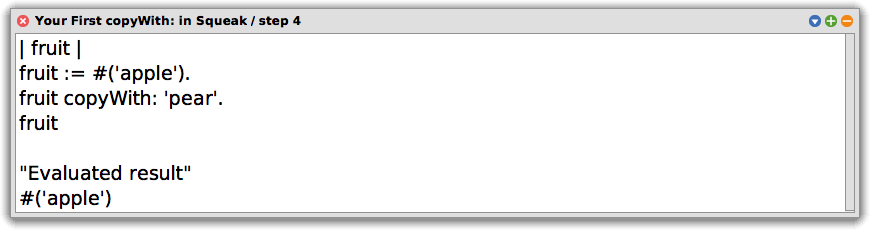
The answer is still just apple.
STEP 5
Keep the copy and count its items
Assign the answer back to fruit to keep the new Array. It has two items.
| fruit |
fruit := #('apple').
fruit := fruit copyWith: 'pear'.
fruit size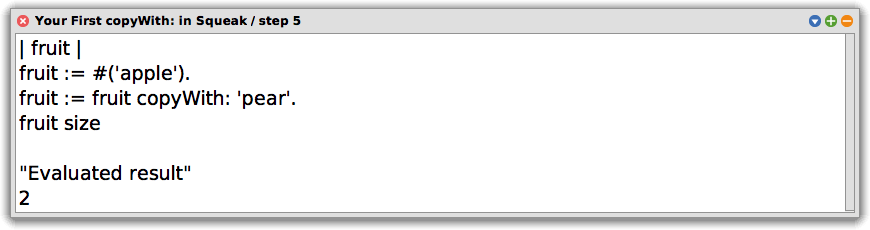
Change the final line to fruit to print the two fruits.
YOU DID IT
A small step. A real result.
copyWith: makes a new Array with the extra item at the end.
Optional code download: open it as text and copy one example into Workspace.