Fetch explicitly, bound network work, preserve a good cache, and keep an offline fixture.
9 construction stagesTested source & checkpointsNative screenshots & demos
Before you start
A networked tool must work when a server is slow, unavailable or returns the wrong data. This browser teaches the full path: accept a URL, make an HTTP request on a worker process, parse data without evaluating code, display its fields, and retain the last good document. It opens with a clearly labeled offline fixture.
Work through the stages in order to understand the construction, or file in any checkpoint on its own. Each self-contained checkpoint includes the complete supporting class; the stage setting progressively reveals the interface. The displayed methods are the actual tested implementation, not pseudocode.
Stock Squeak 6.1 build 23976. Basic Workspace Do it and Browser method acceptance.
Use a practice image and tutorial-created files. Download a checkpoint, open it in File List and choose fileIn.
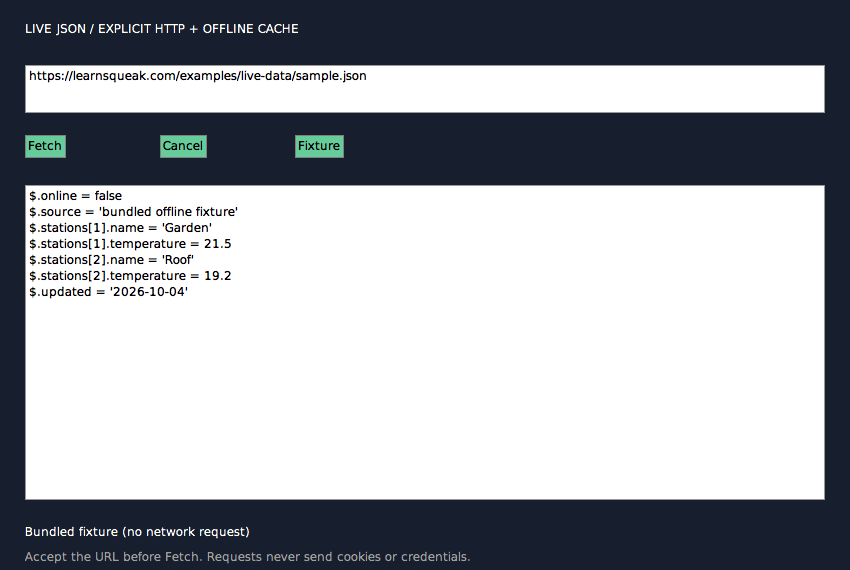
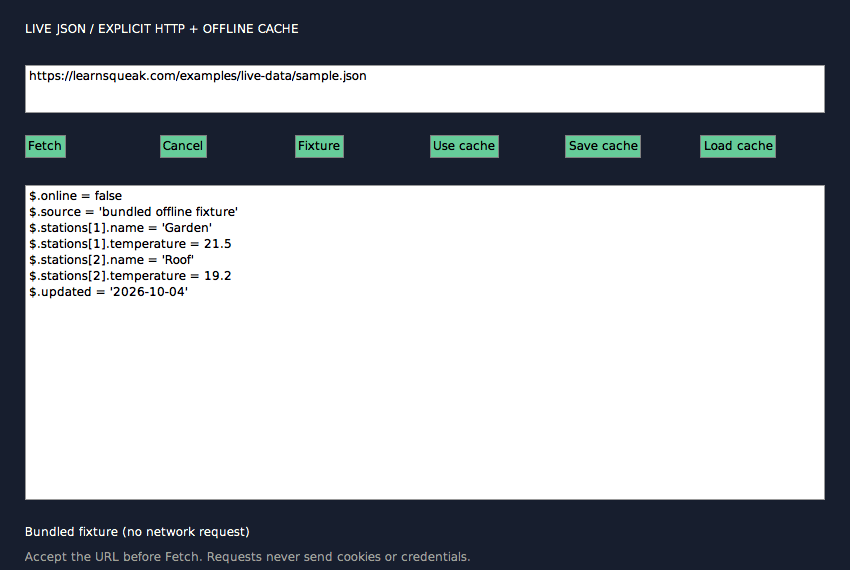
The first model has a URL, a status, the parsed document and cached text. It begins with a bundled synthetic fixture instead of assuming that a network is available. No request runs during initialization.
That is more than a convenience for screenshots. A fixture lets you learn parsing and display independently from DNS, certificates, proxies and service availability. It also gives tests a stable expected result.
LSLiveDataBrowser >> initialize
initialize
 super initialize.
 self color: (Color r: 0.09 g: 0.12 b: 0.18); extent: 850@570.
 url := 'https://learnsqueak.com/examples/live-data/sample.json'.
 generation := 0. stage := 9.
 status := 'Offline fixture ready. Fetch is always an explicit action'.
 self useFixture.
 self installControls
Where to run this
File in live-data-01.st in a practice image. It includes the complete backing class and opens this stage. To study the construction, select LSLiveDataBrowser in the Browser and compare the method below. The standalone opening block can be run with Do it after the source is installed.
Workspace · Do it after installing this checkpoint; close the previous panel first
Workspace · run after installing this checkpoint
LSLiveDataBrowser new stage: 1; openInWorld
Expected result
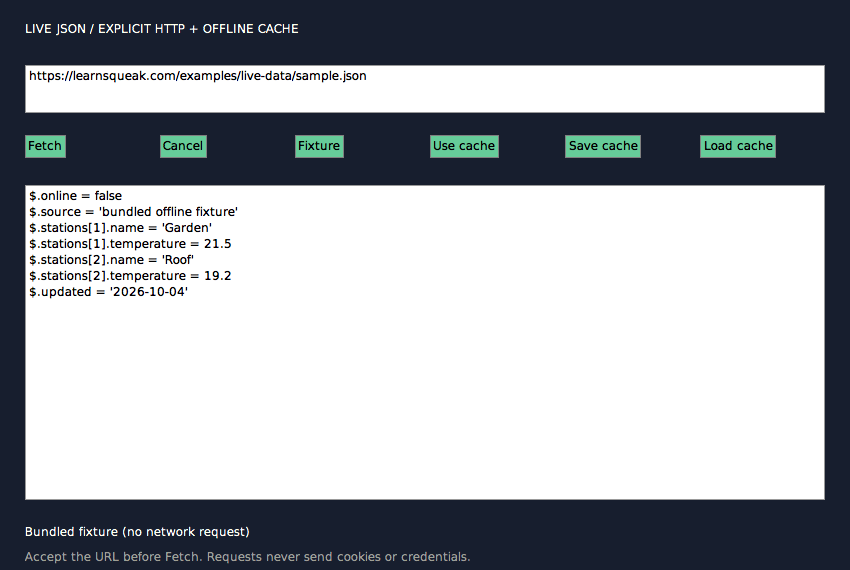
The panel reports that the bundled offline fixture is in use.
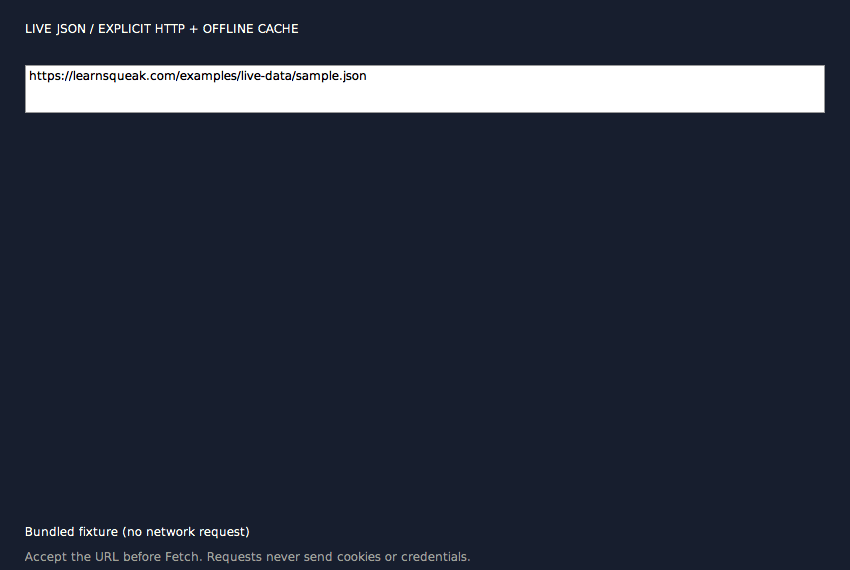
The URL pane follows Squeak’s accept-edit convention. Accept the text before Fetch; an unaccepted draft is not the model’s address. The setter accepts HTTP or HTTPS and rejects embedded credentials and unusually long addresses.
Changing the URL does not make a request. It only changes configuration. The user must still choose Fetch, which makes network activity easy to understand and test.
LSLiveDataBrowser >> url:
url: text
 | address |
 address := text asString.
 ((address beginsWith: 'http://') or: [address beginsWith: 'https://']) ifFalse: [status := 'Only HTTP or HTTPS URLs are accepted'. self changed. ^ false].
 ((address includes: $@) or: [address size > 2048]) ifTrue: [status := 'Credentials in URLs are not accepted'. self changed. ^ false].
 url := address withBlanksTrimmed. self changed: #url. ^ true
Where to run this
File in live-data-02.st in a practice image. It includes the complete backing class and opens this stage. To study the construction, select LSLiveDataBrowser in the Browser and compare the method below. The standalone opening block can be run with Do it after the source is installed.
Workspace · Do it after installing this checkpoint; close the previous panel first
Workspace · run after installing this checkpoint
LSLiveDataBrowser new stage: 2; openInWorld
Expected result
A native text pane displays the public tutorial-fixture URL.
The parser is the image’s Json reader with constructor support disabled and stricter string escapes. A preflight pass bounds text size and nesting depth before recursive parsing. The root must be an object or array.
After parsing, describe:path:on: walks dictionaries and arrays and prints leaf values. It sorts object keys for a stable display. It never sends messages named by the server, compiles text or evaluates a Smalltalk expression.
LSLiveDataBrowser >> validateText:
validateText: text
 | depth quoted escaped result |
 text size > 65536 ifTrue: [self error: 'JSON is larger than 64 KiB'].
 self checkNumericTokens: text.
 depth := 0. quoted := false. escaped := false.
 text do: [:ch |
 quoted ifTrue: [escaped ifTrue: [escaped := false] ifFalse: [ch = $\ ifTrue: [escaped := true] ifFalse: [ch = $" ifTrue: [quoted := false]]]]
 ifFalse: [ch = $" ifTrue: [quoted := true] ifFalse: [
 ('[{' includes: ch) ifTrue: [depth := depth+1. depth > 12 ifTrue: [self error: 'JSON nesting exceeds 12']].
 (']}' includes: ch) ifTrue: [depth := depth-1]]]].
 result := (LSDataJSON new ctorMap: nil; dictionaryClass: Dictionary; yourself) readFromString: text withBlanksTrimmed.
 ((result isKindOf: Dictionary) or: [result isArray]) ifFalse: [self error: 'Expected an object or array at the root'].
 ^ result
File in live-data-03.st in a practice image. It includes the complete backing class and opens this stage. To study the construction, select LSLiveDataBrowser in the Browser and compare the method below. The standalone opening block can be run with Do it after the source is installed.
Workspace · Do it after installing this checkpoint; close the previous panel first
Workspace · run after installing this checkpoint
LSLiveDataBrowser new stage: 3; openInWorld
Expected result
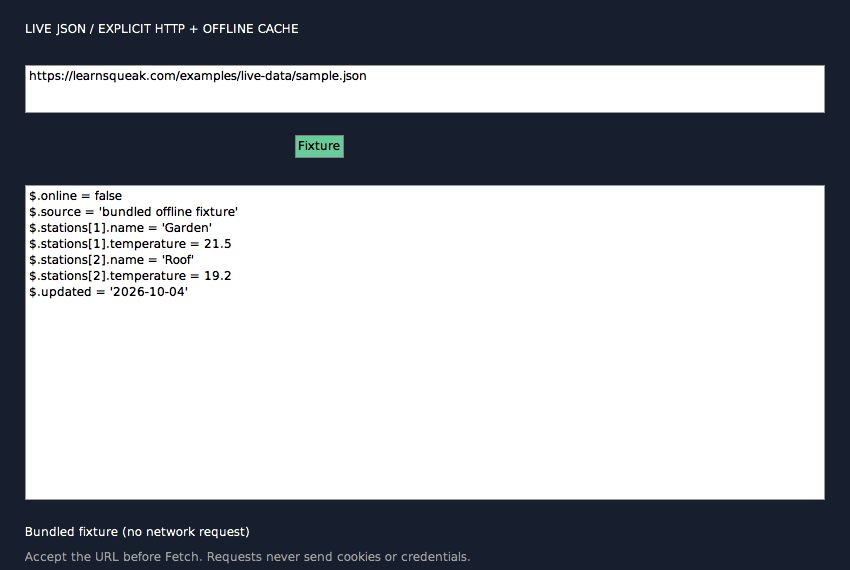
The fixture’s source, stations and Boolean flag appear as a path/value listing.
WebClient supplies the socket and TLS machinery. The small LSBoundedClient subclass returns headers before consuming the body, allowing our code to reject oversized and unsupported responses first. Automatic authentication, cookies, redirects and compression are disabled.
The request asks for JSON and an identity encoding. A response must have a successful status and a bounded Content-Length. This is intentionally narrower than a general-purpose web browser; unsupported services fail clearly rather than silently changing the request policy.
File in live-data-04.st in a practice image. It includes the complete backing class and opens this stage. To study the construction, select LSLiveDataBrowser in the Browser and compare the method below. The standalone opening block can be run with Do it after the source is installed.
Workspace · Do it after installing this checkpoint; close the previous panel first
Workspace · run after installing this checkpoint
LSLiveDataBrowser new stage: 4; openInWorld
Expected result
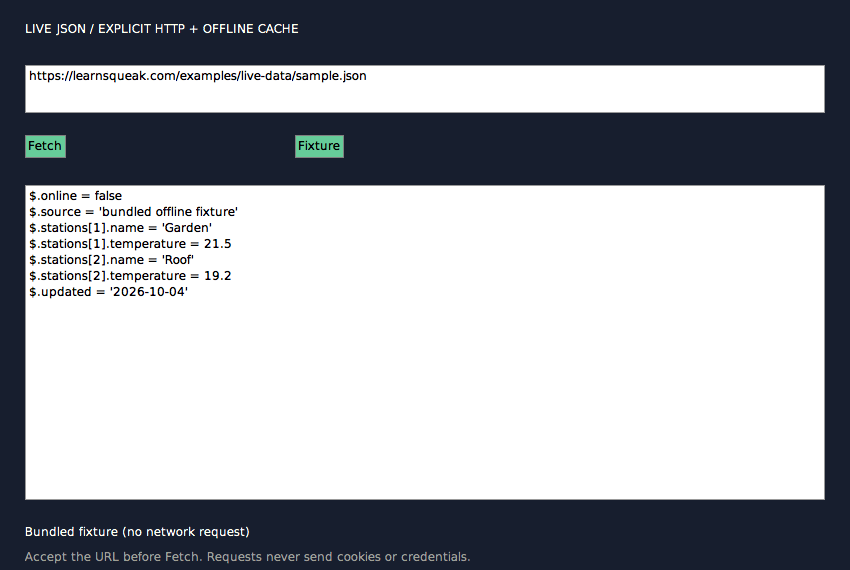
Fetch becomes available. Success installs a validated document; an HTTP error retains the current one.
05 · Keep the interface responsive and cancel safely
The HTTP work runs in a background Process. When it finishes, a deferred UI message updates the Morphic model on the UI side. A generation number identifies which request owns that result.
Cancel increments the generation, terminates the owned worker and closes its client. A deferred response from an older request therefore cannot overwrite a newer document. Deleting the Morph follows the same cleanup path.
File in live-data-05.st in a practice image. It includes the complete backing class and opens this stage. To study the construction, select LSLiveDataBrowser in the Browser and compare the method below. The standalone opening block can be run with Do it after the source is installed.
Workspace · Do it after installing this checkpoint; close the previous panel first
Workspace · run after installing this checkpoint
LSLiveDataBrowser new stage: 5; openInWorld
Expected result
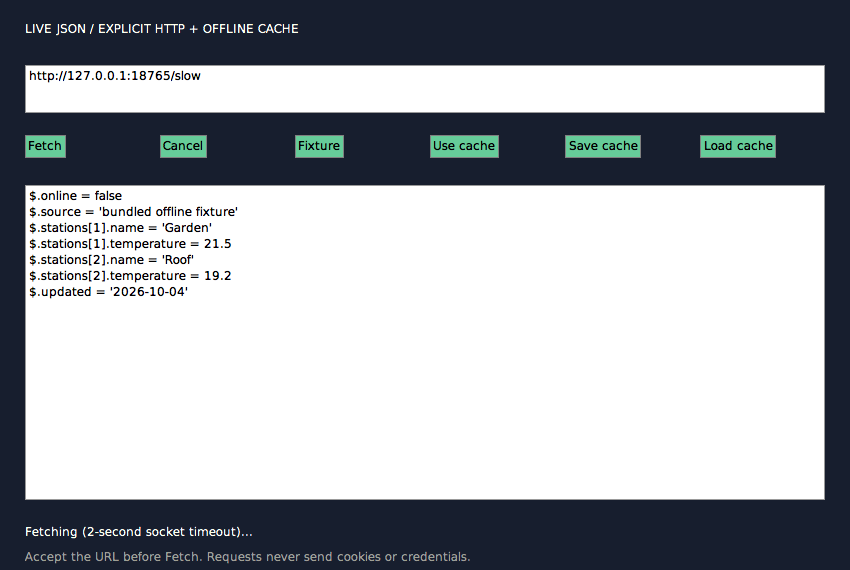
Cancel is available during a request. The existing display remains usable while the worker waits.
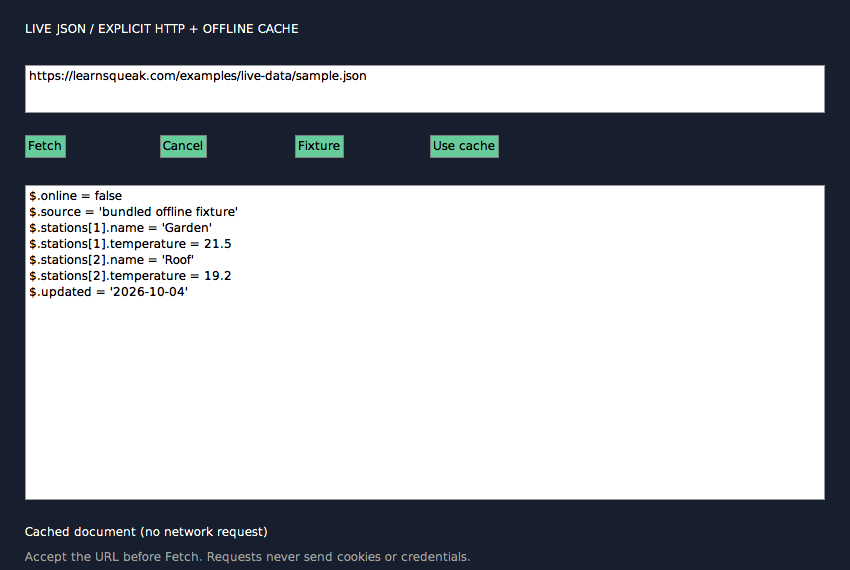
A document becomes the cache only after the entire response has passed parsing and root validation. A malformed replacement cannot corrupt the working data. Use cache cancels pending work and restores that last valid text without any network request.
The status always distinguishes a fetched response, a bundled fixture and cached data. A cached answer is useful, but it should never masquerade as newly fetched information.
File in live-data-06.st in a practice image. It includes the complete backing class and opens this stage. To study the construction, select LSLiveDataBrowser in the Browser and compare the method below. The standalone opening block can be run with Do it after the source is installed.
Workspace · Do it after installing this checkpoint; close the previous panel first
07 · Exercise success and failure against a real fixture server
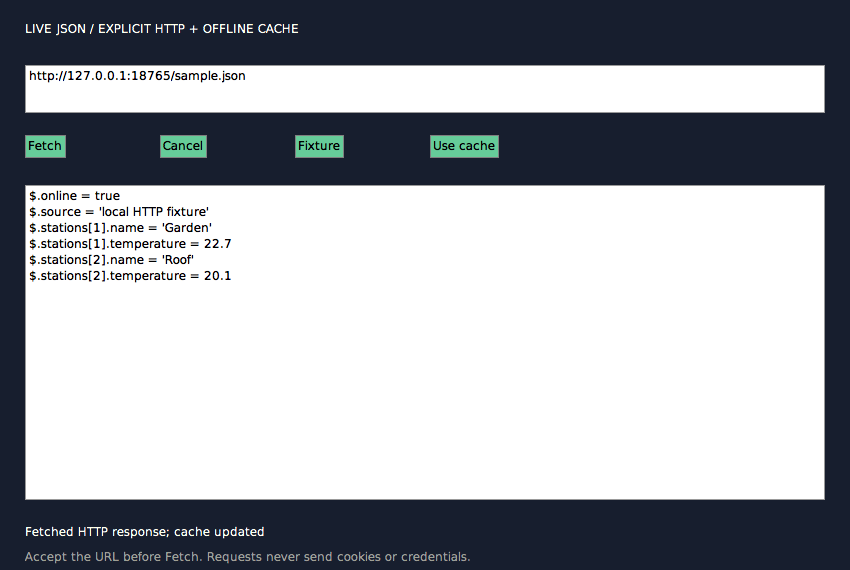
The screenshot and GIF use an actual local HTTP server, not a mocked success flag. The server returns a known JSON document, a malformed body, an oversized body, a 404 and a delayed response on separate paths. Download the optional Python fixture to reproduce those network tests.
Start that fixture beside Squeak, accept http://127.0.0.1:18765/sample.json in the URL pane, and Fetch. Then try /bad, /large, /missing and /slow. The last good document must survive each failure. The application itself requires no Python or add-on package.
File in live-data-07.st in a practice image. It includes the complete backing class and opens this stage. To study the construction, select LSLiveDataBrowser in the Browser and compare the method below. The standalone opening block can be run with Do it after the source is installed.
Workspace · Do it after installing this checkpoint; close the previous panel first
Workspace · run after installing this checkpoint
LSLiveDataBrowser new stage: 7; openInWorld
Expected result
The recorded local request changes online from false to true and reports Fetched HTTP response; cache updated.
Real Squeak 6.1 capture. The HTTP screenshot uses the optional local fixture server.
08 · Save and load a local cache
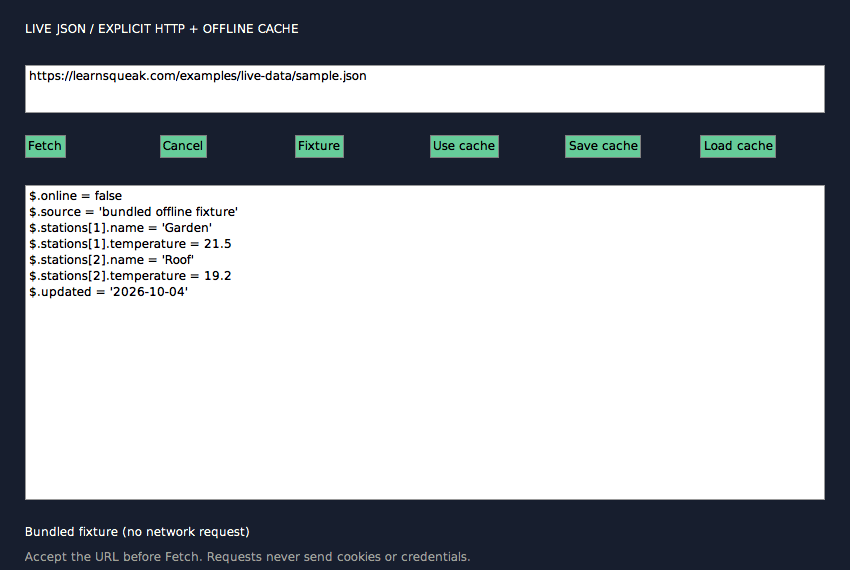
Save cache writes the parsed document back as JSON under a new filename. Existing files are refused. Load cache bounds the file size and uses the same validation path as a network response.
A canceled filename dialog does nothing. A malformed file produces an error while preserving the old document. Use only tutorial-created files while experimenting; saving a cache is a data operation, not a source-code file-in.
LSLiveDataBrowser >> loadFrom:
loadFrom: path
 | stream text |
 stream := FileStream readOnlyFileNamed: path.
 [stream size > 65536 ifTrue: [self error: 'Cache file too large']. text := stream contentsOfEntireFile] ensure: [stream close].
 self cancel.
 self commitText: text label: 'Loaded local cache (no network request)'
Where to run this
File in live-data-08.st in a practice image. It includes the complete backing class and opens this stage. To study the construction, select LSLiveDataBrowser in the Browser and compare the method below. The standalone opening block can be run with Do it after the source is installed.
Workspace · Do it after installing this checkpoint; close the previous panel first
Workspace · run after installing this checkpoint
LSLiveDataBrowser new stage: 8; openInWorld
Expected result
Save cache and Load cache appear, and loaded data is labeled local rather than online.
The final workflow has three independent controls: URL acceptance, explicit fetching and explicit cache use. Try a valid fetch, cancel a slow request, restore the fixture and reload a saved cache.
When adapting this to a real service, first check its response format and transfer requirements. Authentication, pagination and streaming are separate features; do not add them by removing the checks here. The exercises extend the display and validation while keeping the request boundary clear.
LSLiveDataBrowser >> cancel
cancel
 generation := generation+1.
 worker ifNotNil: [worker terminate. worker := nil].
 client ifNotNil: [client close. client := nil].
 status := 'Cancelled. Last good document retained'. self changed
Where to run this
File in live-data-09.st in a practice image. It includes the complete backing class and opens this stage. To study the construction, select LSLiveDataBrowser in the Browser and compare the method below. The standalone opening block can be run with Do it after the source is installed.
Workspace · Do it after installing this checkpoint; close the previous panel first
Workspace · run after installing this checkpoint
LSLiveDataBrowser new openInWorld
Expected result
The complete tool opens offline and supports deliberate requests, cancellation, cache recovery and local cache files.
These animations are captured frame sequences from genuine native Squeak executions. Actions were scripted for reproducibility. Playback is illustrative and is not a performance measurement. No animation starts until you press Play demo.
NATIVE SQUEAK CAPTURE
Actual loopback HTTP success followed by cache use and malformed-JSON rejection. The local server supplies synthetic values; it is not an external weather service.
NATIVE SQUEAK CAPTURE
Cancel an actual delayed local request, use the retained cache, parse another data-only fixture and return to the bundled fixture.
Practice with tested solutions
1. Extract fixture temperatures
Use normal Smalltalk collection messages on the parsed document.
Hint
The stations key maps to an array of dictionaries.
Show a tested solution
Workspace · Print it after installing the complete application source
20 SUnit tests for this lesson pass, alongside all nine independent checkpoint executions and three exact exercise solutions.
The source, visible method bodies, independent stage runs and exercises were executed in stock Squeak 6.1. Additional SUnit checks cover boundaries and actual native events.
The four related applications pass 56 tests together in a fresh baseline image.
An independent review exercised real editor acceptance, native events, bounded input, request cancellation and persistence behavior; verified defects were fixed before publication.
Delete the tutorial Morph through its halo when finished. The sequencer stops stepping and the JSON browser cancels its owned worker during deletion. Saving an image is separate from saving application data.
The educational client accepts HTTP/HTTPS responses with a Content-Length of at most 64 KiB. Chunked or compressed responses are deliberately unsupported. It does not follow redirects or perform authentication.
The sample endpoint contains synthetic demonstration data, not live weather or personal information. Native network tests and recorded request demos used a real loopback HTTP server with deterministic responses.
Socket operations have a two-second timeout and the worker has a five-second deadline. DNS, TLS and proxy behavior depend on the VM and environment; an error leaves the cache available. Never disable certificate checks to make a request succeed.
The default URL is a public tutorial fixture. Only enter URLs you intend to contact. No cookies or credentials are sent by this client; query strings are still transmitted to the server.
The path listing uses Smalltalk’s one-based array indexes and simple dotted labels; it is not a full JSONPath implementation. Cache saving is create-only, without a crash-safe transactional save protocol.
The flattened display is bounded to 64 KiB and each field path to 1024 characters. An oversized rendering is rejected before replacing the document or cache.
Before the standard numeric parser runs, numeric tokens are limited to 40 characters and exponent magnitudes to 100. This rejects tiny inputs that would otherwise demand excessive parsing work.