The separate playground loads the real Smalltalk image on demand. This lesson keeps its native setup instructions; browser compatibility notes appear beside each demo.
Before you start
Turn pointer events into editable pixels, then add colors, brush size, erasing, bounded undo, and recoverable PNG export.
Save a copy of your Squeak image before the lesson. Each checkpoint is a complete cumulative .st file and can be filed into a fresh Squeak 6.1 image.
Download one checkpoint and put it beside your image. Open the File List, select the file, and choose fileIn. Alternatively run FileStream fileIn: followed by the quoted full file path in a Workspace.
Run the exact Workspace block below the checkpoint. It opens a fixed-size native SystemWindow. Close the previous checkpoint window before loading the next source; confirm discard only when you intend to.
The final source and its SUnit test source are separate downloads. File in the app first, then the tests. Open Test Runner and run LearningPaintTest. Tests use UUID-named files inside a tutorial-owned test folder beneath the image directory.
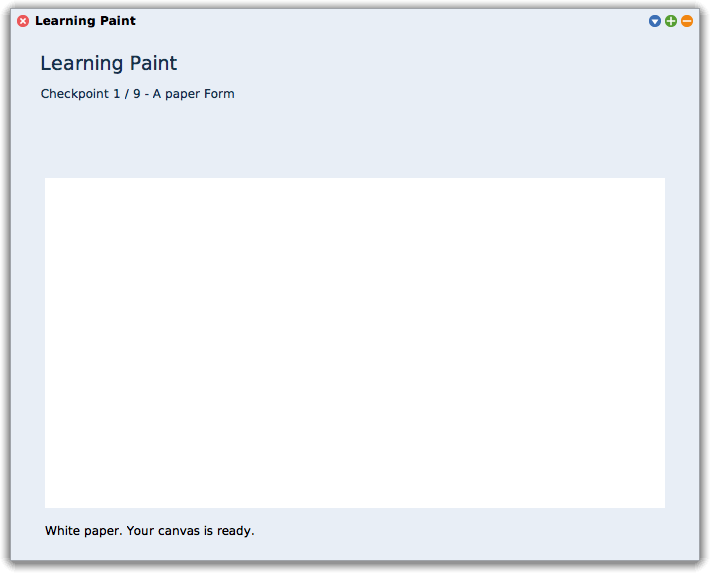
A Morph is a visible object; a Form is a bitmap. The canvas owns a 620 by 330 Form and draws that image whenever Morphic repaints. White pixels are the paper, not a second background layer. Keeping pixels in one object makes undo and PNG export straightforward.
Where to run this
System Browser, LearningPaintCanvas, instance side, method initialize. This excerpt is already installed by checkpoint 01; use it to understand the change, or accept the same method in that class. Do not paste a method definition into a Workspace.
Construction code · follow the run instructions above
initialize
 super initialize.
 self extent: 620@330; color: Color white.
 paper := Form extent: self extent depth: 32.
 paper fillColor: Color white.
 savedBits := paper bits copy.
 fileStore := LearningTutorialFiles new.
 ink := Color fromString: '#2563EB'.
 brushSize := 8.
 erasing := false.
 history := OrderedCollection new.
 drawing := false
After filing in the checkpoint, paste the whole block into a Workspace and choose Do it (Ctrl+D / Cmd+D). It returns the app instance.
Workspace · run after installing this checkpoint
LearningPaintApp open
extent: creates the canvas size; Form extent:depth: allocates 32-bit pixels
fillColor: establishes the initial blank state
drawOn: draws the stored bitmap at the Morph position
The app window has a fixed size. The exported image will always be 620 by 330 pixels.
Expected result
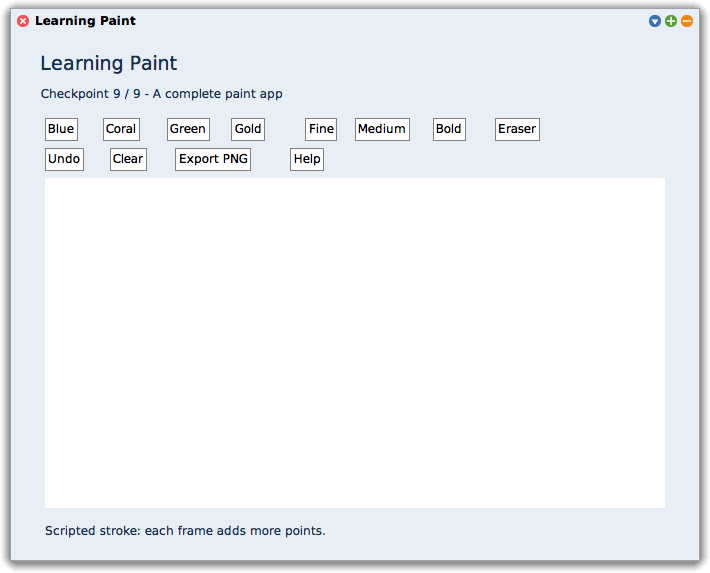
A blank native Squeak window with a white paper area
Native Squeak 6.1 checkpoint 01. Scripted messages produced this app state; this is a real Morphic render.
02 · Mouse events draw
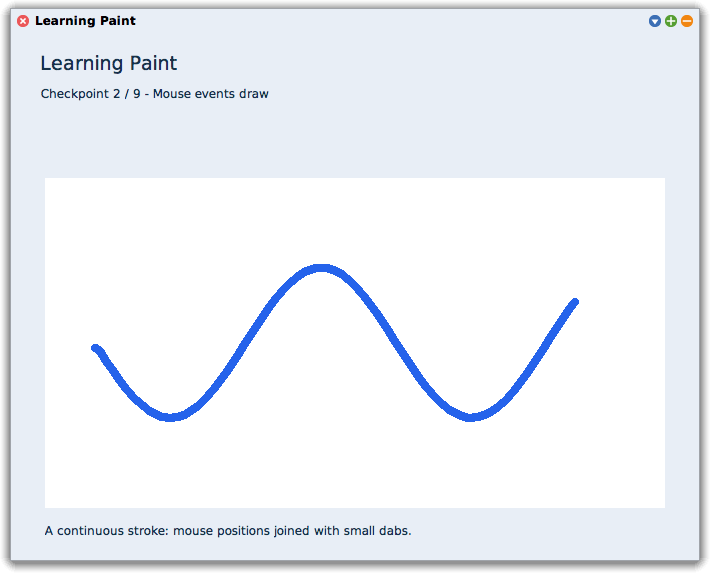
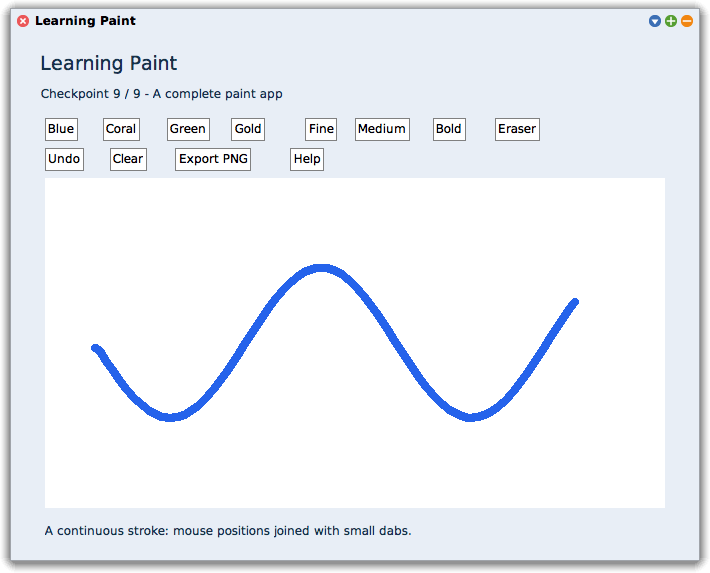
Mouse positions arrive in world coordinates. Subtract the canvas position to get paper coordinates. A press starts one stroke, movement joins the last point to the next, and release ends it. Interpolating dabs between events prevents gaps when you drag quickly.
Where to run this
System Browser, LearningPaintCanvas, instance side, method continueStrokeAt:. This excerpt is already installed by checkpoint 02; use it to understand the change, or accept the same method in that class. Do not paste a method definition into a Workspace.
Construction code · follow the run instructions above
continueStrokeAt: aPoint
 | point delta steps |
 drawing ifFalse: [^ false].
 point := self clamped: aPoint.
 delta := point - lastPoint.
 steps := ((delta x abs max: delta y abs) max: 1) rounded.
 1 to: steps do: [:index |
   self stampAt: lastPoint + (delta * index / steps)].
 lastPoint := point.
 ^ true
After filing in the checkpoint, paste the whole block into a Workspace and choose Do it (Ctrl+D / Cmd+D). It returns the app instance.
Native Squeak 6.1 checkpoint 02. Scripted messages produced this app state; this is a real Morphic render.
03 · Choose your palette
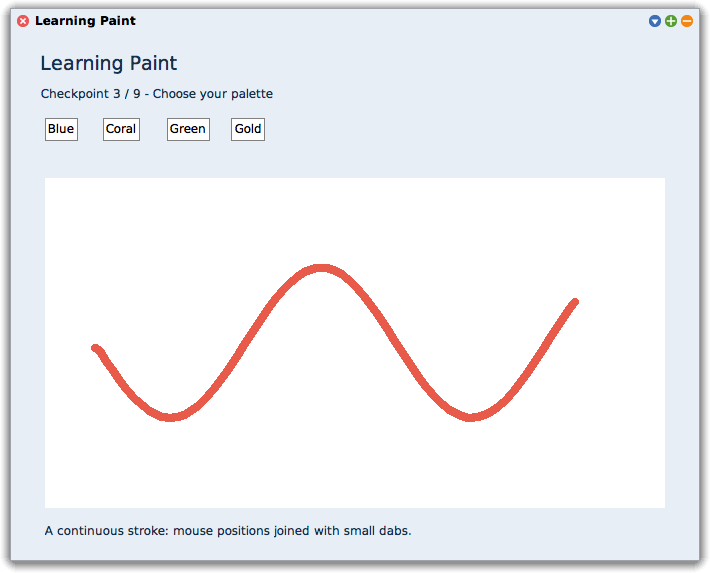
Palette buttons send chooseColor: to the app. The app delegates ink: to its canvas. A color is an object, not a word to interpret; the toolbar passes Color instances directly. Choosing a color also turns off the eraser so the next stroke uses the requested ink.
Where to run this
System Browser, LearningPaintCanvas, instance side, method ink:. This excerpt is already installed by checkpoint 03; use it to understand the change, or accept the same method in that class. Do not paste a method definition into a Workspace.
Construction code · follow the run instructions above
ink: aColor
 ink := aColor.
 erasing := false
After filing in the checkpoint, paste the whole block into a Workspace and choose Do it (Ctrl+D / Cmd+D). It returns the app instance.
Native Squeak 6.1 checkpoint 03. Scripted messages produced this app state; this is a real Morphic render.
04 · Control brush size
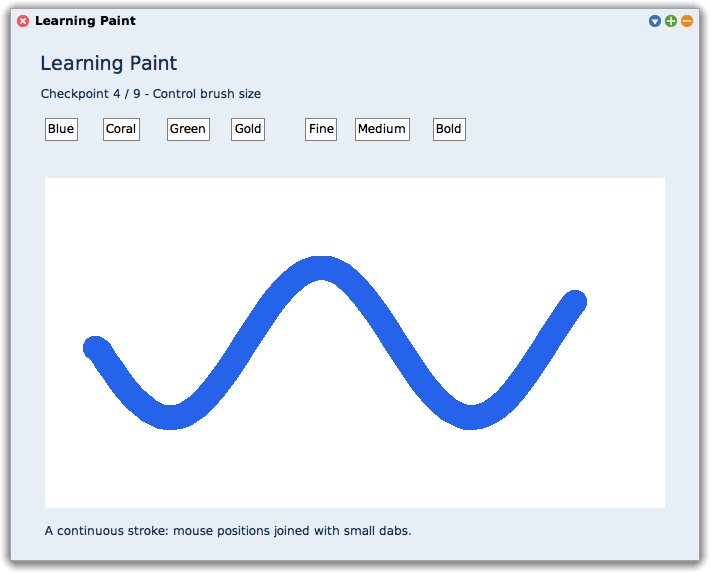
The brush size is a diameter in pixels. Round fractional inputs and clamp the value between 1 and 50. Validation belongs in brushSize:, so a toolbar click and a Workspace message follow exactly the same rule. A large brush paints the same path with larger circles.
Where to run this
System Browser, LearningPaintCanvas, instance side, method brushSize:. This excerpt is already installed by checkpoint 04; use it to understand the change, or accept the same method in that class. Do not paste a method definition into a Workspace.
Construction code · follow the run instructions above
Native Squeak 6.1 checkpoint 04. Scripted messages produced this app state; this is a real Morphic render.
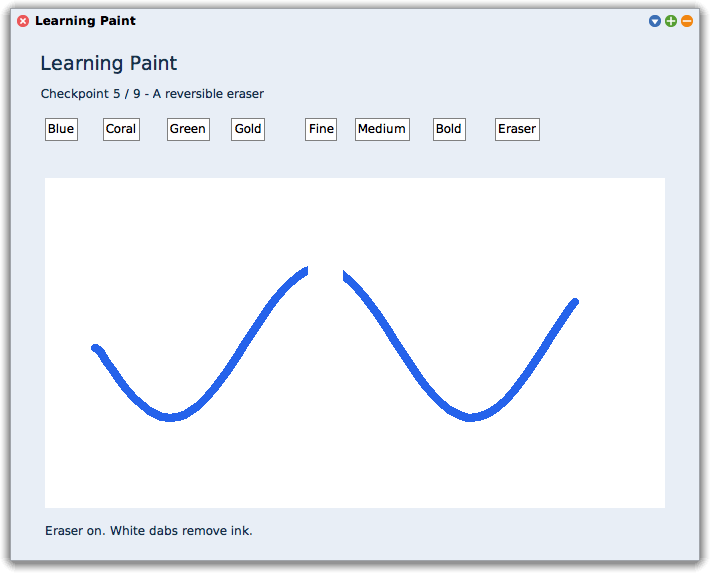
05 · A reversible eraser
This bitmap app has an opaque white paper. Erasing paints white using the same stroke algorithm. The eraser flag is separate from ink, so switching the eraser off restores the selected color. An eraser stroke becomes undoable once the next checkpoint adds history.
Where to run this
System Browser, LearningPaintCanvas, instance side, method stampAt:. This excerpt is already installed by checkpoint 05; use it to understand the change, or accept the same method in that class. Do not paste a method definition into a Workspace.
Construction code · follow the run instructions above
Native Squeak 6.1 checkpoint 05. Scripted messages produced this app state; this is a real Morphic render.
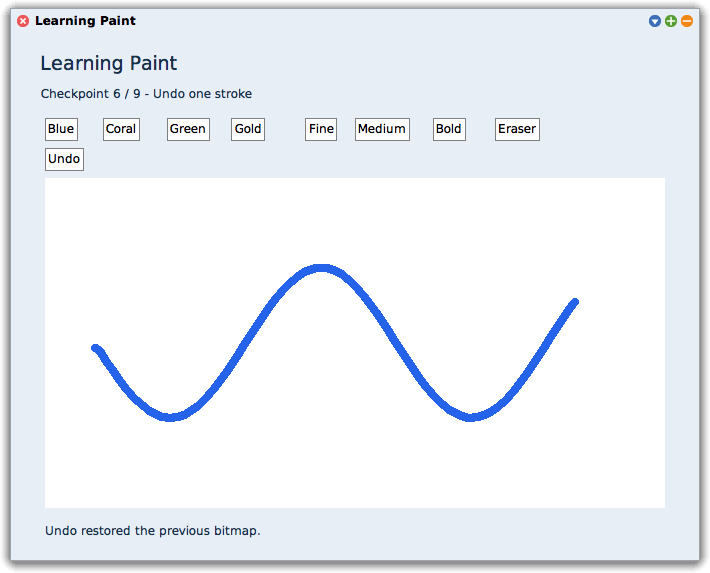
06 · Undo one stroke
Remember one deep copy when the stroke starts, before changing any pixels. Hundreds of pointer moves then belong to the same operation. Undo removes the newest saved Form and makes it the current paper. Keep the last 20 changes, dropping the oldest when the limit is exceeded.
Where to run this
System Browser, LearningPaintCanvas, instance side, method rememberPaper. This excerpt is already installed by checkpoint 06; use it to understand the change, or accept the same method in that class. Do not paste a method definition into a Workspace.
Construction code · follow the run instructions above
rememberPaper
 history addLast: paper deepCopy.
 history size > 20 ifTrue: [history removeFirst]
After filing in the checkpoint, paste the whole block into a Workspace and choose Do it (Ctrl+D / Cmd+D). It returns the app instance.
Native Squeak 6.1 checkpoint 06. Scripted messages produced this app state; this is a real Morphic render.
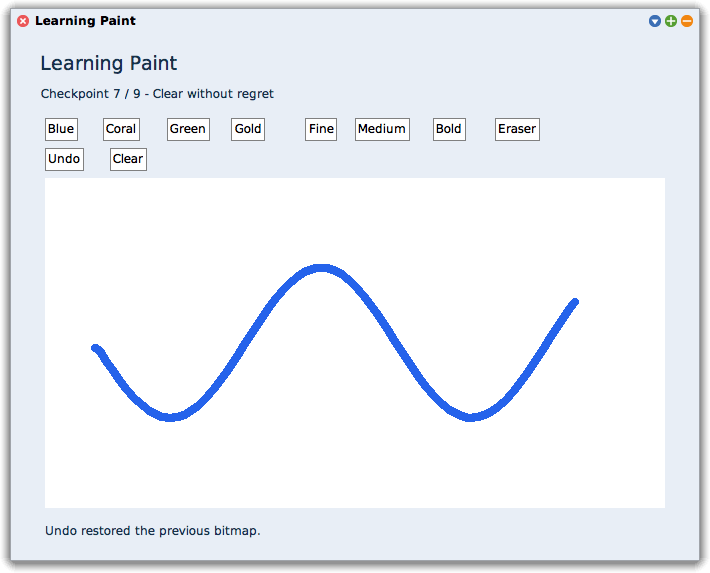
07 · Clear without regret
Clearing a canvas is a mutation, so it needs the same history boundary as a stroke. End any active stroke, save the current bitmap, then fill the paper with white. The script clears and immediately undoes the clear, showing that the drawing survives the round trip.
Where to run this
System Browser, LearningPaintCanvas, instance side, method clearPaper. This excerpt is already installed by checkpoint 07; use it to understand the change, or accept the same method in that class. Do not paste a method definition into a Workspace.
Construction code · follow the run instructions above
clearPaper
 self endStroke.
 self rememberPaper.
 paper fillColor: Color white.
 self changed
After filing in the checkpoint, paste the whole block into a Workspace and choose Do it (Ctrl+D / Cmd+D). It returns the app instance.
Native Squeak 6.1 checkpoint 07. Scripted messages produced this app state; this is a real Morphic render.
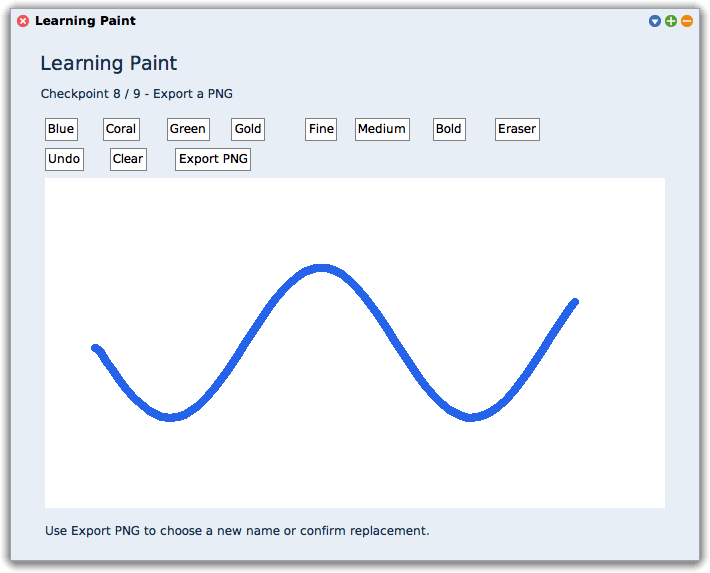
08 · Export a PNG
PNG export writes the paper Form, excluding the toolbar and window. The UI asks before replacing an existing file. The file writer first produces a sibling temporary file, moves an existing destination aside, and restores it if installing the new file fails. Failed export leaves the pixels, history, and saved-state marker unchanged.
Where to run this
System Browser, LearningPaintCanvas, instance side, method exportPNGTo:. This excerpt is already installed by checkpoint 08; use it to understand the change, or accept the same method in that class. Do not paste a method definition into a Workspace.
Construction code · follow the run instructions above
After filing in the checkpoint, paste the whole block into a Workspace and choose Do it (Ctrl+D / Cmd+D). It returns the app instance.
Workspace · run after installing this checkpoint
| app path |
app := LearningPaintApp open.
app drawDemo.
path := FileDirectory default fullNameFor: 'learning-paint-example.png'.
(app canvas exportPNGTo: path)
 ifTrue: [app status: 'PNG exported: learning-paint-example.png']
 ifFalse: [app status: 'Use Export PNG to choose a new name or confirm replacement.'].
app
the one-argument API refuses to overwrite by default
the UI supplies overwrite permission only after confirmation
the saved pixel snapshot changes only after a successful export
The helper provides recoverable replacement for ordinary failures, not a power-loss atomicity guarantee. A storage failure during recovery may leave a .backup-UUID file beside the destination; keep it until recovery is verified.
Expected result
A saved 620 by 330 PNG and the unchanged app drawing
Native Squeak 6.1 checkpoint 08. Scripted messages produced this app state; this is a real Morphic render.
09 · A complete paint app
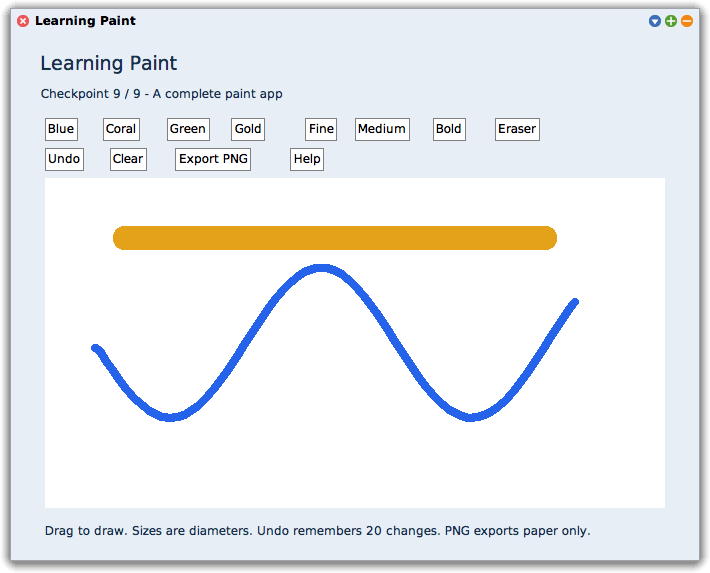
The SystemWindow asks its model okToClose before deletion. Compare current pixels with the last successful export; this also recognizes when Undo returns to a saved image. Cancel leaves the window and drawing intact. The fixed-size window keeps canvas dimensions honest while the test suite checks both model helpers and real dispatched mouse events.
Where to run this
System Browser, LearningPaintApp, instance side, method okToClose. This excerpt is already installed by checkpoint 09; use it to understand the change, or accept the same method in that class. Do not paste a method definition into a Workspace.
Construction code · follow the run instructions above
okToClose
 ^ canvas isDirty not or: [self confirmClose]
After filing in the checkpoint, paste the whole block into a Workspace and choose Do it (Ctrl+D / Cmd+D). It returns the app instance.
Only one beginStrokeAt: is sent, so only one history snapshot is created even though four line segments are drawn.
The test checks four edge pixels, a one-entry history, then exact pixel restoration after Undo.
3. Add a clear-and-restore demonstration
Capture the drawing, clear it, then restore it with Undo. Prove that every pixel is restored, not only one sample point.
Show a tested solution
After filing in the final app, evaluate the complete solution block in a Workspace with Do it.
Exercise solution
| app before |
app := LearningPaintApp open.
app drawDemo.
before := app canvas paper bits copy.
app clearPaper; undo.
app canvas paper bits = before ifFalse: [self error: 'Pixels did not match'].
app