ABSOLUTE BEGINNER
Your first uppercase: change the case of a word
Make text uppercase or lowercase in five tiny visual Squeak steps.
STEP 1
Make a word louder
Single quotes surround text. Select this line and choose Print it. The message asUppercase asks the word for capital letters.
'Squeak' asUppercase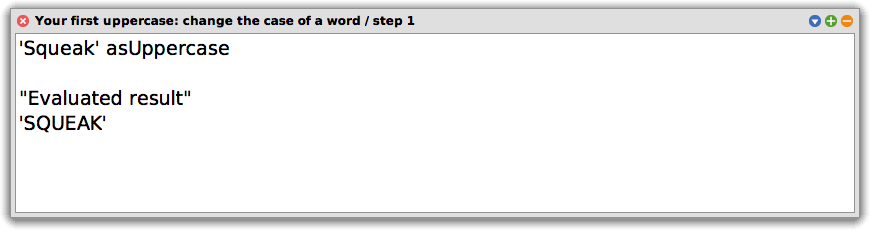
You should see 'SQUEAK'. Try your own short word.
STEP 2
Make it lowercase
Replace the previous example and its answer. This message changes capital letters to lowercase.
'SMALLTALK' asLowercase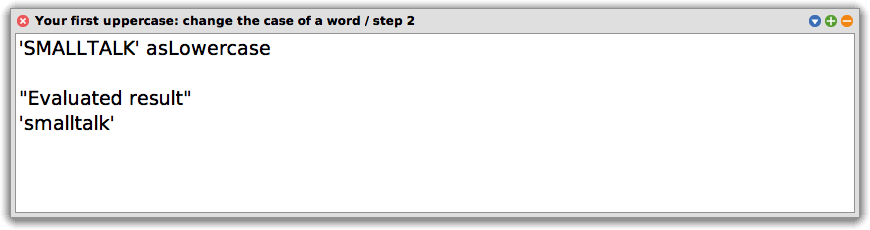
The answer is 'smalltalk'. The word still has nine letters.
STEP 3
Keep spaces and numbers
Spaces and digits do not have letter case. Print this mixed sentence and compare each part.
'Hello 2026!' asUppercase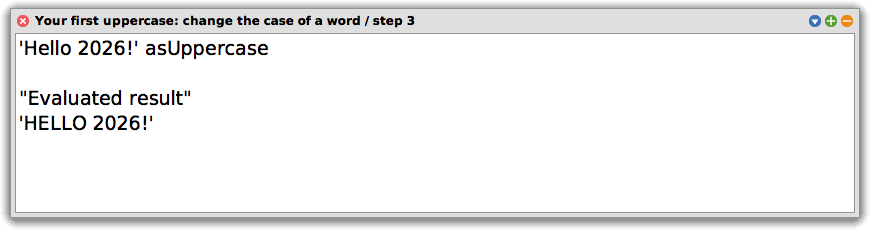
The letters changed; the space, digits and punctuation stayed.
STEP 4
Keep the original too
The name word holds the original. converted holds a separate converted result. Print all four lines together.
| word converted |
word := 'Squeak'.
converted := word asUppercase.
{word. converted}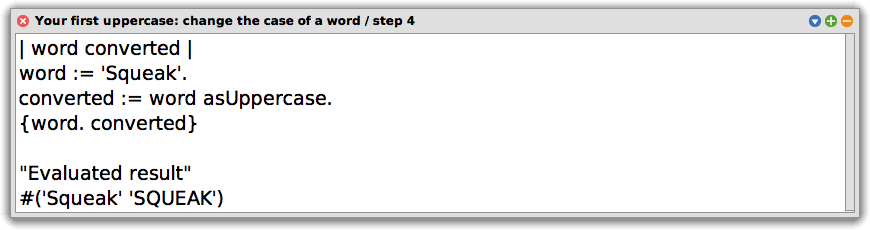
The original is still 'Squeak'; conversion did not replace the value held by word.
STEP 5
Compare two simple words
Parentheses make each conversion clear. The equals message compares their lowercase results.
('HELLO' asLowercase) = ('hello' asLowercase)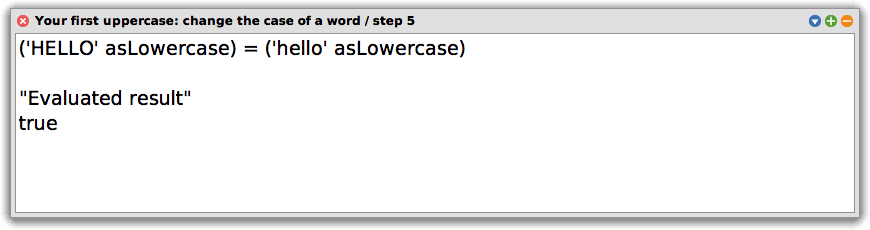
You should see true. Try hello and help to get false. This is a simple example, not a complete rule for comparing every language.
YOU DID IT
A small step. A real result.
asUppercase and asLowercase return converted text. Keep the original when you want both versions.
Optional code download: open it as text and copy one example into Workspace.