The separate playground loads the real Smalltalk image on demand. This lesson keeps its native setup instructions; browser compatibility notes appear beside each demo.
Before you start
Build Sprite Studio: a bounded 12×12 pixel editor with up to eight independent frames, a six-value palette, live playback, adjustable timing, and a portable text save format.
Each checkpoint is a complete cumulative file-in. Work through them in order and inspect the highlighted Browser method, then run the exact Workspace block to see that stage. Each stage adds behavior rather than merely changing a screenshot.
Squeak 6.1 with its bundled SUnit; no additional packages
Basic familiarity with Workspace Do It / Print It and accepting an instance method in a Browser
Save a copy of your learning image. Close the prior lesson window before moving to another checkpoint.
Download the stated .st source. Use Squeak File List → select the file → fileIn. Exclamation-mark source chunks belong in File List, not pasted wholesale into a Workspace.
Run the Workspace block with Do It. To study or change the displayed method, select the named class on the instance side in a Browser and Accept the entire method.
Checkpoint sources are intended for forward progression. For an isolated earlier checkpoint use a fresh Squeak image; filing an older file over a newer one does not remove later methods.
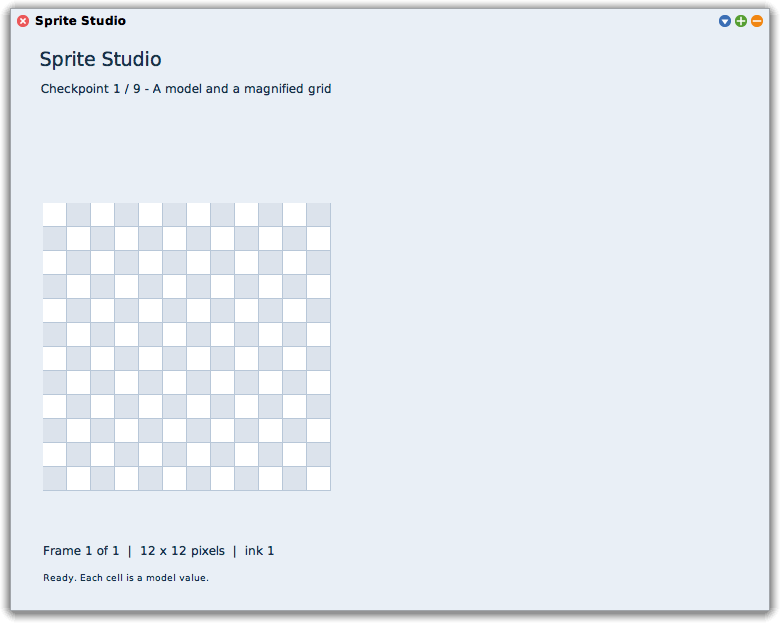
A sprite is data before it is a picture. LSSprite owns an OrderedCollection of frames; each frame is a separate 144-element Array containing palette indices. A 12×12 drawing uses row-major indexing: (row − 1) × 12 + column. Smalltalk arrays start at one, while screen coordinates begin at zero, so keep that conversion in one place. The view reads these values and draws a magnified square for each pixel. Zero is the eraser value, displayed with a checkerboard; it is not stored as an actual transparent Color.
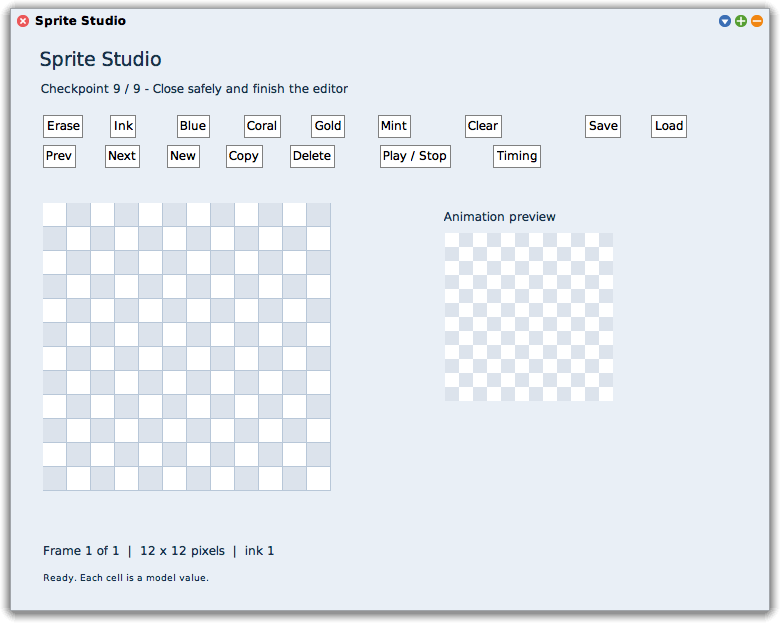
File in the first complete checkpoint, then open the app. The grid is intentionally read-only at this point. Browse LSSprite and LSSpriteGrid to see the boundary between state and rendering. Changing a view’s position never changes the model’s pixel coordinates.
Where to run this
System Browser → LSSprite → instance side → tutorial. Accept this complete method, or file in the complete checkpoint below.
LSSprite · instance-side method
indexOf: cell
 ^ ((cell y - 1) * 12) + cell x
File List → fileIn sprite-editor-01.st, then Workspace → select this entire block → Do It.
Workspace · run after installing this checkpoint
| app |
app := LSSpriteApp open.
app
Try it: Change one coordinate or palette index, then observe the model and view. Keep values within the documented bounds.
Expected result
A native Sprite Studio window showing a blank 12×12 checkerboard.
Genuine native Squeak checkpoint 1; the exact Workspace block above created this state.
02 · Paint through native mouse events
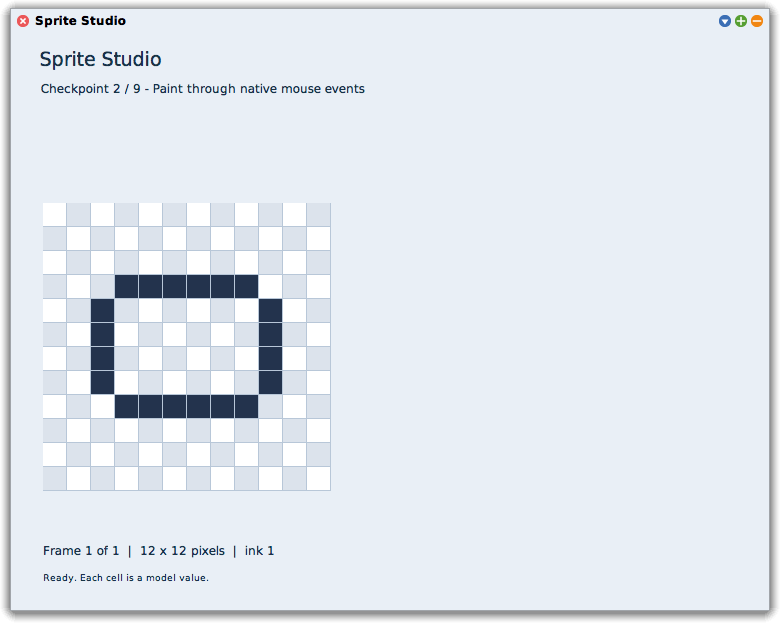
Native events report World coordinates. paintAt: subtracts the grid’s position, rejects points outside the rectangle, divides by the cell size, then adds one to obtain a model cell. The application asks the model to paint and requests a redraw. The model separately validates coordinates and palette indices, so a malformed programmatic call cannot write outside the frame.
mouseDown: begins a stroke, mouseMove: follows it, and mouseUp: ends it. The tests dispatch MouseButtonEvent and MouseMoveEvent through Morph’s handlers, including release outside the grid. This brush paints each cell visited by an event; it does not interpolate skipped cells during fast drags. Use deliberate strokes or click individual pixels.
Where to run this
System Browser → LSSpriteGrid → instance side → tutorial. Accept this complete method, or file in the complete checkpoint below.
LSSpriteGrid · instance-side method
paintAt: point
 | local cell |
 local := point - self position.
 ((0@0 extent: self extent) containsPoint: local) ifFalse: [^ false].
 cell := ((local x // cellSize) + 1) @ ((local y // cellSize) + 1).
 ^ app paintCell: cell
File List → fileIn sprite-editor-02.st, then Workspace → select this entire block → Do It.
Genuine native Squeak checkpoint 2; the exact Workspace block above created this state.
03 · Choose a palette and erase
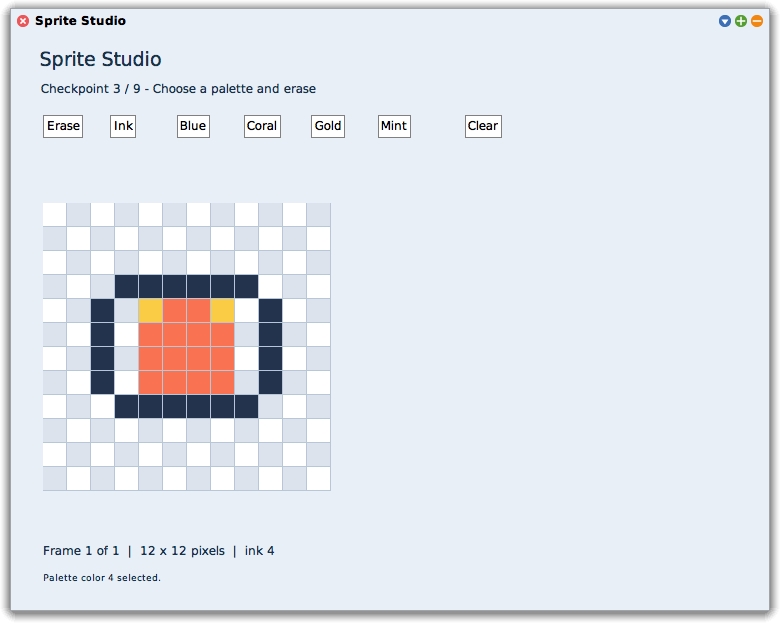
The palette uses six integer values: zero clears a cell and five values draw colors. Choosing a swatch changes the brush, not the frame. drawOn: translates indices to Colors every time it paints. This separation makes persistence compact and keeps a future palette change from requiring a bitmap rewrite.
The Clear button fills only the active frame with zero. It has no undo history in this bounded editor. The code below validates a palette selection before updating the brush. Try painting a two-color shape, erase one pixel, and switch back to the prior color. Watch the status line to confirm the selected tool.
Where to run this
System Browser → LSSpriteApp → instance side → tutorial. Accept this complete method, or file in the complete checkpoint below.
LSSpriteApp · instance-side method
chooseInk: index
 (index isInteger and: [index between: 0 and: 5]) ifFalse: [^ false].
 ink := index. self status: (index = 0 ifTrue: ['Eraser selected. Checkerboard means empty.'] ifFalse: ['Palette color ', index printString, ' selected.']). self refresh. ^ true
File List → fileIn sprite-editor-03.st, then Workspace → select this entire block → Do It.
Genuine native Squeak checkpoint 3; the exact Workspace block above created this state.
04 · Own independent animation frames
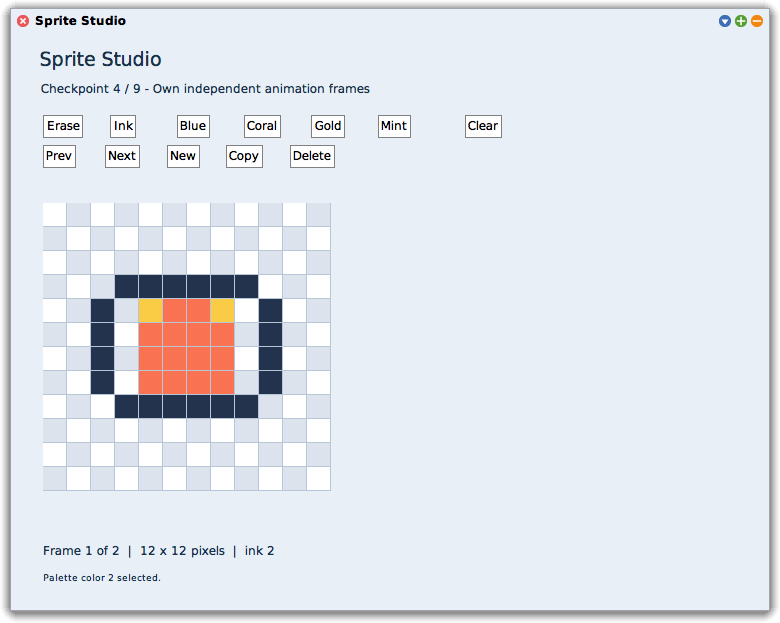
An animation needs multiple independently owned frames. Add creates a blank Array. Copy uses copy to create a new Array with the same integer values, so later edits cannot leak into the original. A shallow copy is sufficient here because the array elements are immutable SmallIntegers. Copying a collection of mutable objects would require more care.
The editor holds one to eight frames. New and Copy select the appended frame; Delete refuses to remove the last one. Previous and Next wrap around the collection. Painting and deletion operate on the selected frame. The tests cover the maximum count, invalid selection, blank-frame independence, and duplicate-frame independence.
Where to run this
System Browser → LSSprite → instance side → tutorial. Accept this complete method, or file in the complete checkpoint below.
Genuine native Squeak checkpoint 4; the exact Workspace block above created this state.
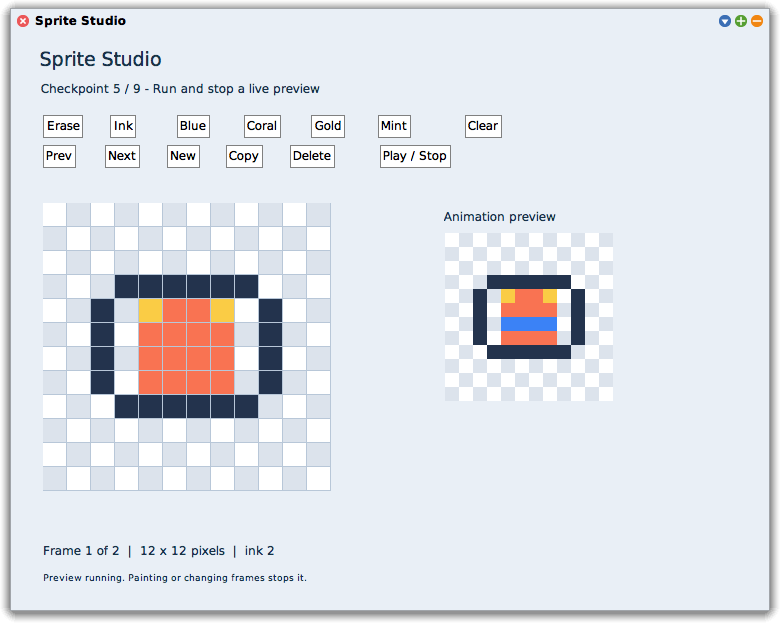
05 · Run and stop a live preview
Playback has its own previewIndex. It never changes the selected editing frame. Morphic’s stepping mechanism calls step periodically; step advances the index and sends changed to invalidate the preview’s display. startStepping registers the app in its World, and stopStepping unregisters it. This is cooperative UI work, not a separate animation process.
Play / Stop toggles the same state machine. Painting or navigating frames stops playback first. The tests verify both the visible state and actual stepping registration. Closing the window also stops the timer. The preview uses enlarged squares; it is a native rendering of the frame data, not a video export.
Where to run this
System Browser → LSSpriteApp → instance side → tutorial. Accept this complete method, or file in the complete checkpoint below.
Genuine native Squeak checkpoint 5; the exact Workspace block above created this state.
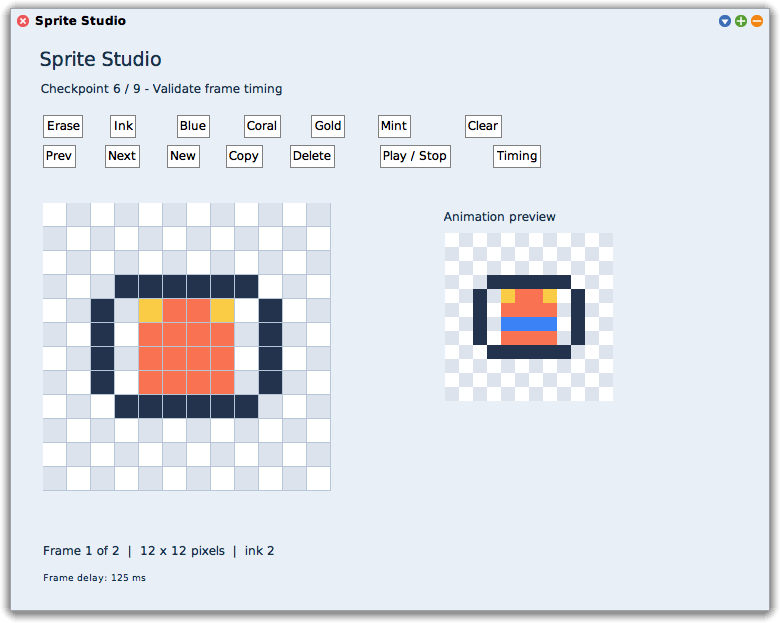
06 · Validate frame timing
Frame timing is a validated integer count of milliseconds. stepTime answers the model’s delay. A successful change restarts the registration when the preview is already running, so the current stepping schedule receives the new value. The accepted range is 50 through 1000 milliseconds, equivalent to approximately 20 through 1 frames per second.
The dialog can answer nil on Cancel. Empty text, fractional text, signs, exponent notation, and out-of-range values are rejected without changing the delay. The parser accepts only bounded decimal digits before converting to a number. This makes validation deliberate and testable without opening a modal dialog in a test.
Where to run this
System Browser → LSSpriteApp → instance side → tutorial. Accept this complete method, or file in the complete checkpoint below.
Genuine native Squeak checkpoint 6; the exact Workspace block above created this state.
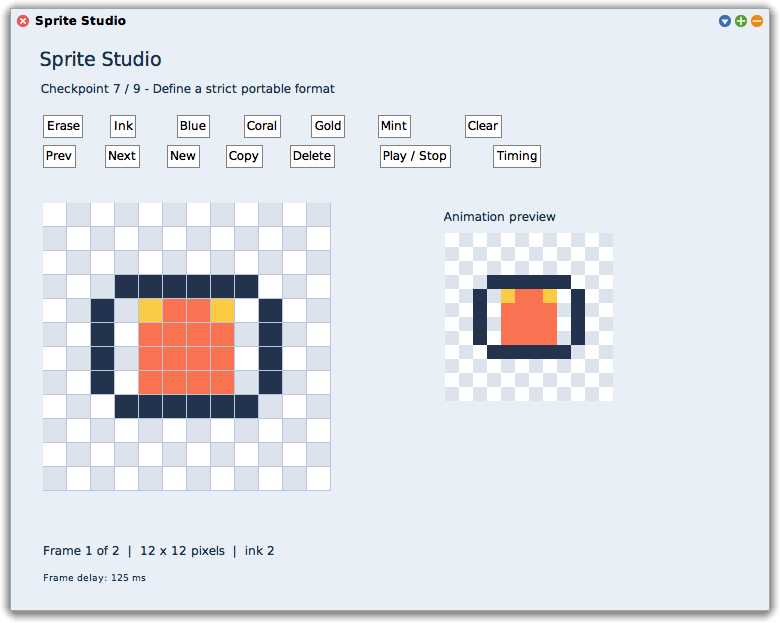
07 · Define a strict portable format
A save format needs a contract. LSSPRITE1 is a version tag followed by delay, frame count, selected frame, and exactly 144 values per frame. The reader checks the header, ranges, total token count, and every palette index. It builds newFrames in local variables before assigning any instance variable. A malformed file therefore cannot leave half the document replaced.
The format is plain text with decimal integers; no source is evaluated and no arbitrary object graph is deserialized. asText is deterministic, which also lets isDirty compare current content with the last saved representation. Frame selection is part of this format, so changing the selection counts as a change after saving.
Where to run this
System Browser → LSSprite → instance side → tutorial. Accept this complete method, or file in the complete checkpoint below.
Genuine native Squeak checkpoint 7; the exact Workspace block above created this state.
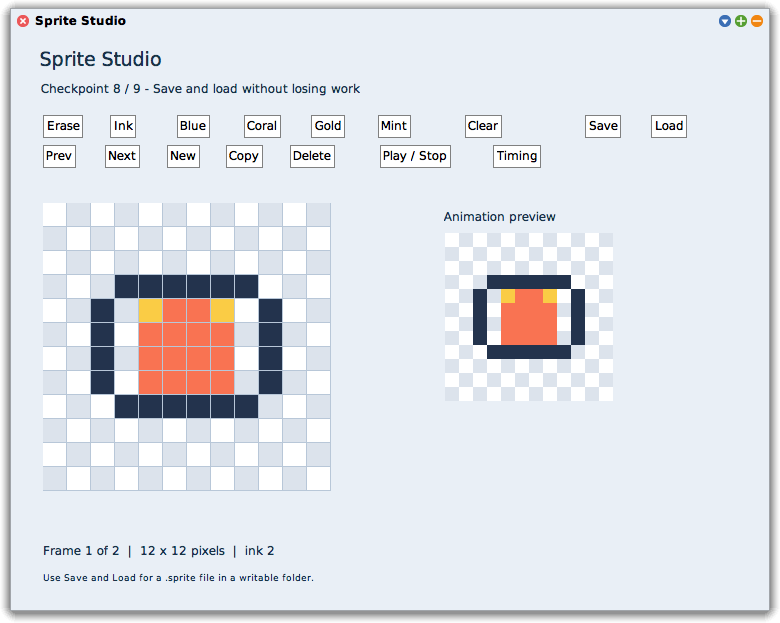
08 · Save and load without losing work
The native Save and Load buttons request a path ending in .sprite. Cancel keeps the current work. Saving over an existing file asks before replacing it. The file helper first writes a uniquely named sibling temporary file, then moves the original to a backup and installs the completed new file. Injected tests cover a write failure, the first rename failing, and installation failing with rollback.
Loading uses a bounded read and the strict parser from the previous stage. Unsaved work requires a discard decision before replacement. Failed reads and corrupt data preserve the document and its dirty state. Once the new file is installed, a failure to delete the old backup counts as a successful save with a visible backup-retained warning; the old copy remains available. This is recoverable replacement for ordinary errors, not a guarantee against power loss or all filesystem failures; keep important work backed up.
Where to run this
System Browser → LSSprite → instance side → tutorial. Accept this complete method, or file in the complete checkpoint below.
Genuine native Squeak checkpoint 8; the exact Workspace block above created this state.
09 · Close safely and finish the editor
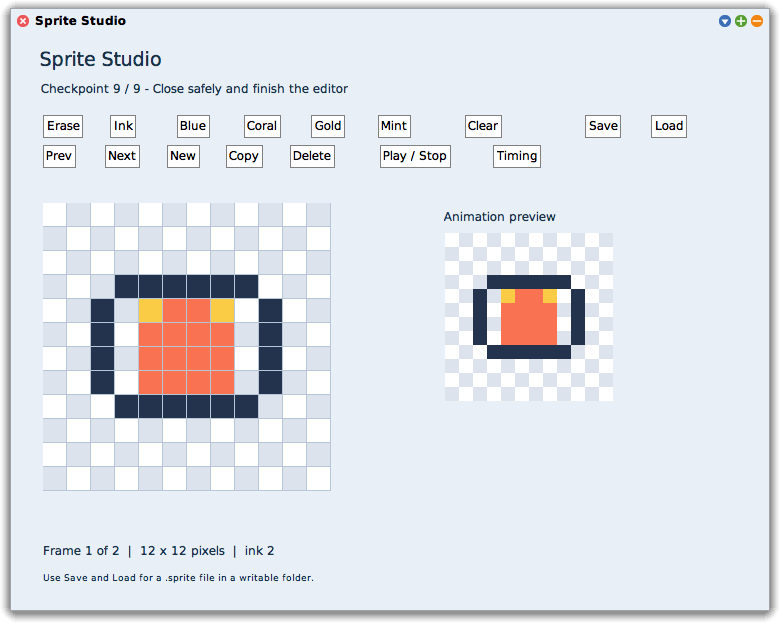
The complete editor joins the model, event-driven grid, frame navigation, preview, timing validation, and persistence. The window asks before discarding unsaved data. Cancelling that prompt leaves the app and pixels intact. A successful close ends an active stroke, releases any hand whose mouse focus is the grid, stops stepping, and clears the app’s window reference. Releasing focus matters even when the window closes before the mouse button is released. The example fixes the window size to keep these beginner-friendly absolute coordinates usable.
Run the regression suite after trying the UI. The tests protect state transitions and native event dispatch, while the pictures document real Squeak output. They do not establish accessibility, cross-platform file behavior, or arbitrary timing precision. The exercises extend only the model; the existing view will display their result when refreshed.
Where to run this
System Browser → LSSpriteApp → instance side → tutorial. Accept this complete method, or file in the complete checkpoint below.
Genuine native Squeak checkpoint 9; the exact Workspace block above created this state.
Watch the workflow
All stage PNGs and GIF frames are real native Squeak 6.1 SystemWindow imageForm renders made by the included capture scripts. GIFs are scripted native interactions, not recordings of a person clicking. Mouse and keyboard sequences dispatch actual Morphic event objects; playback demos call the same step method registered with Morphic. Posters are byte-for-byte PNG copies of each GIF sequence’s first source frame.
NATIVE SQUEAK CAPTURE
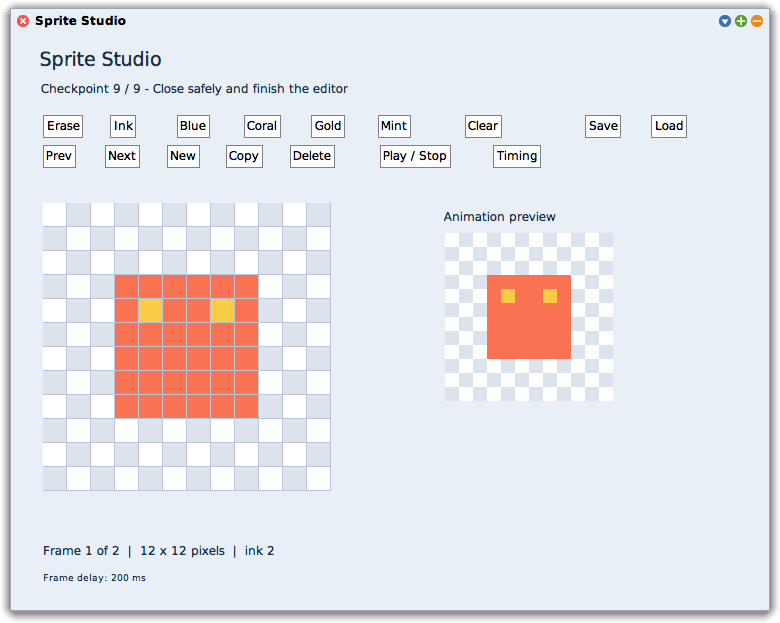
Scripted native mouse-event sequence: draw a coral shape, add gold pixels, duplicate it, and edit the copied frame.
NATIVE SQUEAK CAPTURE
Scripted native playback states: two independent frames alternate through the real step method, then Stop removes the preview registration.
Practice with tested solutions
1. Mirror the selected frame
Add mirrorHorizontal. Swap each row around its vertical center without changing the other frames.
Hint
Use the model’s indexing and validation methods; do not inspect rendered colors.
Show a tested solution
System Browser → LSSprite → instance side → tutorial → accept this entire method. Or file in sprite-editor-exercise-1.st, which includes the complete final app and this solution.
Exercise solution
mirrorHorizontal
 | original |
 original := self pixels copy.
 1 to: 12 do: [:y | 1 to: 12 do: [:x |
  self pixels at: (self indexOf: x@y) put: (original at: (self indexOf: (13 - x)@y))]]
This exact method and check block were compiled and executed in the baseline image. Existing app instances need refresh after direct model changes.
2. Count painted pixels
Add paintedPixelCount to answer how many cells in the selected frame are not erased.
Hint
Use the model’s indexing and validation methods; do not inspect rendered colors.
Show a tested solution
System Browser → LSSprite → instance side → tutorial → accept this entire method. Or file in sprite-editor-exercise-2.st, which includes the complete final app and this solution.
Exercise solution
paintedPixelCount
 ^ self pixels count: [:value | value ~= 0]
This exact method and check block were compiled and executed in the baseline image. Existing app instances need refresh after direct model changes.
3. Shift left with an empty edge
Add shiftLeft to move the selected frame one cell left and fill the rightmost column with zero. Use a snapshot so reads never observe partial writes.
Hint
Use the model’s indexing and validation methods; do not inspect rendered colors.
Show a tested solution
System Browser → LSSprite → instance side → tutorial → accept this entire method. Or file in sprite-editor-exercise-3.st, which includes the complete final app and this solution.
This exact method and check block were compiled and executed in the baseline image. Existing app instances need refresh after direct model changes.
When something looks wrong
The grid changes only sometimes during a fast drag
This simple brush paints visited event cells. Slow down, click individual cells, or extend the model with line interpolation.
An old checkpoint still has later behavior
The files support forward progression. Start from a clean Squeak image when testing an earlier checkpoint in isolation.
Save reports a failure
Use the required .sprite or .tilemap extension and a writable directory. Existing files need an overwrite confirmation. Cancel keeps your work.
A malformed file will not load
Use a file produced by the same lesson version. The parser rejects incorrect counts, headers, ranges, and extra data before replacing the current document.
Verification, cleanup and next steps
32 Sprite Studio tests pass in Squeak 6.1 build 23976 (64-bit). Every checkpoint is independently filed into the baseline image; its displayed Browser method is recompiled and exact Workspace block is executed before capturing the window. Each of the three full exercise solutions is separately executed and checked.
To run: file in sprite-editor-final.st, then sprite-editor-tests.st. In a Workspace select LSTSpriteTest suite run and Print It. The result is 32 passes, zero failures, zero errors. Tests create uniquely named temporary files under a SpriteTile-test-files directory in Squeak’s default directory, then remove their test files.
Native MouseButtonEvent/MouseMoveEvent dispatch, including drag release outside the grid
Invalid coordinates and palette values; dialog cancellation; dirty-close cancellation
Save/reload, rejected malformed text, corrupt files, missing paths, overwrite refusal; the actual production filename prompt and default path are tested through a UIManager stub
Injected write, first-rename, and installation-rename failures preserve prior file bytes
Sprite frame isolation, bounds, preview wrap and actual stepping cleanup; tile collision, boundaries, keyboard dispatch, restart, frozen win state, and complete route to goal
Close the tutorial window and confirm discarding only when appropriate. A successful close stops sprite stepping, clears active drawing, and releases tile-map keyboard focus. Your saved .sprite or .tilemap file survives closing the window. Use a copy of the image for experiments.
Shipped Morph, MouseButtonEvent, MouseMoveEvent, KeyboardEvent, SystemWindow, FileDirectory, and TestCase sources — API signatures were checked in the exact image used for the captures and regression suite