Prove the difference between a saved world and a portable source release.
8 construction stagesTested source & checkpointsNative screenshots & demos
Before you start
Build a small source handoff for Parcel Counter, a complete native Morphic app. Save live state, generate a real Smalltalk file-out, record dependencies and install the exact export in an untouched Squeak 6.1 image. Every screenshot is captured from the running native image.
Download the lesson source bundle and extract it. In Squeak, open a Workspace and Print it on FileDirectory default fullName. Put the extracted .st files in that directory, or use their actual absolute paths in FileStream fileIn:. File in ParcelCounter-export.st first. These definition files use chunk format; do not execute the entire file-out as one Workspace expression. Step snippets and exercise solutions are ordinary Workspace expressions; select the stated block and use Do it or Print it. Each native image can be opened at full size.
01 · Save the live image, understand what it remembers
An image is Squeak's running object world saved to disk. Your classes, existing counter objects, open windows and Workspace contents can survive an image save. A source file is a recipe for creating the program in another image. It does not automatically serialize every existing instance. Those are different deliverables, and neither is a substitute for deliberately saving an application's external documents.
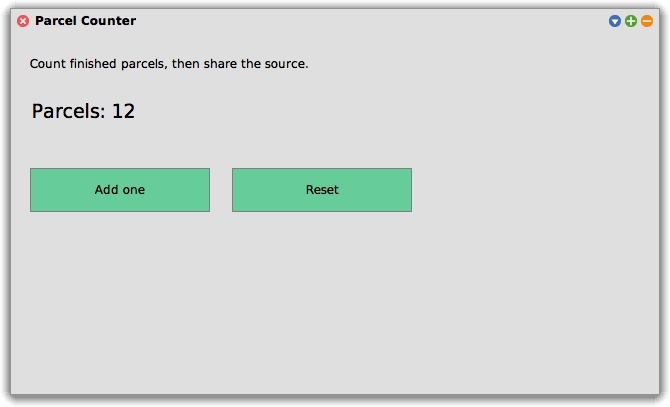
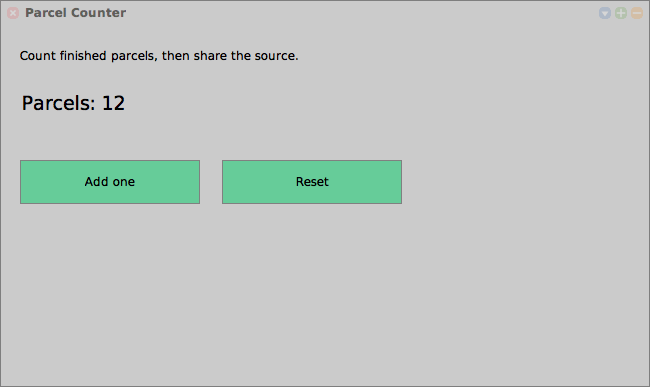
First file in ParcelCounter-export.st using the setup instructions. Use Squeak's Save As command to make a named working copy before experimenting. Keep the resulting .image and matching .changes together; keep the matching SqueakV60.sources available for browsing system source. Run this block in that copy. It opens a counter, sets its live value to 12, then saves the current image. Quit and reopen that exact image to see the same open counter. In our verification the saved counter still held 12. The original source file contains the initialization rule count := 0, not this object's current twelve.
Where to run this
Workspace → select the whole block → Do it. This saves the current image. Use a named copy. Reopen the same .image to check persistence.
Construction code · follow the run instructions above
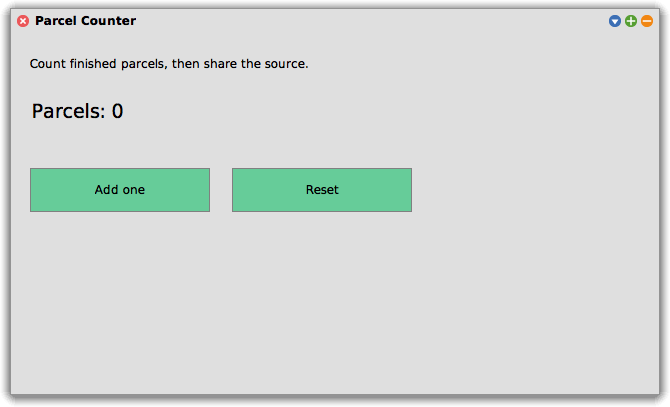
Native Parcel Counter at 12. The saved-image reopening check separately verified that this object retained 12.
02 · Give the app a repeatable entry point
A recipient needs a dependable way to start the app. ParcelCounter open is the class-side entry point: it constructs a new model and asks that instance to open its window. On the instance side, initialize establishes count := 0, while open constructs Morphic objects. The window's model is the counter itself. Add one targets that model with #increment, so a new installation has everything needed to build a working UI.
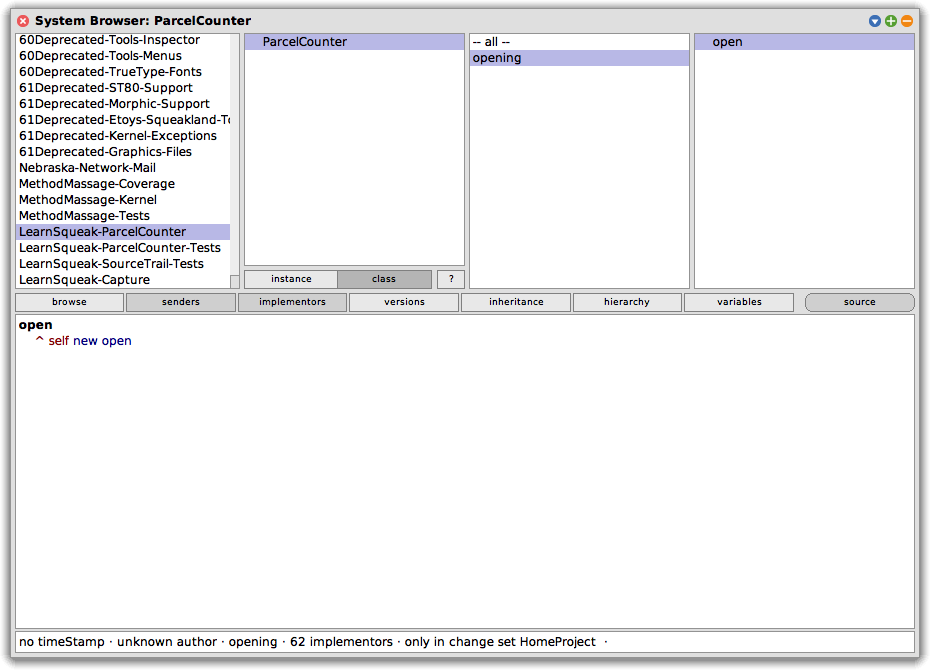
Open the Browser with the expression below. The screenshot selects the class-side open method; the class button under the class list is active. Compare it with instance-side open to see the construction code. Keep source code in methods, not only in an unsaved Workspace. This lesson ships one application class in LearnSqueak-ParcelCounter and one test class in a separate test category. A category groups source in the Browser; naming a category alone does not create a distributable file or record all dependencies.
Where to run this
Workspace → Do it. In the Browser, compare class-side open with instance-side initialize and open. The provided file-out already defines them.
Construction code · follow the run instructions above
Browser fullOnClass: ParcelCounter class selector: #open.
Expected result
The Browser shows open followed by ^ self new open. Each ParcelCounter open creates an independent counter at zero.
Real class-side Browser view of the repeatable entry point.
03 · Make release behavior executable
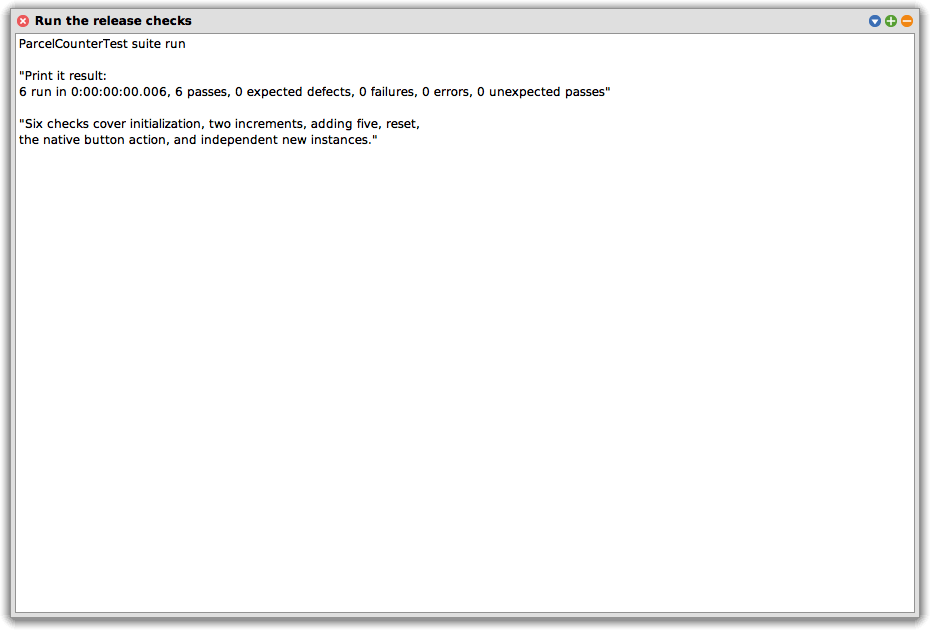
File in ParcelCounterTests-export.st after the application source. This adds ParcelCounterTest, an SUnit TestCase subclass. Its six tests check initial zero, two increments, adding five, reset, the actual native button's action, and the independence of a second instance. The button check opens the real Morphic window, sends doButtonAction to its actual button, checks the model and closes the window in ensure:.
Select the expression below and Print it. A TestResult is more useful than the reassuring appearance of a single working window: it records failures and errors separately and can be rerun after an export or a fresh installation. Tests are source too, so include them in the handoff. These six checks are intentionally small release checks for this example. They do not test every operating-system mouse gesture, packaging tool or Squeak version. The next lesson separately tests synthetic down/up event behavior.
Where to run this
Workspace → Print it. For the graphical runner, open Squeak's Test Runner, select LearnSqueak-ParcelCounter-Tests and run its tests.
Construction code · follow the run instructions above
Native Workspace showing the actual six-test result from this build.
04 · Write down the dependencies and the data boundary
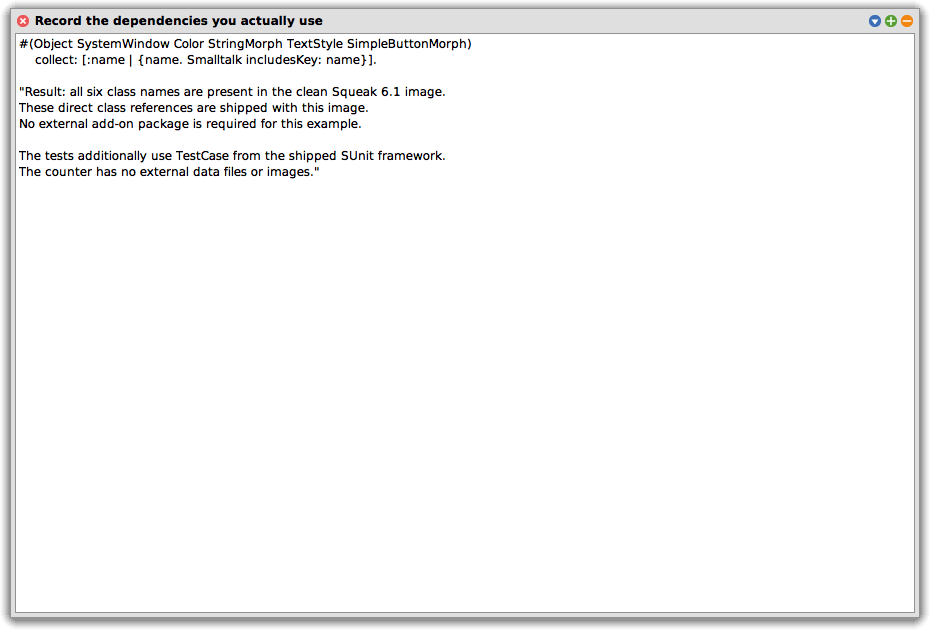
Read ParcelCounter >> open and its superclass declaration. Its direct class names are Object, SystemWindow, Color, StringMorph, TextStyle and SimpleButtonMorph. The test file also needs TestCase. All seven are present in the unmodified Squeak 6.1 image used here. No third-party package or external asset is required for this particular example. The check below verifies the names exist; it does not calculate a complete transitive dependency graph or prove compatibility with every image.
This app deliberately has no document format. The number in an existing counter belongs to the live model. An image snapshot retains that object; the class file-out only defines how new counters behave. If your real app reads a CSV, a PNG or a notes file, ship an appropriate sample or document where users provide it. Exporting classes does not automatically bundle those external files. If you depend on an add-on package, name its tested version and install it before your own source. Verify that process in a clean image.
Where to run this
Workspace → Print it. Read the source alongside the result; each pair associates a class name with whether it exists.
Construction code · follow the run instructions above
The native Workspace records the direct class dependencies and the absence of external app assets.
05 · Export the class with Squeak itself
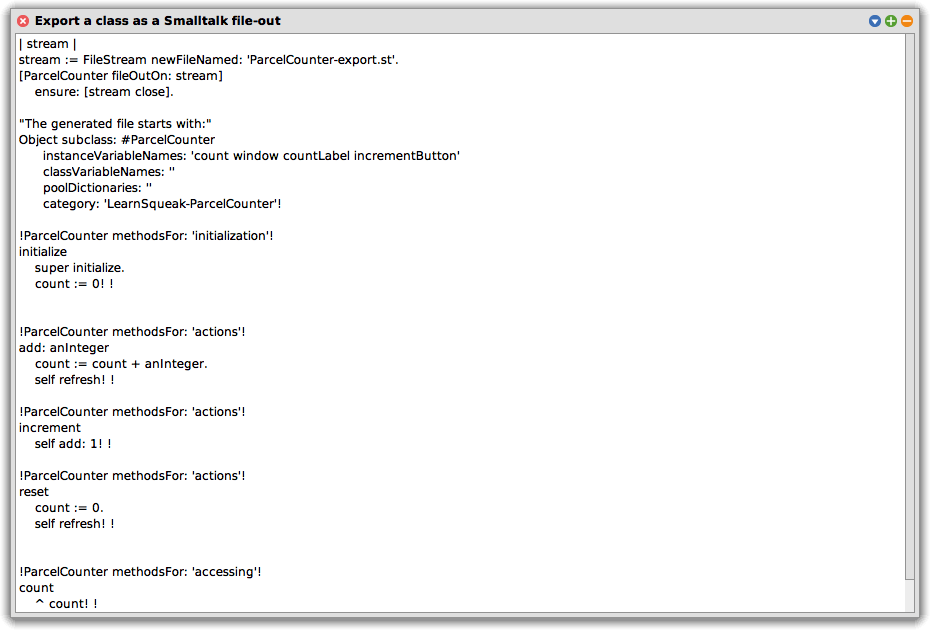
The code below asks ParcelCounter to write its own file-out representation to a file stream. It includes the class definition and both instance-side and class-side methods. ensure: closes the stream even if export raises an error. The resulting .st is a Smalltalk chunk file: exclamation marks delimit definitions and method groups. It is intended for file-in, not for selecting all its contents and executing it as one Workspace expression.
Use a filename that does not already exist. FileStream newFileNamed: may ask about an existing file; choose a new name or explicitly decide to replace your own previous export. The relative path is resolved in FileDirectory default, whose fullName you can Print first. Export the test class into its own file by changing the receiver and filename to ParcelCounterTest and ParcelCounterTests-export.st. Both downloads on this page were generated by these native file-out methods and then successfully loaded in an untouched image.
Where to run this
Workspace → Do it after checking FileDirectory default fullName. Use an unused output name. Repeat for ParcelCounterTest into ParcelCounterTests-export.st.
Construction code · follow the run instructions above
Native Workspace showing the export expression and the beginning of the file actually written by Squeak.
06 · Make the handoff small and understandable
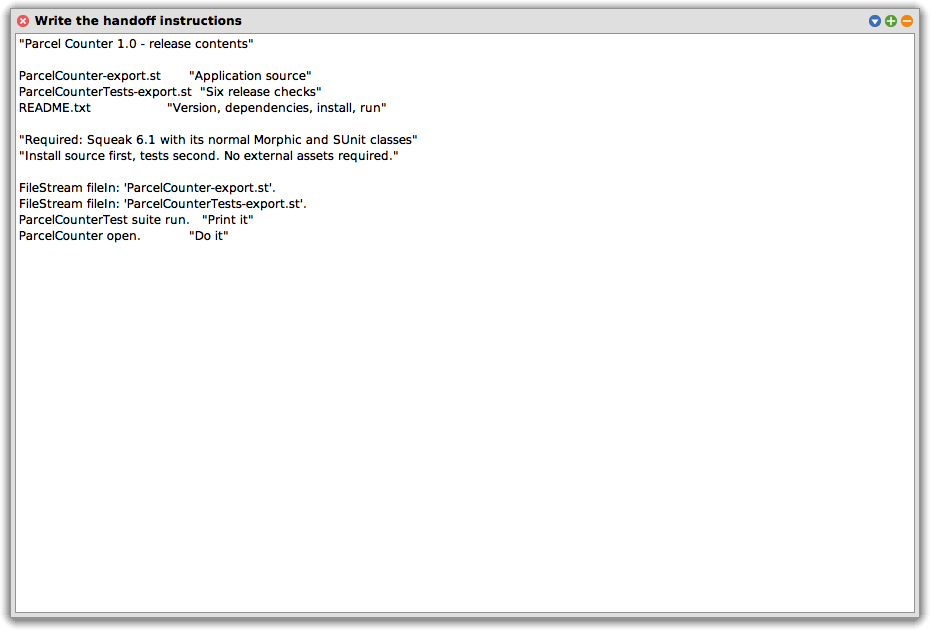
A useful source release contains the generated application file, its test file and a short README. Our per-lesson source bundle contains those items plus the step snippets and exercise solutions. The README names Squeak 6.1, explains that this example needs no add-on, gives the load order, the start command and the expected test result. A release number helps you and the recipient discuss the same artifact.
The two FileStream fileIn: expressions below are installation commands. Evaluate them separately in order: compiling the application establishes ParcelCounter before the test class refers to it. Then run the suite and finally open the app. Put the files in the directory reported by FileDirectory default fullName, or replace each filename with an actual path on your computer. If you distribute a complete image instead, the recipient also needs a compatible VM and source/change files for the development experience. A source handoff is smaller and makes its installation assumptions visible. This tutorial proves the source handoff; it does not claim to build a standalone operating-system executable.
Where to run this
Workspace → select and Do it on each installation expression separately. Print it on the suite expression; Do it on ParcelCounter open.
Construction code · follow the run instructions above
Native Workspace with the release contents, load order, run command and verification instructions.
07 · Install into an untouched image
Download or copy a fresh Squeak 6.1 distribution and keep it separate from your working image. Launch that fresh .image with a compatible VM. Before loading anything, Print it on Smalltalk includesKey: #ParcelCounter. It should answer false. This matters: importing into an image that already contains the class can hide missing source or an incomplete handoff.
Copy only the two exported .st files into a known directory accessible to the fresh image. File in the application, then the tests, using the previous step. Now run ParcelCounter open and click Add one. It should start at zero and become one. Our automated verification copied the baseline image and changes before importing, asserted that ParcelCounter was absent, loaded the generated exports, ran all six tests and invoked the fresh window's actual button action. The clean instance began at zero even though the separately saved development image retained twelve. That is the concrete difference between restoring live state and installing source.
Where to run this
Use a separate fresh image. Print the first expression before loading. Then install the two files and Do it on the final expression.
Construction code · follow the run instructions above
Smalltalk includesKey: #ParcelCounter.
"Print it BEFORE installation: false."

"After filing in the two exported files:"
ParcelCounter open.
Expected result
Before import: false. After import: a real Parcel Counter window at Parcels: 0; Add one changes it to 1.
The app opened at zero in the separately copied clean baseline after importing only the generated release source and tests.
08 · Verify the release and keep a repeatable record
Run the suite in the fresh image, then try the visible controls: add several parcels, reset, and open another counter. Record the image version and the result with the release. The snapshot lesson and the source-release lesson now have separate evidence: the saved live image reopened at twelve; the clean source installation created a new counter at zero; all six release tests passed.
Before sharing your next version, repeat this same clean-image process. If a test fails only in the fresh image, inspect missing classes, load order, unexported methods and external files. Fix the handoff instead of quietly adding code by hand to the recipient's image. Keep the source, test file and README together so the result can be repeated. For a larger collaborative project, Squeak's Monticello workflow can track versioned packages; a plain class file-out is sufficient for this intentionally small, self-contained example. The release check below returns both the running version and the suite result without installing anything else.
Where to run this
Workspace in the freshly installed image → Print it. Keep the result with your release notes, then manually try Add one and Reset.
Construction code · follow the run instructions above
{Smalltalk version. ParcelCounterTest suite run}.
Expected result
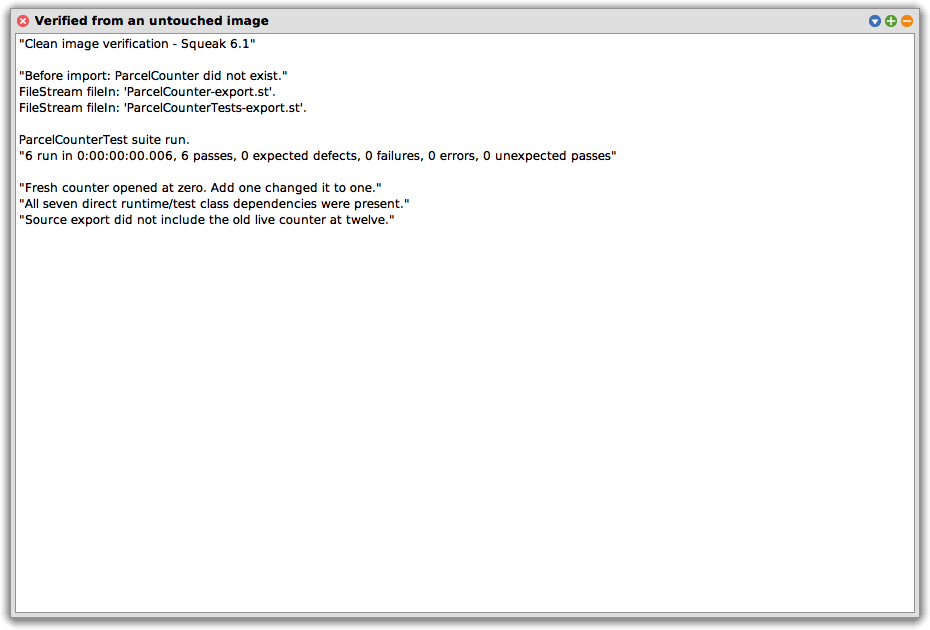
Version Squeak6.1 and a TestResult with 6 passes, 0 failures, 0 errors. The screenshot records the actual clean-install run.
Native Workspace containing the clean-install results, including the initial absence check and the verified button action.
Watch the workflow
The demonstrations below use the real Squeak image. Each caption explains the recorded interaction. Animations stay paused until you choose Play demo.
NATIVE SQUEAK CAPTURE
Native imageForm frames: the script invokes the actual Add one button action six times, then resets. This is a scripted demonstration, with no recorded pointer.
NATIVE SQUEAK CAPTURE
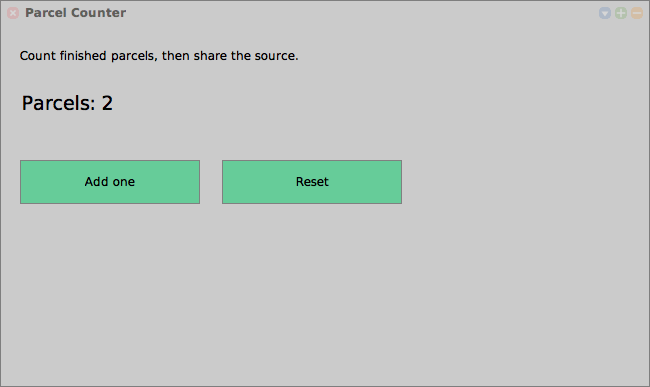
Three actual native captures, in order: the working image counter at 12, the newly imported app at 0 in the clean image, then that new app after one button action. The transition is an edited comparison, not an on-screen file transfer.
Practice with tested solutions
1. Separate code from instance state
Create one counter at five, then create a second counter. Predict both values before running the solution. Explain why saving the class definition does not make every new instance start at five.
Show a tested solution
After loading the lesson source, open the solution as text, select its whole block in a Workspace and use the action stated in its first comment.
Exercise solution
"Workspace: select this whole block and Print it."
| first second |
first := ParcelCounter new.
first add: 5.
second := ParcelCounter new.
{first count. second count. first ~~ second}
Expected
#(5 0 true): first value, second value, and distinct identity.
Add an instance method addBatch that adds five. Wire the existing native button to that selector, click or invoke it twice, and check ten. Export after adding the method so it travels with your release.
Show a tested solution
After loading the lesson source, open the solution as text, select its whole block in a Workspace and use the action stated in its first comment.
Exercise solution
"Workspace: select this whole block and Do it. Close the demo when finished."
| app |
ParcelCounter compile: 'addBatch
    self add: 5' classified: 'actions'.
app := ParcelCounter open.
app incrementButton
    label: 'Add batch of five';
    actionSelector: #addBatch.
app incrementButton doButtonAction; doButtonAction.
app count = 10 ifFalse: [self error: 'Batch action did not add ten'].
app
Expected
A counter window at 10, with its button labeled Add batch of five.
Keep a live counter at seven. File in the same original release source twice and make a fresh counter. Predict whether reloading unchanged source resets the already-existing object. Use a disposable working copy.
Show a tested solution
After loading the lesson source, open the solution as text, select its whole block in a Workspace and use the action stated in its first comment.
Exercise solution
"Workspace: put ParcelCounter-export.st in the default directory first.
Select this whole block and Print it."
| existing |
existing := ParcelCounter new.
existing add: 7.
FileStream fileIn: 'ParcelCounter-export.st'.
FileStream fileIn: 'ParcelCounter-export.st'.
{existing count. ParcelCounter new count}
Expected
The result is #(7 0): existing compatible object state survives; a new instance follows initialize.
Print FileDirectory default fullName and put the extracted files there, or use their actual path. Browser download folders and Squeak's default directory can differ.
Unknown ParcelCounter or ParcelCounterTest
File in the application first and the tests second. Use file-in for chunk-format class files; use Do it only for the short Workspace commands.
The recipient still starts at zero
That is correct for this source release. A new instance executes initialize. Transfer application data separately if your real app has a document format.
Source is missing in the Browser
Keep the matching SqueakV60.sources available beside the image and retain the matching .changes file. Source browsing and application behavior are different checks.
Verification, cleanup and next steps
Executed with the Squeak6.1-23976-64bit image from Squeak6.1-23976-64bit-202606270913-Linux-x64. Native screenshots use imageForm and PNGReadWriter. A separate untouched baseline copy was used for source import. Verification logs accompany the lesson source bundle.
Saved working image reopened with its existing counter still at 12
Unmodified baseline asserted ParcelCounter absent before import
Generated application and test file-outs loaded into the clean baseline
Six release tests passed: 0 failures, 0 errors
Clean native app opened at 0; its actual button action changed it to 1
All three packaging exercise solutions evaluated and passed
Close the tutorial windows when finished. Save the source separately from the image if you want to recreate the application in a clean image.