A widget sends a message.
A list sends selection:, an editor sends its accept selector, and a button sends an action such as save. Widgets use the model’s published protocol.
SQUEAK 6.0 / BUILD A WHOLE INTERFACE
Build a board, browse a collection, and preview your preferences. Three larger interfaces show how native Morphic controls become a working application around a shared model.
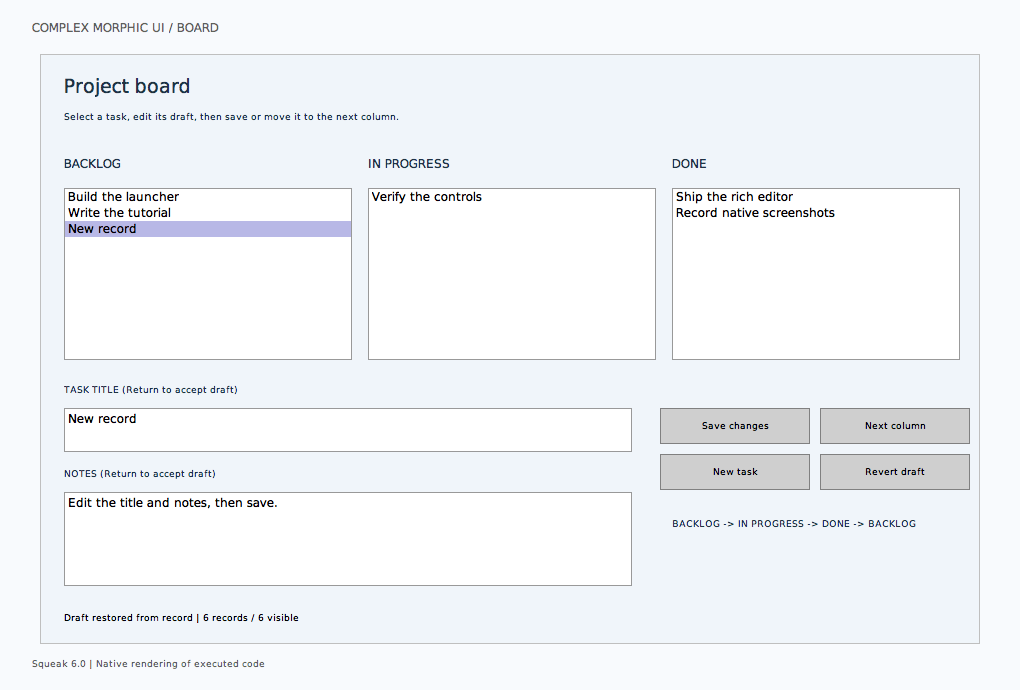
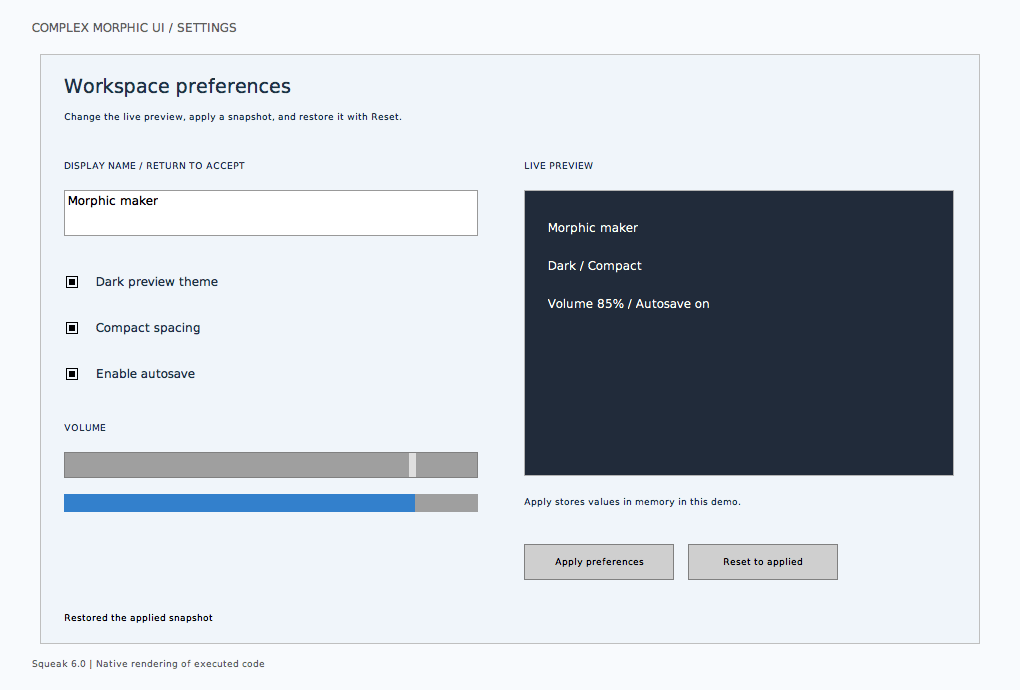
Native Squeak renders of the exact downloadable source.
01 / THREE CONNECTED INTERFACES
Choose an interface. Compare its recorded states,
then explore its builder and behavior methods.
02 / THE CONNECTIONS THAT MATTER
The controls stay small.
The model makes them work together.
A list sends selection:, an editor sends its accept selector, and a button sends an action such as save. Widgets use the model’s published protocol.
Draft values stay separate from records until Save. Validation rejects empty titles. Filtered lists map a selected row to the underlying record. Apply copies a preference snapshot.
changed: announces each affected aspect. Lists reread their projections; text widgets reload accepted values; the custom preview changes its palette and child positions.
These demos use explicit coordinates to keep the forms easy to read. For flexible sizing, combine the same model protocols with the TableLayout example. The data is held in memory; the examples do not implement disk persistence or concurrent editing.
03 / RUN THE LIVE CONTROLS
Self-contained definitions for this page.
No earlier demo file-in is required.
Download ComplexMorphicDemos.st. Select it in Squeak’s File List and choose fileIn. Four classes appear in Complex-Morphic-Demos.
In a Workspace, select a complete command and choose Do it. For example: CUIDemos taskBoard. Each invocation creates fresh model state.
Use Inspect it to inspect the returned panel. Its #model property holds the live model.
Build the view shows class-side methods on CUIDemos. State & actions shows instance-side methods. Shared constructors and all remaining methods are included below.
Press Return in an editor to accept its draft before Save. The website displays recordings; the live controls run in Squeak.
04 / THE COMPLETE IMPLEMENTATION
Displayed code is extracted from
the exact file-in used for verification.
05 / EXECUTED, CAPTURED, CHECKED
The runner loads the file-in into this project’s Squeak 6.0 image, evaluates the exact Workspace commands, and exercises native list selections, editor acceptance, button actions, checkbox actions, and slider updates. It also checks validation, empty selections, record movement, preview observers, and snapshot restoration.
Six PNGs show each interface before and after those checks. Squeak renders the native Morph tree at 1020 × 690 pixels; the runner reads each PNG back to verify its size. Export rejects failed checks or changed source/catalog hashes. The runner exits without saving the image. These are checks inside Squeak, not desktop mouse automation.