The separate playground loads the real Smalltalk image on demand. This lesson keeps its native setup instructions; browser compatibility notes appear beside each demo.
Before you start
Build a real month grid, navigate Gregorian dates, collect validated appointments, and persist an explicit floating-local-time format.
Save a copy of your Squeak image first. Each numbered .st file is a complete cumulative checkpoint that can be filed into a fresh Squeak 6.1 image.
Download the checkpoint beside your image. In File List, select it and choose fileIn. The method excerpt below is for the System Browser; it is already installed by the file. The separate Workspace block opens the exact demonstrated state.
Close the previous checkpoint window before moving to the next. The app uses a fixed-size SystemWindow; its rows and appointment lists scroll. File the final app before its test source, then use Test Runner to run LQCalendarTests.
All examples use fictional data and local files. Snapshot examples create UUID-named new files beside your image. Keep any snapshots you want; no example overwrites a previous snapshot.
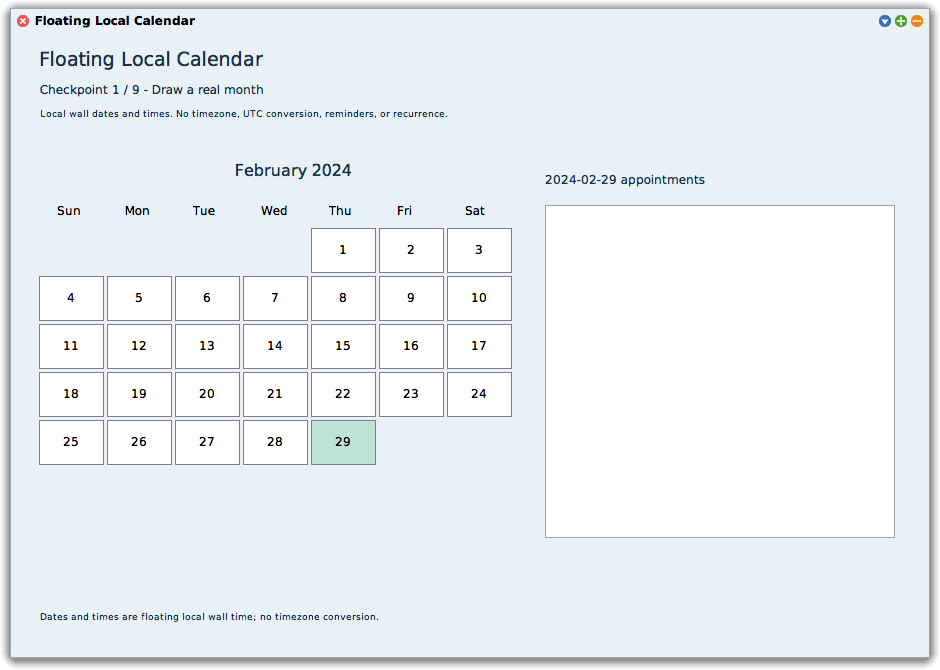
A calendar grid needs the weekday of the first day and the number of valid days. The model stores month as a Date whose day is always one, and stores the selected date separately. Squeak’s dayOfWeek numbers Sunday as one, so subtracting one produces the zero-based grid offset. February 2024 is a deliberate starting point: it begins on Thursday and includes a leap day.
Where to run this
System Browser, LQCalendarBook, instance side. Find the method beginning weekdayOffset. This excerpt is already installed by checkpoint 01; do not paste a method definition into Workspace.
Construction code · follow the run instructions above
weekdayOffset
 ^ month dayOfWeek - 1
After filing in this checkpoint, evaluate the complete block in Workspace with Do it (Ctrl+D / Cmd+D). It returns the app.
Workspace · run after installing this checkpoint
LQCalendarApp open
weekdayOffset gives the number of empty cells before day 1
An index divided by seven chooses the row, and its remainder chooses the column
Date supplies Gregorian leap-year rules instead of a handwritten list of month lengths
This teaching calendar opens on a fixed date for reproducible screenshots. It is not synchronized with an account, an operating-system calendar, or today’s date.
Expected result
A Sunday-first February 2024 grid shows 29 days, with the 29th highlighted.
Native Squeak 6.1 checkpoint 01, rendered after executing the exact Workspace block above.
02 · Cross month boundaries
Turn a year/month pair into a single month index, add the requested movement, and convert it back. Integer division handles December-to-January and January-to-December naturally. Preserve the selected day where possible; clamp it to the destination month’s last valid day when necessary. Navigation is a view operation and does not mark appointments dirty.
Where to run this
System Browser, LQCalendarBook, instance side. Find the method beginning moveMonth:. This excerpt is already installed by checkpoint 02; do not paste a method definition into Workspace.
Construction code · follow the run instructions above
moveMonth: delta
 | index year monthNumber day |
 index := (month year * 12) + month monthIndex - 1 + delta.
 year := index // 12. monthNumber := (index \\ 12) + 1.
 (year between: 1900 and: 2100) ifFalse: [status := 'Supported years are 1900-2100.'. ^ false].
 day := selectedDate dayOfMonth min: (Date daysInMonth: monthNumber forYear: year).
 month := Date year: year month: monthNumber day: 1.
 selectedDate := Date year: year month: monthNumber day: day.
 selectedId := nil.
 status := 'Month changed; selection clamps to the last valid day.'.
 ^ true
After filing in this checkpoint, evaluate the complete block in Workspace with Do it (Ctrl+D / Cmd+D). It returns the app.
year * 12 + month - 1 is a zero-based absolute month index
min: clamps January 31 to February 29 in 2024
The supported 1900-2100 range is checked before assigning any new view state
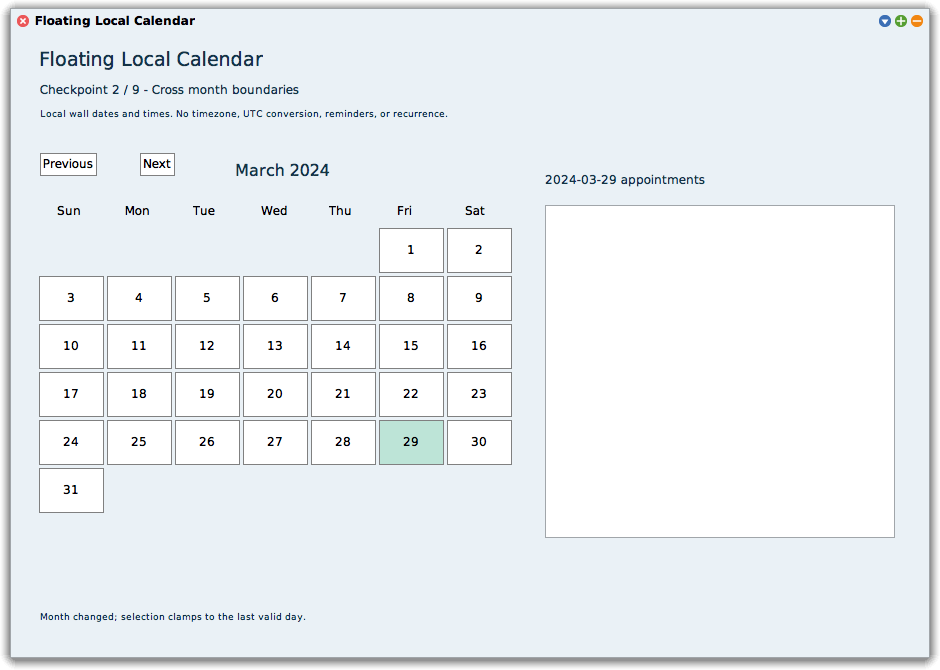
Clamping has no hidden preferred-day memory: January 31 to February 29 to March lands on March 29. Previous at January 1900 and Next at December 2100 are refused with a status message.
Expected result
Next moves February to March 2024 and keeps day 29 selected.
Native Squeak 6.1 checkpoint 02, rendered after executing the exact Workspace block above.
03 · Select a date
A day button sends its day number to the model, which constructs a Date in the visible month. selectDate: can also select a full Date from a Workspace, updating the month view to match. Changing dates clears the selected appointment ID; this prevents an edit or delete action from silently targeting an appointment on a previously visible day.
Where to run this
System Browser, LQCalendarBook, instance side. Find the method beginning selectDate:. This excerpt is already installed by checkpoint 03; do not paste a method definition into Workspace.
Construction code · follow the run instructions above
selectDate: date
 date ifNil: [^ false].
 (date year between: 1900 and: 2100) ifFalse: [^ false].
 selectedDate := date.
 month := Date year: date year month: date monthIndex day: 1.
 selectedId := nil.
 status := 'Selected ', (io dateText: selectedDate), ' (floating local date).'.
 ^ true
After filing in this checkpoint, evaluate the complete block in Workspace with Do it (Ctrl+D / Cmd+D). It returns the app.
selectedDate determines the appointment-list filter
month is rebuilt with day one after an explicit full-date selection
No saved appointment is modified by changing the visible date
Clicks outside real day buttons do nothing. The model rejects day 0 and days beyond the current month, and date selection is restricted to supported years.
Expected result
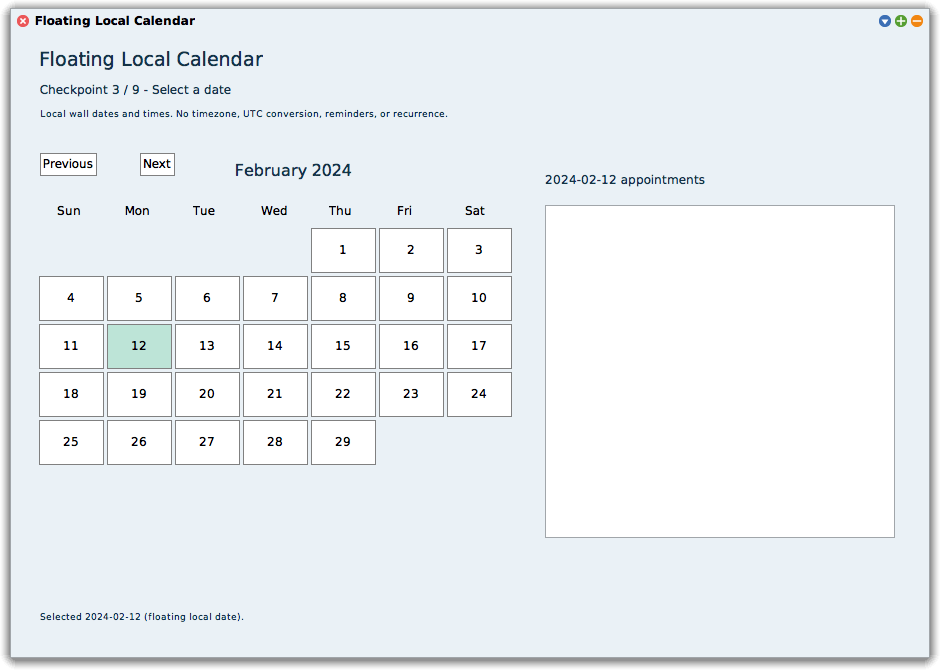
The 12th is highlighted and the right-hand heading reads 2024-02-12 appointments.
Native Squeak 6.1 checkpoint 03, rendered after executing the exact Workspace block above.
04 · Add appointments
An appointment is a five-element array: permanent ID, YYYY-MM-DD date string, start minute within that day, duration in whole minutes, and title. Add gathers all four editable fields in native dialogs before changing the model. Times use a strict 24-hour HH:MM syntax. The selected date supplies the initial date, while Samples adds three fictional entries for exploration.
Where to run this
System Browser, LQCalendarApp, instance side. Find the method beginning askForAppointment:. This excerpt is already installed by checkpoint 04; do not paste a method definition into Workspace.
Construction code · follow the run instructions above
askForAppointment: fields
 | date time duration title |
 date := self request: 'Date YYYY-MM-DD (floating local)' initial: fields first. date ifNil: [^ nil].
 time := self request: 'Local wall time HH:MM, 24-hour' initial: fields second. time ifNil: [^ nil].
 duration := self request: 'Duration in whole minutes' initial: fields third. duration ifNil: [^ nil].
 title := self request: 'Fictional appointment title' initial: fields fourth. title ifNil: [^ nil].
 ^ {date. time. duration. title}
After filing in this checkpoint, evaluate the complete block in Workspace with Do it (Ctrl+D / Cmd+D). It returns the app.
Cancel at any of the four prompts returns nil and leaves no partial appointment
dayAppointments filters by selected date and sorts by start minute
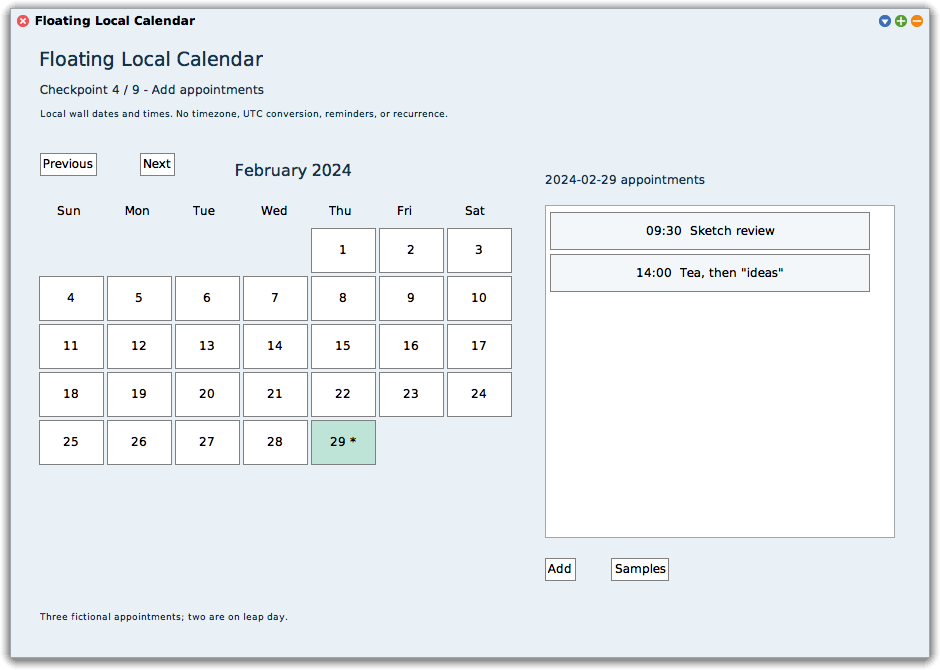
A star beside a day number indicates at least one stored appointment
Click Samples once. Repeating it is harmless because overlapping entries are rejected. The list is a ScrollPane and appointments retain stable IDs even when their order changes.
Expected result
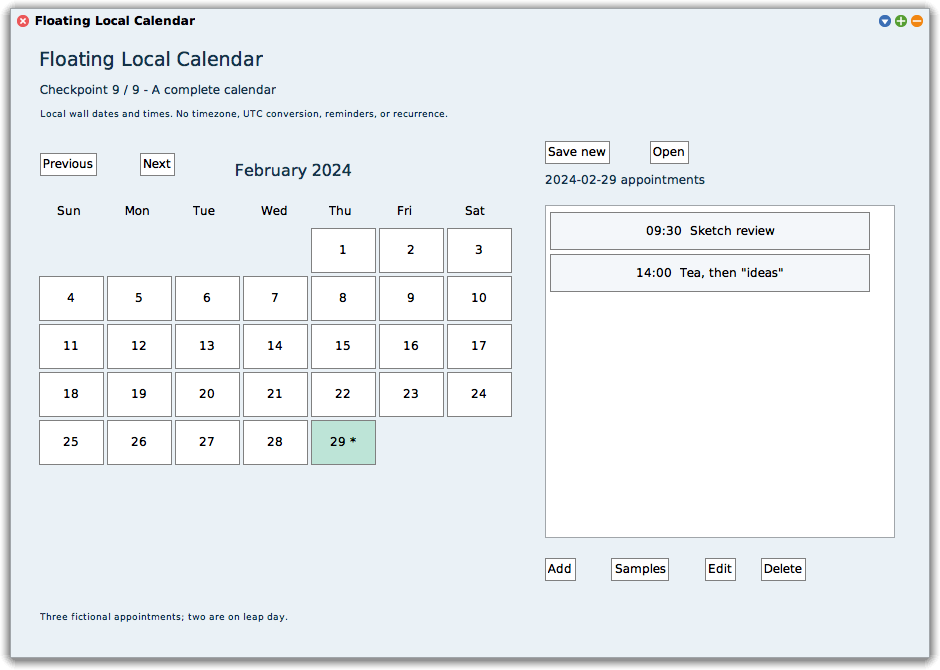
Two appointments appear on February 29; a third is stored on March 1.
Native Squeak 6.1 checkpoint 04, rendered after executing the exact Workspace block above.
05 · Validate local times
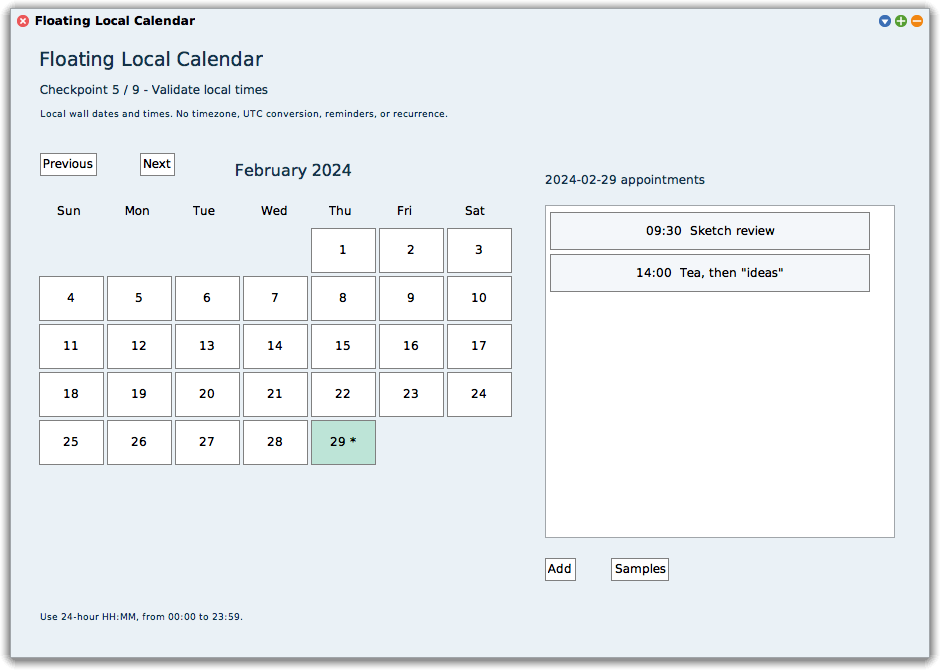
The validator resolves date syntax, parses the start time into minutes, validates a positive duration, and rejects an appointment that crosses midnight. A time interval uses a start-inclusive, end-exclusive convention: an appointment ending at 10:00 can be followed by one starting at 10:00. Overlapping appointments on the same date are rejected. Different dates do not conflict.
Where to run this
System Browser, LQCalendarBook, instance side. Find the method beginning draftDate:. This excerpt is already installed by checkpoint 05; do not paste a method definition into Workspace.
Construction code · follow the run instructions above
draftDate: date time: time duration: duration title: titleText excluding: ignoredId
 | start length title |
 (io dateFrom: date) ifNil: [status := 'Use a real YYYY-MM-DD date within 1900-2100.'. ^ nil].
 start := self minutesFrom: time.
 start ifNil: [status := 'Use 24-hour HH:MM, from 00:00 to 23:59.'. ^ nil].
 ((io digits: duration) and: [duration size <= 4]) ifFalse: [status := 'Duration is whole minutes, 1-1440.'. ^ nil].
 length := duration asNumber.
 ((length between: 1 and: 1440) and: [start + length <= 1440]) ifFalse: [status := 'Appointment must end by midnight on the same date.'. ^ nil].
 title := titleText withBlanksTrimmed.
 (io oneLine: title max: 44) ifFalse: [status := 'Title needs 1-44 printable ASCII characters.'. ^ nil].
 (appointments anySatisfy: [:each | each first ~= ignoredId and: [each second = date and: [start < (each third + each fourth) and: [start + length > each third]]]]) ifTrue: [status := 'This appointment overlaps another on the same date.'. ^ nil].
 ^ {date. start. length. title}
After filing in this checkpoint, evaluate the complete block in Workspace with Do it (Ctrl+D / Cmd+D). It returns the app.
The overlap test is start < existingEnd and newEnd > existingStart
Times are floating local wall times, not instants. No timezone, UTC offset, daylight-saving rule, or travel conversion is stored or inferred. A wall time that would fall in a DST gap is still a valid label here. This calendar is unsuitable for alarms or cross-zone coordination without a new time policy.
Expected result
The 24:00 attempt is rejected while both leap-day appointments remain unchanged.
Native Squeak 6.1 checkpoint 05, rendered after executing the exact Workspace block above.
06 · Edit without partial changes
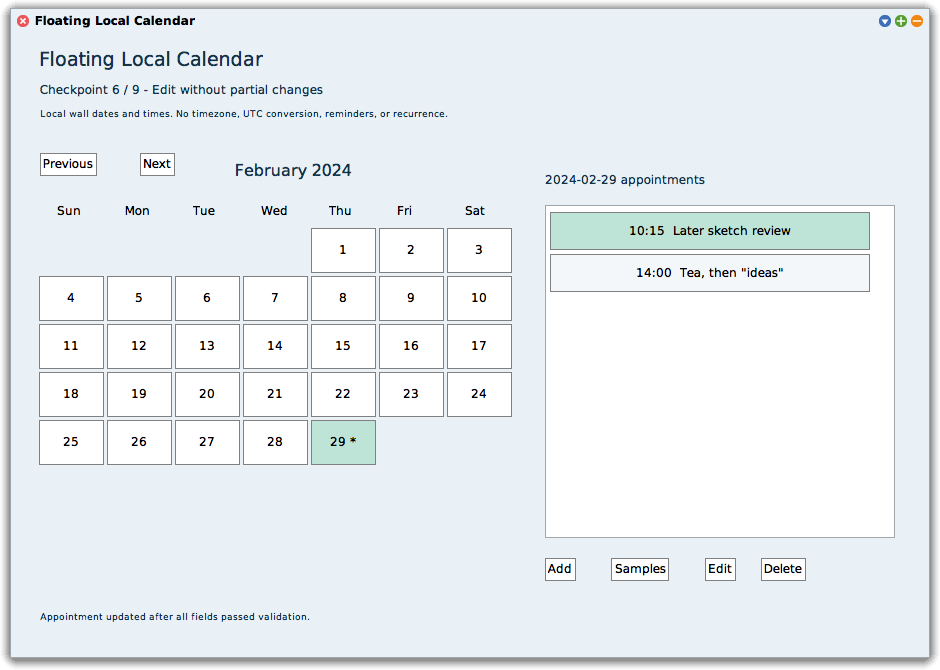
Editing starts from the selected appointment and copies its values into a fresh four-field draft. The overlap validator ignores that appointment’s own ID so keeping its existing time is allowed. It still checks every other record on that date. Only a completely valid draft replaces the stored array, and it retains the same ID. Delete uses an explicit confirmation and clears selection only when deletion succeeds.
Where to run this
System Browser, LQCalendarBook, instance side. Find the method beginning updateSelectedDate:. This excerpt is already installed by checkpoint 06; do not paste a method definition into Workspace.
Construction code · follow the run instructions above
updateSelectedDate: date time: time duration: duration title: title
 | original draft |
 original := self selectedAppointment.
 original ifNil: [status := 'Select an appointment first.'. ^ false].
 draft := self draftDate: date time: time duration: duration title: title excluding: selectedId.
 draft ifNil: [^ false].
 appointments at: (appointments indexOf: original) put: ({selectedId}, draft).
 dirty := true.
 status := 'Appointment updated after all fields passed validation.'.
 ^ true
After filing in this checkpoint, evaluate the complete block in Workspace with Do it (Ctrl+D / Cmd+D). It returns the app.
selectedAppointment resolves identity before collecting the replacement
excluding: selectedId avoids treating an appointment as an overlap with itself
The commit replaces one array only after all four fields pass
Cancel at any Edit dialog preserves the original record. Moving an appointment to a different date can remove it from the current filtered list; select the new date to see it.
Expected result
The first appointment is now Later sketch review at 10:15, still selected as ID 1.
Native Squeak 6.1 checkpoint 06, rendered after executing the exact Workspace block above.
07 · Save floating local data
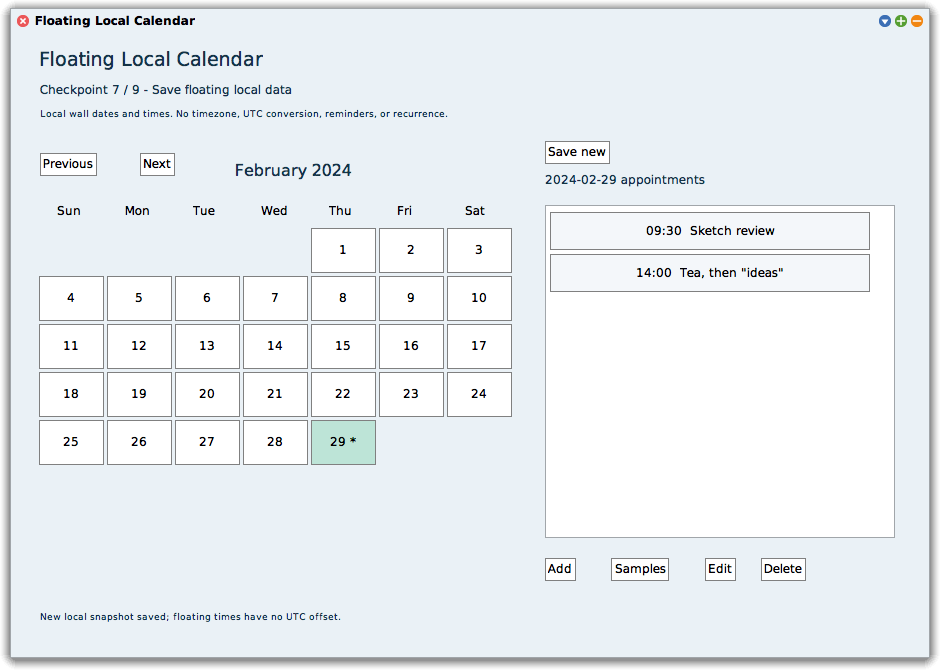
The first line names both the format version and the time interpretation: LearningCalendar-1,FLOATING-LOCAL. The second line fixes the column order. A start minute is formatted as HH:MM, and the date stays YYYY-MM-DD. Neither value acquires a timezone during saving. Text is CSV-quoted so commas and embedded double quotes remain part of the title.
Where to run this
System Browser, LQCalendarBook, instance side. Find the method beginning serialized. This excerpt is already installed by checkpoint 07; do not paste a method definition into Workspace.
Construction code · follow the run instructions above
serialized
 ^ String streamContents: [:s |
  s nextPutAll: 'LearningCalendar-1,FLOATING-LOCAL'; cr.
  s nextPutAll: 'id,date,time,duration,title'; cr.
  appointments do: [:each | s nextPutAll: (io csvLine: {each first printString. each second. self timeText: each third. each fourth printString. each fifth}); cr]]
After filing in this checkpoint, evaluate the complete block in Workspace with Do it (Ctrl+D / Cmd+D). It returns the app.
The FLOATING-LOCAL marker prevents a later reader from silently interpreting the file as UTC
The file stores data only; it is never evaluated as Smalltalk
A new snapshot clears dirty only after the temporary file is successfully installed
Titles allow 1-44 printable ASCII characters after trimming. Each record occupies one line. The parser accepts CR, LF, and CRLF row endings, quoted or unquoted fields, and doubled quotes; multiline fields, tabs, malformed quotes, and extra columns are rejected. Save refuses existing files and directories.
Expected result
A new uniquely named calendar CSV snapshot is saved successfully.
Native Squeak 6.1 checkpoint 07, rendered after executing the exact Workspace block above.
08 · Load transactionally
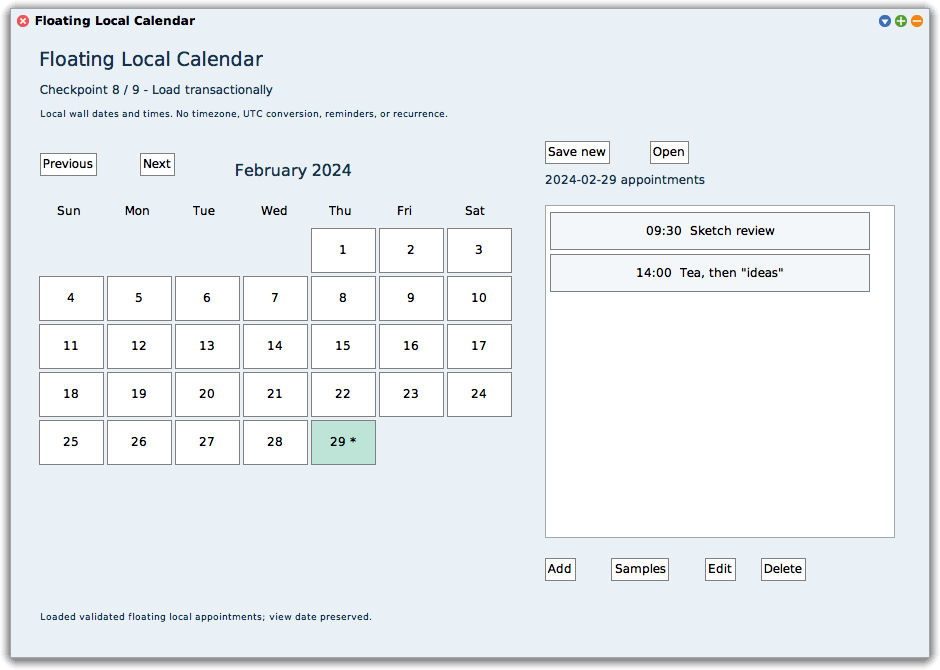
Load checks both headers before parsing appointments into a temporary model. The same validators check real dates, HH:MM times, bounded durations, title text, overlap conflicts, and unique positive IDs. Only after every row succeeds are current appointments replaced. A malformed later row cannot leave a partly loaded calendar. Loading preserves the view date while clearing selected appointment ID.
Where to run this
System Browser, LQCalendarBook, instance side. Find the method beginning importText:. This excerpt is already installed by checkpoint 08; do not paste a method definition into Workspace.
Construction code · follow the run instructions above
importText: text replaceUnsaved: confirmed
 | input temporary fields id largest |
 text ifNil: [status := 'Read failed or cancelled. Calendar kept.'. ^ false].
 (dirty and: [confirmed not]) ifTrue: [status := 'Open cancelled. Unsaved appointments kept.'. ^ false].
 input := text readStream.
 input nextLine = 'LearningCalendar-1,FLOATING-LOCAL' ifFalse: [status := 'Wrong format or time policy. Calendar kept.'. ^ false].
 input nextLine = 'id,date,time,duration,title' ifFalse: [status := 'Wrong column header. Calendar kept.'. ^ false].
 temporary := self class new. largest := 0.
 [input atEnd] whileFalse: [
  fields := io parseLine: input nextLine.
  (fields isNil or: [fields size ~= 5]) ifTrue: [status := 'Malformed row. Calendar kept.'. ^ false].
  ((io digits: fields first) and: [fields first size <= 9]) ifFalse: [status := 'Bad appointment ID.'. ^ false].
  id := fields first asNumber.
  (id < 1 or: [temporary appointments anySatisfy: [:each | each first = id]]) ifTrue: [status := 'Duplicate or invalid ID.'. ^ false].
  (temporary appendImportedId: id fields: fields) ifFalse: [status := temporary status. ^ false].
  largest := largest max: id].
 appointments := temporary appointments asOrderedCollection.
 nextId := largest + 1. selectedId := nil. dirty := false.
 status := 'Loaded validated floating local appointments; view date preserved.'.
 ^ true
After filing in this checkpoint, evaluate the complete block in Workspace with Do it (Ctrl+D / Cmd+D). It returns the app.
temporary collects parsed appointments without touching the live model
largest determines the next unused ID after import
A dirty calendar requires explicit replacement permission before loading
Files with UTC or another time-policy marker are refused. Missing files, cancelled dialogs, failed writes, and bad rows keep existing data. This staged create-only writer handles ordinary failures; concurrent writes and crash-proof durability are outside its scope.
Expected result
The saved fictional appointments load, preserving the selected leap-day view.
Native Squeak 6.1 checkpoint 08, rendered after executing the exact Workspace block above.
09 · A complete calendar
The normal SystemWindow close path consults the app’s dirty guard. Unsaved additions, edits, and deletions need a discard decision. Cancel leaves the same window and appointments available. The verification suite exercises leap centuries, year boundaries, invalid dates, cancellation at every prompt, overlap boundaries, persistence failures, and actual guarded window closing.
Where to run this
System Browser, LQCalendarApp, instance side. Find the method beginning okToClose. This excerpt is already installed by checkpoint 09; do not paste a method definition into Workspace.
Construction code · follow the run instructions above
okToClose
 ^ book isDirty not or: [self confirm: 'Close and discard unsaved tutorial data?']
After filing in this checkpoint, evaluate the complete block in Workspace with Do it (Ctrl+D / Cmd+D). It returns the app.
View-only navigation does not make appointments dirty
A successful new snapshot or validated load clears dirty
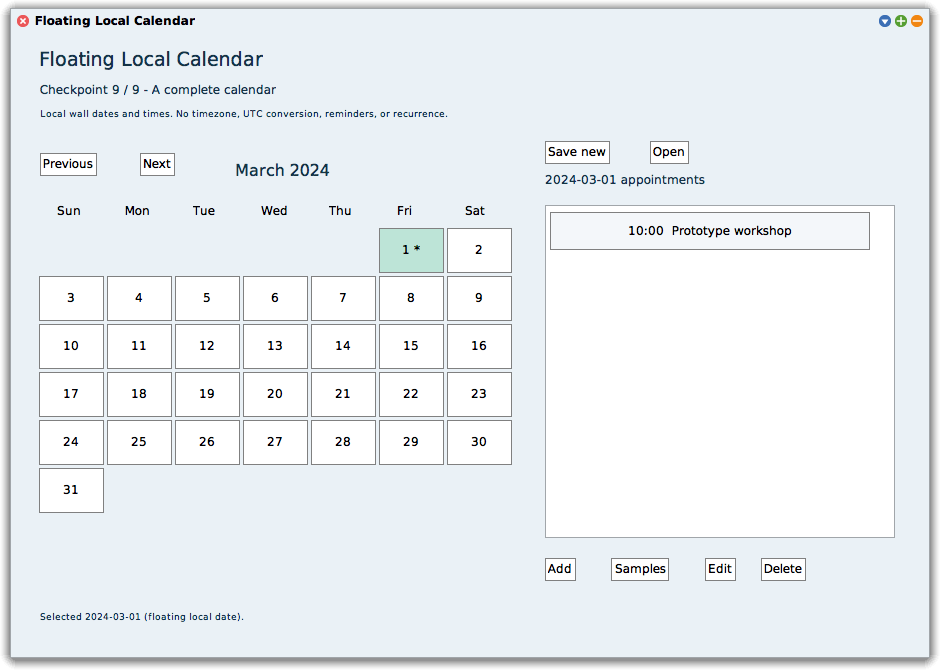
The final run selects March 1 and shows its stored workshop
This is a single-user local practice calendar. There are no reminders, recurring events, invites, network sync, time-zone conversion, or DST disambiguation. Direct deletion through developer tools can bypass the normal close guard.
Expected result
March 1 is highlighted, with Prototype workshop at 10:00 in its appointment list.
Native Squeak 6.1 checkpoint 09, rendered after executing the exact Workspace block above.
Watch the workflow
These are real Squeak 6.1 Morphic renders. The demonstrations replay app messages; they are not screen recordings of a person typing. Each poster is the first native frame of its matching GIF.
NATIVE SQUEAK CAPTURE
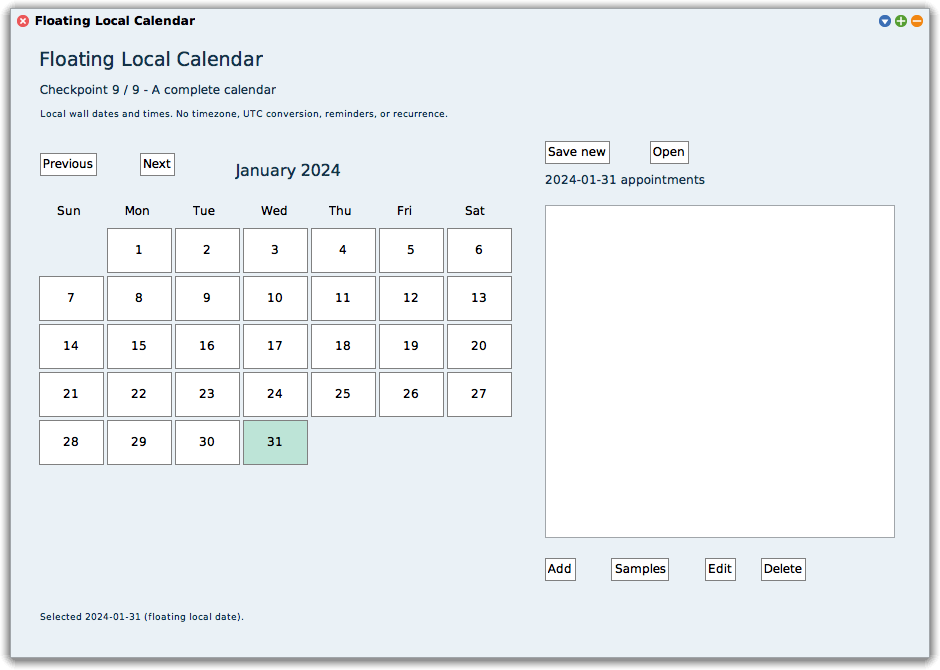
Native scripted frames: navigate from January 31 through leap February into March, then select a different day.
NATIVE SQUEAK CAPTURE
Native scripted frames: add fictional appointments, reject a conflict, move an appointment, then save and load a new snapshot.
Practice with tested solutions
1. Clamp January 31 into leap February
Select January 31, 2024, then move forward one month. Assert that the selected date is February 29.
Show a tested solution
File in the final app source, then evaluate this exact complete Workspace block with Do it. The assertion is part of the solution.
Exercise solution
| app |
app := LQCalendarApp open.
app book selectDate: (Date year: 2024 month: 1 day: 31).
app book moveMonth: 1.
(app book io dateText: app book selectedDate) = '2024-02-29' ifFalse: [self error: 'Wrong clamp'].
app refresh.
app
Expected
February 29 is selected, with no assertion failure.
The validator excludes only the edited appointment’s own ID; it still protects all other time intervals.
This exact block was executed in the reference image; the harness also checked the returned model state.
When something looks wrong
A method gives a syntax error in Workspace
File in the complete checkpoint. Method definitions belong on the named class and side in System Browser. Only the separate run block belongs in Workspace.
Save refuses my filename
Choose a new name in an existing writable folder. The snapshot writer refuses existing files and directories; it never replaces them.
The table or appointment list looks stale after a Workspace edit
Send refresh to the app after changing its book. Native buttons do this automatically.
Verification, cleanup and next steps
Every displayed method excerpt was recompiled in its named class. Every exact Workspace stage and exercise solution was executed in Squeak 6.1. Screenshots and GIF frames come from native Morphic window imageForm renders, produced by scripted messages to the running apps.
36 SUnit tests passed in Squeak 6.1 with zero failures and errors. Nine independently loaded checkpoints, nine method excerpts, nine exact run blocks, and three exact exercise solutions were also executed.
Close tutorial windows through their close boxes. Keep source and useful snapshots separately from your image. If you remove practice snapshots later, delete only the lq-expenses-UUID.csv or lq-calendar-UUID.csv files that this lesson created.