Home/Collections: choose, transform, and inspect your data
PRACTICAL SQUEAK WORKSHOP
Collections: choose, transform, and inspect your data
Array, OrderedCollection, Set, Bag, and Dictionary, then a complete select–collect–inject pipeline.
10 construction stagesTested source & checkpointsNative screenshots & demos
Before you start
Collections express both what your data means and how you plan to use it. We will compare five concrete choices, run the most useful traversal messages, and make every intermediate answer visible. Each stage is a complete Workspace expression with its own input, so you can try it independently. The lesson’s 10 example tests and 3 exercise tests check the exact displayed answers in Squeak 6.1.
You can select a complete Workspace expression and use Do It, Print It, or Inspect It
Squeak 6.1; all used collection, block, and SUnit classes are included
Use a learning image. Open a Workspace, paste one complete stage including its temporary declaration, select it all, and choose Print It. Remove the inserted answer before rerunning. Inspect It opens the last answer in an Inspector. The numbered .st downloads are independent file-in checkpoints: in File List select one and choose fileIn; the checkpoint runs and writes its answer to Transcript. File-in chunk delimiters (!) belong in File List, not a Workspace. The optional 11-tested-exercises.st installs the example suite and three class-side exercise solutions. No external packages are needed.
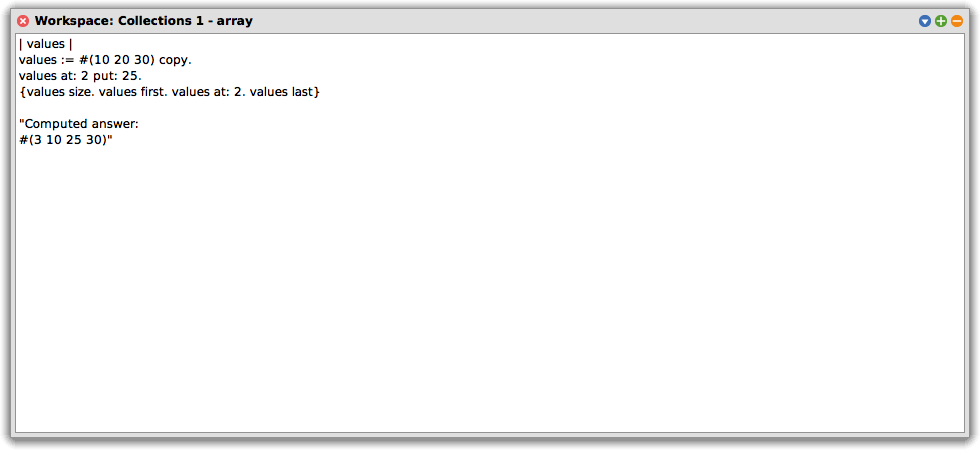
An Array has a fixed number of slots. Indexing starts at 1, and at:put: replaces a slot without changing the size. The literal #(10 20 30) is convenient sample data; copy gives this experiment its own mutable container so we do not modify a literal stored in compiled code. The last expression constructs a new Array with four observations. A period separates expressions; only the last answer is printed. Use an Array for a known group of values or positional data. Sending add: does not make an Array grow. Also remember that copy is shallow: objects inside a copied collection remain shared unless explicitly copied themselves.
Where to run this
Workspace → select the complete expression → Print It. For an Inspector, select the same expression and choose Inspect It.
Construction code · follow the run instructions above
Native Squeak 6.1 Workspace showing the independently executed expression and its computed answer.
02 · Grow an OrderedCollection in order
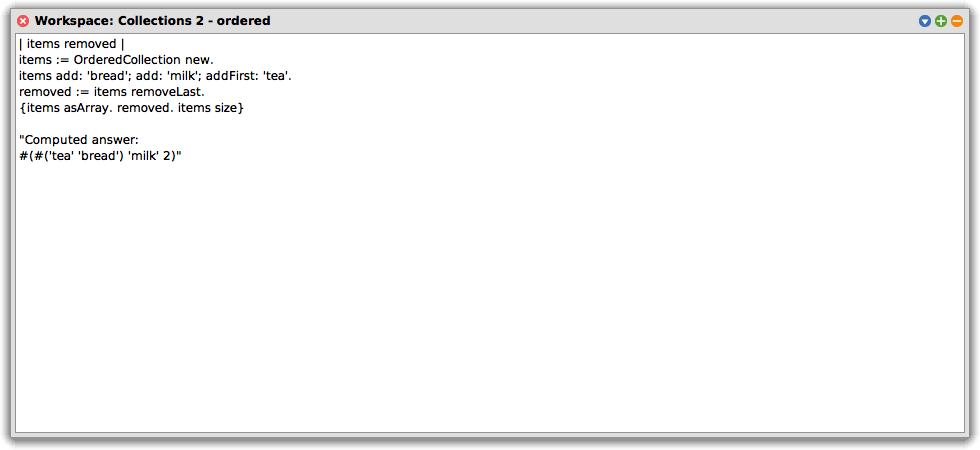
OrderedCollection keeps insertion order and can grow or shrink. We add bread and milk, then put tea at the front. removeLast answers the removed object, which we save separately. Most add: methods answer the object just added, not the collection. That makes “items := OrderedCollection new add: ...” a trap: items may become a String. A cascade followed by yourself explicitly answers the collection, but separate statements are easiest to inspect while learning. asArray creates a fixed-size snapshot for a stable printed result. Inspect items before and after removal to see that the same mutable collection has changed.
Where to run this
Workspace → select the complete expression → Print It. For an Inspector, select the same expression and choose Inspect It.
Construction code · follow the run instructions above
Native Squeak 6.1 Workspace showing the independently executed expression and its computed answer.
03 · Use Set for unique membership
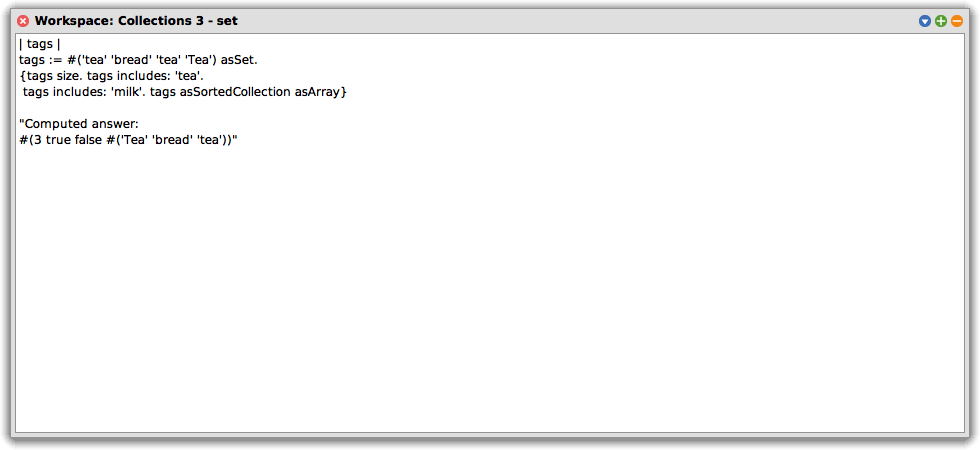
A Set answers the question “which distinct values are present?” Repeated equal elements count only once. The two occurrences of tea collapse, but Tea remains distinct because String equality is case-sensitive. includes: checks membership. A Set does not promise a user-facing iteration order, so sorting is a presentation step rather than a property of the Set. The expression converts to a sorted collection and then an Array before printing. Set uses equality and hashing; avoid mutating a member in a way that changes its hash while it belongs to the set. For numbered positions or repeatable insertion order, choose another collection.
Where to run this
Workspace → select the complete expression → Print It. For an Inspector, select the same expression and choose Inspect It.
Construction code · follow the run instructions above
Native Squeak 6.1 Workspace showing the independently executed expression and its computed answer.
04 · Keep duplicates and count with Bag
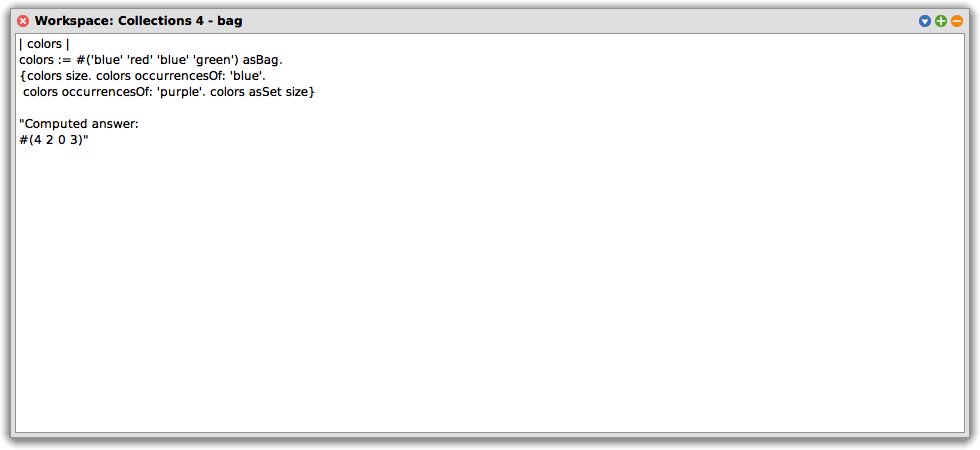
Bag stores occurrences: it remembers how often an equal value appeared, without making an ordering promise. There are four entries here but only three distinct colors. occurrencesOf: answers two for blue; asking about an absent value answers zero. asSet deliberately discards multiplicity. This is useful for word counts, votes, or a shopping basket when order is unimportant. Do not confuse size, which counts all occurrences, with the number of distinct elements. The result collects both measurements so the difference is visible. When displaying a Bag, sort a derived collection if the reader needs a predictable order.
Where to run this
Workspace → select the complete expression → Print It. For an Inspector, select the same expression and choose Inspect It.
Construction code · follow the run instructions above
Native Squeak 6.1 Workspace showing the independently executed expression and its computed answer.
05 · Look up values by key with Dictionary
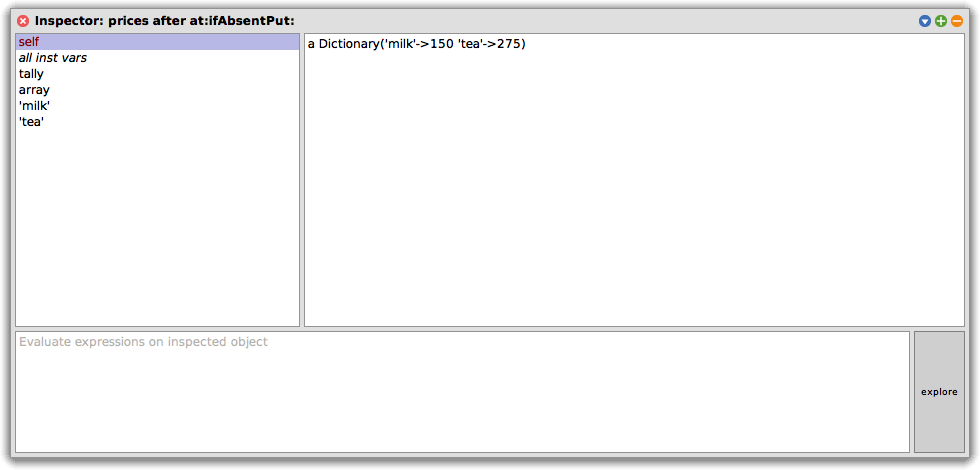
Dictionary maps each unique key to a value. Assigning an existing key replaces its value; it does not create a second entry. at:ifAbsent: answers a fallback without storing it. at:ifAbsentPut: computes and stores a value only if the key is missing. Those blocks are evaluated lazily. Here milk is initially absent, so its temporary fallback is zero; the later lookup installs 150. keys asSortedCollection produces a deterministic view of the keys, because Dictionary iteration order is not a contract. Use keysAndValuesDo: when you need both parts of each mapping, and reserve associationsDo: for Association objects themselves.
Where to run this
Workspace → select the complete expression → Print It. For an Inspector, select the same expression and choose Inspect It.
Construction code · follow the run instructions above
Native Dictionary Inspector on the prices object after the code runs. Select self to see both associations; selecting a key shows its current value. To reproduce this view, replace the final Array expression with prices, then Inspect It.
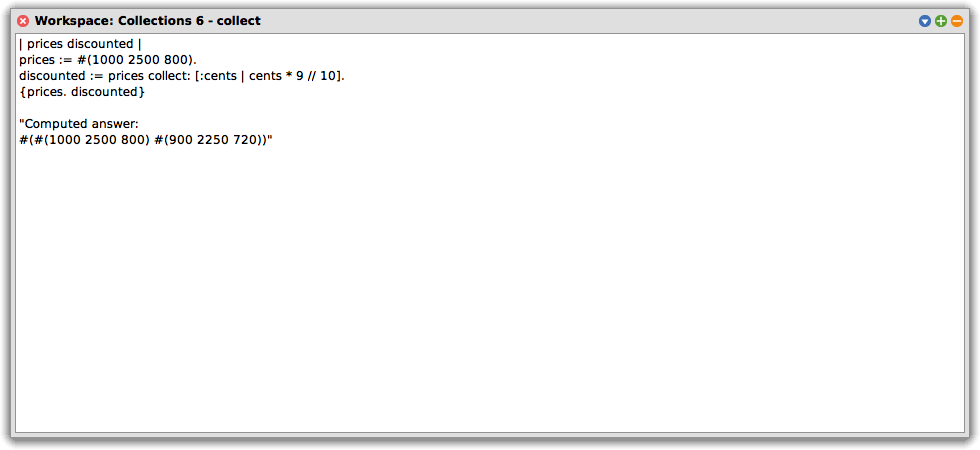
06 · Transform each element with collect:
collect: evaluates a one-argument block for every element and builds a new collection from the answers. It does not replace the original values. Here each integer-cent price is discounted by ten percent using integer division, giving another Array. Keeping amounts in cents makes this calculation easy to check; the rounding policy is explicitly truncation for these non-negative amounts. Displaying both arrays catches the common mistake of expecting an in-place change. The block’s argument name is local to the block. This example has no side effects, so it is straightforward to read, rerun, and test. Conversion is explicit when you need a particular resulting collection type.
Where to run this
Workspace → select the complete expression → Print It. For an Inspector, select the same expression and choose Inspect It.
Construction code · follow the run instructions above
Native Squeak 6.1 Workspace showing the independently executed expression and its computed answer.
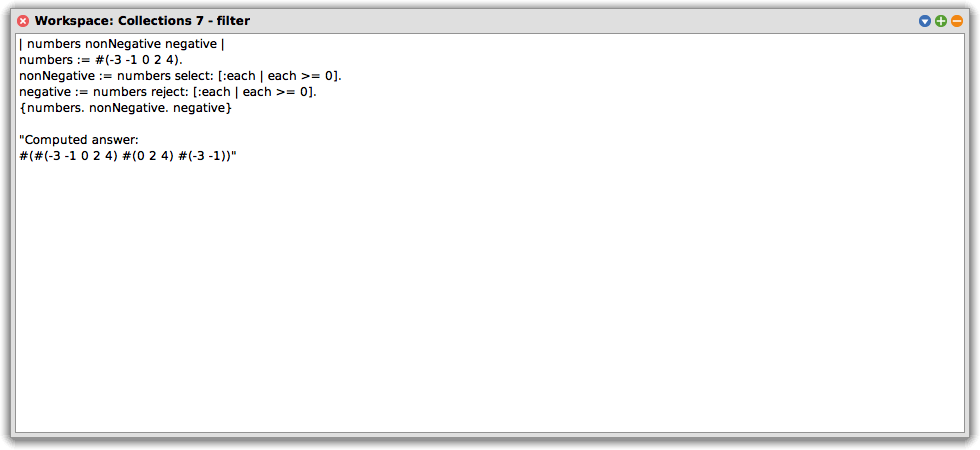
07 · Partition values with select: and reject:
select: keeps elements for which the block answers true. reject: keeps elements for which the block answers false. Neither transforms the kept values. In this example zero belongs to the non-negative side because the condition is >= 0. Arrays preserve the original relative order in both results. The two filters express complementary conditions and together account for every input element. Choose descriptive temporary names instead of repeating a long chain while debugging. You can Inspect each intermediate result before continuing. The block must return a Boolean, not a number used as a “truthy” value as in some other languages.
Where to run this
Workspace → select the complete expression → Print It. For an Inspector, select the same expression and choose Inspect It.
Construction code · follow the run instructions above
Native Squeak 6.1 Workspace showing the independently executed expression and its computed answer.
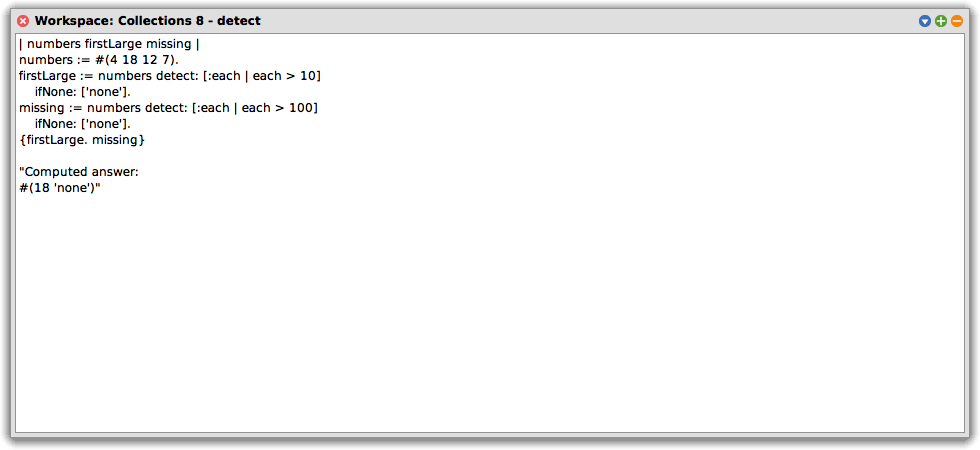
08 · Find one match and handle no match
detect:ifNone: stops at the first matching element and answers that element. It is different from select:, which builds a collection of all matches. For this ordered Array, the first number greater than ten is 18 even though 12 also matches. The second search finds nothing and evaluates its fallback block. A fallback is especially useful when missing data is ordinary, rather than an error. Choose a sentinel that the caller can distinguish from valid data; nil often works, but it is ambiguous if nil itself can be a successful match. A bare detect: signals an error when no element satisfies its block.
Where to run this
Workspace → select the complete expression → Print It. For an Inspector, select the same expression and choose Inspect It.
Construction code · follow the run instructions above
Native Squeak 6.1 Workspace showing the independently executed expression and its computed answer.
09 · Trace the accumulator in inject:into:
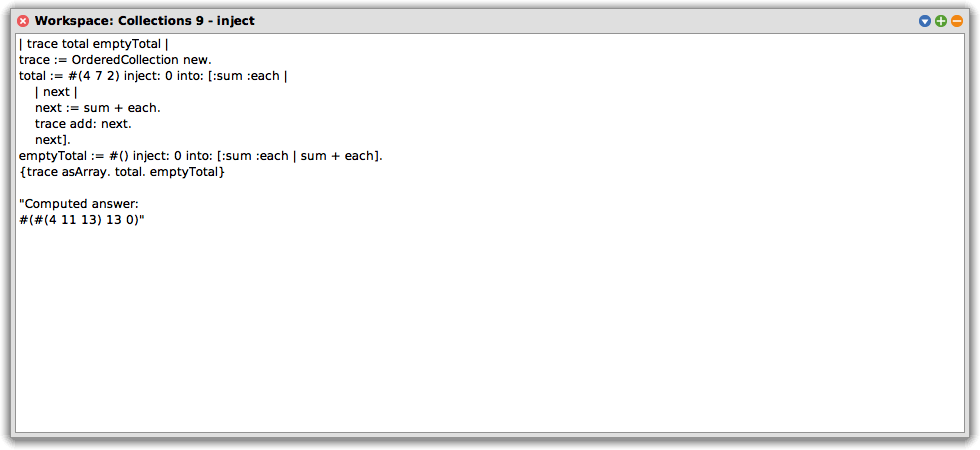
inject:into: folds a collection into one answer. The starting value is zero. On each visit the two-argument block receives the previous accumulator and the next element; the block’s answer becomes the next accumulator. We record each new sum so you can see 0 + 4, then 4 + 7, then 11 + 2. An empty collection returns the starting value without evaluating the block. The trace is a learning aid; production code often only needs “#(4 7 2) inject: 0 into: [:sum :each | sum + each]”. Choose a seed and block that agree on the accumulator’s type.
Where to run this
Workspace → select the complete expression → Print It. For an Inspector, select the same expression and choose Inspect It.
Construction code · follow the run instructions above
| trace total emptyTotal |
trace := OrderedCollection new.
total := #(4 7 2) inject: 0 into: [:sum :each |
    | next |
    next := sum + each.
    trace add: next.
    next].
emptyTotal := #() inject: 0 into: [:sum :each | sum + each].
{trace asArray. total. emptyTotal}
Native Squeak 6.1 Workspace showing the independently executed expression and its computed answer.
10 · Build and test a readable data pipeline
Combine the operations only after each intermediate answer is clear. Starting from four quantities, select values of at least ten, double those selected values, then sum the transformed values. The four-part result exposes the entire path, making a misplaced predicate or arithmetic error easy to locate. The original input remains unchanged. For a Set, duplicates and ordering could change the meaning, so choose the input collection intentionally. The downloadable test file runs this exact expression and every earlier stage. Open LSCollectionsLessonTest in the Browser to see that the tests compare observable answers rather than the collection’s internal representation.
Where to run this
Workspace → select the complete expression → Print It. For an Inspector, select the same expression and choose Inspect It.
Construction code · follow the run instructions above
| input selected doubled total |
input := #(4 12 7 20).
selected := input select: [:each | each >= 10].
doubled := selected collect: [:each | each * 2].
total := doubled inject: 0 into: [:sum :each | sum + each].
{input. selected. doubled. total}
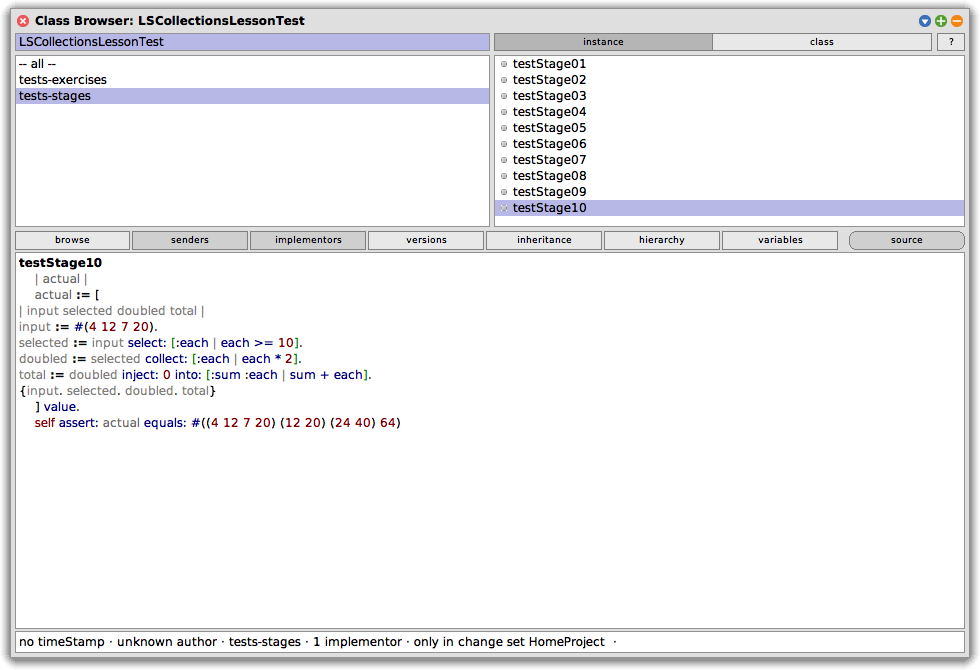
To verify every stage and exercise, file in source/11-tested-exercises.st, then Print It LSCollectionsLessonTest suite run in a Workspace. Expect 13 runs, 13 passes, 0 failures, and 0 errors. For a native runner, Do It TestRunner openForSuite: LSCollectionsLessonTest suite, then choose Run Selected.
Native Squeak 6.1 Browser showing the accepted instance-side test for this exact final expression. All 13 tests pass.
Watch the workflow
Every image is rendered by the actual Squeak 6.1 image using native Workspace, Inspector, Browser, or TestRunner windows. GIFs are scripted sequences of real native states, not recordings of a person typing. Workspace result comments contain answers computed by the Squeak compiler; Inspector frames display real live objects. The poster is the first GIF frame.
NATIVE SQUEAK CAPTURE
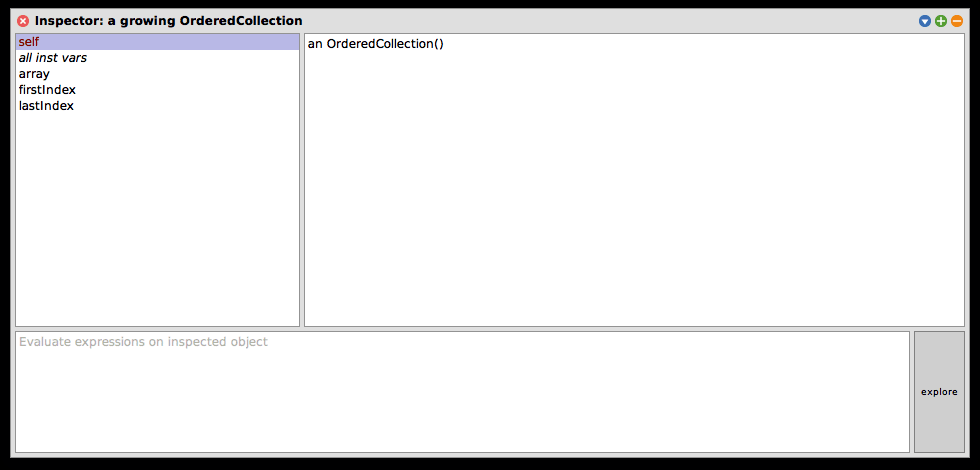
Scripted native Inspector states of the same collection: empty, tea, bread, milk, then removeLast. The self field displays the current object; the element list grows with it.
NATIVE SQUEAK CAPTURE
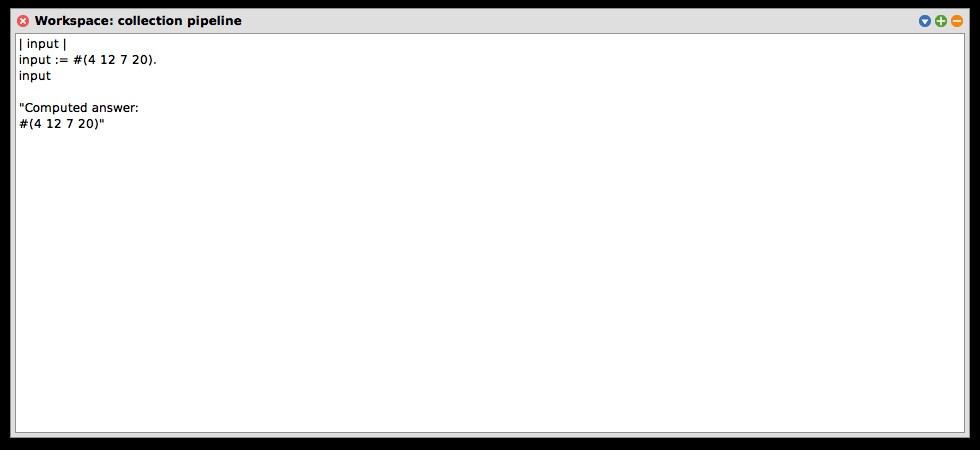
Scripted native Workspace states, each evaluated in Squeak: input → select: → collect: → inject:into:. The final answer is 64, and every intermediate collection remains visible.
Practice with tested solutions
1. Build a frequency dictionary
Count each word in a Dictionary. Use at:ifAbsent: to start unseen words at zero. Return counts in the explicit tea/bread/milk order so the answer is deterministic.
Show a tested solution
Workspace → select the whole solution, including temporary declarations → Print It. Or file in source/11-tested-exercises.st and browse LSCollectionsExercises → class side → examples → example1.
Exercise solution
| words counts |
words := #('tea' 'bread' 'tea' 'milk' 'tea').
counts := Dictionary new.
words do: [:word |
    counts at: word put: (counts at: word ifAbsent: [0]) + 1].
{counts at: 'tea'. counts at: 'bread'. counts at: 'milk'}
After filing in source/11-tested-exercises.st: Workspace → Print It this check.
Check the solution
LSCollectionsExercises example1 = #(3 1 1)
true
The dictionary has three keys; the repeated word increments an existing count. Parentheses ensure the lookup completes before adding one.
2. Define an empty-safe average
Create a one-argument average block. Answer nil for an empty input and the arithmetic mean otherwise. Check the ordinary case and the empty case in one evaluation.
Show a tested solution
Workspace → select the whole solution, including temporary declarations → Print It. Or file in source/11-tested-exercises.st and browse LSCollectionsExercises → class side → examples → example2.
Exercise solution
| average |
average := [:numbers |
    numbers isEmpty
        ifTrue: [nil]
        ifFalse: [(numbers inject: 0 into: [:sum :each | sum + each])
            / numbers size]].
{average value: #(4 8 12). average value: #()}
After filing in source/11-tested-exercises.st: Workspace → Print It this check.
Check the solution
LSCollectionsExercises example2 = #(8 nil)
true
The empty guard prevents division by zero. Integer division with / may produce an exact Fraction for other inputs; this example averages to the integer eight.
3. Filter, transform, and total a dictionary
From prices, keep entries costing at least 200 cents. Return the qualifying names alphabetically and their total. Use keysAndValuesDo: so the block receives each key and value separately.
Show a tested solution
Workspace → select the whole solution, including temporary declarations → Print It. Or file in source/11-tested-exercises.st and browse LSCollectionsExercises → class side → examples → example3.
The source dictionary remains unchanged. Sorting is needed only for display; summing the integer values does not depend on their visit order.
When something looks wrong
My Set or Dictionary prints in another order.
Ordering is not their contract. Convert keys or distinct values with asSortedCollection asArray when you need reproducible presentation.
My variable became the object I added.
add: commonly answers the added element. Create the collection in one statement, then mutate it; or finish a construction cascade with yourself.
I cannot add to an Array.
Its size is fixed. Replace a slot with at:put:, or start with OrderedCollection when size must change.
My lookup signals an error.
Check the key and its case. Use at:ifAbsent: for a missing-key fallback; use detect:ifNone: when searching for an element.
The filtered collection is not what I expected.
select: keeps original elements; collect: transforms them. Inspect the named intermediate variables and verify that the predicate answers true or false.
Verification, cleanup and next steps
Verified in official Squeak 6.1 build 23976, using an isolated copied image. All 10 Workspace expressions ran independently and matched their expected results; all 10 numbered file-ins ran; all three standalone exercise solutions and displayed checks passed; the SUnit suite passed 13/13. Native animation frames came from actual evaluated objects. The blocks callback demo also passed five real button-action assertions and three retained-state assertions. These are scripted native captures, not physical mouse/keyboard recordings.
Close Workspace, Inspector, Browser, and TestRunner windows when done. These examples create only local objects; rerunning them starts with fresh data. The optional test and exercise classes remain in the LearnSqueak category if you save the image.
Squeak 6.1 image source — Collection, SequenceableCollection, Array, OrderedCollection, Set, Bag, Dictionary, BlockClosure, Boolean, and SUnit methods shipped in build 23976. All claims used here were checked against actual execution.