The separate playground loads the real Smalltalk image on demand. This lesson keeps its native setup instructions; browser compatibility notes appear beside each demo.
Before you start
Turn an explicit fictional corpus into a positional inverted index with AND queries, phrase matching, highlighted snippets and atomic updates.
Each numbered source is complete and cumulative. Start with any checkpoint in a fresh image, then run its exact Workspace block. The displayed Browser method is an excerpt already installed by that checkpoint.
Comfort with classes, arrays, dictionaries and blocks
A working Squeak 6.1 image and the File List / Workspace tools
Save a copy of your image before experimenting. Download a checkpoint .st file beside that copy, select it in the File List, and choose fileIn.
Close the previous tutorial window before installing another checkpoint. Select the complete Workspace block and use Do it (Ctrl+D or Cmd+D).
Accept displayed method definitions only in the named class and instance-side Browser category; a Workspace expects expressions, not method definitions.
For final verification, file in LearningSearch.st and LearningSearchTests.st, then evaluate TestRunner openForSuite: LSSearchTest suite.
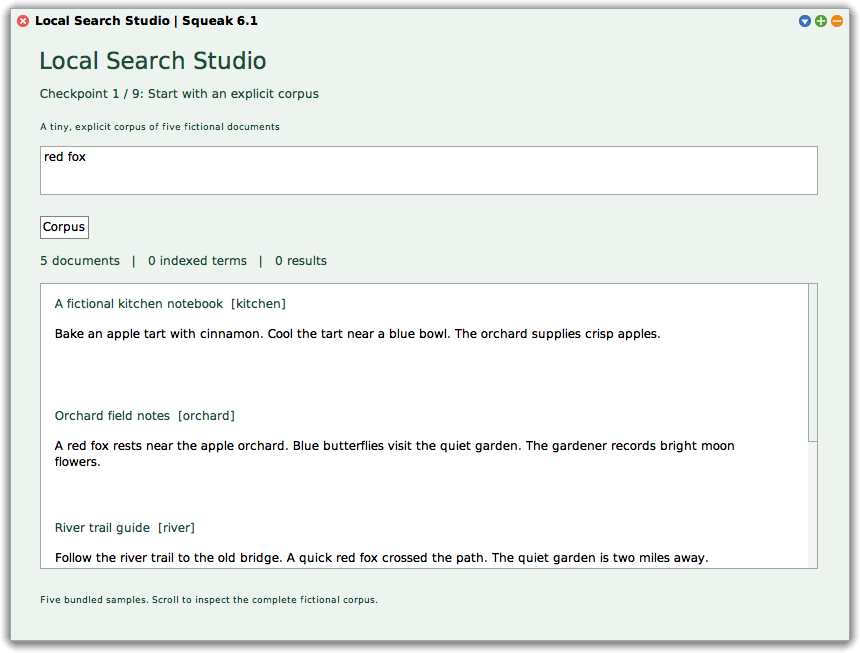
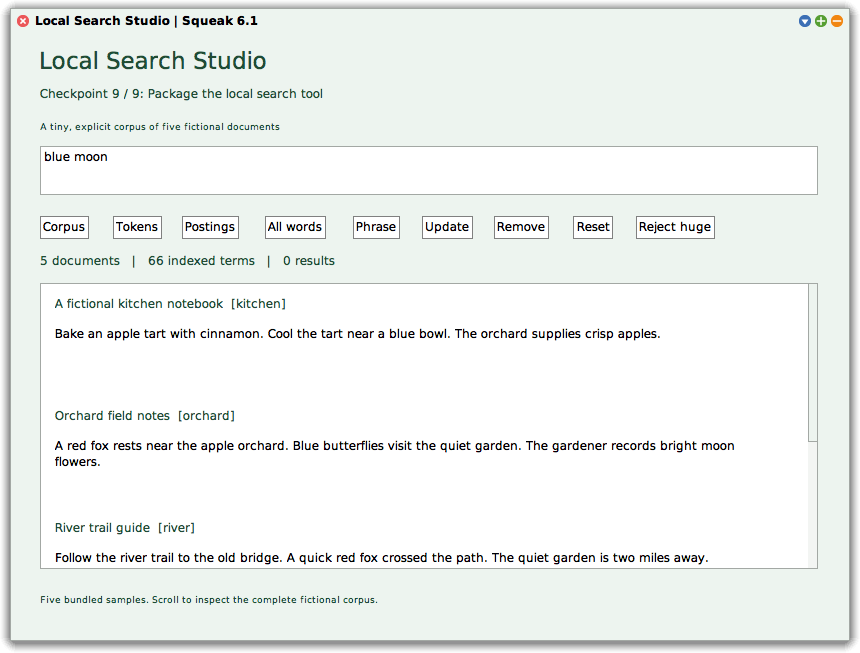
Search starts with a clearly defined collection. LSIndex stores each document under a stable string ID, with a title and body. The bundled corpus is deliberately fictional and supplied directly in source; there is no folder scan, upload or external service. Titles help people read results while only bodies will be indexed. A stable ID is different from a title: you can revise a title without creating a second document. Every checkpoint uses this same small corpus so you can predict and verify each new operation.
Where to run this
System Browser, LSIndex, instance side. This method is already installed by checkpoint 01.
Construction code · follow the run instructions above
putId: id title: title body: body
 self validateId: id title: title body: body.
 documents at: id copy put: {title copy. body copy}
After filing in this checkpoint, evaluate the complete block in a Workspace with Do it. It returns the open native application.
Native Squeak 6.1 checkpoint 01, rendered after executing the exact Workspace block above.
02 · Preserve source spans while normalizing words
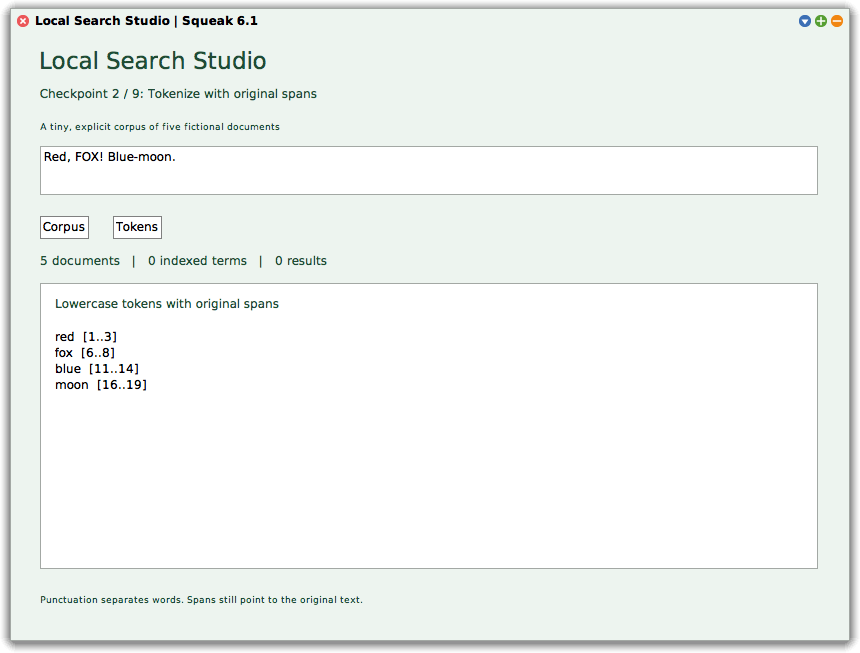
A tokenizer defines what the search tool means by a word. This one groups ASCII letters and digits, lowercases the resulting term, and records its original character span. Punctuation and whitespace act as separators. Keeping both the normalized value and the span is important: searching should ignore case, while the final snippet should preserve the original spelling and punctuation. The cursor either advances over a word or advances over one separator, so an empty or punctuation-only input terminates cleanly with no tokens.
Where to run this
System Browser, LSTokenizer, instance side. This method is already installed by checkpoint 02.
Construction code · follow the run instructions above
tokens: text
 | result cursor start |
 text size > 12000 ifTrue: [self error: 'Limit: 12000 characters per document'].
 result := OrderedCollection new. cursor := 1.
 [cursor <= text size] whileTrue: [
  (self isWord: (text at: cursor)) ifTrue: [
   start := cursor. [cursor <= text size and: [self isWord: (text at: cursor)]] whileTrue: [cursor := cursor + 1].
   cursor - start > 64 ifTrue: [self error: 'Limit: 64 characters per token'].
   result size >= 3000 ifTrue: [self error: 'Limit: 3000 tokens per document'].
   result addLast: {(text copyFrom: start to: cursor - 1) asLowercase. start. cursor - 1}]
  ifFalse: [cursor := cursor + 1]]. ^ result asArray
After filing in this checkpoint, evaluate the complete block in a Workspace with Do it. It returns the open native application.
Native Squeak 6.1 checkpoint 02, rendered after executing the exact Workspace block above.
03 · Invert documents into positional postings
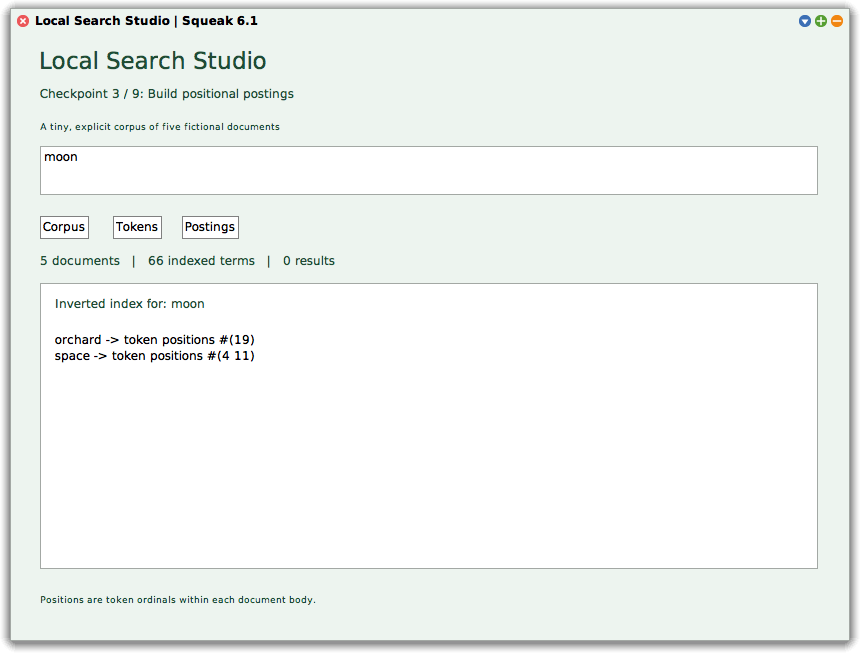
A forward view asks which terms occur in a document. An inverted index reverses that relationship: each term maps to document IDs, and each ID maps to an ordered collection of token positions. The index is built once from the explicit corpus. Term queries can then begin with the matching document IDs instead of scanning every body on every search. Positions cost more storage than a set of IDs, but enable phrases without running a separate substring search. indexFor: builds a new dictionary and returns it.
Where to run this
System Browser, LSIndex, instance side. This method is already installed by checkpoint 03.
Construction code · follow the run instructions above
indexFor: aDictionary
 | built | built := Dictionary new.
 aDictionary keys asSortedCollection do: [:id | | tokens |
  tokens := LSTokenizer new tokens: (aDictionary at: id) second.
  tokens withIndexDo: [:token :position | | byDocument |
   byDocument := built at: token first ifAbsentPut: [Dictionary new].
   (byDocument at: id ifAbsentPut: [OrderedCollection new]) addLast: position]].
 ^ built
After filing in this checkpoint, evaluate the complete block in a Workspace with Do it. It returns the open native application.
Native Squeak 6.1 checkpoint 03, rendered after executing the exact Workspace block above.
04 · Intersect documents that contain every term
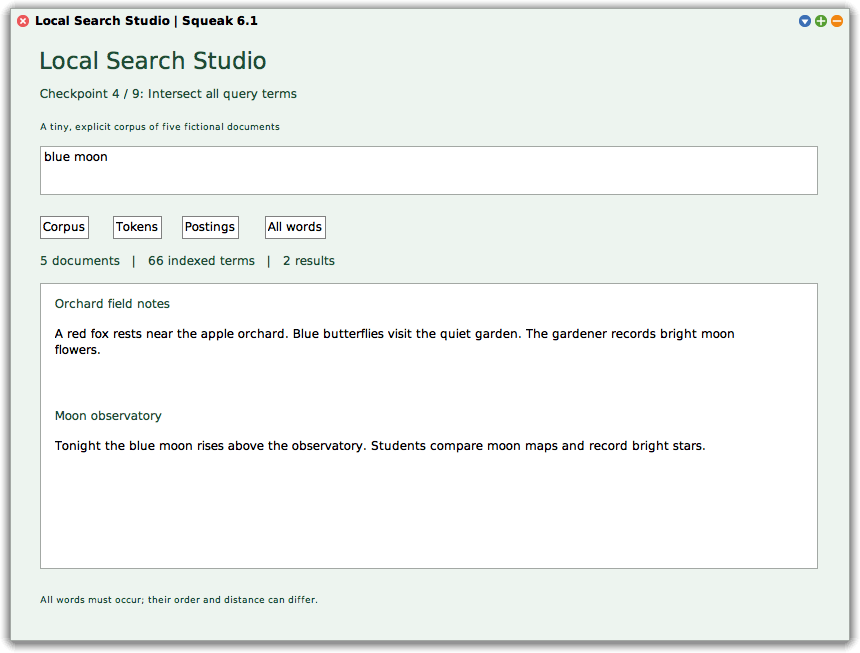
The All words operation implements AND semantics. It starts with the document set for the first term, then intersects it with the set for each remaining term. A missing term naturally produces an empty set. Repeated query terms do not duplicate results. Sorting IDs before returning the result makes tests and the display predictable; this tutorial intentionally does not claim relevance ranking. An empty query returns no hits rather than unexpectedly dumping every document. Query length and term count are checked before the intersections begin.
Where to run this
System Browser, LSIndex, instance side. This method is already installed by checkpoint 04.
Construction code · follow the run instructions above
Native Squeak 6.1 checkpoint 04, rendered after executing the exact Workspace block above.
05 · Require adjacent positions for a phrase
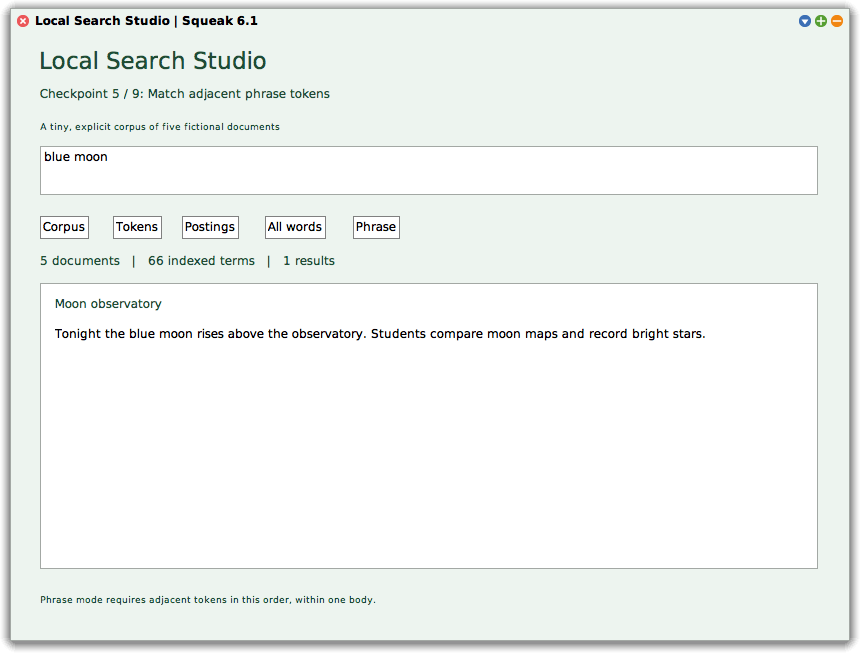
Phrase search first uses the AND result to obtain candidate documents. For every occurrence of the first term in a candidate, phraseStarts:in: checks that the second term occurs at start + 1, the third at start + 2, and so on. This uses whole normalized tokens, so red fo does not match red fox. Every position lookup stays inside a single document body, preventing a phrase from bridging two documents. Phrase is an explicit toolbar mode; quote characters are separators rather than a separate query language.
Where to run this
System Browser, LSIndex, instance side. This method is already installed by checkpoint 05.
Construction code · follow the run instructions above
The same postings support both term and phrase search
A phrase requires the specified order and exact token adjacency
Punctuation separates tokens, so red, fox and red-fox satisfy the phrase red fox
Phrase matching here can cross punctuation or line breaks within a body. It does not model sentence boundaries, title/body joins, stemming or language-specific word rules.
Expected result
Phrase returns only Moon observatory. orchard no longer qualifies because blue and moon are not adjacent.
Native Squeak 6.1 checkpoint 05, rendered after executing the exact Workspace block above.
06 · Return readable highlighted snippets
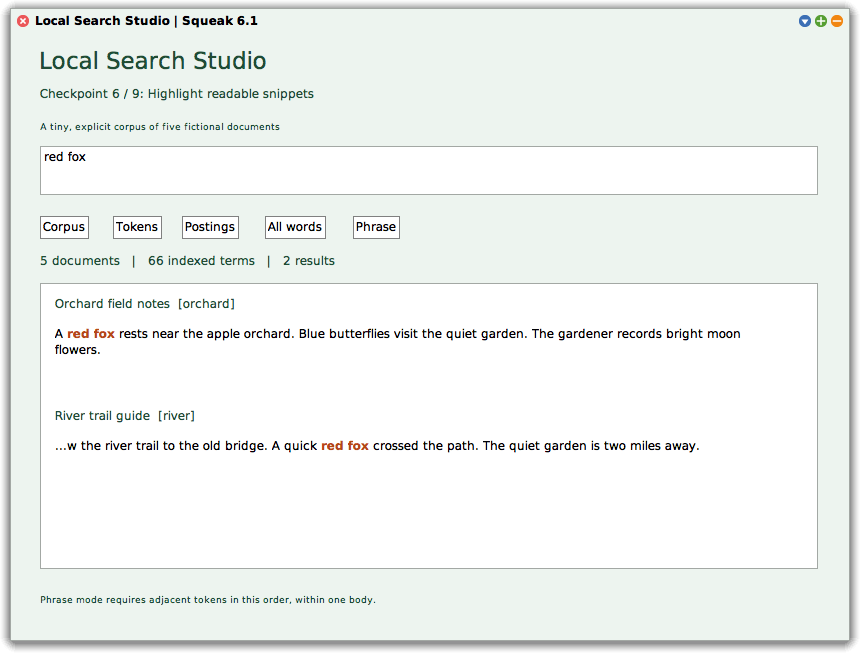
A result needs enough context to judge whether it is useful. The snippet builder finds matching token ordinals, obtains their original character spans, and chooses a bounded excerpt around the earliest hit. It creates a Squeak Text value, adding bold and color attributes only to matching spans inside the excerpt. Ellipses indicate clipped context. Phrase mode highlights only tokens participating in a complete phrase; All words highlights occurrences of any query term. TextMorph displays the styled Text inside a native scrolling results pane.
Where to run this
System Browser, LSIndex, instance side. This method is already installed by checkpoint 06.
Construction code · follow the run instructions above
snippetFor: id query: query phrase: isPhrase
 | body tokens positions anchor start stop prefix text |
 body := (documents at: id) second. tokens := LSTokenizer new tokens: body.
 positions := self matchingTokenPositions: query in: id phrase: isPhrase.
 anchor := positions isEmpty ifTrue: [1] ifFalse: [(tokens at: positions asSortedCollection first) second].
 start := (anchor - 45) max: 1. stop := (start + 179) min: body size.
 prefix := start > 1 ifTrue: ['...'] ifFalse: [''].
 text := (prefix, (body copyFrom: start to: stop), (stop < body size ifTrue: ['...'] ifFalse: [''])) asText.
 positions do: [:position | | token from to | token := tokens at: position.
  from := token second max: start. to := token third min: stop.
  from <= to ifTrue: [
   text addAttribute: TextEmphasis bold from: from - start + 1 + prefix size to: to - start + 1 + prefix size.
   text addAttribute: (TextColor color: (Color fromString: '#B44719')) from: from - start + 1 + prefix size to: to - start + 1 + prefix size]]. ^ text
After filing in this checkpoint, evaluate the complete block in a Workspace with Do it. It returns the open native application.
Search normalization never rewrites the original body shown to the reader
Character offsets are translated into excerpt offsets after any leading ellipsis
The body excerpt is at most 180 characters, plus up to two three-character ellipses
Long-result tests verify centered excerpts and bounds. A snippet can cut a word at its edge; expanding to whole-word boundaries is a useful later refinement.
Expected result
The two hits preserve their original prose and highlight the adjacent words red fox in bold rust-colored text.
Native Squeak 6.1 checkpoint 06, rendered after executing the exact Workspace block above.
07 · Replace a document without stale postings
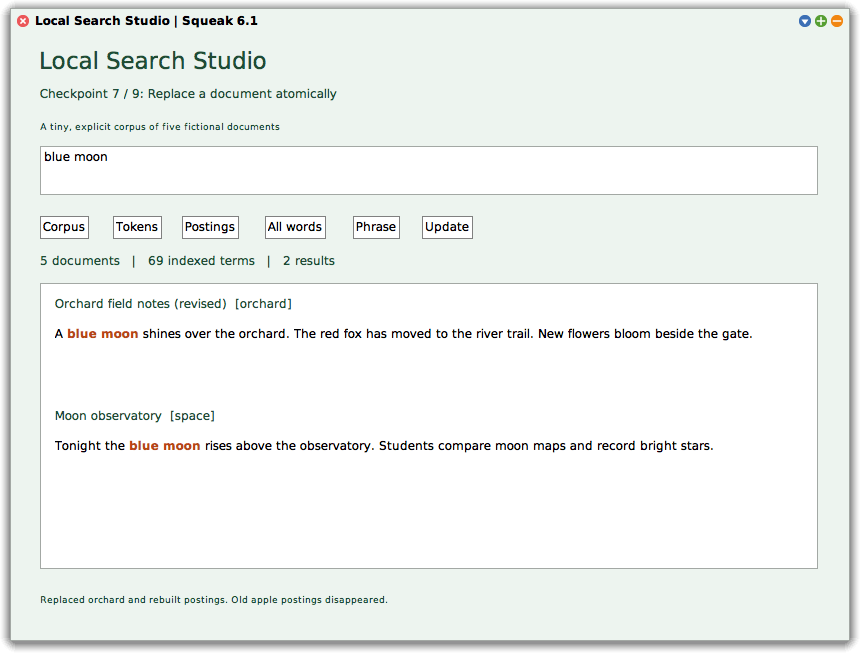
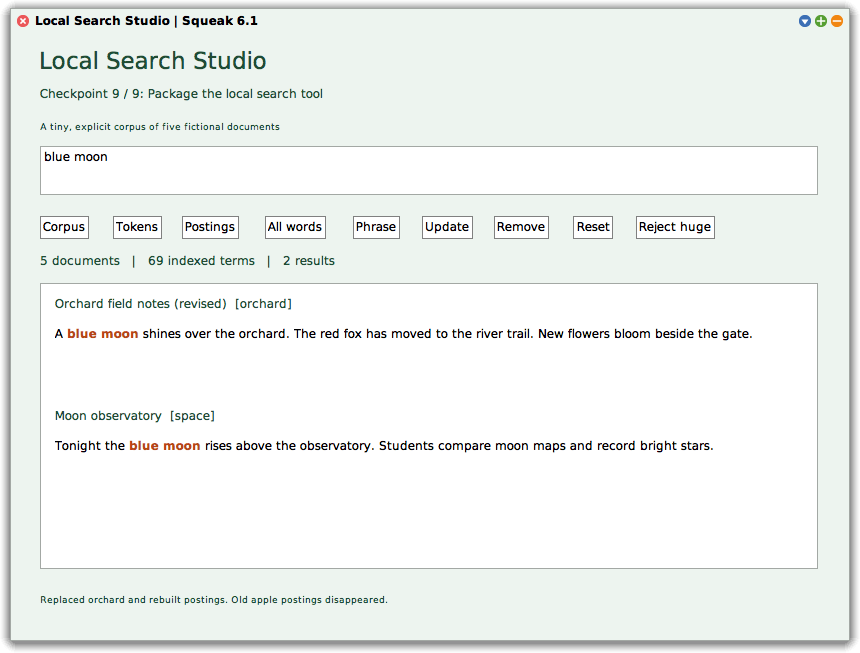
An update must remove the old document’s contributions as well as add the new ones. For this bounded teaching corpus, rebuilding the complete index is simpler to audit than subtracting individual postings. putId:title:body: validates the draft, copies the document dictionary, inserts the replacement into that candidate, and builds fresh postings from it. Only after tokenization and indexing succeed are documents and postings committed together. An oversized body or token therefore leaves both old structures intact. The Update button demonstrates replacing the stable orchard ID.
Where to run this
System Browser, LSIndex, instance side. This method is already installed by checkpoint 07.
Construction code · follow the run instructions above
putId: id title: title body: body
 | candidate rebuilt | self validateId: id title: title body: body.
 candidate := documents copy. candidate at: id copy put: {title copy. body copy}.
 rebuilt := self indexFor: candidate.
 documents := candidate. postings := rebuilt
After filing in this checkpoint, evaluate the complete block in a Workspace with Do it. It returns the open native application.
Native Squeak 6.1 checkpoint 07, rendered after executing the exact Workspace block above.
08 · Remove documents and rebuild deterministically
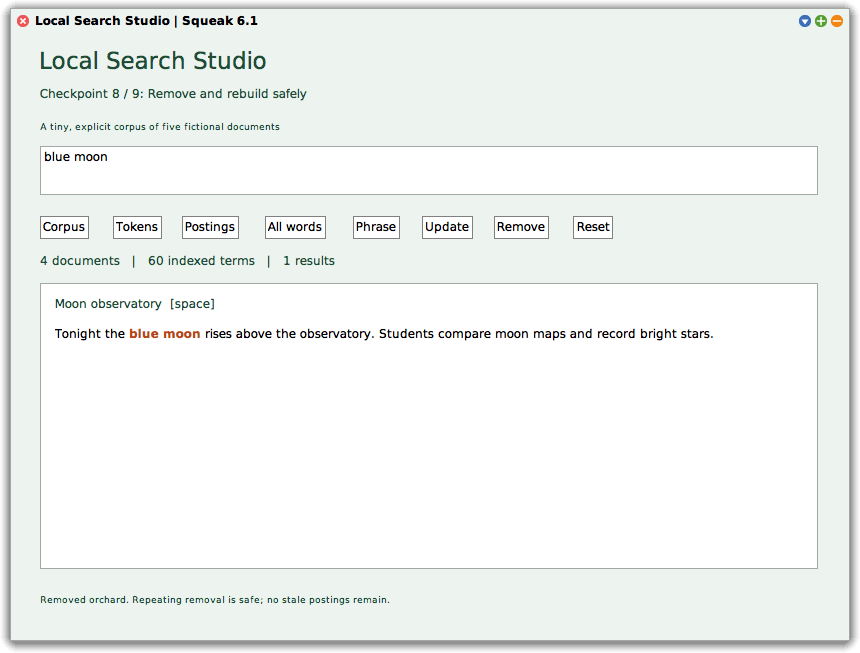
Deletion uses the same candidate-and-commit pattern as replacement. If the ID is absent, removeId: returns false without changing anything; otherwise it builds new postings for the remaining candidate corpus and commits both structures. Repeating the same removal is harmless. The UI reruns the current search in its current mode, which prevents a removed hit from lingering on screen. Reset creates a new index from the five original samples, rebuilds it and reruns the query. Rebuilding an unchanged corpus is idempotent.
Where to run this
System Browser, LSIndex, instance side. This method is already installed by checkpoint 08.
Construction code · follow the run instructions above
Native Squeak 6.1 checkpoint 08, rendered after executing the exact Workspace block above.
09 · Verify input bounds and the native workflow
The complete search tool separates tokenization, indexing, query operations and display. Its SUnit suite tests case normalization, punctuation, repeated terms, adjacency, whole-token matching, document boundaries, snippet spans, update rollback, stale-posting removal, empty inputs and input limits. Native mouse-down/up events drive the toolbar in integration tests, including repeated removal, reset and recovery after rejection. The final source has no filesystem enumeration methods. The bundled corpus and explicit putId:title:body: API make the scope visible and reproducible in a fresh image.
Where to run this
System Browser, LSSearchApp, instance side. This method is already installed by checkpoint 09.
Construction code · follow the run instructions above
The tokenizer rejects tokens over 64 characters and documents over 3000 tokens
A failed update preserves both documents and postings
The final app and test source are separate files and load without earlier checkpoints
This teaching index is memory-resident and rebuilt on writes. A production system would need persistent storage, incremental updates, ranking, language-aware analysis and a much larger validation plan.
Expected result
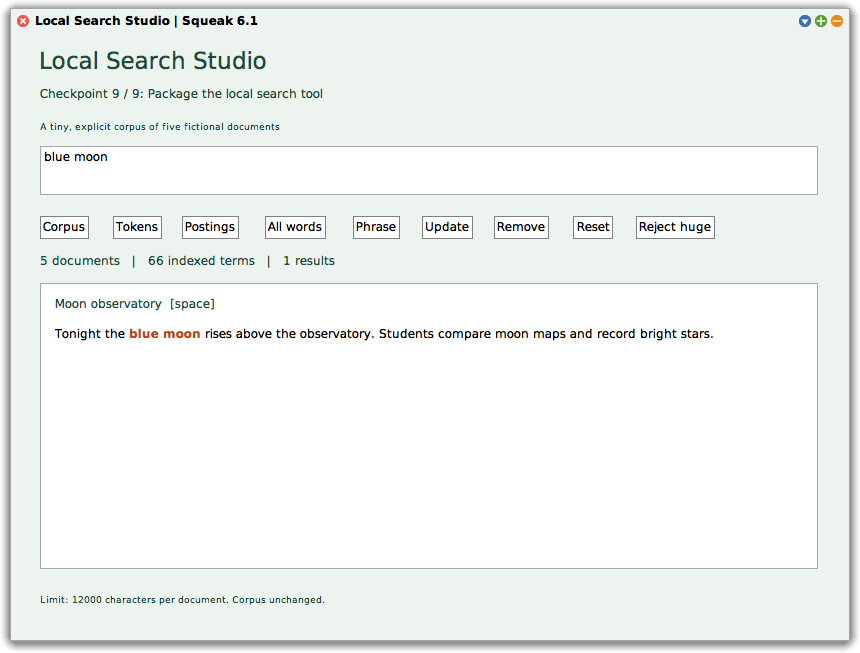
The original observatory hit stays visible. The status reports the 12000-character document limit and confirms that the corpus is unchanged.
Native Squeak 6.1 checkpoint 09, rendered after executing the exact Workspace block above.
Watch the workflow
Every still is captured from a native Squeak 6.1 SystemWindow after loading that checkpoint into the unsaved baseline image. Animations combine PNG frames rendered by the running Morphic application while scripted native pointer events operate its actual controls. There are no reconstructed browser mockups.
NATIVE SQUEAK CAPTURE
Native toolbar execution: compare All words and Phrase, inspect postings, and highlight a complete red fox phrase.
NATIVE SQUEAK CAPTURE
Native toolbar execution: replace orchard, remove it, repeat removal, restore the original corpus, and reject an oversized update.
Practice with tested solutions
1. Separate all words from a phrase
Add a fictional note that contains fox before red. Compare the All words and Phrase results, then display the phrase search.
Hint
AND cares about membership; a phrase also cares about adjacency and order.
Show a tested solution
After filing in the final app, select this entire block in a Workspace and use Do it. It opens the app and raises an error if any assertion fails.
Exercise solution
| app |
app := LSSearchApp open.
app index putId: 'practice' title: 'Fictional field note' body: 'A fox rests beside a red gate.'.
app query: 'red fox'; searchTerms.
(app results includes: 'practice') ifFalse: [self error: 'AND missed the note'].
app searchPhrase.
(app results includes: 'practice') ifTrue: [self error: 'Phrase ignored order'].
app results = #('orchard' 'river') ifFalse: [self error: 'Unexpected phrase hits'].
app
Expected
All words includes practice; Phrase excludes it and returns orchard and river.
Positions distinguish two documents that contain the same words in different order. Each lookup is still scoped to one body.
This exact solution and its assertions were executed successfully in a fresh Squeak 6.1 image.
2. Replace every trace of an old term
Add a note containing amber, then replace the same ID with a cobalt note. Verify amber disappears from postings while cobalt points to the replacement.
Hint
Reuse the same ID. A new title alone does not determine identity.
Show a tested solution
After filing in the final app, select this entire block in a Workspace and use Do it. It opens the app and raises an error if any assertion fails.
Exercise solution
| app |
app := LSSearchApp open.
app index putId: 'practice' title: 'First draft' body: 'An amber lantern glows.'.
(app index terms: 'amber') = #('practice') ifFalse: [self error: 'Missing first version'].
app index putId: 'practice' title: 'Second draft' body: 'A cobalt lantern glows.'.
(app index terms: 'amber') isEmpty ifFalse: [self error: 'Stale amber posting'].
app index documentCount = 6 ifFalse: [self error: 'Replacement made a duplicate'].
app query: 'cobalt'; searchTerms.
app results = #('practice') ifFalse: [self error: 'Missing replacement'].
app
Expected
Only the replacement appears for cobalt; amber has no results and the corpus has six documents.
Rebuilding candidate postings removes obsolete contributions automatically. A production incremental index would need equally careful deletion of the old document’s postings.
This exact solution and its assertions were executed successfully in a fresh Squeak 6.1 image.
3. Delete one hit without damaging another
Add two fictional notes with the same phrase. Delete one, repeat the deletion and rebuild. Prove the other hit remains.
Hint
The second removal should return false. Rebuilding must not duplicate positions or revive removed documents.
Show a tested solution
After filing in the final app, select this entire block in a Workspace and use Do it. It opens the app and raises an error if any assertion fails.
Exercise solution
| app |
app := LSSearchApp open.
app index putId: 'practiceA' title: 'First fictional note' body: 'silver bell'.
app index putId: 'practiceB' title: 'Second fictional note' body: 'silver bell'.
(app index removeId: 'practiceA') ifFalse: [self error: 'First deletion failed'].
(app index removeId: 'practiceA') ifTrue: [self error: 'Second deletion claimed a change'].
app index rebuild; rebuild.
app query: 'silver bell'; searchPhrase.
app results = #('practiceB') ifFalse: [self error: 'Deletion damaged a different document'].
app
Expected
Only practiceB appears for silver bell after repeated deletion and two rebuilds.
The stable document ID is the unit of removal. Rebuilding from the remaining corpus is deterministic and cannot recover data that is no longer there.
This exact solution and its assertions were executed successfully in a fresh Squeak 6.1 image.
When something looks wrong
Message not understood after loading an earlier checkpoint
Close the prior window and load the complete checkpoint source in a fresh Squeak 6.1 image. Earlier checkpoints intentionally expose fewer controls and grammar/query features.
A method definition fails in the Workspace
Use the File List to file in the downloaded source. The displayed method belongs in its named class in the System Browser. Only the separate Workspace block is meant for Do it.
The displayed result differs after editing the text
Click Run in the language app, or All words / Phrase in the search app. Each action reads the editor’s current buffer, including unaccepted text.
Verification, cleanup and next steps
39 SUnit tests passed in Squeak 6.1; zero failures and errors.
Close the tutorial windows when finished. The apps keep session data only in memory. The downloads contain source and verification notes so you can recreate them in a fresh image.