ABSOLUTE BEGINNER
Your first repeat
Ask Squeak to do a small job more than once. Count up, add in twos, and repeat some text.
STEP 1
Open a Workspace
In Squeak 6.1, click an empty part of the desktop. Choose open… then workspace.
For each example, replace ALL the Workspace text, including any old answer. Select all four new lines, right-click the selection, and choose print it (p). Some setups use middle-click for this menu. Each example starts fresh.
STEP 2
Count up three times
The first line gives this little example a name to remember: count. The next line starts it at 0.
3 timesRepeat: runs the part inside [ ] three times. Each time, count := count + 1 adds one and keeps the new number. The last line asks for the final count, so Print it shows 3.
Copy the vertical bars, both square brackets, and the periods exactly. Keep the capital R and the colon in timesRepeat:.
| count |
count := 0.
3 timesRepeat: [count := count + 1].
count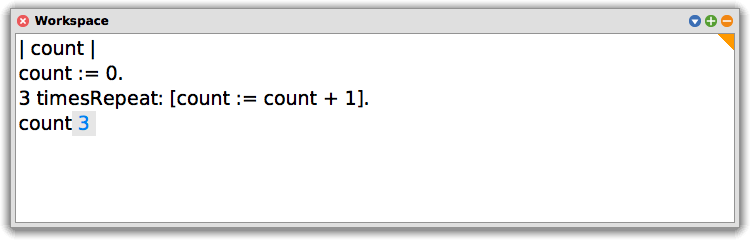
3
STEP 3
Change how many times
Replace all the old code and answer with this version. Select all four lines and Print it.
Only the repeat number changed, from 3 to 5. The count still starts at 0, and the new answer is 5.
| count |
count := 0.
5 timesRepeat: [count := count + 1].
count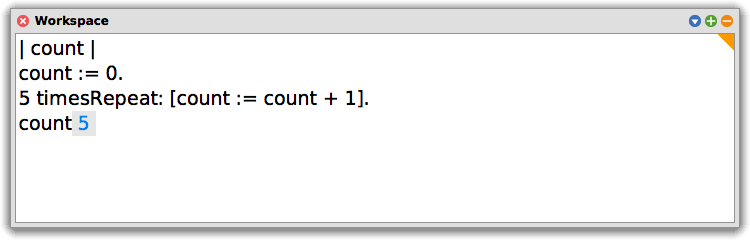
5
STEP 4
Add two each time
Replace all the old text with this example, select all four lines, and Print it.
This time the remembered name is total. Four repeats add 2 each time: 2, 4, 6, 8. Squeak prints 8.
| total |
total := 0.
4 timesRepeat: [total := total + 2].
total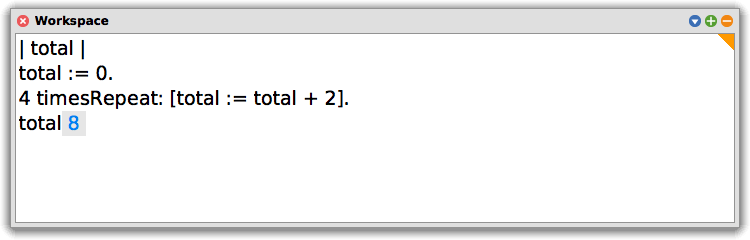
8
STEP 5
Repeat some words
Replace all the old text with this last example, select all four lines, and Print it.
Two single quotes with nothing between them make empty text. The comma joins another ha onto it each time. After three repeats, the answer is 'hahaha'.
Use straight single quotes, not curly ones. The quotes shown around the answer mean it is text.
| text |
text := ''.
3 timesRepeat: [text := text, 'ha'].
text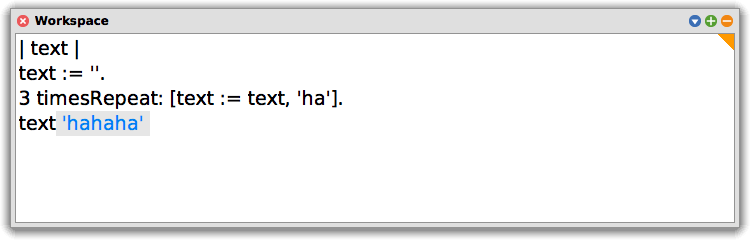
'hahaha'
YOU DID IT
One small action can happen many times.
timesRepeat: runs the code inside square brackets a set number of times. Start a remembered value, change it inside the brackets, then ask for the result.
Try 0 instead of 3 in the first example: the answer is 0 because the action never runs. Or use 4 instead of 3 to get 4. Always replace all the old code and answer before trying again.
Optional code download: open it as text and copy one example into Workspace.
Repeat examples: copy one at a time (.st)
Review your first variable · Try your first true or false · Explore blocks when you are ready