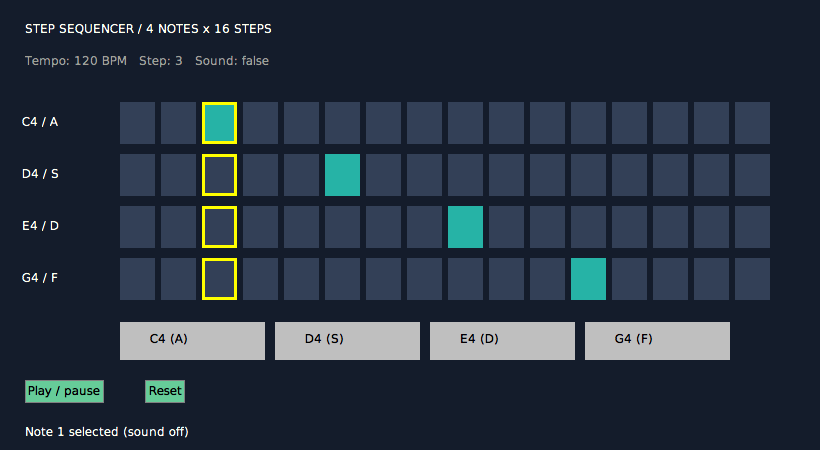
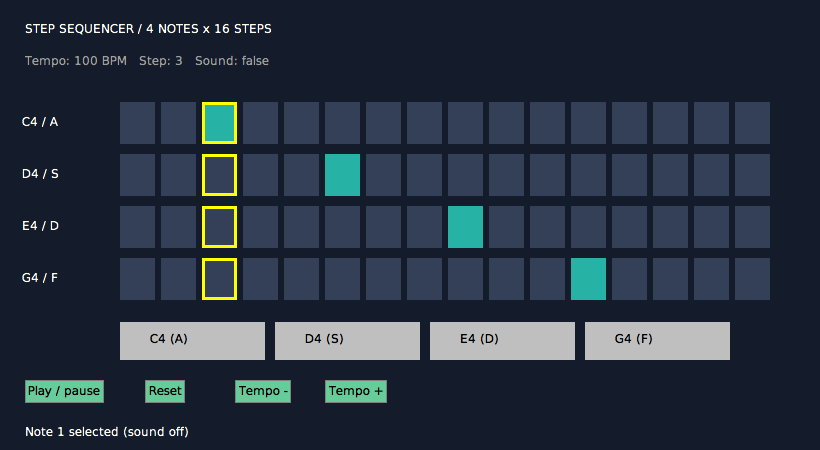
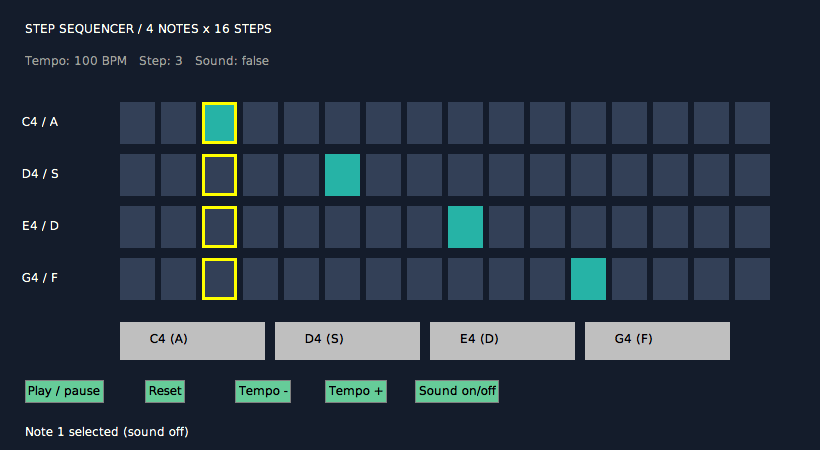
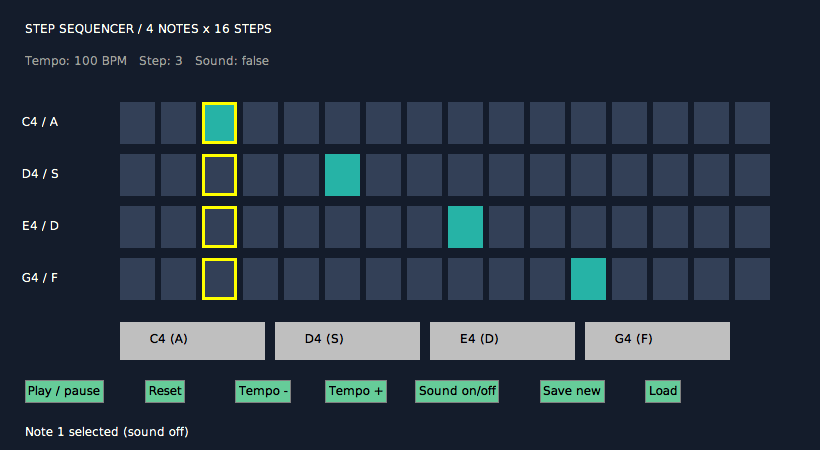
Synthesize four notes, edit sixteen steps, follow the playhead, and save a pattern.
9 construction stagesTested source & checkpointsNative screenshots & demos
Before you start
A sequencer turns a grid of Boolean choices into events over time. In this workshop you build a four-note keyboard and a sixteen-step pattern editor. The display, the sound samples and the saved data all come from the same small model. You can study and edit it without enabling sound.
Work through the stages in order to understand the construction, or file in any checkpoint on its own. Each self-contained checkpoint includes the complete supporting class; the stage setting progressively reveals the interface. The displayed methods are the actual tested implementation, not pseudocode.
Stock Squeak 6.1 build 23976. Basic Workspace Do it and Browser method acceptance.
Use a practice image and tutorial-created files. Download a checkpoint, open it in File List and choose fileIn.
The pattern is four arrays of sixteen false values. Rows represent pitches and columns represent time. Keeping this state separate from the drawing is what lets us serialize, test and render the same music later. The first checkpoint has only the panel and status.
File in the checkpoint, then run the opening expression. The panel is a Morph in the world. Delete it through its halo before opening the next checkpoint. No sound starts during initialization.
LSStepSequencer >> initialize
initialize
 super initialize.
 self color: (Color r: 0.08 g: 0.11 b: 0.17); extent: 820@450.
 pattern := (1 to: 4) collect: [:row | Array new: 16 withAll: false].
 tempo := 120. playhead := 0. playing := false. audioEnabled := false.
 status := 'Ready. Sound is off; enable it explicitly.'.
 stage := 9.
 self installButtons
Where to run this
File in sound-sequencer-01.st in a practice image. It includes the complete backing class and opens this stage. To study the construction, select LSStepSequencer in the Browser and compare the method below. The standalone opening block can be run with Do it after the source is installed.
Workspace · Do it after installing this checkpoint; close the previous panel first
Workspace · run after installing this checkpoint
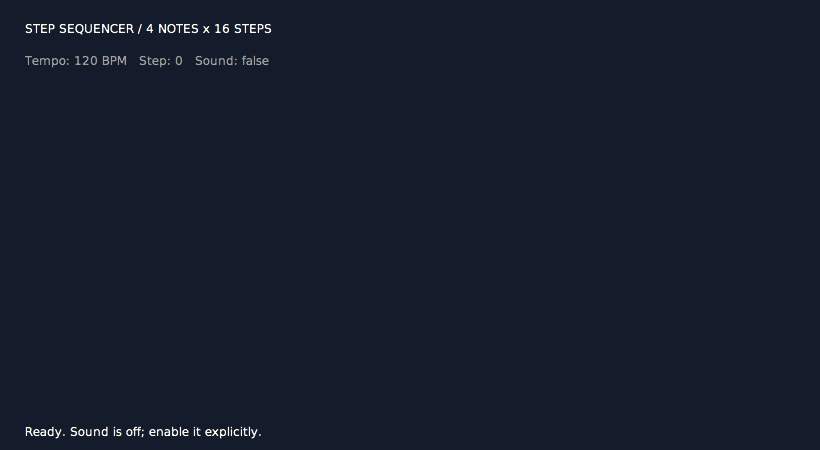
LSStepSequencer new stage: 1; openInWorld
Expected result
A dark panel reports tempo 120, step zero and sound false.
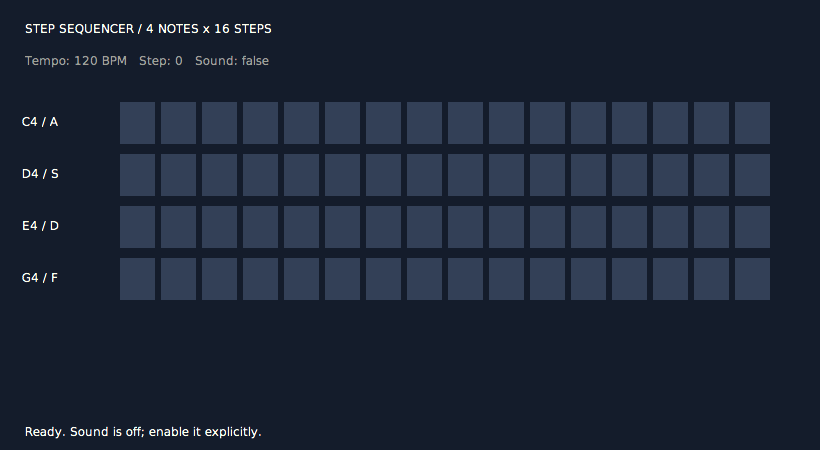
The cell rectangle is calculated from a row and column. Subtract one because Smalltalk arrays begin at one while pixel offsets begin at zero. The horizontal spacing is 41 pixels and the painted width is 35, leaving a visible gap.
The drawing reads each Boolean. It does not toggle state or advance playback. That makes repainting harmless: uncovering the window cannot change the tune.
File in sound-sequencer-02.st in a practice image. It includes the complete backing class and opens this stage. To study the construction, select LSStepSequencer in the Browser and compare the method below. The standalone opening block can be run with Do it after the source is installed.
Workspace · Do it after installing this checkpoint; close the previous panel first
Workspace · run after installing this checkpoint
LSStepSequencer new stage: 2; openInWorld
Expected result
Four labeled rows and sixteen unselected cells are visible.
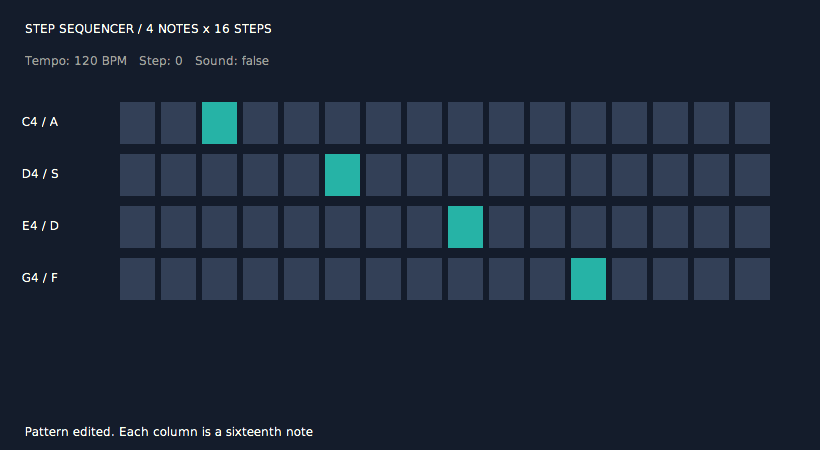
A mouse event carries a position in world coordinates. The same rectangle calculation used for painting identifies the cell. Once found, toggleRow:column: flips exactly one Boolean and sends changed.
The opening example sets four diagonal notes. Try clicking a selected cell twice: the first click removes it and the second restores it. Clicking a gap leaves the pattern alone.
LSStepSequencer >> mouseDown:
mouseDown: event
 event hand newKeyboardFocus: self.
 stage >= 3 ifTrue: [1 to: 4 do: [:r | 1 to: 16 do: [:c |
 ((self cellAtRow: r column: c) containsPoint: event position) ifTrue: [self toggleRow: r column: c. ^ self]]]].
 stage >= 4 ifTrue: [1 to: 4 do: [:r | ((self keyAt: r) containsPoint: event position) ifTrue: [self playNote: r. ^ self]]]
Where to run this
File in sound-sequencer-03.st in a practice image. It includes the complete backing class and opens this stage. To study the construction, select LSStepSequencer in the Browser and compare the method below. The standalone opening block can be run with Do it after the source is installed.
Workspace · Do it after installing this checkpoint; close the previous panel first
Each note is a short sine wave multiplied by a simple attack-and-decay envelope. The SoundBuffer holds signed 16-bit samples at 22,050 samples per second. Starting and ending near zero reduces clicks.
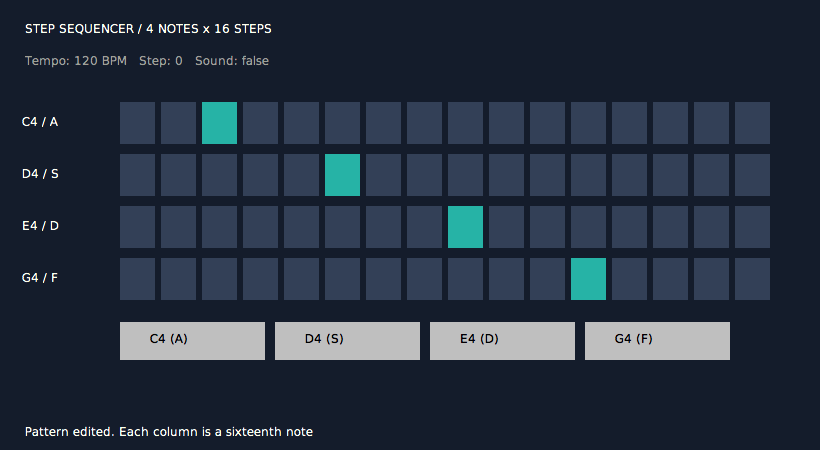
Click one of the four key rectangles. With sound off, the status still reports the selected note. Click the panel to give it keyboard focus; A, S, D and F select the same notes. Those keys belong to this focused Morph, not to the entire Squeak image.
LSStepSequencer >> samplesForNote:
samplesForNote: note
 | samples frequency rate count |
 (note between: 1 and: 4) ifFalse: [self error: 'Note outside keyboard'].
 rate := 22050. count := 3308.
 frequency := #(261.6256 293.6648 329.6276 391.9954) at: note.
 samples := SoundBuffer newMonoSampleCount: count.
 1 to: count do: [:i | | envelope |
 envelope := (i / 150.0 min: 1.0) * (1.0 - (i / count)).
 samples at: i put: ((Float pi * 2 * frequency * i / rate) sin * envelope * 6000) rounded].
 ^ samples
Where to run this
File in sound-sequencer-04.st in a practice image. It includes the complete backing class and opens this stage. To study the construction, select LSStepSequencer in the Browser and compare the method below. The standalone opening block can be run with Do it after the source is installed.
Workspace · Do it after installing this checkpoint; close the previous panel first
Workspace · run after installing this checkpoint
LSStepSequencer new stage: 4; openInWorld
Expected result
Four keys appear below the grid. A key event updates the status while sound stays off.
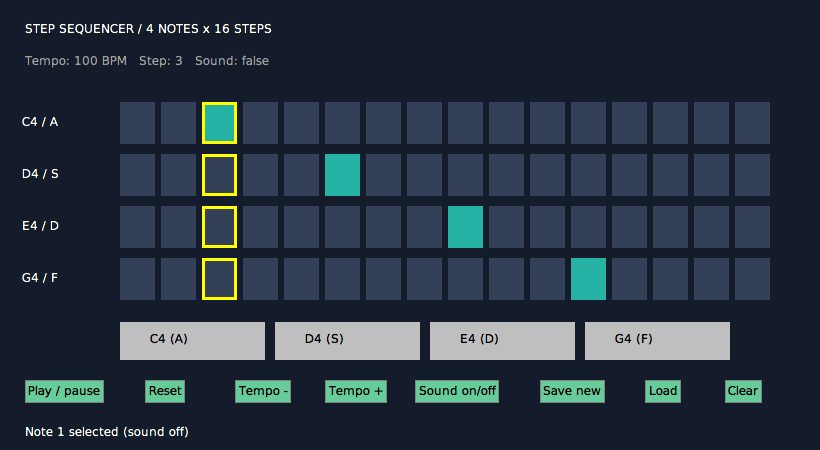
Advance is a deterministic operation: increment the playhead, wrap after column sixteen, and trigger selected rows in that column. Testing it does not require waiting for a timer.
Play/pause starts or stops Morphic stepping. Reset stops playback and returns the playhead to zero. The yellow outline shows the current column even when that column is silent.
File in sound-sequencer-05.st in a practice image. It includes the complete backing class and opens this stage. To study the construction, select LSStepSequencer in the Browser and compare the method below. The standalone opening block can be run with Do it after the source is installed.
Workspace · Do it after installing this checkpoint; close the previous panel first
A quarter note lasts 60,000/BPM milliseconds. A sixteenth note is one quarter of that, so our interval is 15,000/BPM. Tempo is restricted to integer values from 40 through 240.
The 15-millisecond step callback checks elapsed time. It does not assume that every callback is on schedule. When the image is late, it advances once and starts timing again instead of playing a burst of overdue notes.
LSStepSequencer >> step
step
 playing ifFalse: [^ self].
 (Time millisecondsSince: nextTick) >= self tickMilliseconds ifTrue: [
 self advance.
 nextTick := Time millisecondClockValue]
Where to run this
File in sound-sequencer-06.st in a practice image. It includes the complete backing class and opens this stage. To study the construction, select LSStepSequencer in the Browser and compare the method below. The standalone opening block can be run with Do it after the source is installed.
Workspace · Do it after installing this checkpoint; close the previous panel first
SampledSound wraps the generated samples and asks Squeak’s sound service to play them. The application only calls play after you enable Sound on/off. Start at a low device volume.
Turning sound off prevents new notes. An already-started note is short and decays naturally; the app does not stop every sound in the image. This matters when other tools are using audio. If your VM has no output device, use the downloadable WAV examples to inspect the generated result.
File in sound-sequencer-07.st in a practice image. It includes the complete backing class and opens this stage. To study the construction, select LSStepSequencer in the Browser and compare the method below. The standalone opening block can be run with Do it after the source is installed.
Workspace · Do it after installing this checkpoint; close the previous panel first
Workspace · run after installing this checkpoint
LSStepSequencer new stage: 7; openInWorld
Expected result
The Sound on/off button is present. It starts false; the user decides when to enable it.
The file is JSON data: tempo followed by four Boolean arrays. Loading validates the entire candidate before changing the current model. A truncated row, an out-of-range tempo or a non-Boolean cell is rejected.
Save new asks for a filename and refuses existing files. Load accepts only this small format and stops playback after a successful load. Cancel either filename dialog to leave the current pattern alone. Files are relative to the image’s default directory unless you enter an absolute path.
LSStepSequencer >> loadText:
loadText: text
 | data rows newTempo |
 text size > 8192 ifTrue: [self error: 'Pattern file too large'].
 self validatePatternText: text.
 data := Json readFromString: text.
 ((data isArray) and: [data size = 2]) ifFalse: [self error: 'Expected tempo and rows'].
 newTempo := data first. rows := data second.
 ((newTempo isInteger) and: [newTempo between: 40 and: 240]) ifFalse: [self error: 'Invalid tempo'].
 ((rows isArray) and: [rows size = 4 and: [rows allSatisfy: [:row | row isArray and: [row size = 16 and: [row allSatisfy: [:v | v == true or: [v == false]]]]]]]) ifFalse: [self error: 'Expected 4 by 16 Boolean cells'].
 self resetPlayhead.
 tempo := newTempo. pattern := rows collect: [:row | row copy].
 status := 'Pattern loaded. Playback remains stopped'. self changed
Where to run this
File in sound-sequencer-08.st in a practice image. It includes the complete backing class and opens this stage. To study the construction, select LSStepSequencer in the Browser and compare the method below. The standalone opening block can be run with Do it after the source is installed.
Workspace · Do it after installing this checkpoint; close the previous panel first
Workspace · run after installing this checkpoint
LSStepSequencer new stage: 8; openInWorld
Expected result
Save new and Load are available. A round trip retains tempo and selected notes, with playback stopped.
The final panel adds Clear. Clear resets the playhead and empties all rows. Closing or deleting the Morph stops its stepping and releases keyboard focus.
renderSamples produces one loop in memory using the same note samples as interactive playback. writeWAVNewTo: writes a standard mono PCM WAV file with a new filename. The two audio examples below were generated by this method in Squeak, not by a separate synthesizer.
LSStepSequencer >> renderSamples
renderSamples
 "One loop, including release tails. Same notes as interactive playback."
 | output length spacing samples |
 spacing := (22050 * 15 / tempo) rounded.
 length := spacing * 16 + 3308.
 output := SoundBuffer newMonoSampleCount: length.
 1 to: 16 do: [:c | 1 to: 4 do: [:r |
 ((pattern at: r) at: c) ifTrue: [samples := self samplesForNote: r.
 1 to: samples monoSampleCount do: [:i | | index value |
 index := ((c-1)*spacing)+i.
 value := (output at: index) + (samples at: i).
 output at: index put: ((value max: -32767) min: 32767)]]]].
 ^ output
Where to run this
File in sound-sequencer-09.st in a practice image. It includes the complete backing class and opens this stage. To study the construction, select LSStepSequencer in the Browser and compare the method below. The standalone opening block can be run with Do it after the source is installed.
Workspace · Do it after installing this checkpoint; close the previous panel first
Workspace · run after installing this checkpoint
LSStepSequencer new openInWorld
Expected result
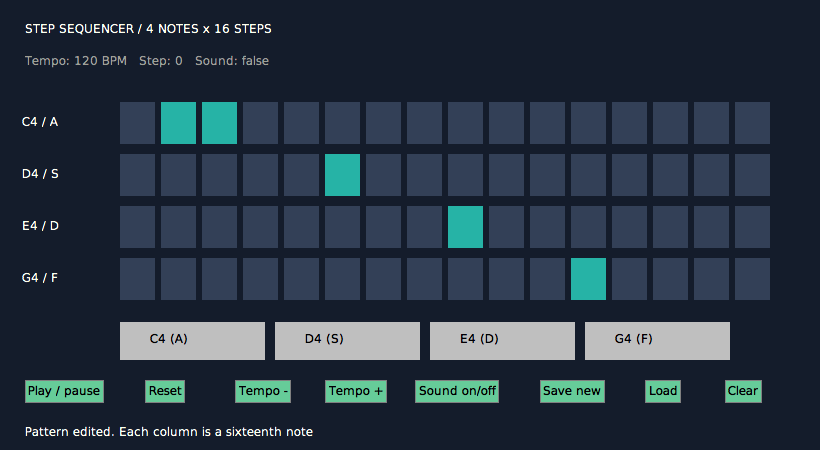
The complete editor supports pattern editing, playback, explicit audio, tempo changes and local save/load.
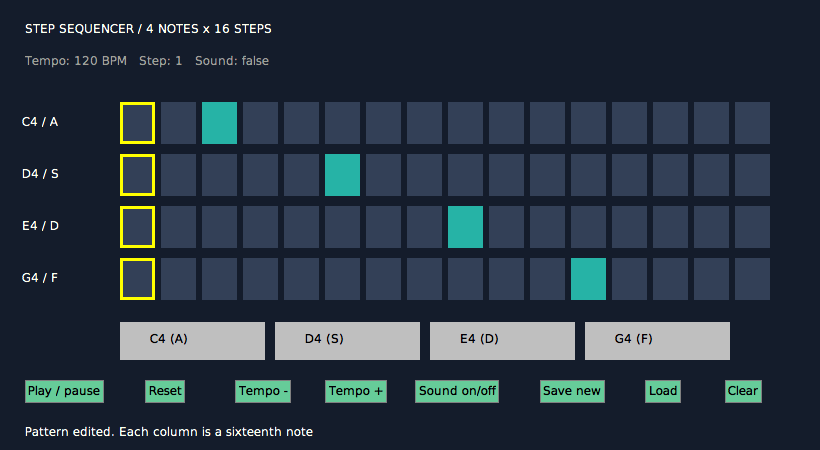
These animations are captured frame sequences from genuine native Squeak executions. Actions were scripted for reproducibility. Playback is illustrative and is not a performance measurement. No animation starts until you press Play demo.
NATIVE SQUEAK CAPTURE
Two loops of native playhead advancement over the four-note pattern. Frames were captured from scripted advance messages, with device audio disabled; the GIF is not a timing benchmark.
NATIVE SQUEAK CAPTURE
Native pattern edits and tempo changes. The second WAV uses the final pattern shown here.Initial four-note pattern · native Squeak PCM synthesis
17 SUnit tests for this lesson pass, alongside all nine independent checkpoint executions and three exact exercise solutions.
The source, visible method bodies, independent stage runs and exercises were executed in stock Squeak 6.1. Additional SUnit checks cover boundaries and actual native events.
The four related applications pass 56 tests together in a fresh baseline image.
An independent review exercised real editor acceptance, native events, bounded input, request cancellation and persistence behavior; verified defects were fixed before publication.
Delete the tutorial Morph through its halo when finished. The sequencer stops stepping and the JSON browser cancels its owned worker during deletion. Saving an image is separate from saving application data.
Four synthesized notes, one 16-step pattern, and a fixed panel size. This is a learning instrument, not a sample-accurate audio workstation or MIDI sequencer.
Morphic stepping schedules notes approximately. Busy images can delay events; the app skips catch-up bursts. Offline WAV rendering uses exact sample positions and is separate from real-time scheduling.
Native sample generation and WAV contents were tested. The build ran with the VM sound device disabled, so speaker output and device latency were not measured. Turn sound on explicitly in your own image.
Saving creates a new file and refuses an existing name. There is no atomic crash-recovery protocol or unsaved-change prompt; keep the pattern before closing.
Pattern text is checked before JSON parsing: at most three array levels, Boolean tokens, and a tempo token of at most three decimal digits. This rejects pathological exponent inputs before the numeric parser runs.