The separate playground loads the real Smalltalk image on demand. This lesson keeps its native setup instructions; browser compatibility notes appear beside each demo.
Before you start
Build Tile Map Workshop: a 12×9 editor with four tile colors, an independent collision layer, a keyboard/button controlled test player, and validated save files.
Each checkpoint is a complete cumulative file-in. Work through them in order and inspect the highlighted Browser method, then run the exact Workspace block to see that stage. Each stage adds behavior rather than merely changing a screenshot.
Squeak 6.1 with its bundled SUnit; no additional packages
Basic familiarity with Workspace Do It / Print It and accepting an instance method in a Browser
Save a copy of your learning image. Close the prior lesson window before moving to another checkpoint.
Download the stated .st source. Use Squeak File List → select the file → fileIn. Exclamation-mark source chunks belong in File List, not pasted wholesale into a Workspace.
Run the Workspace block with Do It. To study or change the displayed method, select the named class on the instance side in a Browser and Accept the entire method.
Checkpoint sources are intended for forward progression. For an isolated earlier checkpoint use a fresh Squeak image; filing an older file over a newer one does not remove later methods.
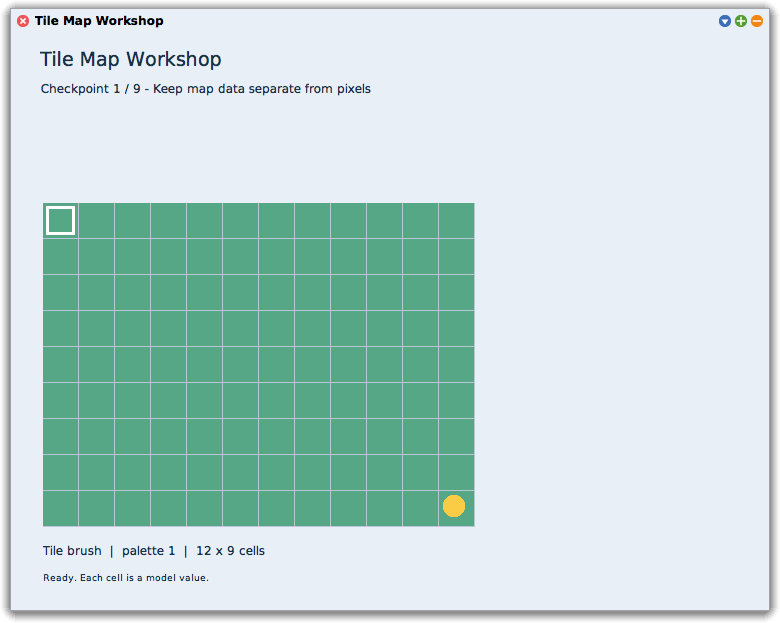
A tile map is a rectangular model that a view happens to display. LSTileMap stores 108 tile indices for a 12×9 world. The view uses a 36-pixel cell size and calculates each rectangle from the row and column. Moving the window changes the view’s screen coordinates, never the map’s data.
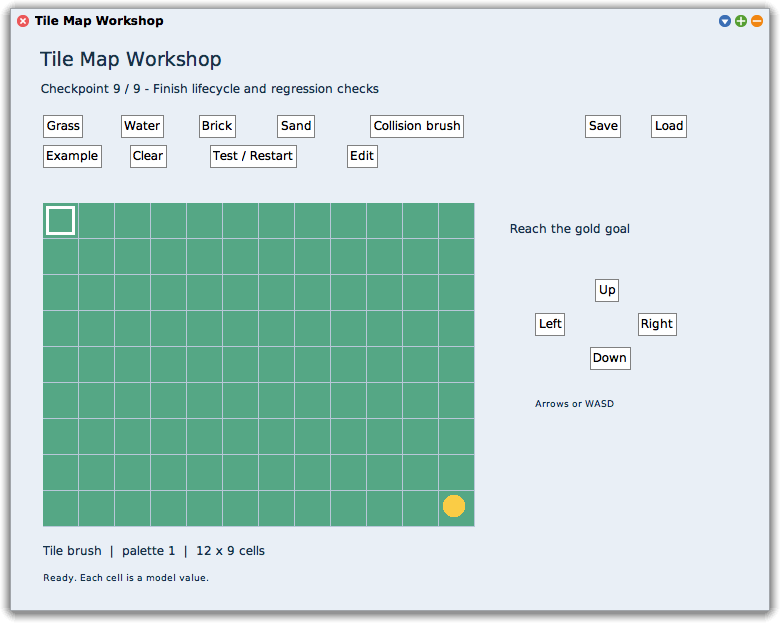
The white outlined cell is the starting position and the gold disc is the goal. These are fixed endpoints in this small example. The first checkpoint only renders a blank map. Browse tileAt: and indexOf: to connect a visible cell with its one-based Array index. You can reuse the model without opening a Morphic window.
Where to run this
System Browser → LSTileMap → instance side → tutorial. Accept this complete method, or file in the complete checkpoint below.
LSTileMap · instance-side method
indexOf: cell
 ^ ((cell y - 1) * 12) + cell x
File List → fileIn tile-map-01.st, then Workspace → select this entire block → Do It.
Workspace · run after installing this checkpoint
| app |
app := LSTileApp open.
app
Try it: Change one coordinate or palette index, then observe the model and view. Keep values within the documented bounds.
Expected result
A native Tile Map Workshop window showing a blank grid, outlined spawn, and gold goal.
Genuine native Squeak checkpoint 1; the exact Workspace block above created this state.
02 · Paint tiles with a native brush
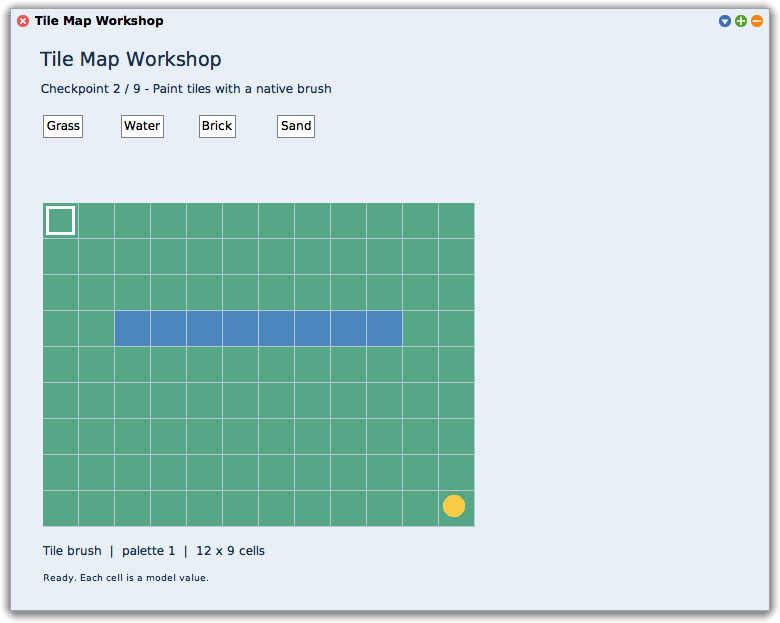
The tile brush selects Grass, Water, Brick, or Sand as indices zero through three. A native mouse event is converted from World coordinates to a cell. Painting is rejected outside the grid and when the player is in test mode. The model also validates the index, which means scripts receive the same boundary protection as mouse users.
The brush draws each cell visited by an event; it does not fill gaps between widely spaced events. This deliberate limitation keeps the first implementation readable. Paint a river and a brick boundary, then change a few cells back to grass. The visible tile colors are a palette, not imported image assets.
Where to run this
System Browser → LSTileApp → instance side → tutorial. Accept this complete method, or file in the complete checkpoint below.
LSTileApp · instance-side method
paintCell: cell
 | result |
 result := wallMode ifTrue: [document toggleWall: cell] ifFalse: [document paint: cell with: ink].
 self refresh. ^ result
File List → fileIn tile-map-02.st, then Workspace → select this entire block → Do It.
Genuine native Squeak checkpoint 2; the exact Workspace block above created this state.
03 · Edit collision cells explicitly
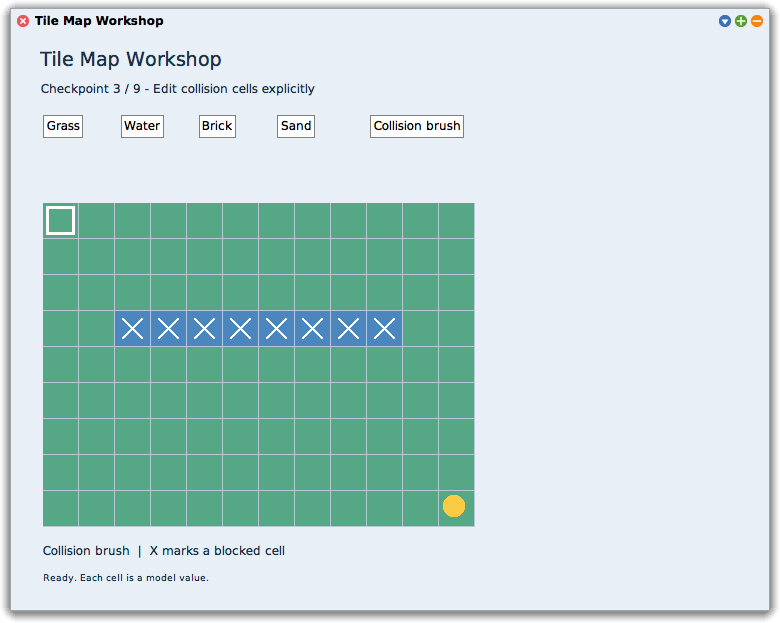
Appearance and collision are separate layers. A water tile is still walkable until its collision value is set. Collision brush toggles that value; the view draws a white X over every blocked cell. This makes collision explicit instead of relying on the reader to infer it from color.
Repeated movement events inside the same cell must not toggle it repeatedly. lastCell suppresses duplicate visits within the stroke, and mouseDown: resets it for the next stroke. The start and goal cells cannot become blocked. Re-entering a cell later in the same stroke can toggle it again, so this tool is easiest to use as deliberate clicks or one-way drags.
Where to run this
System Browser → LSTileGrid → instance side → tutorial. Accept this complete method, or file in the complete checkpoint below.
LSTileGrid · instance-side method
paintAt: point
 | local cell |
 local := point - self position.
 ((0@0 extent: self extent) containsPoint: local) ifFalse: [^ false].
 cell := ((local x // cellSize) + 1) @ ((local y // cellSize) + 1).
 cell = lastCell ifTrue: [^ false].
 lastCell := cell. ^ app paintCell: cell
File List → fileIn tile-map-03.st, then Workspace → select this entire block → Do It.
Genuine native Squeak checkpoint 3; the exact Workspace block above created this state.
04 · Create a reusable sample map
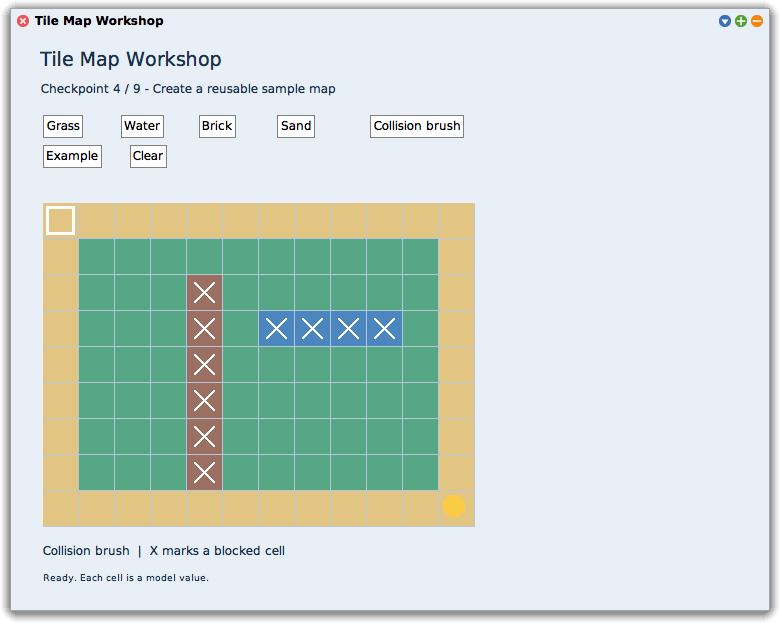
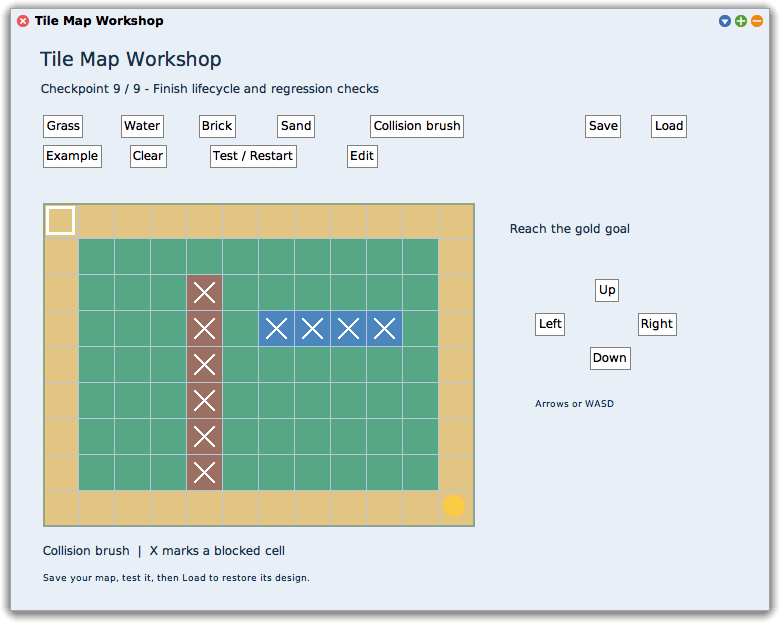
The Example button constructs a small map with a walkable sand border, a vertical brick wall, and a short water obstacle. It begins by returning to edit mode and clearing both layers, so pressing it twice yields the same result. Clear also clears both layers, but refuses to run in test mode.
The sample is synthetic and its border gives a guaranteed route to the goal. The test suite traverses that route rather than merely checking that the example draws. You can change its interior freely and use test mode to discover unreachable areas. There is no general pathfinding or automatic solvability checker here.
Where to run this
System Browser → LSTileMap → instance side → tutorial. Accept this complete method, or file in the complete checkpoint below.
Genuine native Squeak checkpoint 4; the exact Workspace block above created this state.
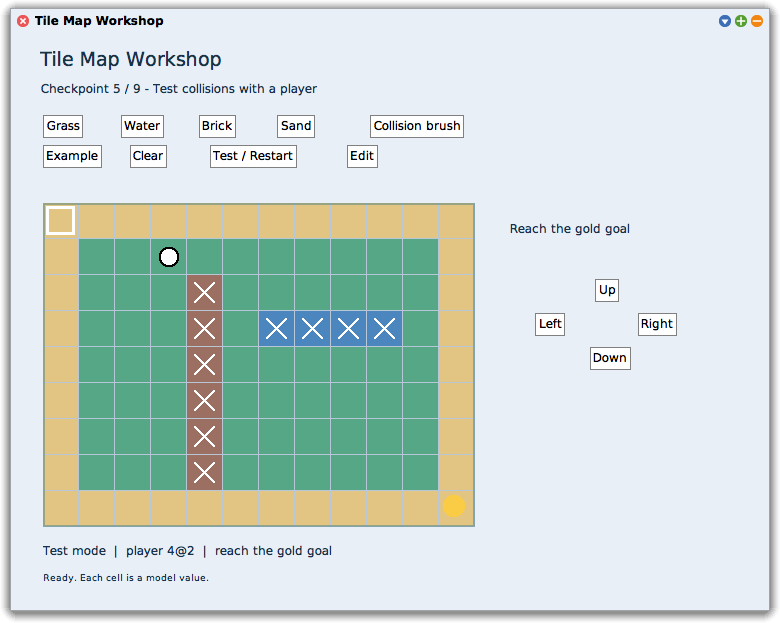
05 · Test collisions with a player
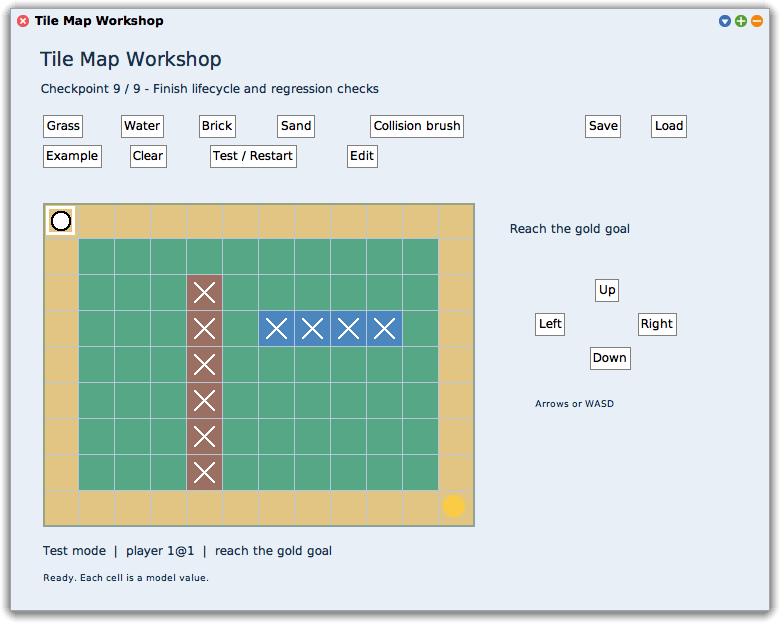
Test / Restart sets the player to the start and enters test mode. Movement accepts only one orthogonal cell at a time. A target outside the grid is treated as blocked, and a collision cell rejects the move before changing the player position. Reaching the fixed goal sets won; further movement waits for a restart.
The four native direction buttons call the same move: method used by keyboard input later. This gives a complete test mode even without keyboard focus. Editing is disabled while testing. Edit leaves test mode and returns the player to the start. This is a discrete tile walker, not a physics or game-engine framework.
Where to run this
System Browser → LSTileMap → instance side → tutorial. Accept this complete method, or file in the complete checkpoint below.
LSTileMap · instance-side method
move: delta
 | target |
 (playing and: [won not]) ifFalse: [^ false].
 (#(1 -1) includes: delta x) & (delta y = 0) | ((#(1 -1) includes: delta y) & (delta x = 0)) ifFalse: [^ false].
 target := player + delta.
 (self blocked: target) ifTrue: [^ false].
 player := target. won := player = (12@9). ^ true
File List → fileIn tile-map-05.st, then Workspace → select this entire block → Do It.
Genuine native Squeak checkpoint 5; the exact Workspace block above created this state.
06 · Add keyboard control and restart
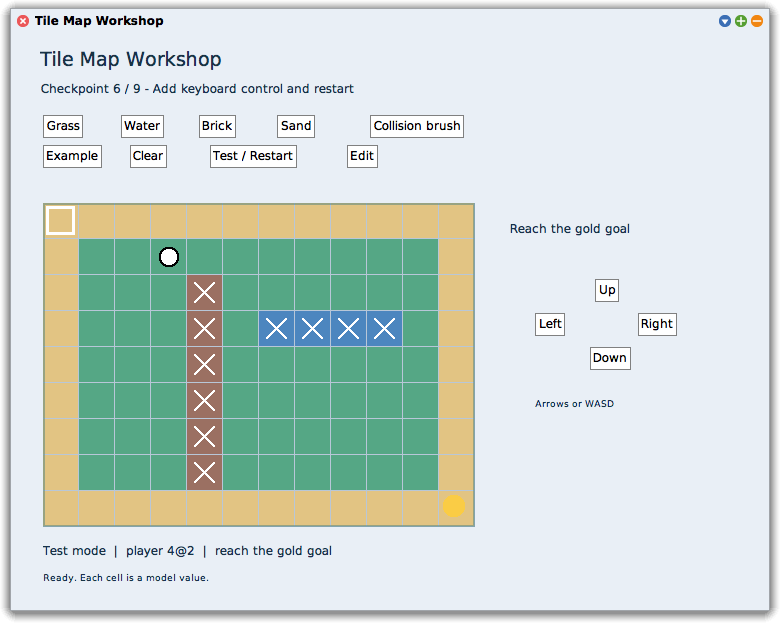
When test mode starts, the app gives keyboard focus to the grid. keyStroke: maps arrow-key values and WASD letters to the same four movement deltas as the buttons. Handling lowercase and uppercase makes the letter controls convenient without changing the movement contract. Other keys do nothing.
Press Test / Restart whenever you want a fresh attempt. If another window takes focus, press that button again or use the visible direction buttons. The test suite dispatches actual KeyboardEvent instances through Morph’s handler and checks the resulting position. The final close path releases keyboard focus so an invisible grid cannot continue receiving commands.
Where to run this
System Browser → LSTileGrid → instance side → tutorial. Accept this complete method, or file in the complete checkpoint below.
Genuine native Squeak checkpoint 6; the exact Workspace block above created this state.
07 · Validate a portable map format
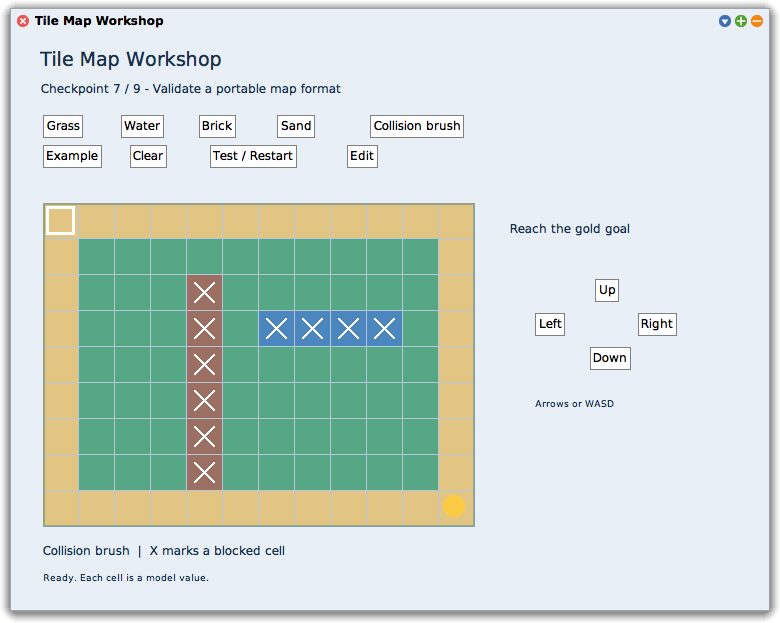
LSTILE1 is followed by exactly 108 tile values and 108 collision values. The reader validates the header and exact token count, accepts only bounded decimal integers, checks both ranges, and refuses a blocked start or goal. Parsing occurs in temporary collections. The model changes only after every check succeeds.
Only map design is persisted. The player position and win state are transient and reset on load. asText is deterministic, allowing dirty detection without serializing live Morphs or event handlers. This format does not execute Smalltalk, and its bounded input prevents a tutorial file from requesting an unbounded map allocation.
Where to run this
System Browser → LSTileMap → instance side → tutorial. Accept this complete method, or file in the complete checkpoint below.
LSTileMap · instance-side method
loadText: text
 | tokens nums newTiles newWalls |
 text isString ifFalse: [^ false].
 text size > 5000 ifTrue: [^ false].
 [tokens := text findTokens: Character separators.
  (tokens size ~= 217 or: [tokens first ~= 'LSTILE1']) ifTrue: [self error: 'Header or shape'].
  nums := fileStore numbers: tokens allButFirst.
  newTiles := (nums copyFrom: 1 to: 108) asArray.
  newWalls := (nums copyFrom: 109 to: 216) asArray.
  (newTiles allSatisfy: [:value | value between: 0 and: 3]) ifFalse: [self error: 'Tile'].
  (newWalls allSatisfy: [:value | value between: 0 and: 1]) ifFalse: [self error: 'Collision'].
  ((newWalls at: 1) = 0 and: [(newWalls at: 108) = 0]) ifFalse: [self error: 'Spawn or goal blocked']
 ] on: Error do: [:error | ^ false].
 tiles := newTiles. walls := newWalls. self stop.
 saved := self asText. ^ true
File List → fileIn tile-map-07.st, then Workspace → select this entire block → Do It.
Genuine native Squeak checkpoint 7; the exact Workspace block above created this state.
08 · Save and load transactionally
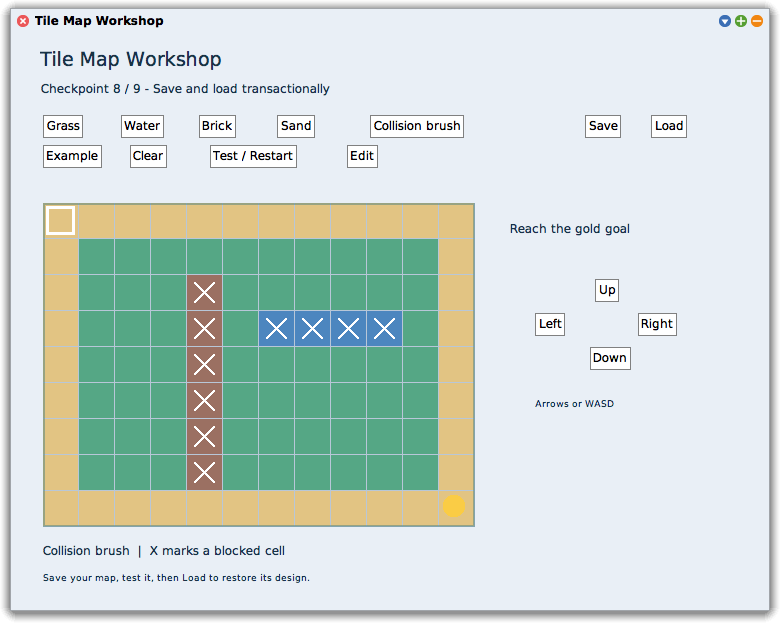
Save and Load use native dialogs and the .tilemap extension. Save asks before overwriting an existing file. The helper writes a sibling temporary file before moving the old file aside, then restores the old file when installation fails. The tests inject failures at each ordinary write/rename boundary and compare the original bytes afterward.
Load asks before discarding unsaved edits, reads a bounded amount of text, and commits only a valid complete map. A successful load returns to edit mode at the starting position. Cancellation, missing files, invalid tile values, blocked endpoints, and corrupt collision values leave existing map data intact. Once new bytes are installed, failing to delete the old backup is a successful save with a visible backup-retained warning, not a failed transaction. This is a teaching format with no automatic recovery journal.
Where to run this
System Browser → LSTileMap → instance side → tutorial. Accept this complete method, or file in the complete checkpoint below.
Genuine native Squeak checkpoint 8; the exact Workspace block above created this state.
09 · Finish lifecycle and regression checks
The final window integrates editing, collision overlays, a test player, restart, keyboard control, and portable storage. Successful close returns to edit state, ends an active brush stroke, releases mouse focus from every hand targeting the grid, and releases keyboard focus. This also handles a window closing halfway through a drag. Cancelling an unsaved-close prompt preserves the window. The dimensions are fixed to keep the layout and coordinate math easy to inspect.
Try a real editing cycle: paint, mark obstacles, test, revise, save, and reload. Then run the complete SUnit suite. It covers success and interruption paths as well as a complete route to the goal. The exercises add model queries and transformations; after changing a model through a Workspace, explicitly refresh its app.
Where to run this
System Browser → LSTileApp → instance side → tutorial. Accept this complete method, or file in the complete checkpoint below.
Genuine native Squeak checkpoint 9; the exact Workspace block above created this state.
Watch the workflow
All stage PNGs and GIF frames are real native Squeak 6.1 SystemWindow imageForm renders made by the included capture scripts. GIFs are scripted native interactions, not recordings of a person clicking. Mouse and keyboard sequences dispatch actual Morphic event objects; playback demos call the same step method registered with Morphic. Posters are byte-for-byte PNG copies of each GIF sequence’s first source frame.
NATIVE SQUEAK CAPTURE
Scripted native mouse-event sequence: paint water, turn on collision markers, enter test mode, and observe a blocked move.
NATIVE SQUEAK CAPTURE
Scripted native keyboard-event sequence: follow the sample map’s walkable border to the goal, freeze at the win state, then restart.
Practice with tested solutions
1. Count blocked cells
Add blockedCellCount without inspecting the view. The collision model, not the tile colors, determines this count.
Hint
Use the model’s indexing and validation methods; do not inspect rendered colors.
Show a tested solution
System Browser → LSTileMap → instance side → tutorial → accept this entire method. Or file in tile-map-exercise-1.st, which includes the complete final app and this solution.
Exercise solution
blockedCellCount
 ^ walls count: [:value | value = 1]
This exact method and check block were compiled and executed in the baseline image. Existing app instances need refresh after direct model changes.
2. Remove collision markers safely
Add clearCollisions. Keep all tile colors and refuse to alter a map during test mode.
Hint
Use the model’s indexing and validation methods; do not inspect rendered colors.
Show a tested solution
System Browser → LSTileMap → instance side → tutorial → accept this entire method. Or file in tile-map-exercise-2.st, which includes the complete final app and this solution.
Exercise solution
clearCollisions
 playing ifTrue: [^ false].
 walls atAllPut: 0. ^ true
Expected
true; the water tile stays, its collision marker disappears
true; the water tile stays, its collision marker disappears
This exact method and check block were compiled and executed in the baseline image. Existing app instances need refresh after direct model changes.
3. Ask about a possible move
Add canEnter: to query bounds and collision without moving the player. This method should work in edit mode too.
Hint
Use the model’s indexing and validation methods; do not inspect rendered colors.
Show a tested solution
System Browser → LSTileMap → instance side → tutorial → accept this entire method. Or file in tile-map-exercise-3.st, which includes the complete final app and this solution.
This exact method and check block were compiled and executed in the baseline image. Existing app instances need refresh after direct model changes.
When something looks wrong
The grid changes only sometimes during a fast drag
This simple brush paints visited event cells. Slow down, click individual cells, or extend the model with line interpolation.
An old checkpoint still has later behavior
The files support forward progression. Start from a clean Squeak image when testing an earlier checkpoint in isolation.
Save reports a failure
Use the required .sprite or .tilemap extension and a writable directory. Existing files need an overwrite confirmation. Cancel keeps your work.
A malformed file will not load
Use a file produced by the same lesson version. The parser rejects incorrect counts, headers, ranges, and extra data before replacing the current document.
Verification, cleanup and next steps
32 Tile Map Workshop tests pass in Squeak 6.1 build 23976 (64-bit). Every checkpoint is independently filed into the baseline image; its displayed Browser method is recompiled and exact Workspace block is executed before capturing the window. Each of the three full exercise solutions is separately executed and checked.
To run: file in tile-map-final.st, then tile-map-tests.st. In a Workspace select LSTMapTest suite run and Print It. The result is 32 passes, zero failures, zero errors. Tests create uniquely named temporary files under a SpriteTile-test-files directory in Squeak’s default directory, then remove their test files.
Native MouseButtonEvent/MouseMoveEvent dispatch, including drag release outside the grid
Invalid coordinates and palette values; dialog cancellation; dirty-close cancellation
Save/reload, rejected malformed text, corrupt files, missing paths, overwrite refusal; the actual production filename prompt and default path are tested through a UIManager stub
Injected write, first-rename, and installation-rename failures preserve prior file bytes
Sprite frame isolation, bounds, preview wrap and actual stepping cleanup; tile collision, boundaries, keyboard dispatch, restart, frozen win state, and complete route to goal
Close the tutorial window and confirm discarding only when appropriate. A successful close stops sprite stepping, clears active drawing, and releases tile-map keyboard focus. Your saved .sprite or .tilemap file survives closing the window. Use a copy of the image for experiments.
Shipped Morph, MouseButtonEvent, MouseMoveEvent, KeyboardEvent, SystemWindow, FileDirectory, and TestCase sources — API signatures were checked in the exact image used for the captures and regression suite