Save snapshots, inspect a real diff, resolve a real conflict and recover known code.
9 construction stagesTested source & checkpointsNative screenshots & demos
Before you start
Saving an image preserves an entire live environment. Version control gives a different view: named snapshots of a package’s source, with ancestry and changes you can inspect. This laboratory uses the Monticello tools already included in Squeak 6.1 and a tiny disposable counter package. No hosting account, Git command or network repository is required.
Work through the stages in order to understand the construction, or file in any checkpoint on its own. Each self-contained checkpoint includes the complete supporting class; the stage setting progressively reveals the interface. The displayed methods are the actual tested implementation, not pseudocode.
Stock Squeak 6.1 build 23976. Basic Workspace Do it and Browser method acceptance.
Use a practice image and tutorial-created files. Download a checkpoint, open it in File List and choose fileIn.
The sample class has one method: value answers one. Its category prefix identifies the Monticello package. MCPackage named: creates the package descriptor, and workingCopy gives us the mutable view of the code currently installed in the image.
The helper explicitly resets the disposable sample package’s in-image ancestry so repeated laboratory runs remain independent. Do not apply that reset to a real project. Existing repository files are retained. The helper makes a uniquely named directory in the image’s default directory and adds it as a local repository. Read the displayed path. This is where the .mcz versions for this run will be written.
File in version-control-01.st in a practice image. It includes the complete backing class and opens this stage. To study the construction, select LSVersionLab in the Browser and compare the method below. The standalone opening block can be run with Do it after the source is installed.
Workspace · Do it after installing this checkpoint; close the previous panel first
Workspace · run after installing this checkpoint
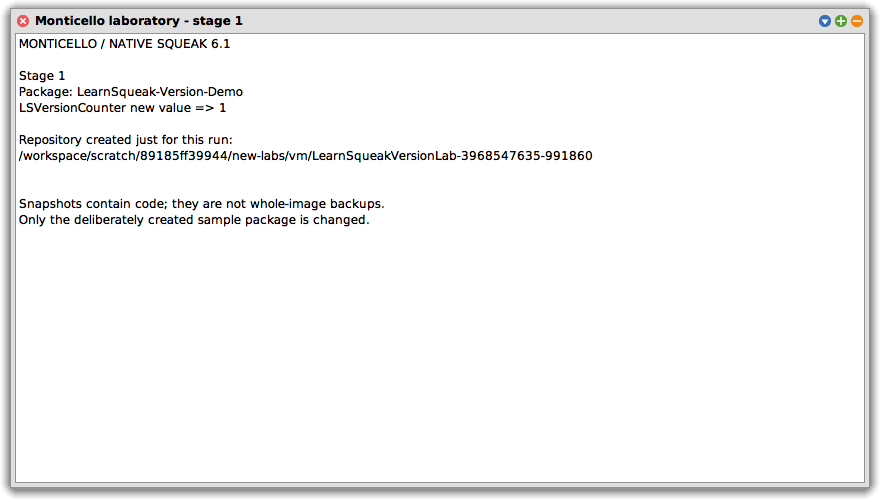
LSVersionLab new initializeLesson; openStage: 1
Expected result
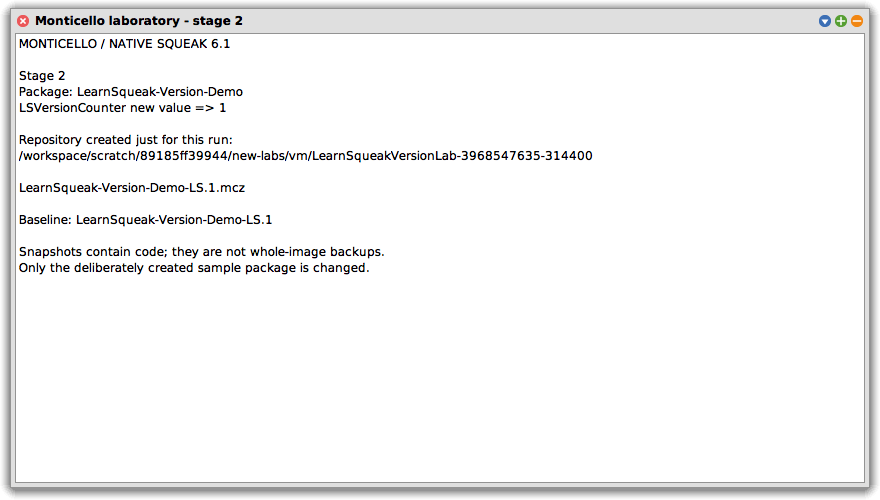
The report shows the sample package, a repository path and value 1.
A version combines a snapshot of definitions with metadata such as name, message, author and ancestry. newVersionWithName:message: captures the current package; storeVersion: writes its .mcz file into the repository.
The filename convention ends with an author identifier and number. The number is a useful name, while ancestry is what establishes the relationship between versions. Do not infer a safe merge just because one filename has a larger number.
LSVersionLab >> saveBaseline
saveBaseline
 baseline := workingCopy newVersionWithName: 'LearnSqueak-Version-Demo-LS.1' message: 'A counter that answers one'.
 repository storeVersion: baseline.
 ^ baseline
Where to run this
File in version-control-02.st in a practice image. It includes the complete backing class and opens this stage. To study the construction, select LSVersionLab in the Browser and compare the method below. The standalone opening block can be run with Do it after the source is installed.
Workspace · Do it after installing this checkpoint; close the previous panel first
Workspace · run after installing this checkpoint
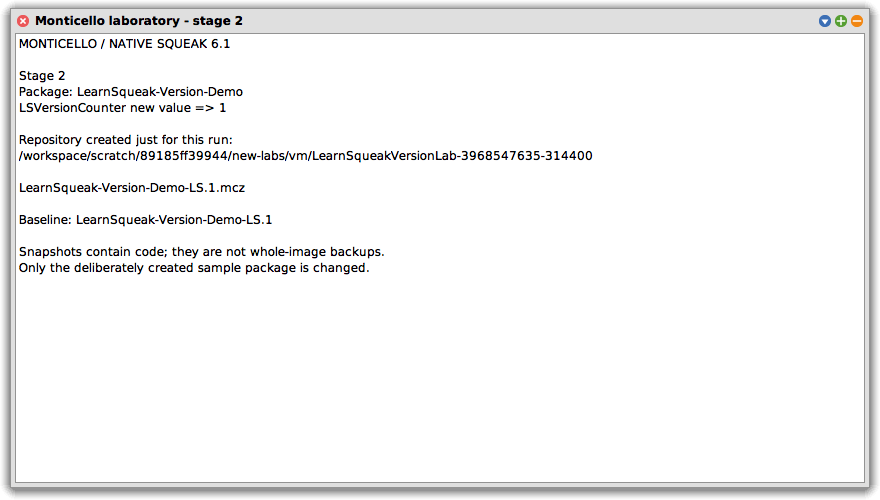
LSVersionLab new initializeLesson; openStage: 2
Expected result
The repository contains the baseline .mcz and the counter still answers 1.
Edit LSVersionCounter>>value so it answers two. In the Browser, select the class, the accessing protocol and value; change the return value and Accept. The equivalent compile: message below makes the scripted checkpoint reproducible.
At this moment the live image has changed but the baseline file has not. This is the central distinction between a working copy and a saved version. Run LSVersionCounter new value to check the installed behavior.
LSVersionLab >> editLocal
editLocal
 LSVersionCounter compile: 'value ^ 2' classified: 'accessing'.
 ^ LSVersionCounter new value
Where to run this
File in version-control-03.st in a practice image. It includes the complete backing class and opens this stage. To study the construction, select LSVersionLab in the Browser and compare the method below. The standalone opening block can be run with Do it after the source is installed.
Workspace · Do it after installing this checkpoint; close the previous panel first
Workspace · run after installing this checkpoint
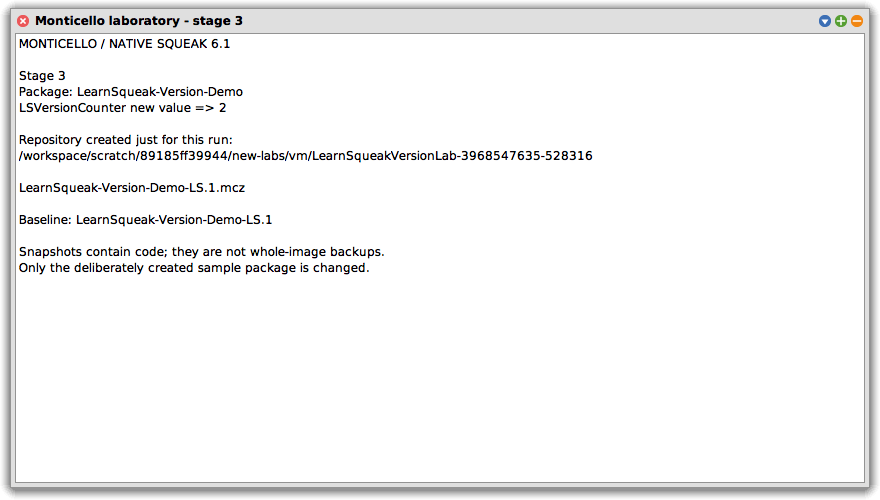
LSVersionLab new initializeLesson; openStage: 3
Expected result
The live method answers 2 while the baseline remains saved separately.
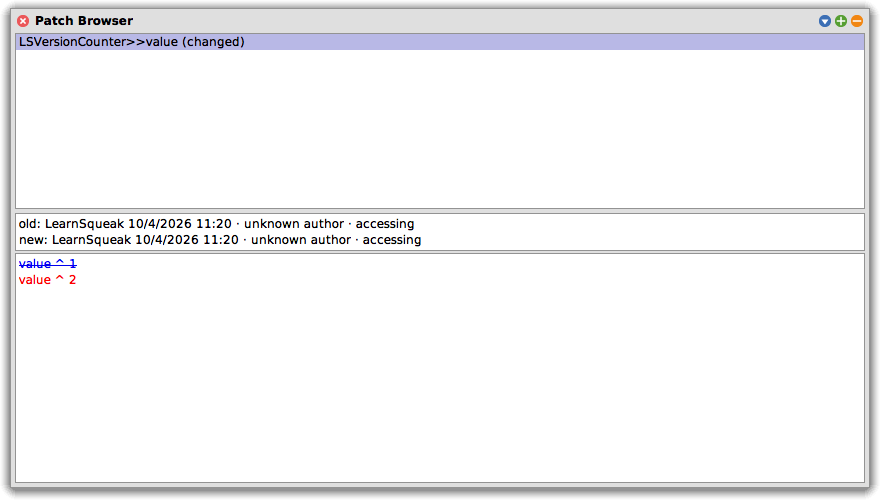
Compare the current package snapshot with the baseline snapshot. MCPatch describes additions, removals and modifications at the definition level. The native Patch Browser displays the changed method and old/new source.
Select the method row to reveal its code pane. Read both sides before saving. A successful compiler acceptance only proves the method is syntactically valid; the diff explains what you actually changed.
File in version-control-04.st in a practice image. It includes the complete backing class and opens this stage. To study the construction, select LSVersionLab in the Browser and compare the method below. The standalone opening block can be run with Do it after the source is installed.
Workspace · Do it after installing this checkpoint; close the previous panel first
Workspace · run after installing this checkpoint
LSVersionLab new initializeLesson; openStage: 4
Expected result
The native Patch Browser highlights the change from value ^ 1 to value ^ 2.
Saving the local version records the new behavior and advances the working copy’s ancestry. The original baseline remains in the repository. A useful message says what changed, not merely that a save occurred.
Keep the returned version object while experimenting. It gives a precise snapshot to load or compare, avoiding guesses based on whichever package happens to be installed now.
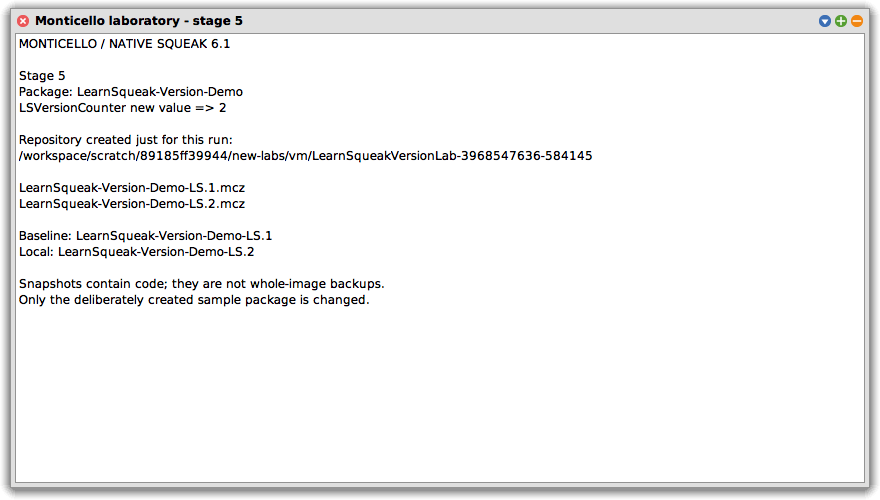
File in version-control-05.st in a practice image. It includes the complete backing class and opens this stage. To study the construction, select LSVersionLab in the Browser and compare the method below. The standalone opening block can be run with Do it after the source is installed.
Workspace · Do it after installing this checkpoint; close the previous panel first
Workspace · run after installing this checkpoint
LSVersionLab new initializeLesson; openStage: 5
Expected result
Both baseline and local .mcz files exist. The installed method answers 2.
06 · Create divergent edits and a genuine conflict
To simulate a second developer, load the common baseline, change value to three and save another version. Then load the local version that answers two. The two branches now disagree about the same method relative to the same ancestor.
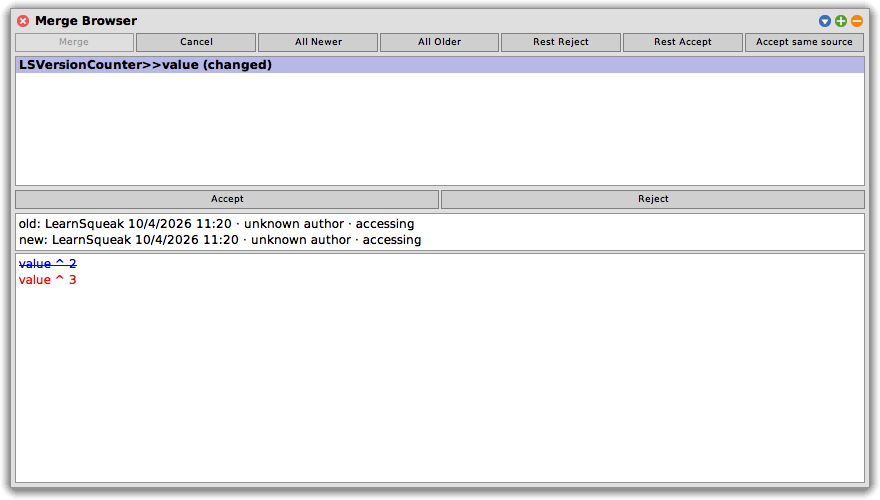
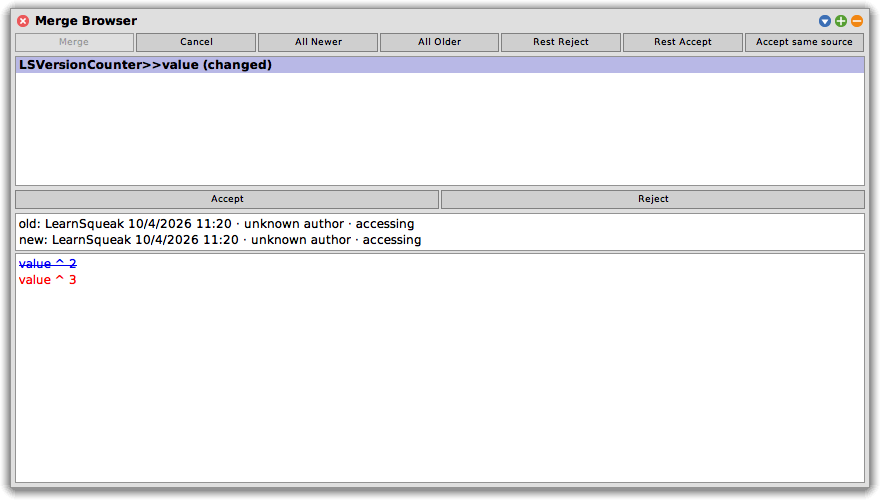
MCThreeWayMerger receives the current local snapshot, the target snapshot and their ancestor. It reports one unresolved conflict. The native Merge Browser shows value ^ 2 versus value ^ 3; this is an actual Monticello conflict, not an illustration.
LSVersionLab >> makeRemoteBranch
makeRemoteBranch
 "Both branches descend from the same baseline. No server is needed."
 baseline load.
 LSVersionCounter compile: 'value ^ 3' classified: 'accessing'.
 remoteVersion := workingCopy newVersionWithName: 'LearnSqueak-Version-Demo-other.2' message: 'Other branch value three'.
 repository storeVersion: remoteVersion.
 localVersion load.
 merger := MCThreeWayMerger base: package snapshot target: remoteVersion snapshot ancestor: baseline snapshot.
 ^ merger
Where to run this
File in version-control-06.st in a practice image. It includes the complete backing class and opens this stage. To study the construction, select LSVersionLab in the Browser and compare the method below. The standalone opening block can be run with Do it after the source is installed.
Workspace · Do it after installing this checkpoint; close the previous panel first
Workspace · run after installing this checkpoint
LSVersionLab new initializeLesson; openStage: 6
Expected result
The Merge Browser lists one unresolved method conflict and displays both revisions.
07 · Resolve consciously and record the merge ancestry
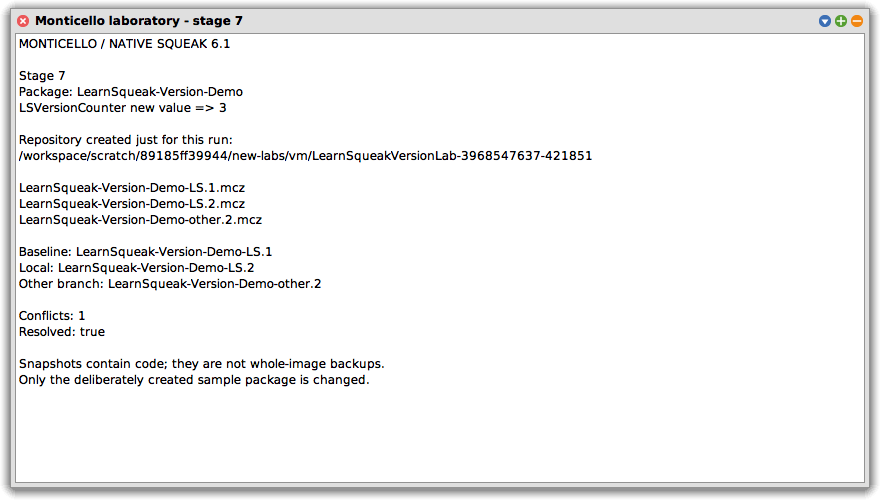
For this deliberately trivial example, choose the other branch’s value of three. The code explicitly marks each conflict as remote, loads the resolved operations, and tells the working copy that the remote version was merged.
The browser’s Accept action corresponds to the incoming change; Reject keeps the local choice. In real code, choosing an entire side is not always the right semantic result. You may need to edit a combined implementation and run tests before saving it.
LSVersionLab >> resolveRemote
resolveRemote
 merger conflicts do: [:conflict | conflict chooseRemote].
 merger load.
 workingCopy merged: remoteVersion.
 ^ LSVersionCounter new value
Where to run this
File in version-control-07.st in a practice image. It includes the complete backing class and opens this stage. To study the construction, select LSVersionLab in the Browser and compare the method below. The standalone opening block can be run with Do it after the source is installed.
Workspace · Do it after installing this checkpoint; close the previous panel first
Workspace · run after installing this checkpoint
LSVersionLab new initializeLesson; openStage: 7
Expected result
The conflict is resolved and the installed counter answers 3.
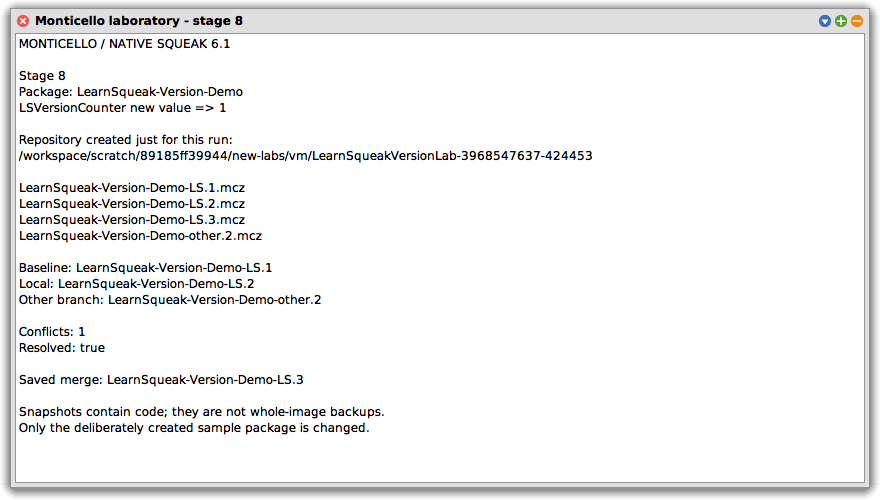
First save the merged version. Only then deliberately load the baseline. Loading replaces this sample package’s installed code, which is why unsaved work should be reviewed before a recovery operation.
Recovery is not deletion: the later snapshots still exist in the repository. The report shows the saved merge but the current counter answers one. That visible contrast is a useful way to understand what “installed version” means in a live image.
LSVersionLab >> recoverBaseline
recoverBaseline
 "A deliberate load replaces this sample package's current code."
 baseline load.
 ^ LSVersionCounter new value
Where to run this
File in version-control-08.st in a practice image. It includes the complete backing class and opens this stage. To study the construction, select LSVersionLab in the Browser and compare the method below. The standalone opening block can be run with Do it after the source is installed.
Workspace · Do it after installing this checkpoint; close the previous panel first
Workspace · run after installing this checkpoint
LSVersionLab new initializeLesson; openStage: 8
Expected result
The baseline behavior, value 1, is restored while all four saved snapshots remain available.
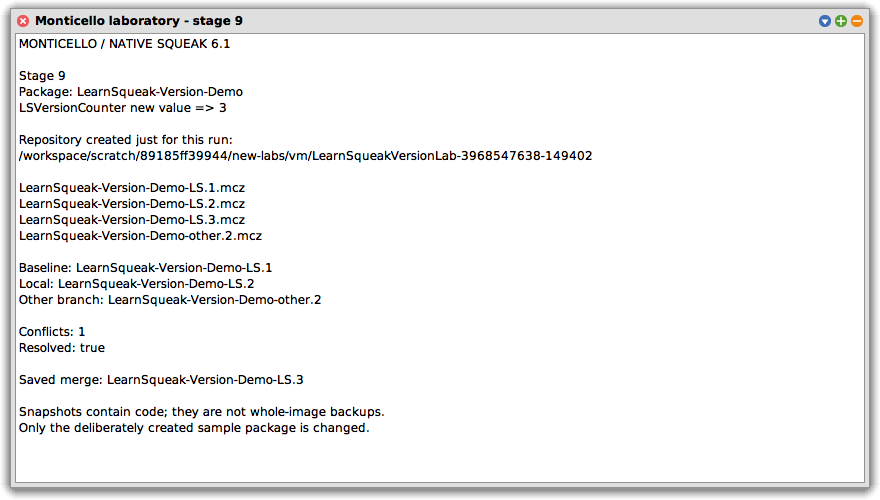
09 · Restore the tested merge and finish the workflow
Load the exact merged snapshot to restore value three. The regression tests cover snapshot round trips, diff size, conflict detection, both resolution choices and recovery in both directions.
For a real project, choose a package boundary, make small named snapshots, inspect changes before saving and load your release into a clean image. External assets and data files need their own packaging plan. The earlier Package & share tutorial covers that separate concern.
LSVersionLab >> restoreMerge
restoreMerge
 mergedVersion load.
 ^ LSVersionCounter new value
Where to run this
File in version-control-09.st in a practice image. It includes the complete backing class and opens this stage. To study the construction, select LSVersionLab in the Browser and compare the method below. The standalone opening block can be run with Do it after the source is installed.
Workspace · Do it after installing this checkpoint; close the previous panel first
Workspace · run after installing this checkpoint
LSVersionLab new initializeLesson; openStage: 9
Expected result
The saved merge is installed again and the counter answers 3.
These animations are captured frame sequences from genuine native Squeak executions. Actions were scripted for reproducibility. Playback is illustrative and is not a performance measurement. No animation starts until you press Play demo.
NATIVE SQUEAK CAPTURE
A scripted native walkthrough of baseline, live edit, selected source diff and saved local version. Each independent checkpoint creates its own sample repository.
NATIVE SQUEAK CAPTURE
Native Merge Browser conflict, chosen resolution, baseline recovery and restored merge. These are real Monticello snapshots and operations.
Practice with tested solutions
1. Detect an unchanged working copy
Compare a freshly saved baseline with the installed package.
Hint
An empty patch has zero operations.
Show a tested solution
Workspace · Print it after installing the complete application source
7 SUnit tests for this lesson pass, alongside all nine independent checkpoint executions and three exact exercise solutions.
The source, visible method bodies, independent stage runs and exercises were executed in stock Squeak 6.1. Additional SUnit checks cover boundaries and actual native events.
The four related applications pass 56 tests together in a fresh baseline image.
An independent review exercised real editor acceptance, native events, bounded input, request cancellation and persistence behavior; verified defects were fixed before publication.
Close the native tool windows. The disposable sample package and newly created repository directories remain for inspection; remove only your own lesson files when finished.
The laboratory creates only LearnSqueak-Version-Demo and LSVersionCounter. Use a fresh practice image if those names already contain your own work: the lesson intentionally replaces their methods.
Each independent checkpoint creates a new local repository directory. The files are intentionally retained so you can inspect them; the lesson does not delete repositories automatically.
Monticello package snapshots are code, not a backup of every live object, preference or external file. Keep image backups separately and test a package in a clean image.
The conflict demonstration uses two local branches descended from one snapshot. It does not claim to implement a Git workflow, remote collaboration service, or automatic semantic conflict resolution.