Menus that match the selection: a Squeak trunk update
What have you selected, and what will this command affect? A small Monticello update brings those questions into focus, with a useful lesson for reading tools and designing your own.
Published · Curated links & context
WHAT CAUGHT OUR EYE
News & articles
Dates below belong to the original sources. Evergreen resources are labeled separately from dated news.
SQUEAK TRUNK DEVELOPMENT
Monticello menus become more specific
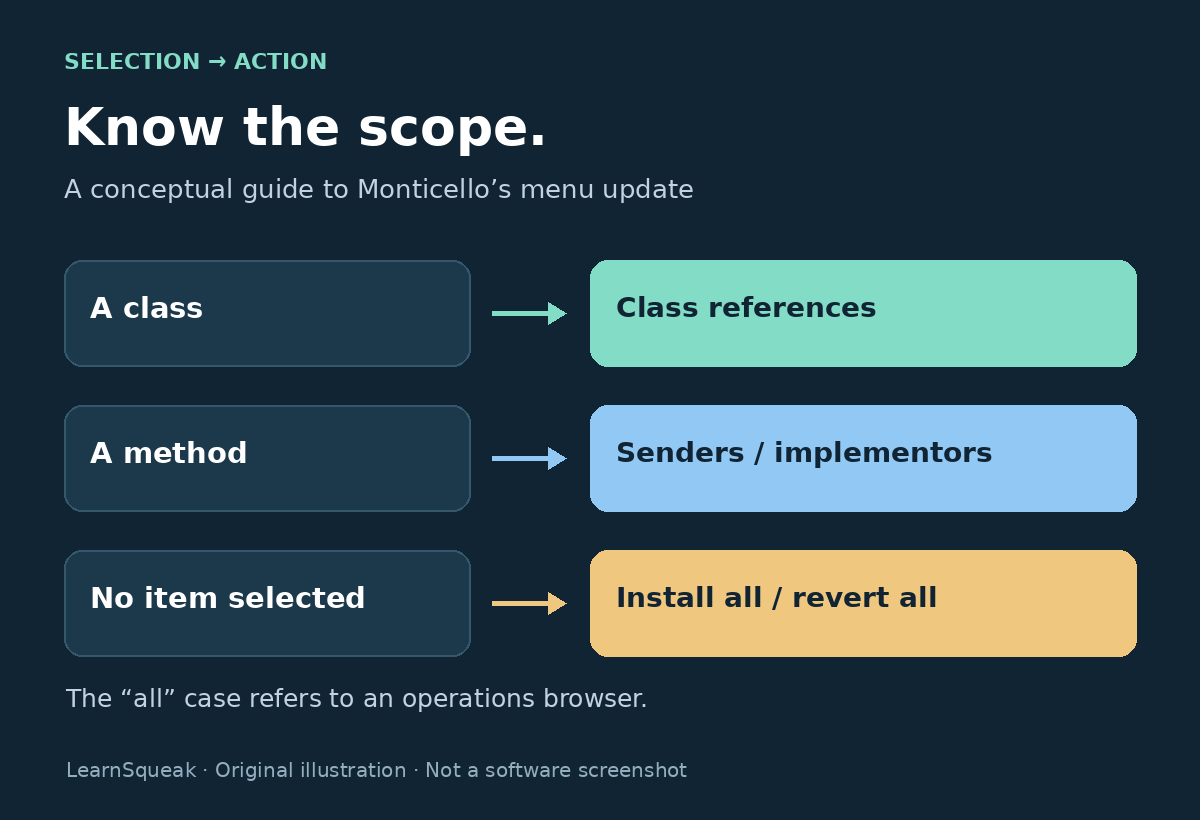
Christoph Thiede’s Monticello-ct.831 update adjusts code-tool menus to the selected item. Class selections gain a class-reference command, while method-specific choices are limited to method selections. In operations browsers with no item selected, the labels become “install all” and “revert all”. The change also enables list keyboard shortcuts in change-selector browsers. This is development work in Squeak trunk, not a new stable release.
Why explore it?
Before choosing an action, identify its target and scope. As a reading exercise, follow the selection checks in the linked diff and ask which menu entries they permit. You can learn from that code without installing a development package into your working image.
Publication date not established · Checked 7 November 2026
The official development guide explains the Inbox, review and integration into trunk. Use it to understand the status of a package announcement before deciding whether to explore a development image.
Trace a button into its model, then compare senders and implementors. This established workshop teaches source-navigation skills; its captures do not demonstrate the new Monticello menus.
Published 7 November 2026. The news source is dated 6 November; the learning links are evergreen. We reviewed the primary announcement and source diff, but did not install or runtime-test Monticello-ct.831. Its behavior is not claimed for stock Squeak 6.1. The illustration is original. This edition covers menu selection and action scope, distinct from the clipboard and diff-text change covered on 5 November.